Perkenalan
This manual provides essential information for the safe and efficient installation, operation, and maintenance of your GIGABYTE AORUS Elite P1000W Ice Power Supply. Please read this manual thoroughly before using the product and retain it for future reference.

Gambar 1: Sudut view of the GIGABYTE AORUS Elite P1000W Ice Power Supply, highlighting the 1000W rating.
Informasi Keselamatan
Selalu perhatikan tindakan pencegahan keselamatan berikut untuk mencegah cedera dan kerusakan pada peralatan Anda:
- Pastikan catu daya diputuskan dari stopkontak AC sebelum pemasangan atau penanganan.
- Jangan membuka unit catu daya. Vol tinggitagTerdapat komponen di dalamnya, dan tidak ada bagian yang dapat diperbaiki oleh pengguna.
- Pasang catu daya di area yang berventilasi baik, jauh dari sumber panas dan sinar matahari langsung.
- Gunakan hanya kabel modular yang disertakan dengan catu daya ini. Menggunakan kabel yang tidak kompatibel dapat menyebabkan kerusakan.
- Hindari memaparkan catu daya pada kelembapan atau suhu ekstrem.
Isi Paket
Verifikasi bahwa semua item ada dalam paket:
- GIGABYTE AORUS Elite P1000W Ice Power Supply Unit
- Modular Cable Set (including ATX 24-pin, EPS/CPU 8-pin, PCIe 6+2-pin, 12VHPWR, SATA, Peripheral)
- AC Power Cord (EU Plug)
- Sekrup Pemasangan
- User Manual (dokumen ini)
Fitur Produk
- ATX 3.0 and PCIe Gen 5.0 ready (ATX 3.1 compatible)
- Certified 80 PLUS Platinum efficiency
- 100% Japanese Capacitors for enhanced reliability
- 120mm Dynamic Fluid Ball Bearing (FDB) Fan for quiet and efficient cooling
- Compact design for easier installation
- Fully modular design for improved cable management
- Powerful single rail +12V output
- Comprehensive protection features: OVP (Over Voltage Protection), OPP (Over Power Protection), SCP (Short Circuit Protection), UVP (Under Voltag(Perlindungan Arus Lebih), OCP (Perlindungan Arus Lebih), OTP (Perlindungan Suhu Lebih)
Pengaturan dan Instalasi
Ikuti langkah-langkah berikut untuk memasang catu daya Anda:
- Siapkan Sistem Anda: Ensure your computer case is open and all existing power supply cables are disconnected.
- Pasang Catu Daya: Carefully place the GIGABYTE AORUS Elite P1000W into the power supply bay of your computer case. Secure it with the provided mounting screws.

Gambar 2: Secara keseluruhan view of the GIGABYTE AORUS Elite P1000W Ice Power Supply. This image shows the main unit with its fan grill and modular cable ports.
- Hubungkan Kabel Modular: Identify the necessary cables for your motherboard and components (CPU, GPU, storage drives). Connect the appropriate modular cables to the power supply's output ports.

Gambar 3: Rinci view of the modular cable connectors on the GIGABYTE AORUS Elite P1000W Ice Power Supply. This image illustrates the clearly labeled ports for M/B, CPU/PCI-E, Peripheral, and 12VHPWR connections.
- Kabel ATX 24-pin: Hubungkan ke konektor daya utama motherboard.
- 8-pin EPS/CPU Cable: Connect to the motherboard's CPU power connector.
- PCIe 6+2-pin Cables: Connect to your graphics card(s) if they require additional power.
- 12VHPWR Cable: Connect to PCIe Gen 5.0 graphics cards that utilize this connector.
- Kabel SATA: Hubungkan ke SSD, HDD, dan drive optik.
- Kabel Periferal (Molex): Connect to other components requiring Molex power.
- Hubungkan ke Komponen: Route the connected modular cables neatly to their respective components and plug them in securely.
- Hubungkan Daya AC: Ensure the power supply's main switch is in the OFF (0) position. Connect the AC power cord to the power supply and then to a wall outlet.
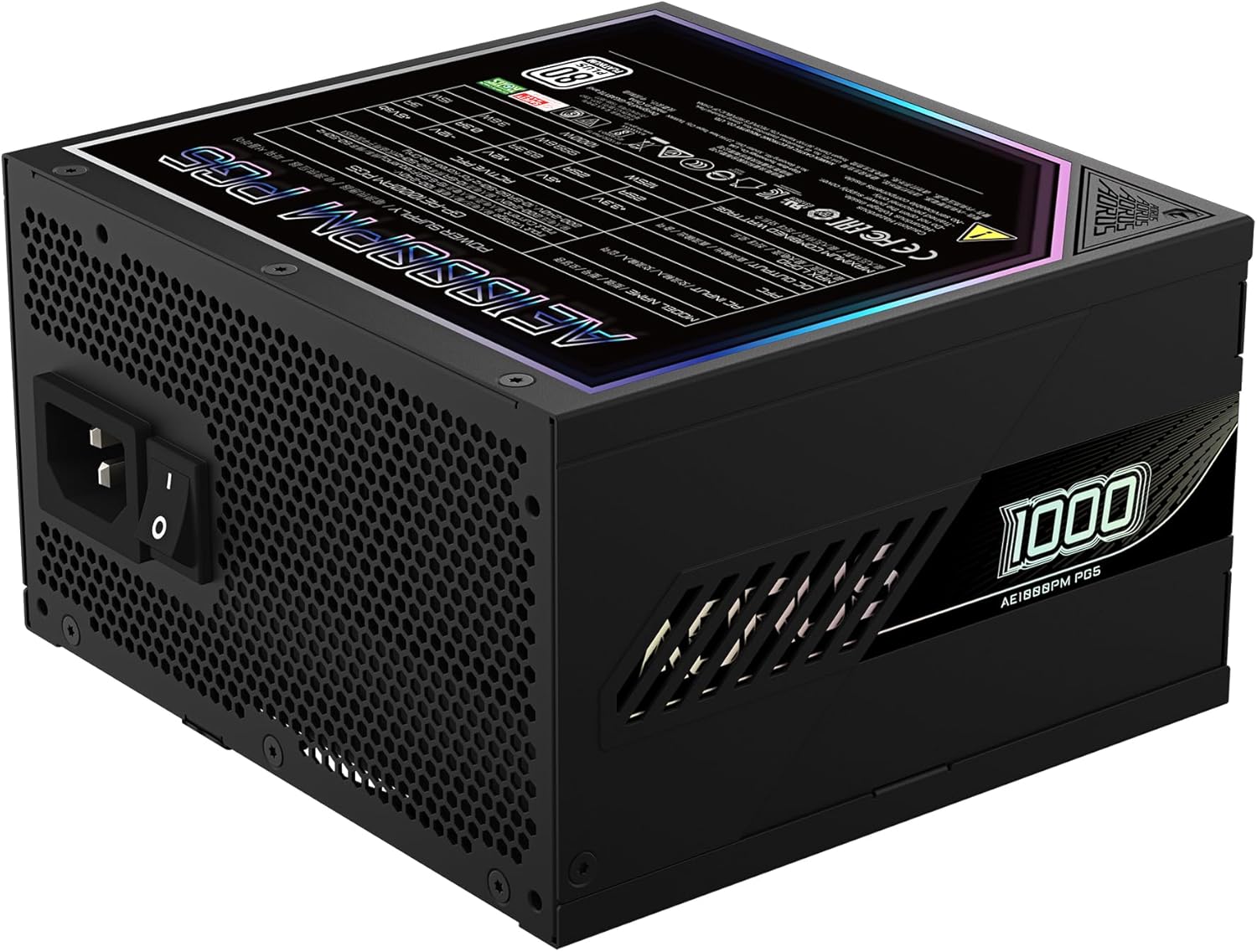
Figure 4: Rear panel of the GIGABYTE AORUS Elite P1000W Ice Power Supply, showing the AC power input and power switch. Ensure the switch is set to '0' before connecting the AC cord.
Petunjuk Pengoperasian
After installation, follow these steps to power on your system:
- Nyalakan: Flip the main power switch on the rear of the power supply to the ON (I) position.
- Booting Sistem: Tekan tombol daya pada casing komputer Anda untuk memulai sistem.
- Matikan: To shut down your system, perform a proper shutdown through your operating system. Once the system is off, you may flip the power supply's main switch to the OFF (0) position for complete power disconnection.

Gambar 5: Atas-bawah view of the 120mm fan with the AORUS logo on the GIGABYTE AORUS Elite P1000W Ice Power Supply. The fan provides active cooling during operation.
Pemeliharaan
Perawatan rutin membantu memastikan umur panjang dan kinerja optimal catu daya Anda:
- Pembersihan Debu: Periodically clean dust from the power supply's fan grill and vents using compressed air. Ensure the power supply is turned off and unplugged before cleaning.
- Manajemen Kabel: Pastikan kabel-kabel terpasang rapi dan tidak menghalangi aliran udara di dalam casing komputer.
- Kondisi Lingkungan: Maintain a cool, dry, and well-ventilated environment for your computer system.
Penyelesaian Masalah
Jika Anda mengalami masalah, ikuti langkah-langkah pemecahan masalah umum berikut:
- Tidak Ada Daya:
- Periksa apakah kabel daya AC terhubung dengan aman ke catu daya dan stopkontak dinding.
- Ensure the power supply's main switch is in the ON (I) position.
- Verify that all modular cables are correctly seated in both the power supply and the components.
- Uji stopkontak dinding dengan perangkat lain untuk memastikan ada daya.
- Sistem Mati Mendadak:
- This could indicate an overload or overheating. Ensure your system's power requirements do not exceed the PSU's 1000W capacity.
- Check for proper ventilation and clear any dust buildup.
- Verify that all power connections are secure.
- Suara-suara yang Tidak Biasa:
- A clicking sound might indicate a protective mechanism engaging. Disconnect power and recheck all connections.
- If the fan is making excessive noise, ensure it is free from obstructions.
If issues persist after following these steps, contact GIGABYTE customer support.
Spesifikasi

Figure 6: Product label on the GIGABYTE AORUS Elite P1000W Ice Power Supply, displaying electrical specifications and certifications. Refer to this label for detailed electrical ratings.
| Fitur | Detil |
|---|---|
| Nama Model | AORUS ELITE P1000W |
| Nomor Model Barang | GP-AE1000PM PG5 EU |
| Keluaran Wattage | 1000 Watt |
| Sertifikasi 80 PLUS | Platinum |
| Faktor Bentuk | ATX |
| ATX Version Compatibility | ATX 3.0 (ATX 3.1 compatible) |
| PCIe Version Compatibility | PCIe Generasi 5.0 |
| Ukuran Kipas | ukuran 120mm |
| Jenis Kipas | Dynamic Fluid Ball Bearing (FDB) |
| Kapasitor | Kapasitor 100% Jepang |
| Desain Modular | Sepenuhnya Modular |
| Perlindungan | OVP, OPP, SCP, UVP, OCP, OTP |
| Dimensi Produk (P x L x T) | 5.51x5.91x3.39 inci |
| Berat Barang | 6.79 pon (3080 Gram) |
Informasi Garansi
The GIGABYTE AORUS Elite P1000W Ice Power Supply comes with a Garansi 10 tahun from the date of purchase. This warranty covers defects in materials and workmanship under normal use. Please retain your proof of purchase for warranty claims. For full warranty terms and conditions, refer to the official GIGABYTE websitus atau hubungi dukungan pelanggan.
Mendukung
For technical assistance, troubleshooting beyond this manual, or warranty inquiries, please visit the official GIGABYTE support website or contact their customer service department. You can typically find contact information on the GIGABYTE websitus atau pada kemasan produk.
GIGABYTE Resmi Weblokasi: www.gigabyte.com


