1. Pendahuluan
Terima kasih sudah membeliasing the Retekess V112 AM FM Pocket Radio. This compact digital radio is designed for portable listening, offering both AM and FM bands with a clear LCD display and rechargeable battery. Please read this manual carefully to ensure proper use and optimal performance of your device.
2. Fitur Produk
- Miniature size and lightweight design for easy portability.
- AM/FM 2-band stereo radio reception.
- Digital LCD display for frequency and status indication.
- Automatic and manual station search and storage.
- Up to 58 preset stations (29 AM / 29 FM).
- 31-level volume control.
- Built-in baterai lithium yang dapat diisi ulang.
- Sleep timer function (90, 60, 30, 15 minutes).
- Key lock function to prevent accidental operation.
- Stereo earphone output for personal listening.
3. Isi Paket
Silakan periksa paket untuk item berikut:
- 1 × Retekess V112 AM FM Pocket Radio
- 1 × Buku Panduan Pengguna
- 1 × Hand Strap/Lanyard
- 1 × Kabel Pengisian USB
- 1 × Earphone

Image: The package includes the Retekess V112 radio, owner's manual, hand strap, USB charging cable, and earphones.
4. Diagram Produk dan Kontrol
Familiarize yourself with the radio's buttons and display for easy operation.
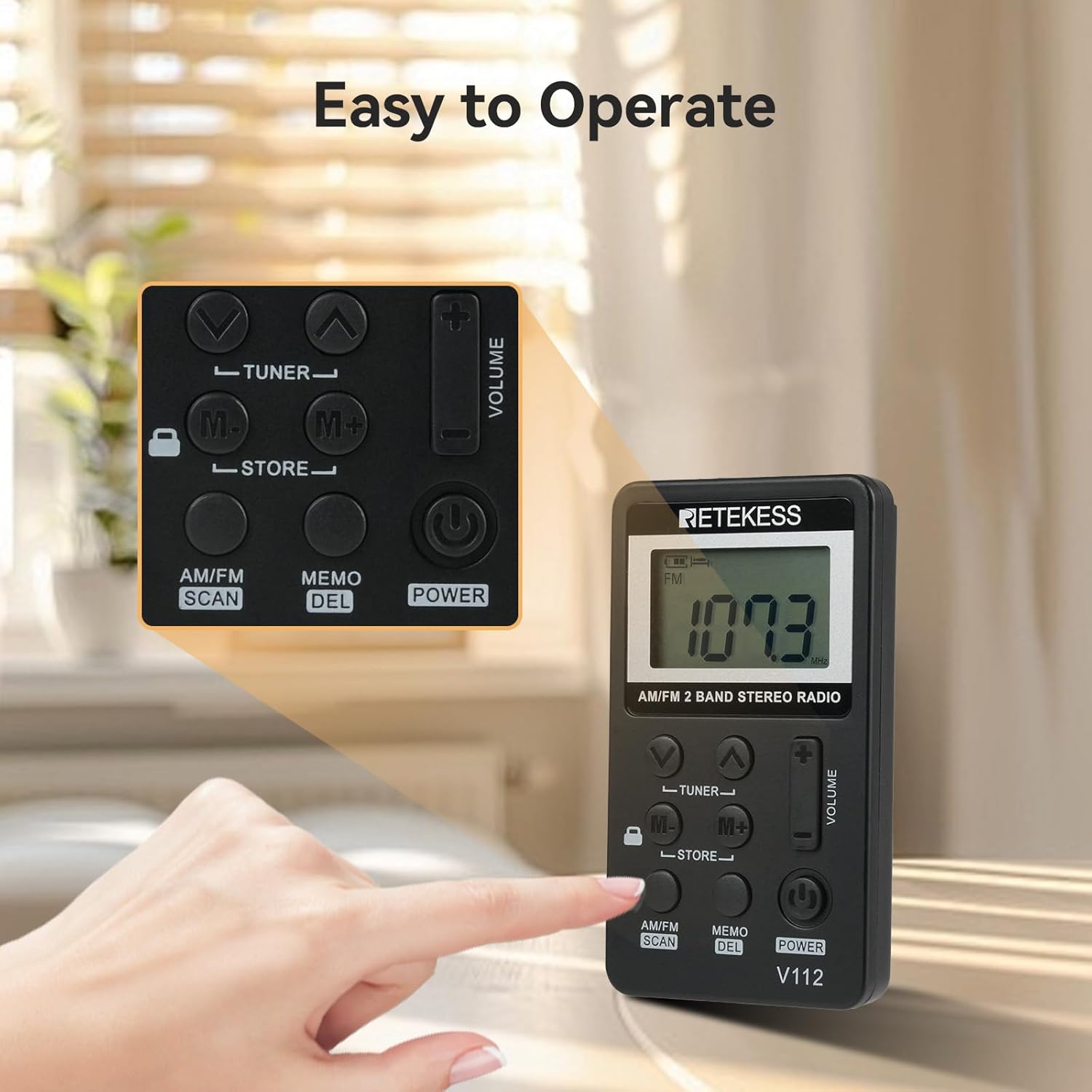
Gambar: Close-up view of the Retekess V112 radio, highlighting the control buttons and LCD screen.
4.1. Kontrol Panel Depan
- Tombol power: Press to turn the radio on or off.
- AM/FM SCAN Button: Press to switch between AM and FM bands. Long press to initiate automatic station scanning and storage.
- MEMO/DEL Button: Press to store a station. Long press to delete a stored station.
- TUNER ▲/▼ Buttons: Press to manually tune the frequency up or down.
- Tombol M+/M-: Press to navigate through preset stations.
- VOLUME +/− Buttons: Sesuaikan volume mendengarkan.
- Sakelar KUNCI: Slide to lock or unlock the buttons.
4.2. Layar LCD

Gambar: Detail view of the radio's LCD display, showing frequency and other indicators.
The LCD display shows the current frequency, battery level, AM/FM band indicator, stereo indicator (for FM), and sleep timer status.
5. Pengaturan
5.1. Mengisi Baterai
The radio is equipped with a built-in rechargeable lithium battery. Before first use, fully charge the radio.
- Connect the supplied USB charging cable to the radio's charging port.
- Hubungkan ujung lain kabel USB ke adaptor daya USB (tidak disertakan) atau port USB komputer.
- The battery indicator on the LCD will show charging status. It typically takes about 1.5 hours for a full charge.
- Setelah terisi penuh, lepaskan kabel pengisi daya.
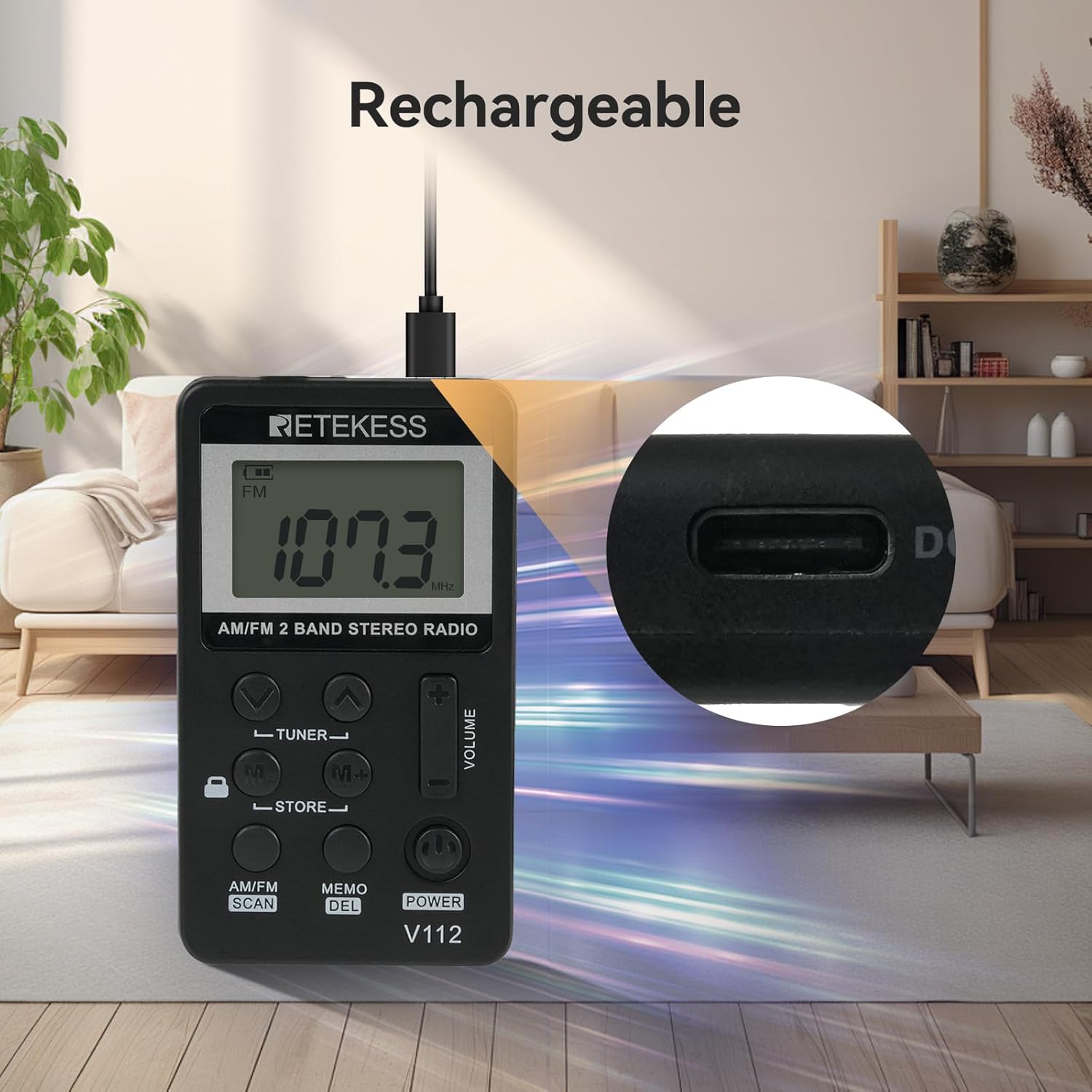
Image: The Retekess V112 radio being charged via its USB port, with a close-up of the charging port.
5.2. Menghubungkan Earphone
The earphones serve as the FM antenna. For optimal reception, ensure the earphones are fully plugged into the 3.5mm jack.
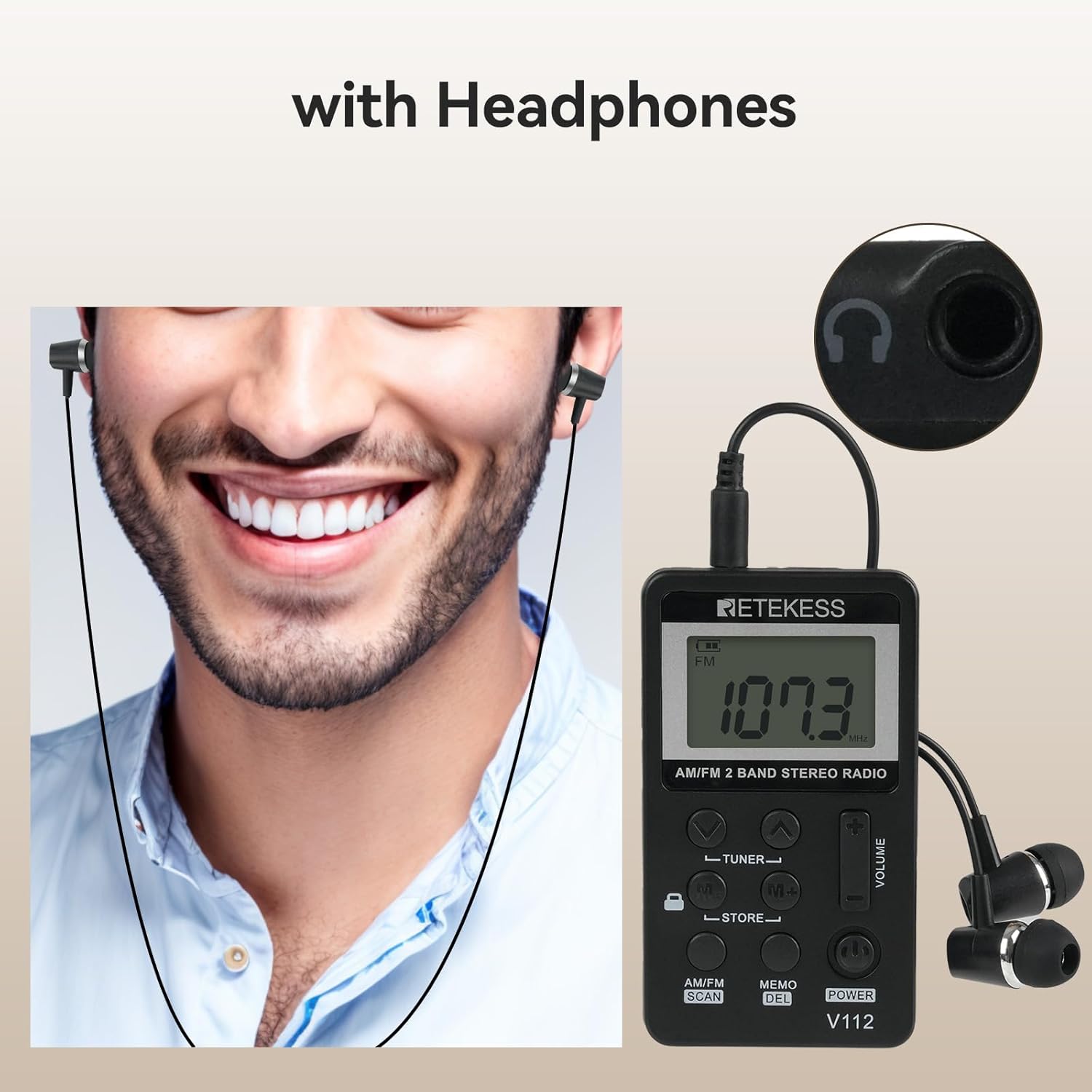
Image: A person wearing earphones connected to the Retekess V112 radio, illustrating the use of earphones for listening and as an antenna.
6. Operasi Dasar
6.1. Daya Hidup/Mati
Tekan tombol KEKUATAN button to turn the radio on. Press it again to turn the radio off.
6.2. Penyesuaian Volume
Tekan tombol VOLUME + untuk menambah volume. Tekan tombol JUMLAH - button to decrease the volume. The volume level is displayed on the LCD.
6.3. Pemilihan Frekuensi (AM/FM)
Tekan tombol AM/FM SCAN button to switch between AM and FM radio bands. The selected band will be indicated on the LCD.

Image: The Retekess V112 radio displaying an FM frequency, with visual arcs representing various broadcast categories like news, music, and sports.
6.4. Menyetel Stasiun
Pemindaian dan Penyimpanan Otomatis:
- Tekan lama AM/FM SCAN button. The radio will automatically scan for available stations and store them into presets.
- The scanning process will stop once all available stations are found and stored.

Image: The Retekess V112 radio with an overlay highlighting the 'AM/FM SCAN' and 'STORE' buttons, indicating the automatic search and storage function.
Penyetelan Manual:
Tekan tombol TUNER ▲ or TUNER ▼ tombol untuk menyesuaikan frekuensi secara manual langkah demi langkah.
6.5. Preset Stations (Store/Recall)
Menyimpan Stasiun:
- Tune to the desired station using manual tuning or automatic scan.
- Tekan tombol MEMO/DEL Tekan tombol sekali. Nomor yang telah diatur sebelumnya akan berkedip di layar.
- Gunakan M+/M- tombol untuk memilih lokasi memori preset yang diinginkan.
- Tekan tombol MEMO/DEL button again to confirm and store the station.
Mengingat Stasiun Tersimpan:
Tekan tombol M+ or M- buttons to cycle through the stored preset stations.
6.6. Fungsi Kunci Pengaman
Geser KUNCI switch (located on the side or front, depending on model revision) to the lock position to disable all buttons. This prevents accidental changes to settings or power-off when carrying the radio. Slide it back to unlock.

Image: The Retekess V112 radio with a highlighted lock icon, indicating the key lock function to prevent unintended button presses.
6.7. Pengatur Waktu Tidur
The radio features an automatic power-off function. If it does not work, it will turn off automatically after 90 minutes. This is a protection function. If you can turn on the radio again and keep listening, it means the battery is not the issue.
7. Pemeliharaan
- Bersihkan radio dengan kain lembut dan kering. Jangan gunakan pembersih abrasif atau pelarut.
- Hindari memaparkan radio pada suhu ekstrem, sinar matahari langsung, debu, atau kelembapan.
- Jangan mencoba membongkar atau memodifikasi radio, karena hal ini akan membatalkan garansi dan dapat menyebabkan kerusakan.
- If the radio will not be used for an extended period, charge it periodically to maintain battery health.
8. Penyelesaian masalah
| Masalah | Kemungkinan Penyebab | Larutan |
|---|---|---|
| No power/Radio won't turn on | Baterai habis. | Charge the radio using the supplied USB cable. |
| Penerimaan sinyal buruk/Gangguan statis | Earphones not fully plugged in or acting as antenna. Weak signal in current location. | Ensure earphones are fully inserted. Adjust earphone cable position. Try moving to a different location. |
| Tombol tidak merespons | Fungsi kunci tombol diaktifkan. | Slide the LOCK switch to the unlock position. |
| Tidak dapat menyimpan preset. | Incorrect procedure. | Follow the 'Storing a Station' steps carefully (Section 6.5). Press MEMO once, select slot, then press MEMO again. |
| Volume too loud at lowest setting | This is the minimum volume level for the device. | Consider using different earphones with lower sensitivity if needed for very quiet environments. |
9. Spesifikasi
| Fitur | Spesifikasi |
|---|---|
| Dimensi Produk | 1.89 x 0.5 x 3.37 inci (48 x 13 x 85 mm) |
| Berat Barang | 4.2 ons (120g) |
| Nomor Model | Bahasa Indonesia: V112 |
| Baterai | 1 Rechargeable 9V battery (included) |
| Teknologi Konektivitas | Tambahan (jack earphone 3.5mm) |
| Teknologi Penyetel | Saya FM |
| Sumber Daya | Bertenaga Baterai |
| Band Radio Didukung | Radio FM dan AM |
10. Informasi Keselamatan
- Jangan biarkan radio terkena air atau kelembapan berlebihan.
- Hindari menjatuhkan atau membenturkan radio ke benda keras.
- Do not use the radio in environments with high temperatures or near flammable materials.
- Untuk mencegah kerusakan pendengaran, hindari mendengarkan pada tingkat volume tinggi dalam waktu lama.
- Dispose of the battery according to local regulations. Do not dispose of batteries in fire.
11. Garansi dan Dukungan
Retekess products are designed for reliability and performance. For warranty information or technical support, please refer to the contact details provided with your purchase or visit the official Retekess websitus. Harap simpan bukti pembelian Anda untuk klaim garansi.