1. Pendahuluan
Welcome to the Kidywolf Multifunction Flashlight user manual. This guide provides essential information on how to set up, operate, and maintain your flashlight. Please read these instructions carefully to ensure safe and optimal use of the product.
2. Produk Lebihview
The Kidywolf Multifunction Flashlight is a versatile lighting device designed for children, offering three distinct functions: a standard flashlight, an ambient light, and a pendant light. It features adjustable warm light intensity and a durable, ergonomic design, making it a perfect companion for various activities.
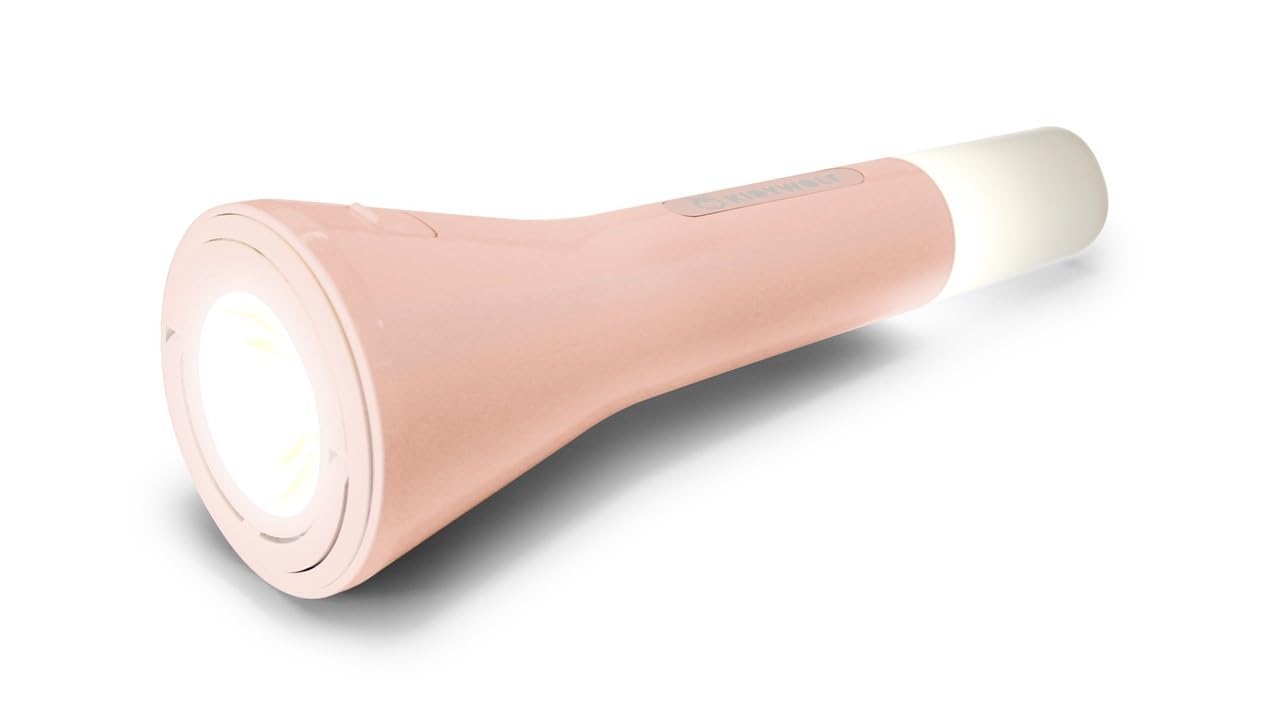
This image displays the Kidywolf Multifunction Flashlight in its packaging. The packaging highlights the three primary functions of the device: a standard flashlight for direct illumination, an ambient light when placed upright, and a pendant light when hung by its integrated ring. The flashlight itself is shown in a nude/pink color.
3. Fitur Utama
- Fungsionalitas 3-in-1: Operates as a flashlight, ambient light, or pendant light.
- Cahaya Hangat yang Dapat Diatur: Three intensity levels (100%, 60%, 20%) with 3000°K warm light.
- Baterai Isi Ulang: Equipped with a 3.7V/1200 mAh battery for extended use.
- Pengisian USB-C: Convenient and fast charging via USB-C cable.
- Desain Tahan Lama: Features a matte finish for a practical and elegant look.
- Portabel: Lightweight and easy to handle, suitable for travel and indoor use.
4. Pengaturan
Upon first use, it is recommended to fully charge the Kidywolf Multifunction Flashlight. Connect the provided USB-C cable to the charging port on the device and plug the other end into a compatible USB power source (e.g., computer, wall adapter). The charging indicator will show the charging status.
5. Petunjuk Pengoperasian
5.1 Menghidupkan/Mematikan
To turn the flashlight on or off, press and hold the power button located on the side of the device for approximately 2 seconds.
5.2 Mode Fungsi
The flashlight offers three distinct modes:
- Modus Senter: For direct illumination. Hold the device in hand.
- Mode Cahaya Sekitar: For creating a soft atmosphere. Place the flashlight upright on a flat surface.
- Pendant Light Mode: For hanging and broader illumination. Use the integrated ring to suspend the device.
To cycle through the modes, short press the power button once the device is on.
5.3 Adjusting Light Intensity
While the flashlight is on, short press the power button repeatedly to cycle through the three intensity levels: 100% (brightest), 60% (medium), and 20% (dimmest). The light will adjust with each press.
6. Mengisi Daya Perangkat
The Kidywolf Multifunction Flashlight is equipped with a rechargeable battery. When the battery is low, the light intensity may decrease, or the device may turn off. To recharge:
- Temukan port pengisian daya USB-C pada perangkat.
- Connect the provided USB-C to USB cable to the flashlight.
- Colokkan ujung kabel USB-A ke adaptor daya USB standar (tidak termasuk) atau port USB komputer.
- Allow the device to charge until the charging indicator shows a full charge. A full charge provides up to 12 hours of continuous use.
7. Perawatan dan Pemeliharaan
- Pembersihan: Lap perangkat dengan kain lembut dan kering. Jangan gunakan pembersih atau pelarut abrasif.
- Penyimpanan: Simpan senter di tempat sejuk dan kering, jauh dari sinar matahari langsung dan suhu ekstrem.
- Perawatan Baterai: Untuk memperpanjang masa pakai baterai, hindari sering-sering mengosongkan baterai sepenuhnya. Isi daya perangkat secara teratur, meskipun tidak digunakan dalam waktu lama.
- Tahan Air: Perangkat ini tidak tahan air. Hindari paparan air atau kelembapan tinggi.
8. Penyelesaian masalah
| Masalah | Kemungkinan Penyebab | Larutan |
|---|---|---|
| Senter tidak menyala. | Baterai habis. | Isi daya perangkat menggunakan kabel USB-C. |
| Light intensity is low. | Battery is low or set to lowest intensity. | Recharge the battery or cycle through intensity levels by short pressing the power button. |
| Perangkat tidak mengisi daya. | Masalah kabel atau sumber daya listrik. | Ensure the USB-C cable is properly connected and try a different USB power source. |
9. Spesifikasi Teknis
- Fungsi: Flashlight, Ambient Light, Pendant Light
- Light Intensity Levels: 3 (100%, 60%, 20%)
- Suhu Warna: 3000°K (Warm Light)
- Baterai: 3.7V/1200mAh
- Pengisian daya: USB-C / USB cable
- Menyelesaikan: Tidak mengkilap
10. Informasi Garansi
Kidywolf products are manufactured to high-quality standards. For specific warranty terms and conditions, please refer to the warranty card included with your product or visit the official Kidywolf websitus. Simpan bukti pembelian Anda untuk klaim garansi apa pun.
11. Dukungan Pelanggan
If you have any questions, concerns, or require assistance with your Kidywolf Multifunction Flashlight, please contact Kidywolf customer support. Contact details can typically be found on the product packaging or the official Kidywolf weblokasi.


