Perkenalan
The NZXT F420 RGB Core single-frame fan unit is designed to provide efficient cooling and vibrant RGB lighting for your computer system. This unit integrates multiple fans into a single frame, simplifying installation and cable management. It offers superior cooling performance, quiet operation, and customizable lighting effects.
Fitur utama meliputi:
- Desain All-in-One: Single-frame unit with integrated fans for streamlined installation and lighting control.
- Konektivitas Serbaguna: Connects to an NZXT controller (sold separately) for NZXT CAM software control or directly to a motherboard's 5V aRGB header using the included splitter cable.
- Kinerja Optimal: Fan blades are engineered to enhance static pressure and airflow, effectively cooling components in tight spaces.
- Silent & Durable: Features fluid dynamic bearings for quiet operation and an extended lifespan of 60,000 hours.
- Pencahayaan Cerah: Each fan hub is equipped with eight individually addressable RGB LEDs, shining through semi-translucent blades for personalized lighting effects.
Pengaturan dan Instalasi
This section guides you through the physical installation and initial connection of your NZXT F420 RGB Core fan unit.
Isi Paket
- NZXT F420 RGB Core Single-Frame Fan Unit (3 x 140mm fans)
- Sekrup Pemasangan
- 5V aRGB Motherboard Splitter Cable
Instalasi Fisik
The single-frame design simplifies mounting. Identify the desired mounting location within your PC case (e.g., front, top, or bottom radiator mounts). Ensure adequate clearance for the 420mm unit.
- Align the fan unit with the mounting holes in your PC case.
- Secure the unit using the provided mounting screws. Do not overtighten.
Figure 1: The NZXT F420 RGB Core fan unit showcasing its integrated, single-frame design for simplified installation.
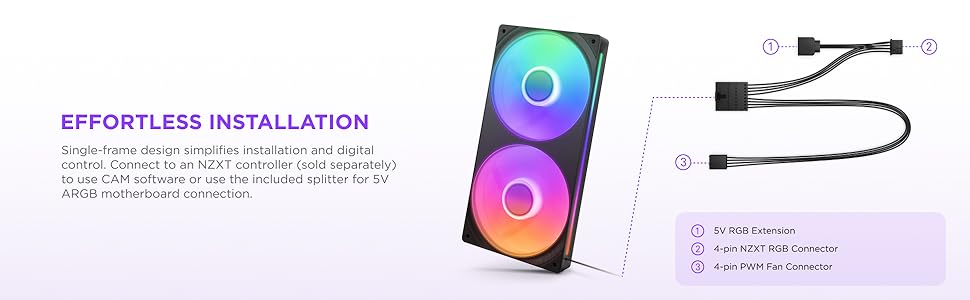
Figure 2: Visual guide demonstrating the straightforward installation process of the single-frame fan unit.
Sambungan Listrik
The F420 RGB Core offers flexible connectivity options for fan speed and RGB lighting control.
- Option 1: NZXT Controller (Recommended for full control)
Connect the fan unit's main cable to an NZXT RGB & Fan Controller (sold separately). This allows for comprehensive control over fan speeds and RGB lighting effects via the NZXT CAM software. - Option 2: Motherboard 5V aRGB Header
Use the included splitter cable to connect the fan unit to a compatible 5V addressable RGB header on your motherboard. This enables basic RGB control through your motherboard's software. The fan power cable (4-pin) should be connected to a fan header on your motherboard.

Figure 3: The fan unit shown with its included splitter cable, facilitating connection to either an NZXT controller or a motherboard's aRGB header.
Petunjuk Pengoperasian
Once installed and connected, you can manage the performance and aesthetics of your F420 RGB Core fan unit.
Kontrol Kecepatan Kipas (PWM)
The fans support Pulse Width Modulation (PWM) control, allowing for dynamic adjustment of fan speeds based on system temperatures. This optimizes cooling efficiency and minimizes noise.
- If connected to an NZXT controller, use the NZXT CAM software to set custom fan curves, select preset profiles, or enable Zero RPM Mode for silent operation under light loads.
- If connected directly to a motherboard fan header, fan speed control will be managed by your motherboard's BIOS/UEFI settings or its proprietary fan control software.

Figure 4: Illustration of PWM control, allowing fan speeds to adjust dynamically for optimal efficiency.
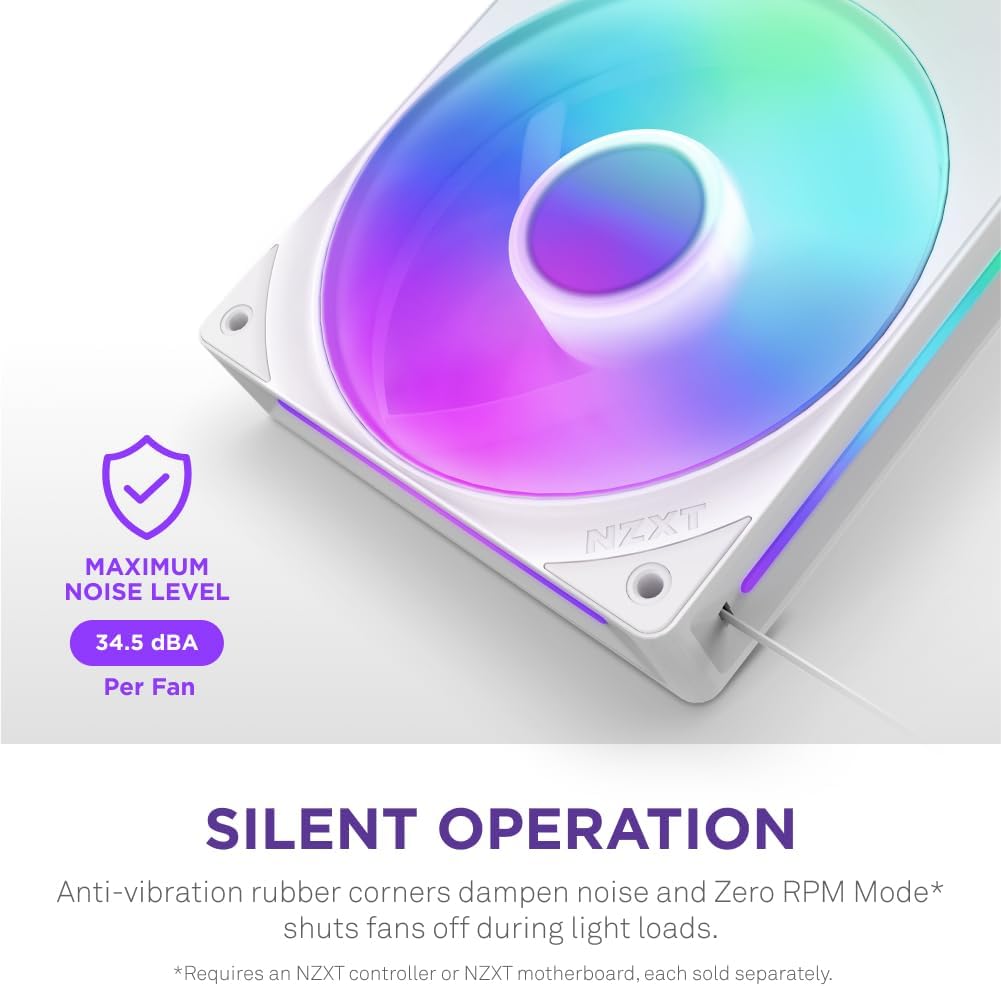
Figure 5: The fan unit highlighting its quiet operation, with anti-vibration rubber corners and Zero RPM Mode capability.
Kontrol Pencahayaan RGB
The F420 RGB Core features 8 individually addressable RGB LEDs per fan hub, offering extensive customization.
- Using NZXT CAM Software: If connected to an NZXT controller, the CAM software provides a wide array of lighting effects, color customization, and synchronization options with other NZXT RGB products.
- Using Motherboard Software: If connected to a 5V aRGB header, use your motherboard's RGB control software to manage lighting effects.
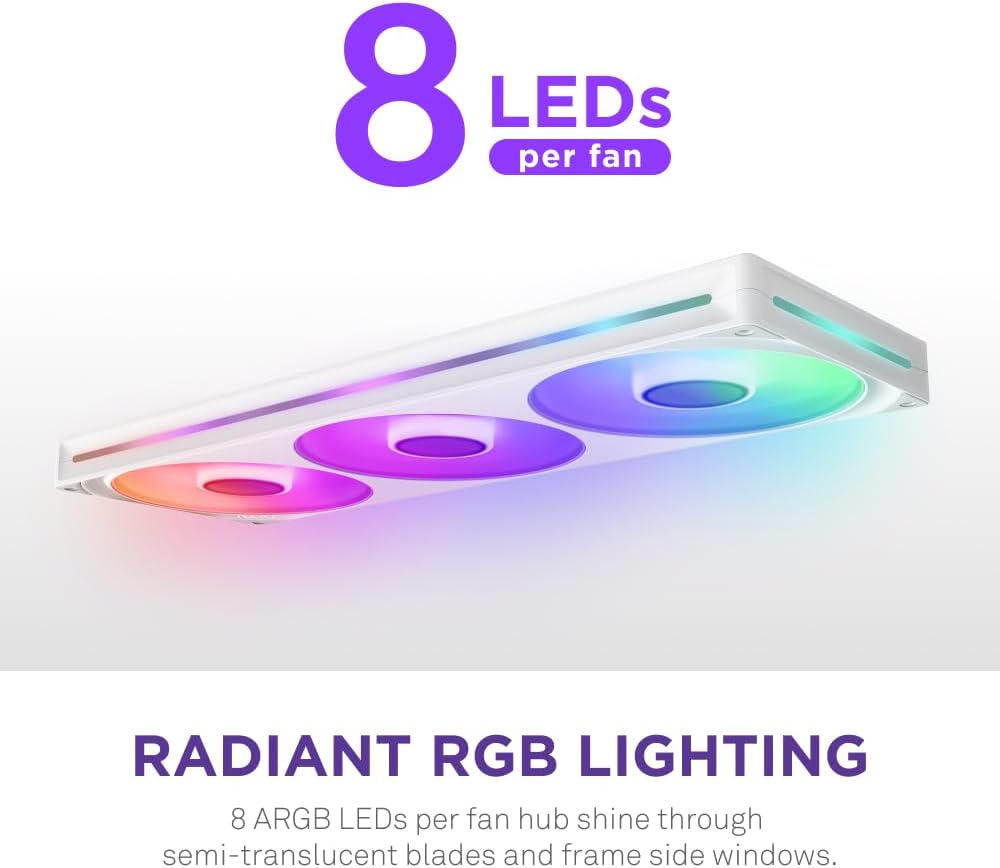
Figure 6: The fan unit showcasing its radiant RGB lighting with 8 individually addressable LEDs per fan hub.

Figure 7: The NZXT CAM software interface, demonstrating its capabilities for controlling fan speeds and personalized lighting effects.
Pemeliharaan
Regular maintenance ensures optimal performance and longevity of your fan unit.
- Penghilangan Debu: Periodically clean the fan blades and frame to prevent dust buildup, which can impede airflow and increase noise. Use compressed air or a soft brush. Ensure the system is powered off before cleaning.
- Ketahanan Bantalan: The fluid dynamic bearings are designed for a long lifespan (60,000 hours) and require no lubrication.
Penyelesaian Masalah
If you encounter issues with your NZXT F420 RGB Core fan unit, refer to the following common solutions.
- Kipas Tidak Berputar:
- Check all power connections to ensure they are securely seated.
- Verify that the fan header on the motherboard or controller is supplying power.
- If using NZXT CAM, ensure fan profiles are not set to Zero RPM Mode when cooling is expected.
- Pencahayaan RGB Tidak Berfungsi atau Tidak Sesuai:
- Ensure the RGB cable is correctly connected to either the NZXT controller or the motherboard's 5V aRGB header.
- Check the NZXT CAM software or your motherboard's RGB software for correct lighting settings and profiles.
- Confirm that the 5V aRGB header on your motherboard is enabled in the BIOS/UEFI.
- Kebisingan Berlebihan:
- Inspect for any cables or obstructions touching the fan blades.
- Ensure mounting screws are tightened appropriately to prevent vibrations.
- Adjust fan speed profiles in NZXT CAM or motherboard software to reduce RPMs if noise is a concern and temperatures allow.
Spesifikasi
| Fitur | Detil |
|---|---|
| Nomor Model | RF-U42HF-W1 |
| Ukuran Kipas | 3 x 140mm (integrated in 420mm single-frame unit) |
| Dimensi (P x L x T) | 16.54x5.51x1.02 inci |
| Berat | 1.1 pon |
| Kecepatan Rotasi | 500 - 2000 ± 200 RPM |
| aliran udara | Up to 98.61 CFM (per fan) |
| Tekanan Statis | Up to 3.2 mm H₂O (per fan) |
| Tingkat Kebisingan | Hingga 34.5 dBA |
| Jenis Bantalan | Bantalan Dinamis Fluida (FDB) |
| Jangka hidup | 60,000 jam |
| Konektor Daya | 4-Pin PWM |
| Lampu LED RGB | 8 per fan hub (individually addressable) |
| Jil.tage | 11.99 Volt |
| Apatage | 11.4 watt |
| UPC | 810074844598 |

Figure 8: Visual representation of the fan unit's optimal performance metrics, including static pressure and airflow.

Gambar 9: Rinci view of the fluid dynamic bearings, emphasizing their role in ensuring quiet performance and extended durability.
Informasi Garansi
The NZXT F420 RGB Core fan unit comes with a Garansi 5 tahun, ensuring reliability and peace of mind. For detailed warranty terms and conditions, please refer to the official NZXT websitus atau hubungi dukungan pelanggan.
Dukungan dan Kontak
For further assistance, technical support, or to explore other NZXT products, please visit the official NZXT websitus atau hubungi layanan pelanggan mereka.
- NZXT Official Store: Visit the NZXT Store on Amazon
- NZXT Support: Refer to the NZXT official websitus untuk sumber daya dukungan, FAQ, dan informasi kontak.