1. Pendahuluan
This manual provides detailed instructions for the installation, operation, and maintenance of your Loocam 5MP PoE Security Camera System. This system is designed for reliable 24/7 surveillance with advanced features such as full-color night vision, AI human and vehicle detection, and two-way audio communication.
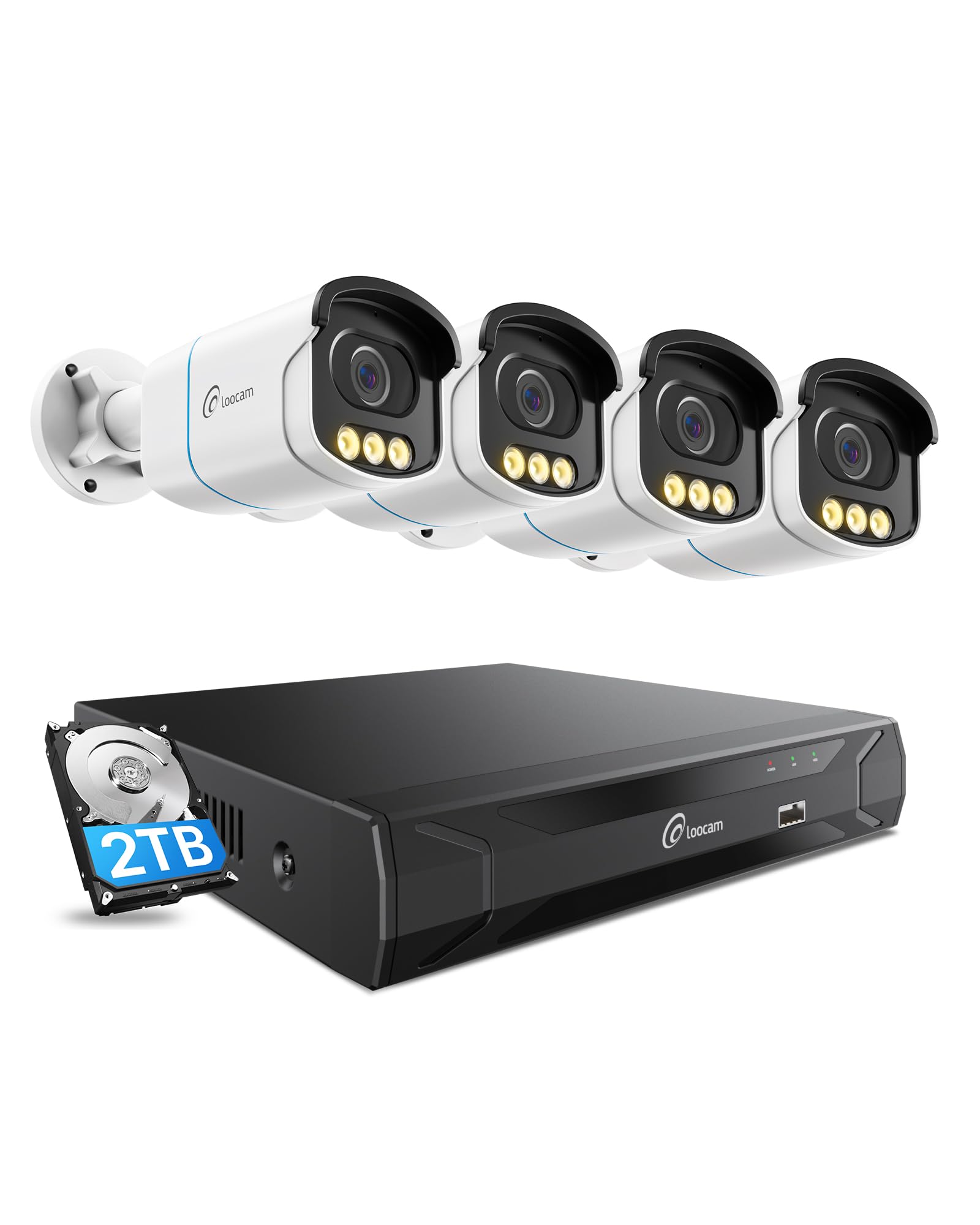
Figure 1: Loocam 5MP PoE Security Camera System components.
2. Isi Paket
Verifikasi bahwa semua item yang tercantum di bawah ini disertakan dalam paket Anda:
- 1x 8-Channel 8MP NVR with 2TB Hard Drive Pre-installed
- 4x 5MP PoE IP Cameras
- 4x 60ft Ethernet Cables
- 1x 1m Ethernet Cable
- 1x NVR Power Supply
- 1x Tikus USB
- 1x Kabel HDMI
- 4x Pemasangan Sekrup
- 4x Template Pemasangan
- Panduan Mulai Cepat 1x
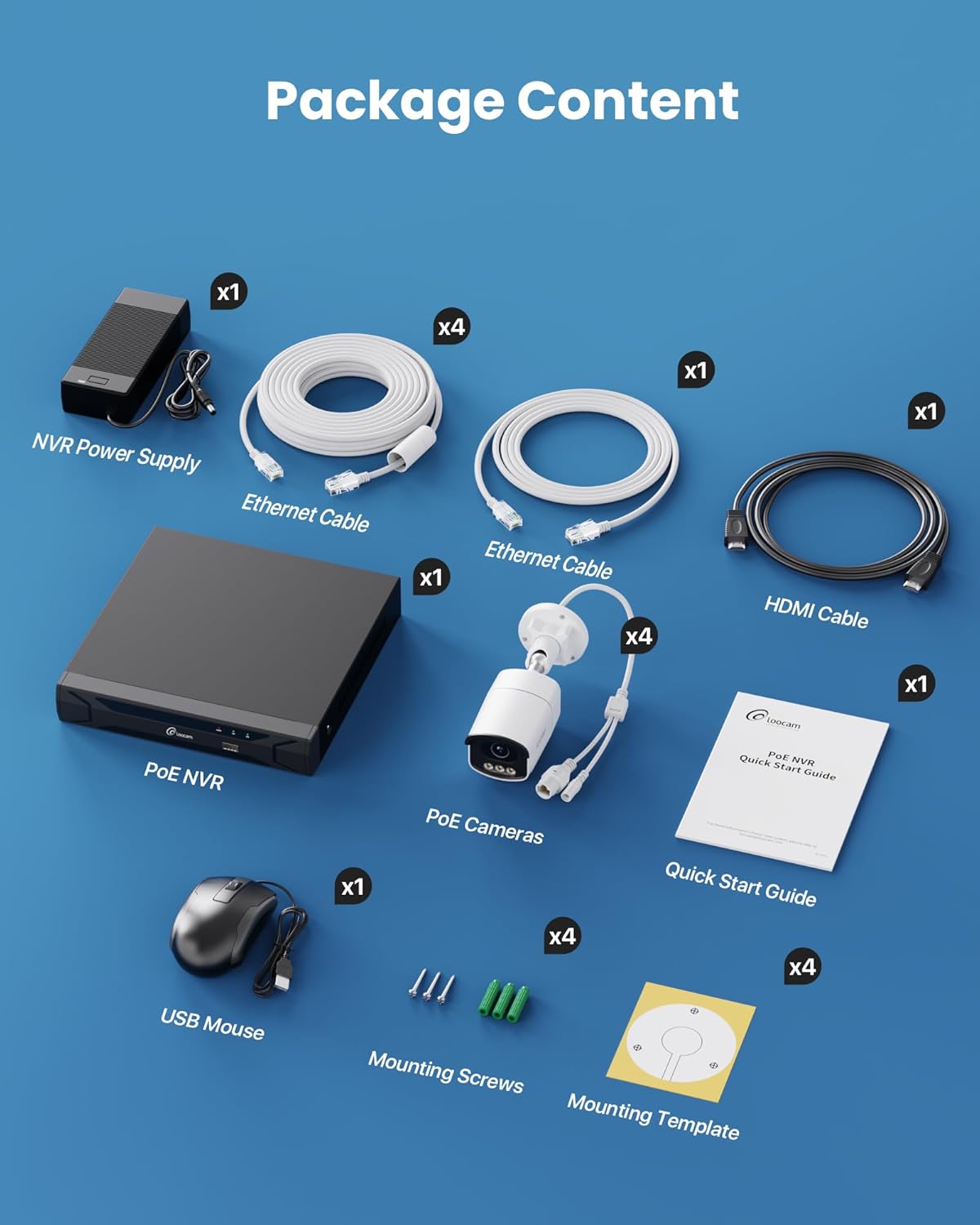
Figure 2: Contents included in the Loocam 5MP PoE Security Camera System package.
3. Pengaturan Sistem
Follow these steps to set up your Loocam PoE Security Camera System:
- Siapkan Peralatan: Ensure you have a monitor, a router with network connection, and a power strip available.
- Hubungkan NVR: Connect the NVR to your monitor using the HDMI cable. Connect the USB mouse to the NVR. Connect the NVR to your router using an Ethernet cable. Finally, connect the NVR power supply and turn on the NVR.
- Hubungkan Kamera: Connect each 5MP PoE IP camera to an available PoE port on the NVR using the provided Ethernet cables. The NVR will power the cameras and transmit video data.
- Boot Awal: Wait for the NVR to boot up and display video feeds from the connected cameras on your monitor.
Video 1: Unboxing and Installation Guide for Loocam PoE Security Camera System. This video demonstrates the physical setup process.
4. Petunjuk Pengoperasian
4.1 Kualitas Video dan Penglihatan Malam
The system provides sharp 5MP HD video (2880x1620 resolution) for clear monitoring. It features advanced full-color night vision, ensuring vivid and detailed images even in low-light conditions, providing 24/7 surveillance.

Figure 3: Visual comparison illustrating the enhanced detail of 5MP HD resolution over 1080p.

Figure 4: Demonstration of true full-color night vision providing clearer, more vibrant images at night compared to standard night vision.
Video 2: Loocam 5MP PoE Camera System showcasing True Full Color Night Vision capabilities.
4.2 Smart AI Detection and Alerts
The system utilizes AI to accurately identify people and vehicles, reducing false alarms. When an event is detected, you will receive instant app notifications.
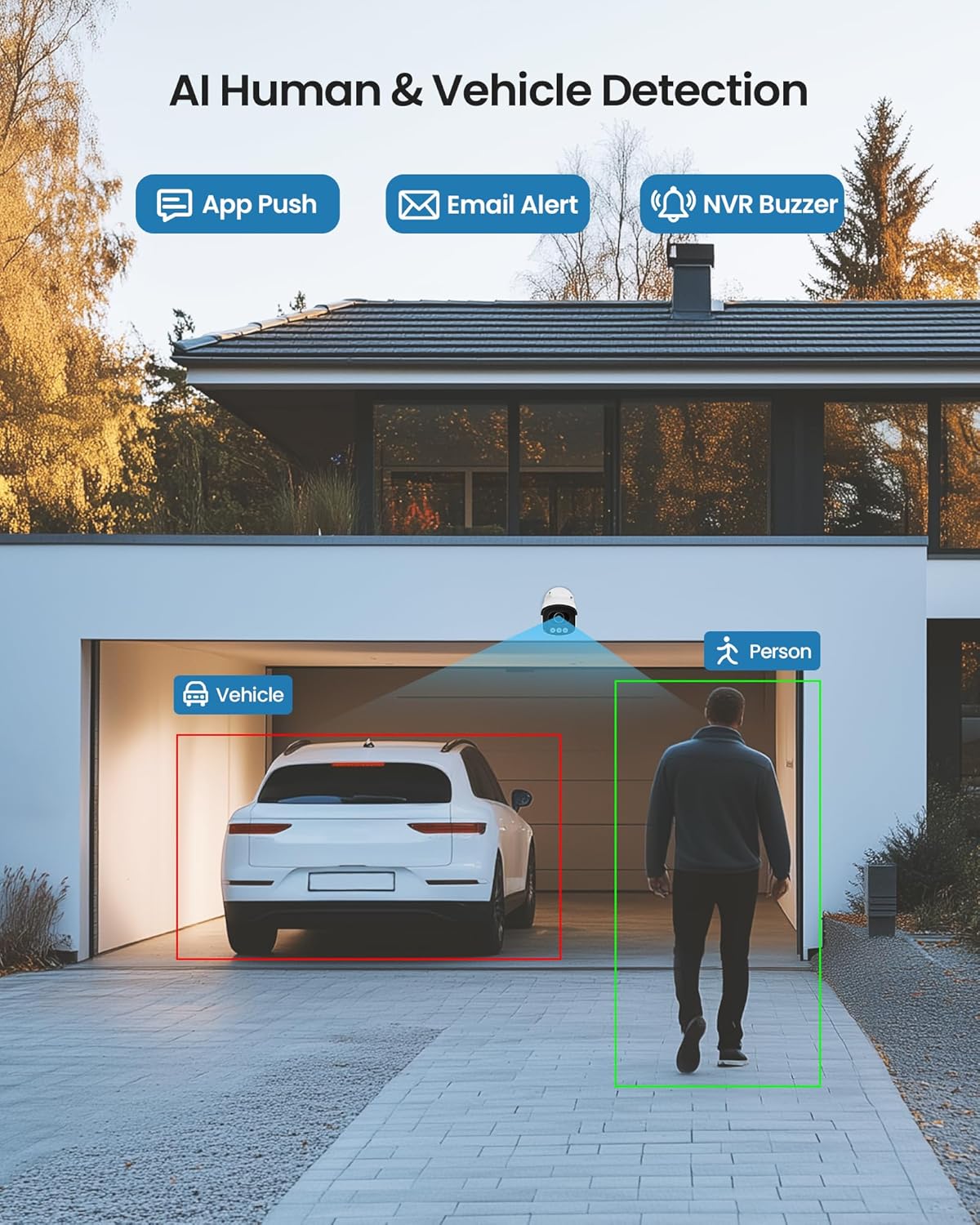
Figure 5: Illustrates the AI system detecting and outlining a person and a vehicle.
4.3 Lampu Sorot dan Alarm Sirene
The cameras are equipped with a spotlight and siren alarm feature. These can be activated automatically upon detection or manually to deter intruders.
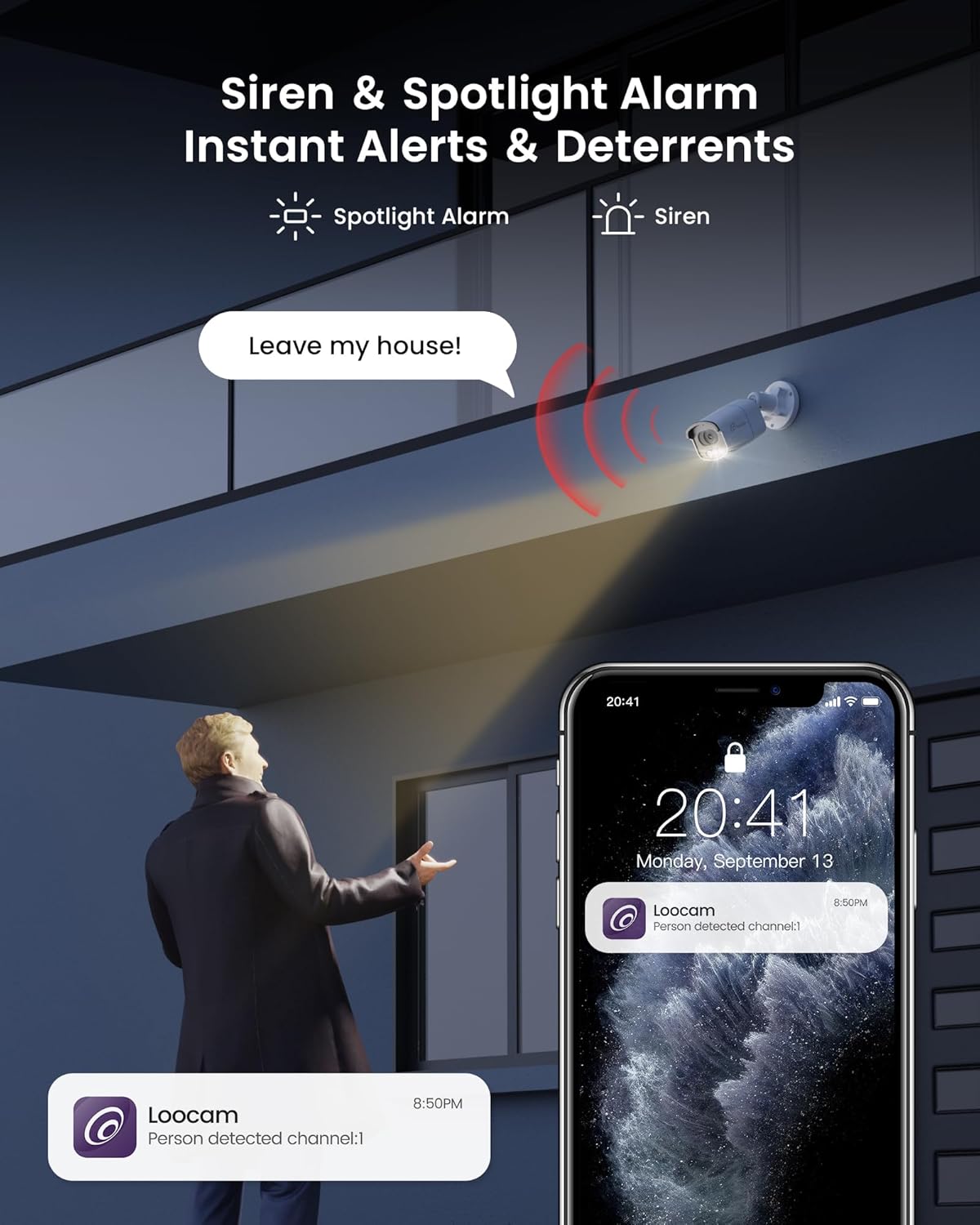
Figure 6: A security camera activating its spotlight and siren, with a corresponding notification on a smartphone.
4.4 Audio Dua Arah
Communicate directly through the camera using the built-in two-way audio feature. This allows you to speak to visitors or warn off unwanted individuals from your smartphone.

Figure 7: A user interacting via two-way audio through the Loocam app on a smartphone.
4.5 Jarak Jauh Viewing dan Pemutaran
Access live feeds and recorded video anytime, anywhere, using the Loocam app on your smartphone, tablet, or computer. The system supports 24/7 recording to the pre-installed 2TB HDD, which is expandable up to 8TB.

Figure 8: The Loocam app interface displaying continuous recording and smart playback options.
Video 3: Instructions on how to view your Loocam PoE Security Camera System via the mobile application.
4.6 Commercial Features: Zone Monitoring & Traffic Analysis
For business applications, the system offers advanced features such as setting up virtual boundaries for zone alerts and utilizing people counting functionality to analyze foot traffic patterns.

Gambar 9: Contohample of AI-driven passenger flow statistics, including a graph of statistical data.
5. Pemeliharaan
- Pembersihan Rutin: Bersihkan lensa kamera secara berkala dengan kain lembut dan halus.amp Gunakan kain untuk memastikan kualitas gambar yang jernih. Hindari pembersih abrasif.
- Pembaruan Firmware: Check the Loocam official webKunjungi situs web atau aplikasi untuk mengetahui pembaruan firmware yang tersedia guna memastikan kinerja dan keamanan yang optimal.
- Pemeriksaan Kabel: Periksa semua kabel secara teratur untuk melihat tanda-tanda keausan atau kerusakan, terutama untuk pemasangan di luar ruangan.
- Manajemen Hard Drive: HDD 2TB menyediakan ample storage. The system supports automatic overwrite when the disk is full. Consider backing up important footage secara berkala.
6. Penyelesaian masalah
- Tidak Ada Tampilan Video:
- Ensure the NVR is powered on and connected to the monitor.
- Periksa sambungan kabel HDMI/VGA.
- Verify cameras are properly connected to PoE ports and NVR is powered.
- Masalah Koneksi Jaringan:
- Confirm the NVR is connected to the router via Ethernet.
- Check router status and internet connectivity.
- Restart the NVR and router.
- Terpencil Viewing Not Working:
- Ensure the NVR has an active internet connection.
- Verify the Loocam app is updated to the latest version.
- Check app settings for correct device addition and network configuration.
- Alarm Palsu:
- Adjust AI detection sensitivity settings in the NVR or app.
- Define specific detection zones to exclude irrelevant areas.
7. Spesifikasi
| Fitur | Detil |
|---|---|
| Merek | kamera |
| Nomor Model | LC8P8B-6W42S-186D |
| Teknologi Konektivitas | Kabel (PoE) |
| Resolusi Pengambilan Video | 5MP (1944p) |
| Fitur Khusus | App Control, Full-Color Night Vision, Siren Alarm, Two-Way Audio, Weatherproof (IP66), AI Human/Vehicle Detection |
| Jumlah Saluran | 8 |
| Kapasitas Penyimpanan Memori | 2 TB HDD (Pre-installed), Expandable up to 8 TB |
| Warna | Putih |
| Sumber Daya | Listrik Kabel |
| Dimensi Barang (P x L x T) | 17.2x12x7.8 inci |
| Penggunaan yang Direkomendasikan | Outdoor, Indoor, Home, Business, Human Detection, Automatic Overwrite, Audio Recording, IP66 Weatherproof, Smart Playback, Video Recording |
| Perangkat yang Kompatibel | Laptop, Komputer Pribadi, Ponsel Pintar, TV, Tablet |
| Kecepatan Bingkai | 15, 24, 30 FPS |
| Mode Perekaman | Event, Schedule |
| Antarmuka Perangkat Keras | Eternet |
| Jenis Lensa | Tetap |
| Masukan Video | BNC, RJ45 |
| Kompatibilitas Rumah Pintar | Smart Home Compatible |
8. Garansi dan Dukungan
Loocam products come with a standard manufacturer's warranty. For detailed warranty information, technical support, or service inquiries, please refer to the contact information provided in your Quick Start Guide or visit the official Loocam weblokasi. Simpan kwitansi pembelian Anda untuk klaim garansi.


