1. Pendahuluan
Thank you for choosing the LEKATO GA-02 5W Rechargeable Guitar Amplifier. This compact and portable amplifier is designed for electric guitar and bass practice, offering both clean and overdrive effects, Bluetooth connectivity, and multiple input/output options. Please read this manual carefully to ensure proper operation and to maximize your experience with the product.
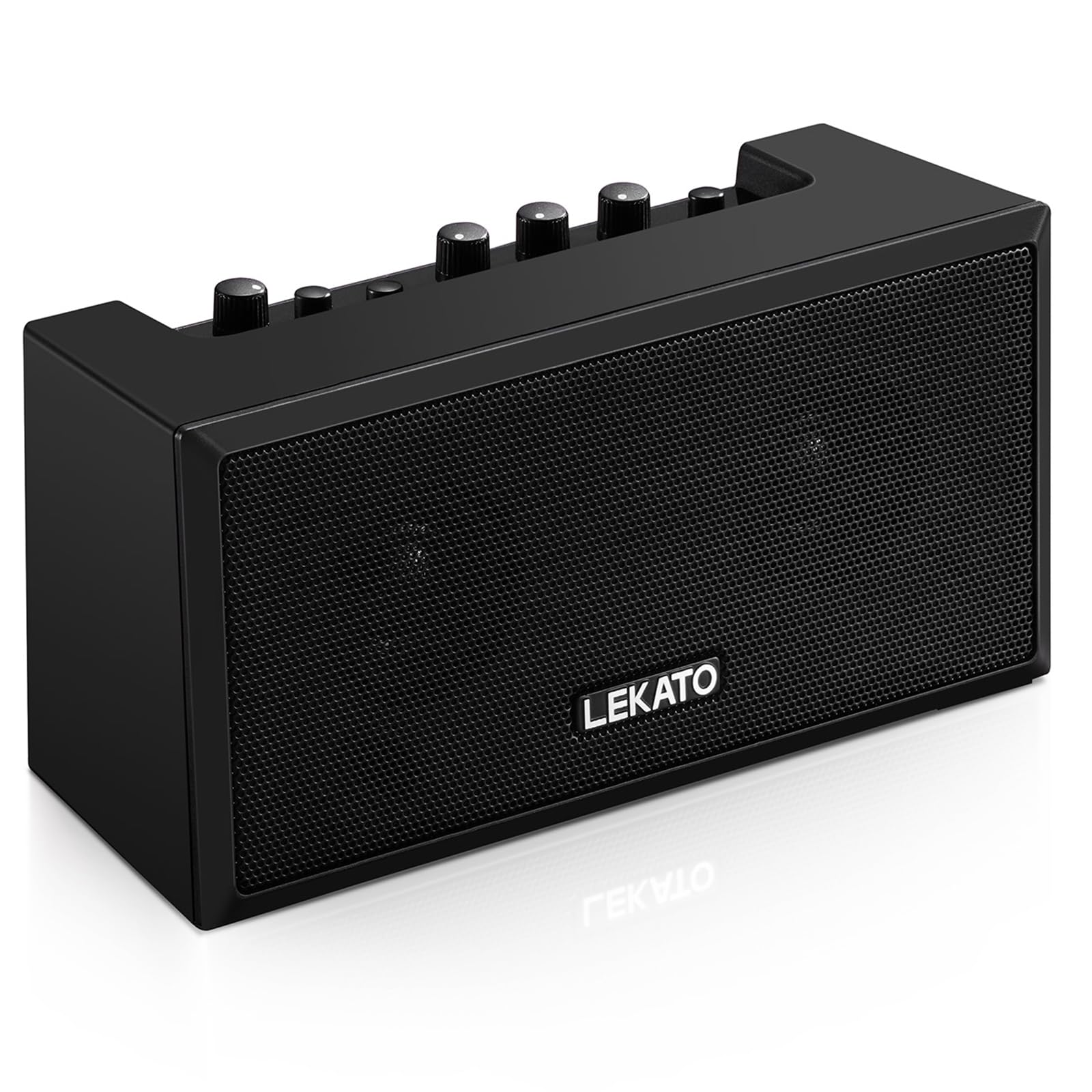
Gambar 1: Depan view of the LEKATO GA-02 Guitar Amppengangkat.
2. Fitur Utama
- Dual Tone Channels: Easily switch between Clean and Overdrive effects with a single button.
- Kompak dan Portabel: 5W dual speakers in a mini size, ideal for practice anywhere.
- Konektivitas Bluetooth 5.0: Connect wirelessly to your smartphone or other devices for accompaniment.
- Antarmuka yang Kaya: Includes 1/8" Aux input, 1/8" stereo headphone output, and 6.35mm instrument input.
- Baterai Isi Ulang: Built-in 3.7V/2000mA battery provides up to 6 hours of playtime on a single charge, rechargeable via Type-C USB.
3. Pengaturan dan Koneksi
3.1 Mengisi Daya Amppengangkat
Sebelum penggunaan pertama, isi daya hingga penuh. amplifier. Connect the included Type-C USB cable to the DC 5V charging port on the rear panel of the amplifier and to a standard USB power source (e.g., wall adapter, computer USB port).

Figure 2: Type-C USB charging port on the rear panel.
Pengisian penuh menyediakan sekitar 6 jam waktu bermain.
3.2 Controls and Interfaces Overview

Figure 3: Front panel controls (top) and rear panel interfaces (bottom) of the amppengangkat.
Kontrol Panel Depan:
- BT/AUX VOL: Adjusts the volume for Bluetooth and Aux input.
- B.T. Button: Mengaktifkan/menonaktifkan mode pemasangan Bluetooth.
- OVERDRIVE Button: Toggles between Clean and Overdrive channels.
- MENDAPATKAN Knob: Adjusts the input sensitivity and distortion level (primarily for Overdrive channel).
- Kenop NADA: Mengatur karakteristik nada (keseimbangan treble/bass).
- Tombol VOLUME: Adjusts the overall output volume of the guitar signal.
- Tombol power: Memutar amppengangkat hidup atau mati.
Antarmuka Panel Belakang:
- INPUT (6.35mm Jack): Connect your electric guitar or bass.
- AUX (1/8" Jack): Connect external audio sources like smartphones or CD players.
- Headphone Output (1/8" Stereo Jack): Hubungkan headphone untuk latihan tanpa suara.
- DC 5V (Type-C Port): Masukan daya untuk pengisian daya.
3.3 Menghubungkan Instrumen Anda
Insert your instrument cable (6.35mm jack) into the MASUKAN port on the rear of the amppengangkat.
3.4 Koneksi Bluetooth
- Nyalakan amppengangkat menggunakan KEKUATAN tombol.
- Tekan tombol B.T. button on the front panel. The Bluetooth indicator light will flash, indicating pairing mode.
- On your smartphone or Bluetooth-enabled device, search for "TOP-GT" in the Bluetooth settings.
- Select "TOP-GT" to pair. Once connected, the Bluetooth indicator light will remain solid.
- Adjust the Bluetooth/Aux volume using the B.T./AUX VOL tombol.

Figure 4: Bluetooth pairing process with a mobile device.
3.5 Aux Input Connection
Connect an external audio source (e.g., MP3 player, computer) to the Kabel Tambahan input jack on the rear panel using a 1/8" (3.5mm) stereo audio cable. Adjust the volume using the B.T./AUX VOL tombol.
3.6 Koneksi Headphone
Untuk latihan dalam diam, sambungkan headphone Anda ke Keluaran Headphone jack on the rear panel. This will mute the amplifier's internal speakers.
4. Petunjuk Pengoperasian
4.1 Daya Hidup/Mati
Tekan tombol KEKUATAN tombol untuk memutar amppengangkat hidup atau mati.
4.2 Selecting Tone Channels
Itu amplifier features two tone channels: Clean and Overdrive.
- Tekan tombol GIR TAMBAHAN button to switch between the Clean and Overdrive channels.
- When the Overdrive channel is active, the corresponding indicator light will illuminate.
- Membersihkan: Provides a pure instrument tone.
- Gir tambahan: Produces a distorted rock sound.

Figure 5: Pressing the OVERDRIVE button to switch channels.
4.3 Menyesuaikan Suara
- MENDAPATKAN: Rotate the GAIN knob to adjust the input signal level. Higher gain settings will increase distortion, especially in Overdrive mode.
- NADA: Use the TONE knob to shape the amplifier's frequency response, making the sound brighter or warmer.
- VOLUME: Adjust the overall output volume of your instrument using the VOLUME knob.
5. Pemeliharaan
- Pembersihan: Bersihkan amplifier with a soft, dry cloth. Do not use liquid cleaners or abrasive materials.
- Penyimpanan: Simpan ampLetakkan amplifier di tempat yang sejuk dan kering, jauh dari sinar matahari langsung dan suhu ekstrem.
- Perawatan Baterai: For optimal battery life, avoid fully discharging the battery frequently. Charge the ampAmplifier akan berfungsi normal, meskipun tidak digunakan dalam jangka waktu lama.
- Penanganan: Hindari menjatuhkan atau menundukkan amppenguat untuk dampak yang kuat.
6. Penyelesaian masalah
| Masalah | Kemungkinan Penyebab | Larutan |
|---|---|---|
| Tidak ada suara dari amppengangkat. |
|
|
| Bluetooth tidak tersambung. |
|
|
| Sound is distorted (not desired). |
|
|
| Daya tahan baterai pendek. |
|
|
7. Spesifikasi
| Fitur | Detil |
|---|---|
| Model | Pesawat GA-02 |
| Keluaran Wattage | 5 Watt |
| Saluran | Bersih, Overdrive |
| Konektivitas | Bluetooth 5.0 |
| Masukan | 6.35mm Instrument Jack, 3.5mm Aux Input |
| Keluaran | Output Headphone Stereo 3.5mm |
| Sumber Daya | Bertenaga Baterai (Dapat Diisi Ulang) |
| Jenis Baterai | 3.7V/2000mA Lithium Polymer (included) |
| Port Pengisian Daya | Type-C USB (DC 5V) |
| Perkiraan Waktu Bermain | 6 jam |
| Dimensi Produk | 2.76"P x 4.53"L x 3.23"T (7 x 11.5 x 8.2 cm) |
| Berat Barang | 1.23 pon (0.56 kg) |

Figure 6: Dimensions of the LEKATO GA-02 Amppengangkat.
8. Garansi dan Dukungan
LEKATO products are designed for reliability and performance. For warranty information or technical support, please refer to the warranty card included with your product or visit the official LEKATO webAnda juga dapat menghubungi pengecer Anda untuk mendapatkan bantuan.
For more information about LEKATO products, visit the LEKATO Brand Store.
9. Demonstrasi Video Produk
Video 1: Official product demonstration of the LEKATO GA-02 Guitar Amppengangkat, pertunjukanasing its features and sound capabilities.


