1. Pendahuluan
Thank you for choosing the GENBOLT 2K Wireless Outdoor Solar Security Camera. This advanced security solution features a dual-lens system, 360° pan-tilt-zoom (PTZ) functionality, and is powered by an integrated 8W solar panel and a 15600mAh rechargeable battery. Designed for outdoor use, it offers comprehensive surveillance with PIR motion detection, automatic tracking, color night vision, and two-way audio communication. This manual provides essential information for proper installation, operation, and maintenance to ensure optimal performance and longevity of your device.
2. Produk Lebihview
2.1 Fitur Utama
- Resolusi 2K (4MP): Menyajikan video yang jelas dan detail.tage.
- Sistem Lensa Ganda: Combines a fixed lens and a PTZ lens for broader coverage.
- 360° PTZ Functionality: Offers 355° horizontal pan and 90° vertical tilt for comprehensive area monitoring.
- Bertenaga Surya: Equipped with an 8W solar panel for continuous charging, reducing the need for manual recharging.
- Baterai Berkapasitas Tinggi: Built-in 15600mAh rechargeable battery ensures extended operation.
- PIR Motion Detection & Auto Tracking: Detects human movement and automatically tracks the subject.
- Penglihatan Malam Warna: Menghasilkan video berwarna penuh bahkan dalam kondisi cahaya redup.
- Audio Dua Arah: Mikrofon dan speaker internal untuk komunikasi waktu nyata.
- Enhanced WiFi Connectivity: Features 5dBi dual antennas for stable 2.4GHz WiFi signal.
- Cloud & SD Card Storage: Supports cloud storage (7-day free trial available) and local storage via TF card.
- Akses Multi-Platform: View and control via iOS/Android app, macOS, and Windows software.
2.2 Komponen Produk

Gambar: Terperinci view of the camera components.
- Antena Ganda: For improved WiFi signal reception.
- Sensor PIR: Sensor inframerah pasif untuk deteksi gerakan.
- Lensa HD: High-definition optical lens for clear imaging.
- 8 IR/White LEDs: Infrared LEDs for black and white night vision, white LEDs for color night vision and spotlight.
- Pembicara: For two-way audio communication and alarm sounds.
- Slot Kartu TF: For local video storage (supports up to 128GB, card not included).
- Tombol Reset: Untuk mengembalikan pengaturan pabrik.
- Type-C Slot & Power ON/OFF: For charging and power control.
- Infrared LED (4pcs): Additional infrared illumination.
- Indikator Lamp: Menunjukkan status perangkat.
2.3 Isi Paket
- GENBOLT 2K Wireless Outdoor Solar Security Camera
- 8W Solar Panel (integrated)
- Kabel USB Tipe-C (0.7m)
- Network Cable (1m)
- Sekrup Pemasangan dan Sumbat Dinding
- Panduan Pengguna
3. Pengaturan
3.1 Mengisi Baterai
Before initial use, fully charge the camera's built-in 15600mAh battery using the provided USB Type-C cable and a 5V/2A power adapter (not included). The solar panel will maintain the charge once installed, but a full initial charge is recommended.
3.2 Installing a TF Card (Optional)
If you plan to use local storage, insert a TF (microSD) card (up to 128GB, Class 10 or higher recommended) into the TF card slot. Ensure the camera is powered off before inserting or removing the card.
3.3 Memasang Kamera
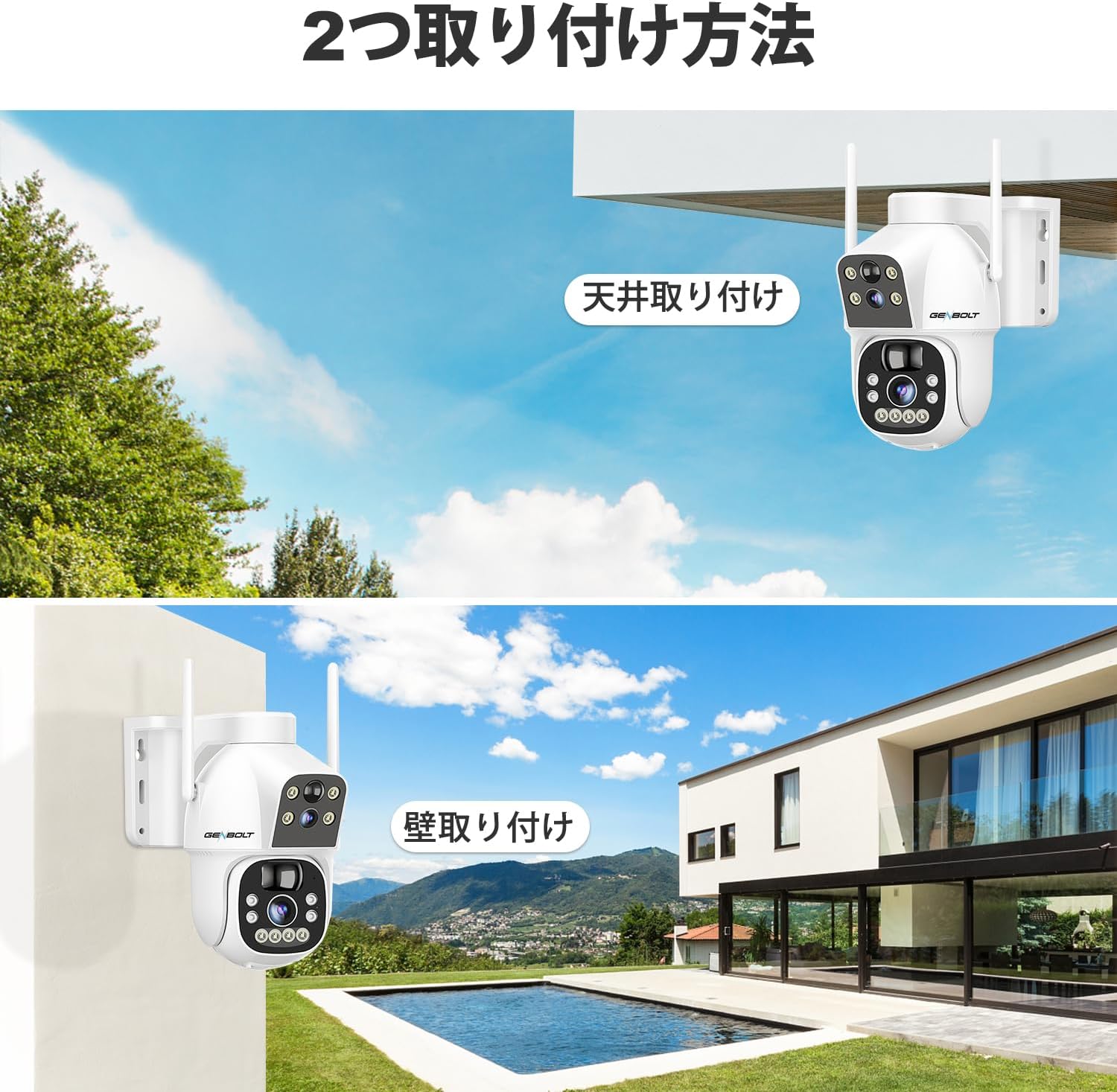
Gambar: Two common installation methods: wall mounting and ceiling mounting.
The camera supports both wall and ceiling mounting. Choose a location with optimal sunlight exposure for the solar panel and a strong 2.4GHz WiFi signal. Use the provided screws and wall plugs to securely attach the camera bracket. Adjust the camera angle for the desired viewdaerah ing.
3.4 Instalasi Aplikasi dan Koneksi WiFi

Gambar: Step-by-step guide for connecting the camera to WiFi via the mobile app.
- Download the official GENBOLT app from the iOS App Store or Google Play Store.
- Daftarkan akun dan masuk.
- Tap 'Add Device' or the '+' icon and select your camera model.
- Follow the on-screen instructions to connect the camera to your 2.4GHz WiFi network. This typically involves scanning a QR code displayed on your phone with the camera lens.
- Ensure your phone's location services are enabled during setup for proper network detection.
Catatan: The camera does not support 5GHz WiFi networks. If you encounter issues, ensure your router is broadcasting a 2.4GHz signal and that your phone is connected to it during the setup process. Some users have reported difficulties with initial wired LAN connection instructions in the manual; this camera primarily uses wireless setup.
4. Petunjuk Pengoperasian
4.1 Langsung View dan Kontrol PTZ

Gambar: The camera's pan and tilt range for flexible monitoring.
Setelah terhubung, buka aplikasinya untuk view the live feed. Use the on-screen controls to pan (355° horizontally) and tilt (90° vertically) the camera. The dual-lens system allows you to switch between a fixed wide-angle view dan PTZ yang dapat digerakkan view.
4.2 Deteksi Gerakan dan Pelacakan Otomatis

Gambar: PIR motion detection in action, highlighting the detection area.
Enable PIR motion detection in the app settings. When motion is detected, the camera will automatically begin recording and can track the moving object. You will receive instant alerts on your mobile device. Adjust sensitivity settings to minimize false alarms.
4.3 Perekaman dan Pemutaran

Gambar: The app interface for accessing recorded footage from cloud storage.
Recordings are triggered by motion detection or can be scheduled. Access recorded footage through the app's playback feature. Videos are stored either on the inserted TF card or in the cloud (subscription may apply after the initial free trial). The app allows you to review past events by date and time.
4.4 Mode Penglihatan Malam

Gambar: Visual comparison between color night vision and standard infrared night vision.
The camera supports multiple night vision modes: infrared (black and white), full-color (using white LEDs), and smart mode (switches between IR and color based on detected motion). Configure your preferred mode in the app settings.
4.5 Audio Dua Arah
Use the microphone and speaker functions in the app to communicate with visitors or deter intruders in real-time.
4.6 Berbagi Multi-Pengguna

Gambar: App interface demonstrating the multi-user sharing feature.
You can share access to your camera's live feed and recordings with family members or trusted individuals through the app. Each user can have different permission levels.
5. Pemeliharaan
- Pembersihan Panel Surya: Bersihkan panel surya secara teratur dengan kain lembut dan kering.amp Gunakan kain untuk menghilangkan debu, kotoran, atau serpihan yang dapat mengurangi efisiensi pengisian daya.
- Pembersihan Lensa: Gently clean the camera lenses with a microfiber cloth to ensure clear image quality. Avoid abrasive materials.
- Pembaruan Firmware: Periksa aplikasi secara berkala untuk pembaruan firmware guna memastikan kamera Anda memiliki fitur terbaru dan peningkatan keamanan.
- Kesehatan Baterai: While the solar panel helps maintain charge, prolonged periods of low sunlight may require occasional manual charging via the Type-C port to preserve battery health.
6. Penyelesaian masalah
| Masalah | Kemungkinan Penyebab / Solusi |
|---|---|
| Camera fails to connect to WiFi |
|
| Poor image quality or blurry video |
|
| Motion detection alerts are delayed or missed |
|
| Baterai cepat habis |
|
| Cloud storage issues or plan changes |
|
| SD card recording not working |
|
| No response from camera |
|
7. Spesifikasi
| Fitur | Detil |
|---|---|
| Merek | baut gen |
| Model | B0DNFMMMQN |
| Resolusi | 2K (4MP) |
| Bidang View | Dual Lens (Fixed & PTZ) |
| Jangkauan Pan/Tilt | Horizontal 355°, Vertikal 90° |
| Sumber Daya | 8W Solar Panel, 15600mAh Rechargeable Battery |
| Konektivitas | WiFi 2.4 GHz (IEEE 802.11b/g/n) |
| Penglihatan Malam | Infrared, Full-Color, Smart Mode |
| Deteksi Gerak | PIR Human Motion Detection, Auto Tracking |
| Suara | Audio Dua Arah (Mikrofon & Speaker Terintegrasi) |
| Penyimpanan | Kartu TF (hingga 128GB), Penyimpanan Cloud |
| Dukungan Sistem Operasi | iOS, Android, macOS, Windows |
| Fitur Keamanan | RSA Encryption, SSL Data Transmission |
| Ukuran | Ukuran 26.4x21.7x18.1 cm |
| Berat | 1.96 kg |
8. Garansi dan Dukungan
8.1 Informasi Garansi
- Garansi 1 Tahun: Your GENBOLT camera is covered by a 1-year warranty from the date of purchase, protecting against manufacturing defects.
- 30-Day Return/Exchange: You are eligible for a return or exchange within 30 days of purchase, subject to the retailer's policy.
Harap simpan bukti pembelian Anda untuk klaim garansi.
8.2 Dukungan Pelanggan
For technical assistance, troubleshooting, or warranty inquiries, please contact GENBOLT customer support. We offer 24/7 technical support to ensure your satisfaction.
- Dukungan online: Visit the official GENBOLT websitus untuk FAQ, artikel dukungan, dan formulir kontak.
- Dukungan Email: Reach out via email for detailed assistance.
We are committed to providing reliable home security solutions and excellent customer service.


