Perkenalan
The GenMachine Mini PC AMD Ryzen 5 4500U is a high-performance mini computer designed for versatile use in home and office environments. It features an AMD Ryzen 5 4500U processor, 16GB DDR4 RAM, and a 512GB SSD for rapid boot times and efficient multitasking. Enjoy crystal-clear 4K visuals with HDMI support and seamless connectivity with Wi-Fi 6 and Bluetooth 5.2. Its compact and quiet design ensures it fits into any workspace without disruption.
Apa yang ada di dalam kotak
The GenMachine Mini PC package includes the following items:
- Komputer Mini
- Panduan pengguna
- Kotak pembungkus
- Adaptor daya
- HD line (HDMI cable)
- Bracket (for mounting)
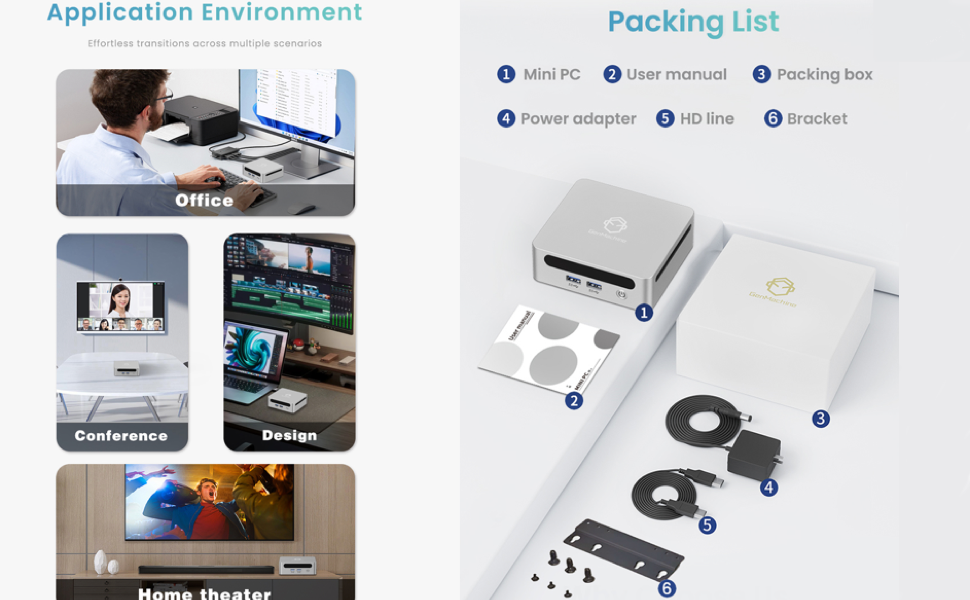
Image: A visual representation of the GenMachine Mini PC and its included accessories, neatly arranged next to the packaging box. Items include the Mini PC unit, user manual, power adapter, HDMI cable, and a mounting bracket with screws.
Pengaturan
Koneksi Awal
- Hubungkan adaptor daya ke port DC-in pada Mini PC, lalu ke stopkontak.
- Connect your display(s) using the HDMI port(s) or USB-C display output. The Mini PC supports 4K Ultra HD visuals and dual display setups.
- Hubungkan keyboard dan mouse Anda ke port USB 3.0 atau USB 2.0 yang tersedia.
- For internet access, connect an Ethernet cable to the LAN port or connect via Wi-Fi 6.
- Nyalakan Mini PC dengan menekan tombol daya.
Gambar: Close-up view of the GenMachine Mini PC's front and rear panels, highlighting the various ports including USB 3.0, USB-C, HDMI, LAN, and audio jacks for easy connection of peripherals and displays.
Sistem Operasi
The GenMachine Mini PC comes pre-installed with Windows 11 Pro. Follow the on-screen instructions to complete the initial setup of the operating system.
Mounting the Mini PC
Utilize the included VESA mounting bracket to attach the Mini PC to the back of a compatible monitor or to a wall, optimizing your workspace and maintaining a clean setup.

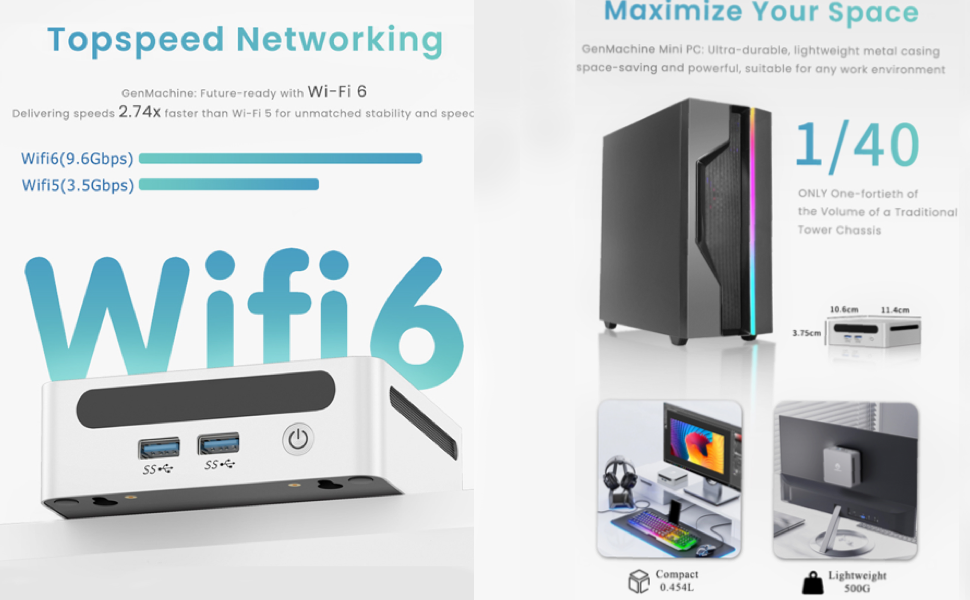
Image: The GenMachine Mini PC is shown next to a traditional tower PC, illustrating its significantly smaller size. It also depicts the Mini PC mounted behind a monitor and placed on a desk, demonstrating its space-saving benefits.
Video Guide: Mini PC Setup and Upgrade
Video: An official seller video demonstrating the unboxing, setup, and internal components of the GenMachine Mini PC, including how to upgrade RAM and SSD.
Pengoperasian
Performance and Usage
The AMD Ryzen 5 4500U processor provides powerful performance for a variety of tasks, including web browsing, office applications, 4K video playback, and light creative work. The 16GB DDR4 RAM ensures smooth multitasking, while the 512GB SSD offers fast data access.

Image: An infographic detailing the efficient performance of the GenMachine Mini PC, highlighting the 7nm 4500U processor with Zen2 architecture, 6 cores, 6 threads, and 4.0 GHz turbo frequency.
Konektivitas
Benefit from next-generation connectivity with Wi-Fi 6 for faster and more stable wireless internet, and Bluetooth 5.2 for seamless pairing with peripherals like keyboards, mice, and audio devices.
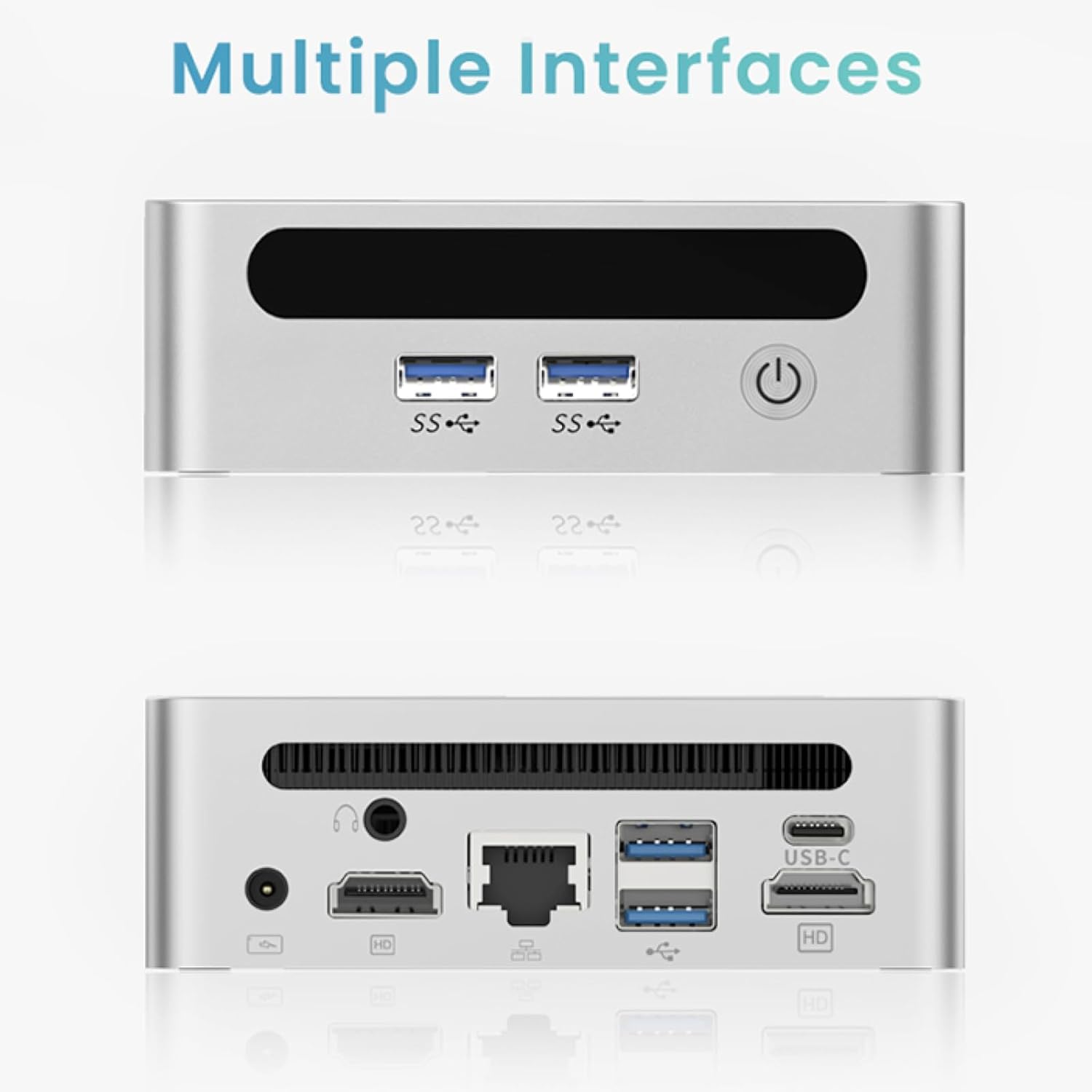
Image: A visual comparison showing Wi-Fi 6 speeds (9.6Gbps) significantly faster than Wi-Fi 5 speeds (3.5Gbps), emphasizing the top-speed networking capabilities of the GenMachine Mini PC.
Dukungan Layar Ganda
Connect up to two 4K displays simultaneously via HDMI and USB-C for enhanced productivity or an immersive viewpengalaman ing.

Image: The GenMachine Mini PC is shown connected to three screens, displaying different applications like video editing software and a movie, illustrating its triple screen support.


