1. Pendahuluan
This manual provides essential information for the safe and efficient use of your MESWAO 15.6 Inch Pro Android 14 Tablet. Please read this manual thoroughly before operating the device and retain it for future reference.
2. Informasi Keselamatan
- Jangan biarkan tablet terkena suhu ekstrem, sinar matahari langsung, atau kelembapan tinggi.
- Hindari menjatuhkan atau membiarkan tablet terkena benturan keras.
- Use only the provided power adapter and Type-C cable for charging.
- Jauhkan tablet dari air dan cairan lainnya.
- Jangan mencoba membongkar atau memperbaiki tablet sendiri. Hubungi dukungan pelanggan untuk mendapatkan bantuan.
- Ensure proper ventilation when using the tablet for extended periods.
3. Isi Paket
Verifikasi bahwa semua item ada dalam paket:
- 1 x MESWAO 15.6 inch Android Tablet
- 1 x Adaptor Daya
- 1 x Kabel Tipe C
- 1 x Panduan Pengguna
- 1 x adaptor Tipe-C ke USB
- 1 x Stuck pin
4. Perangkat Berakhirview
Familiarize yourself with the physical components of your MESWAO tablet.
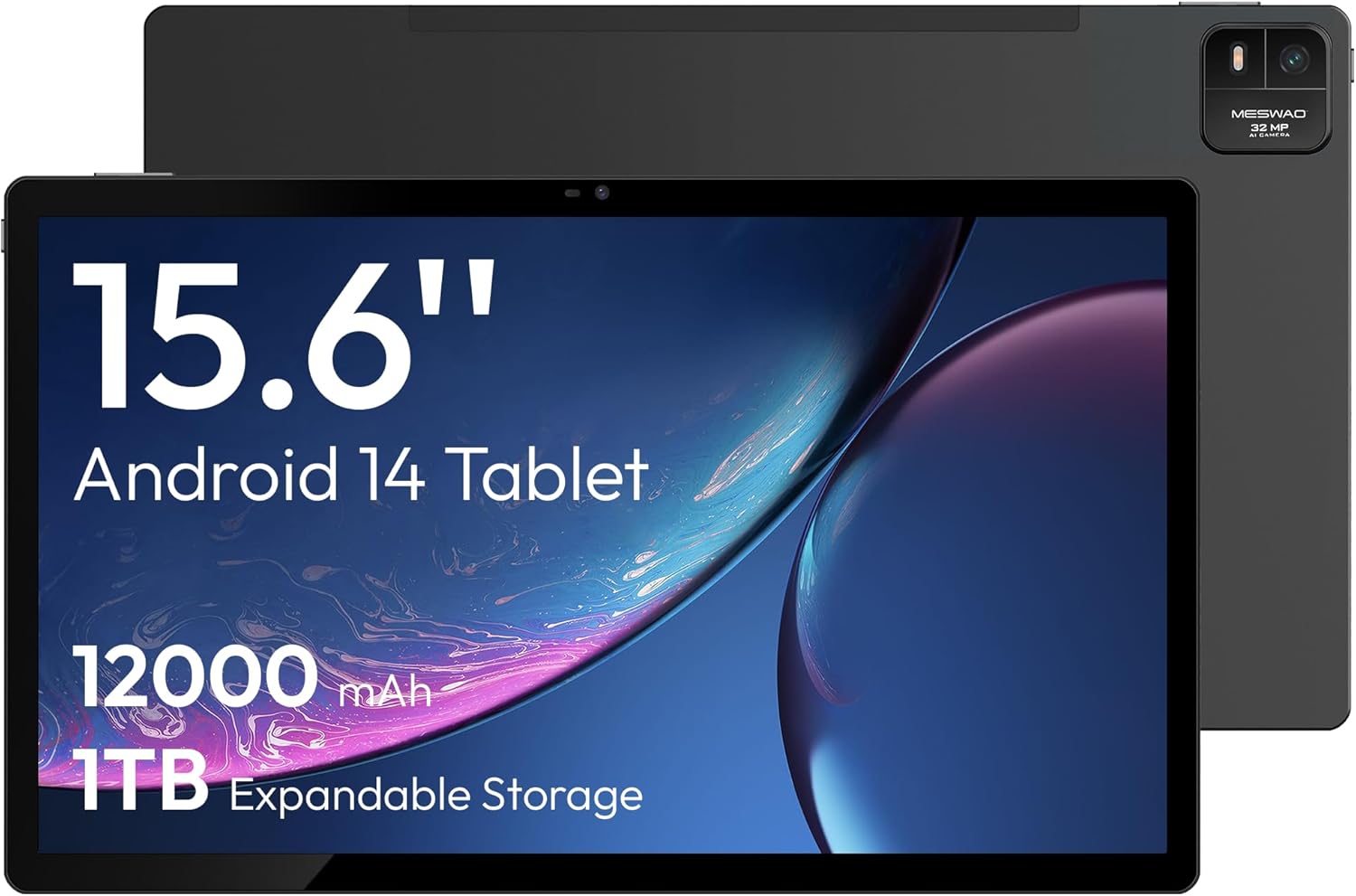
Gambar 4.1: Depan view of the MESWAO 15.6-inch Android 14 Tablet, highlighting the large display and key specifications such as 12000mAh battery and 1TB expandable storage.
Gambar 4.2: Samping dan belakang view of the tablet, indicating the location of the quad speakers, Type-C port, TF card slot, power button, volume controls, and front/rear cameras.
Komponen Utama:
- Layar IPS FHD 15.6 inci: Large screen for immersive viewing.
- Kamera Depan: Untuk panggilan video dan swafoto.
- Kamera Belakang (32MP): Untuk mengambil foto dan video.
- Tombol Daya: To turn the tablet on/off or put it to sleep.
- Tombol Volume: Untuk menyesuaikan level audio.
- Tipe-C Port: Untuk pengisian dan transfer data.
- Slot Kartu TF: For expandable storage (MicroSD card).
- Quad Speakers: Untuk keluaran audio.
5. Pengaturan
5.1 Pengisian Awal
Before first use, fully charge the tablet. Connect the provided Type-C cable to the tablet's Type-C port and the power adapter to a wall outlet. The tablet supports 30W fast charging.

Gambar 5.1: The tablet connected to its charger, showing the charging indicator on the screen.
5.2 Daya Hidup/Mati
- Untuk menghidupkan: Tekan dan tahan tombol Daya hingga layar menyala.
- Untuk mematikan: Tekan dan tahan tombol Daya, lalu pilih 'Matikan' dari opsi yang ada di layar.
- Untuk Tidur/Bangun: Tekan sebentar tombol Daya.
5.3 Konfigurasi Awal
Upon first power-on, follow the on-screen prompts to set up your Android 14 operating system. This includes selecting your language, connecting to Wi-Fi, and signing in with your Google account.
Koneksi Wi-Fi 5.4
- Pergi ke Pengaturan > Jaringan & internet > Wifi gratis.
- Beralih Wi-Fi On.
- Pilih jaringan yang Anda inginkan dari daftar.
- Masukkan kata sandi jika diminta dan ketuk Menghubungkan. The tablet supports dual-band Wi-Fi (2.4GHz and 5GHz).
5.5 Memasang Kartu MicroSD
To expand storage up to 1TB, insert a MicroSD card:
- Locate the TF card slot on the side of the tablet.
- Use the provided stuck pin to gently press into the small hole next to the slot to eject the tray.
- Place the MicroSD card into the tray with the gold contacts facing down.
- Masukkan kembali baki ke dalam tablet dengan hati-hati.

Gambar 5.2: Illustration of the tablet's internal storage and the option for expandable storage via MicroSD card.
6. Mengoperasikan Tablet
6.1 Navigasi Dasar
The Android 14 operating system uses touch gestures for navigation:
- Mengetuk: Pilih item atau buka aplikasi.
- Geser: Gulir layar atau daftar.
- Mencubit: Memperbesar atau memperkecil gambar dan web halaman.
- Tekan lama: Akses menu kontekstual atau pindahkan ikon.
6.2 Fitur Tampilan
The 15.6-inch FHD IPS display offers a resolution of 1920 x 1080 pixels, providing clear and vibrant visuals for various applications.

Gambar 6.1: Comparison of the MESWAO 15.6-inch display size to an A4 sheet of paper and a smaller tablet, emphasizing its expansive viewdaerah ing.
6.3 Kinerja
Powered by the Helio G99 octa-core processor and 8GB RAM, the tablet delivers efficient performance for multitasking, gaming, and media consumption.

Gambar 6.2: An illustration of the Helio G99 Octa-Core chipset, detailing its technical specifications and performance benefits.
6.4 Penggunaan Kamera
The tablet features a 32MP rear camera and a 5MP front camera. Open the Camera app to capture photos and videos.
Suara 6.5
The quad speakers provide clear audio. You can connect Bluetooth headphones or use the Type-C port for audio output with a suitable adapter.
6.6 Fitur Android 14
The tablet runs on Android 14, offering features such as:
- Smooth Multitasking: Efficiently switch between applications.
- Kontrol Orang Tua: Manage content and usage for children.
- Enhanced Privacy & UI: Improved security and user interface experience.

Gambar 6.3: The Android 14 operating system interface, showcasing various applications and system features.
7. Pemeliharaan
7.1 Membersihkan Perangkat
Gunakan kain lembut dan bebas serat untuk membersihkan layar dan bodi tablet. Hindari penggunaan bahan kimia keras atau bahan abrasif.
7.2 Pembaruan Perangkat Lunak
Periksa pembaruan sistem secara berkala untuk memastikan kinerja dan keamanan yang optimal. Kunjungi Pengaturan > Sistem > Pembaruan sistem.
7.3 Perawatan Baterai
Untuk memperpanjang masa pakai baterai:
- Hindari mengosongkan baterai sepenuhnya secara sering.
- Do not expose the tablet to high temperatures.
- Cabut pengisi daya setelah baterai penuh.
8. Penyelesaian masalah
8.1 Tablet Tidak Menyala
- Pastikan baterai terisi daya. Hubungkan pengisi daya dan tunggu beberapa menit sebelum mencoba menyalakannya.
- Tekan dan tahan tombol Daya setidaknya selama 10-15 detik untuk memaksa memulai ulang.
8.2 Masalah Koneksi Wi-Fi
- Mulai ulang router Wi-Fi Anda.
- Lupakan jaringan di pengaturan tablet dan sambungkan kembali.
- Pastikan tablet berada dalam jangkauan sinyal Wi-Fi.
8.3 Kinerja Lambat
- Tutup aplikasi latar belakang yang tidak diperlukan.
- Hapus data cache untuk aplikasi.
- Pastikan tersedia ruang penyimpanan yang cukup.
8.4 Layar Tidak Responsif
- Mulai ulang tabletnya.
- Pastikan layar bersih dan bebas dari kotoran.
9. Spesifikasi
| Fitur | Spesifikasi |
|---|---|
| Nama Model | MES-B3 |
| Sistem Operasi | Android 14 |
| Ukuran Layar | 15.6 inci |
| Resolusi Layar | 1920 x 1080 piksel (FHD) |
| Prosesor | MediaTek Helio G99 Octa-Core |
| Koprosesor Grafis | Mali G75 |
| RAM | 8 GB |
| Penyimpanan Internal (ROM) | 256 GB |
| Penyimpanan yang Dapat Diperluas | Kapasitas hingga 1TB melalui kartu MicroSD. |
| Kamera Belakang | 32MP |
| Kamera Depan | 5MP |
| Kapasitas Baterai | 12000 mAh |
| Pengisian daya | Pengisian Cepat 30W |
| Konektivitas Nirkabel | Dual-Band Wi-Fi (802.11a/b/ac/ad/ax), Bluetooth |
| Berat Barang | 4.55 pon |
| Dimensi Produk | 14.49x8.66x0.39 inci |
10. Garansi dan Dukungan
10.1 Informasi Garansi
Your MESWAO tablet comes with a Garansi 12 bulan Mencakup cacat produksi. Harap simpan bukti pembelian Anda untuk klaim garansi.
10.2 Dukungan Pelanggan
For technical assistance, troubleshooting, or warranty inquiries, please contact MESWAO customer support. Our support team is available to assist you.
- Dukungan Pelanggan 24 Jam: Bantuan tersedia sepanjang waktu.
- Local After-sales Centers: Service centers are available in regions including the US, Germany, Japan, and more.
- Quick Response Flow: Issues reported receive a team response within 24 hours, aiming for prompt problem resolution or replacement.


