1. Pendahuluan
Thank you for choosing the MorePro Smart Watch. This manual provides essential information to help you set up, operate, and maintain your new smartwatch. Designed for both men and women, this device offers comprehensive health monitoring, extensive fitness tracking, and convenient communication features to support your active lifestyle.
2. Apa yang ada di dalam kotak
- MorePro Smart Watch with Band
- Kabel Pengisian Daya
- Panduan Pengguna

Image: The MorePro Smart Watch, charging cable, and user manual as packaged in the box.
3. Pengaturan
3.1 Mengisi Daya Jam Tangan Pintar
Before first use, fully charge your MorePro Smart Watch. Connect the magnetic charging cable to the charging points on the back of the watch. Plug the USB end of the cable into a compatible USB power adapter (not included). A full charge typically takes about 2 hours and provides up to 7 days of daily use or 20 days of standby time.
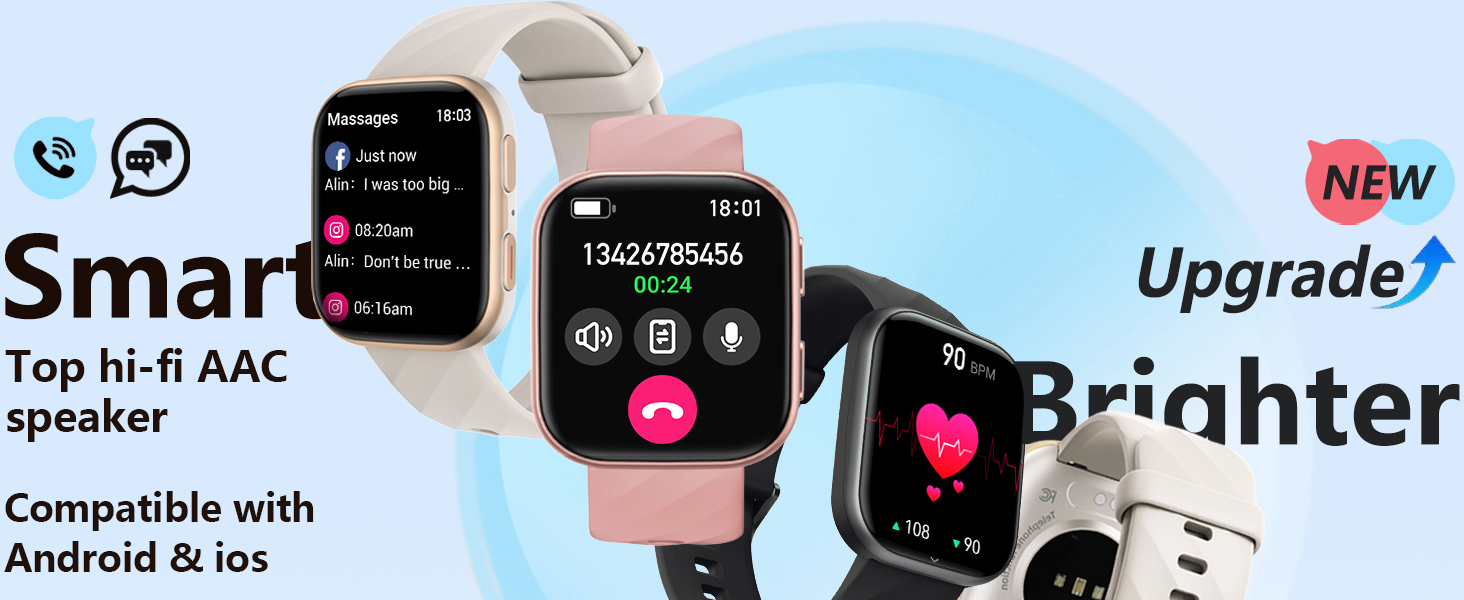
Image: The MorePro Smart Watch connected to its magnetic charging cable, illustrating the 300mAh battery capacity and fast charging capability (2 hours for 7 days of use).
3.2 Memasangkan dengan Ponsel Pintar Anda
The MorePro Smart Watch uses fast and stable Bluetooth 5.2 technology for seamless connection with your smartphone. It is compatible with Android 6.0 / iOS 10.0 and above (not suitable for PCs or tablets).
- Download the 'FitCloudPro' app from your smartphone's app store (Google Play or Apple App Store).
- Aktifkan Bluetooth di ponsel Anda.
- Open the 'FitCloudPro' app and follow the on-screen instructions to connect with your HM57 Smart Watch.
Video: Official MorePro HM57 Smart Watch Fitness Tracker overview, mendemonstrasikan langkah-langkah membuka kemasan dan pengaturan awal.
4. Petunjuk Pengoperasian
4.1 Tampilan dan Navigasi
The MorePro Smart Watch features a vibrant 1.85-inch HD screen. You can customize your watch face from over 150 options available in the app, or even upload your own photos as dials.

Image: A collage of various customizable watch faces available for the MorePro Smart Watch.
4.2 Call and Message Reception
With dual built-in microphones and an AAC high-fidelity speaker, you can make and answer calls directly from your wrist. The watch supports real-time reminders and displays for emails, text messages, and popular social media notifications (e.g., Facebook, WhatsApp, Instagdomba jantan).
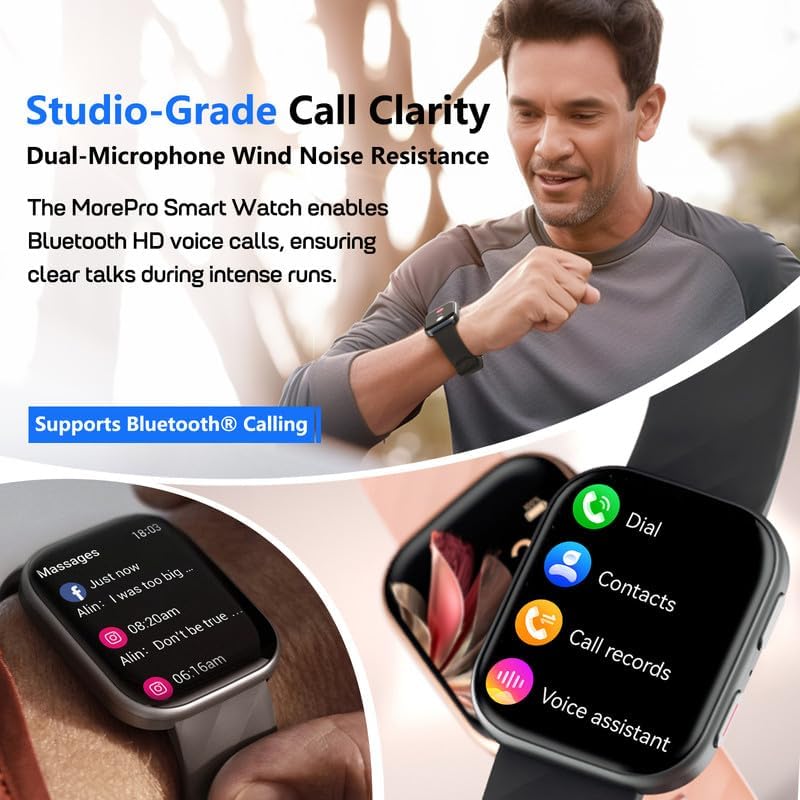
Image: The MorePro Smart Watch displaying incoming call and message notifications, highlighting its Bluetooth calling and voice assistant capabilities.
4.3 Pemantauan Kesehatan
This smartwatch serves as your 24/7 health companion, continuously monitoring your heart rate and blood pressure. It also tracks blood oxygen levels and provides detailed insights into your sleep patterns (deep, light, wake-ups, naps) to help optimize sleep habits. Guided breathing exercises are also available to help you relax and de-stress. Note: This device is designed to inspire a healthy life and is not intended for medical use or diagnosis.

Image: Visual representation of the MorePro Smart Watch's health monitoring features, including heart rate, blood pressure, sleep, and blood oxygen tracking.
4.4 Fungsi Pelacakan Kebugaran
The MorePro fitness tracker offers over 120 sports modes, including running, cycling, walking, climbing, and more. Through its excellent sensor, it captures detailed exercise data such as steps taken, distance covered, calories burned, heart rate during activity, and training time. This data provides valuable references for exercise intensity, making your workouts safer and more efficient.

Image: The MorePro Smart Watch displaying various sports modes and daily activity metrics like calories burned, step count, and distance tracked.
4.5 Handy Life Reminders & Other Features
The smart sports watch helps maintain an organized lifestyle with features like sedentary reminders (prompting you to move), drinking water reminders, and women's wellness management (menstrual cycle, ovulation period, security period prediction). Other practical features include IP67 water resistance (not suitable for diving or surfing), real-time weather updates, quick dial for contacts, calendar, stopwatch, timer, built-in calculator, camera remote control, and music control.

Image: The MorePro Smart Watch showing its weather display, music control, and camera remote control features.
5. Pemeliharaan
5.1 Pembersihan dan Perawatan
To ensure the longevity and accuracy of your MorePro Smart Watch, regularly clean the device and its sensors. Use a soft, lint-free cloth to wipe the screen and watch body. For the sensors on the back, gently clean with a cotton swab. Avoid using harsh chemicals or abrasive materials.
5.2 Optimalisasi Daya Tahan Baterai
While the watch boasts a long battery life, certain factors can affect it. To optimize battery performance, consider adjusting screen brightness, reducing the frequency of notifications, and disabling features you don't frequently use. Ensure the watch is fully charged before extended periods of inactivity.
6. Penyelesaian masalah
If you encounter any issues with your MorePro Smart Watch, please refer to the following common troubleshooting tips:
- Masalah Konektivitas: Ensure Bluetooth is enabled on your phone and the watch is within range. Restart both the watch and your phone.
- Masalah Sinkronisasi Aplikasi: Check if the 'FitCloudPro' app is updated to the latest version. Ensure the app has necessary permissions on your phone.
- Pembacaan yang Tidak Akurat: Pastikan jam tangan terpasang dengan pas di pergelangan tangan Anda, tidak terlalu ketat atau terlalu longgar. Bersihkan sensor secara teratur.
- Baterai Terkuras dengan Cepat: Review your notification settings and screen brightness. Close any unnecessary background apps on the watch.
For more detailed troubleshooting steps, please consult the full Panduan Pengguna (PDF).
7. Spesifikasi
| Fitur | Detil |
|---|---|
| Merek | LebihPro |
| Nomor Model | Smart Watch Fitness Tracker Black |
| Ukuran Layar | 1.85 inci |
| Teknologi Konektivitas | Bluetooth 5.2 |
| Sistem Operasi | Android & iOS (6.0+ / 10.0+) |
| Daya Tahan Baterai (Penggunaan Sehari-hari) | Hingga 7 hari |
| Waktu Siaga | Sekitar 20 hari |
| Tahan Air | IP67 (Not suitable for diving or surfing) |
| Kapasitas Penyimpanan Memori | 128MB |
| Berat Barang | 4.6 ons |
8. Garansi dan Dukungan
MorePro stands behind the quality of its products. This Smart Watch comes with a 2-Year Replacement Lifetime Service. For any quality issues, a new one will be sent. MorePro also offers a 12-Hour Quick Reply for customer inquiries.
Untuk bantuan lebih lanjut atau untuk view the complete user manual, please visit the official MorePro websitus atau merujuk ke Panduan Pengguna (PDF).


