1. Pendahuluan
This user manual provides comprehensive instructions for the Headwolf WPad7 Tablet. It covers setup, operation, maintenance, and troubleshooting to ensure optimal performance and user experience. Please read this manual thoroughly before using your device.
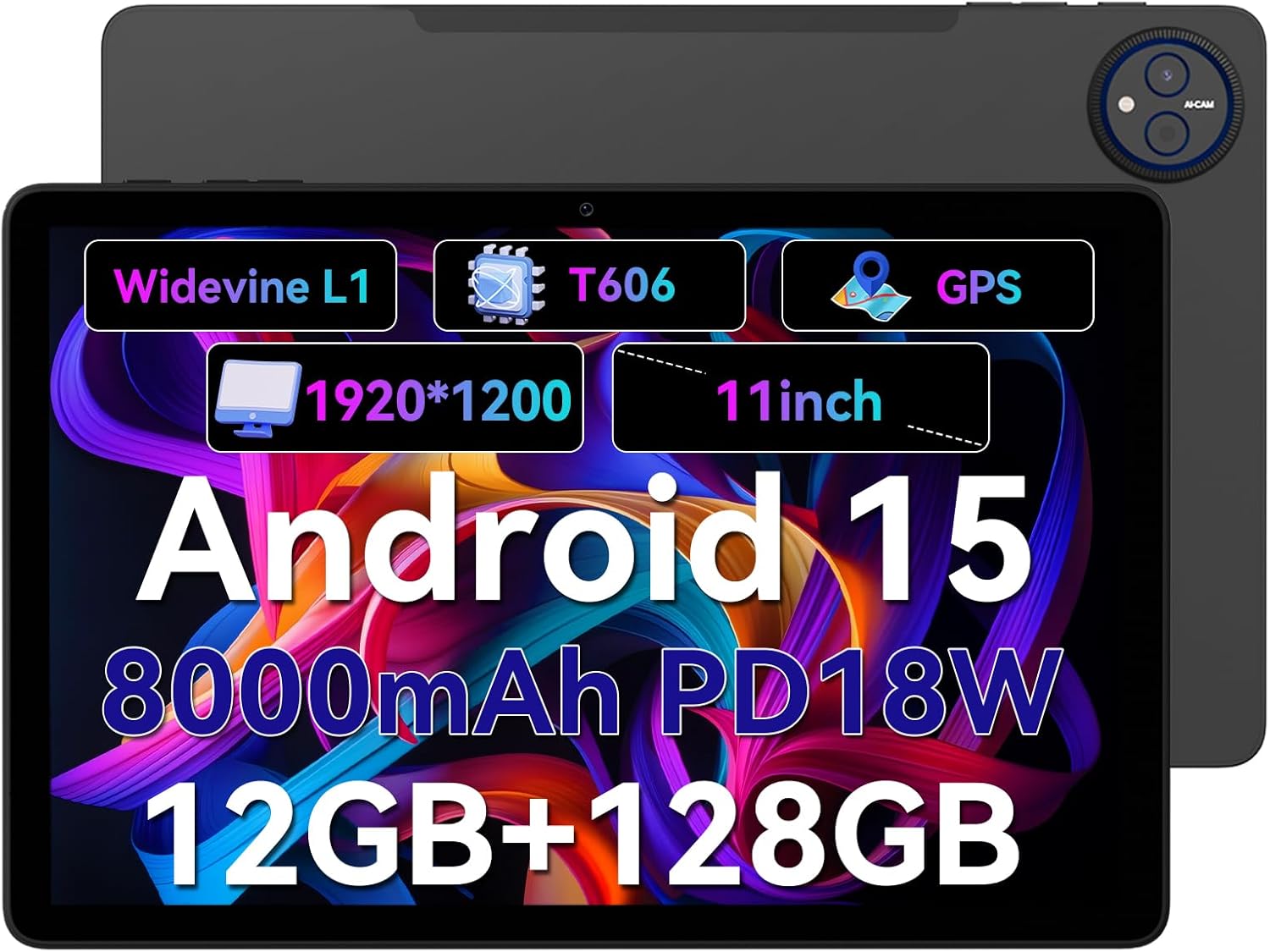
Figure 1.1: Headwolf WPad7 Tablet showcasing its 11-inch display, Android 15, 8000mAh battery, 12GB RAM, 128GB ROM, Widevine L1, T606 processor, and GPS capabilities.
2. Isi Paket
Saat membuka paket, verifikasi bahwa semua item yang tercantum di bawah ini ada dan dalam kondisi baik:
- 1 x Headwolf WPad7 Tablet
- 1 x Pengisi Daya
- 1 x Kabel Tipe-C
- 1 x Card Pin (for SIM/SD card tray)
- 1 x Panduan Pengguna
3. Produk Lebihview
3.1 Ciri Fisik
Familiarize yourself with the physical components of your Headwolf WPad7 Tablet:
- Menampilkan: 11-inch IPS In-Cell screen with 1920x1200 resolution.
- Kamera Depan: 8MP, located on the top bezel when held horizontally.
- Kamera Belakang: 13MP, terletak di panel belakang.
- Tombol Daya: Typically on the side, used to power on/off or wake/sleep the device.
- Tombol Volume: Located near the power button, for adjusting audio levels.
- Port USB Tipe-C: Untuk pengisian dan transfer data.
- Jack Headphone 3.5mm: For connecting wired audio devices.
- Slot Kartu: For inserting a SIM card (if supported) and a microSD card for expandable storage.
- Atur Ulang Lubang: A small pinhole for force restarting the device if unresponsive.

Figure 3.1: Physical aspects of the Headwolf WPad7 Tablet, showing its 8mm thickness, 495g weight, 13MP rear camera, 8MP front camera, and 3.5mm earphone jack.

Figure 3.2: Key features of the Headwolf WPad7 Tablet, including Android 15 OS, 12GB+128GB memory, T606-8 core processor, 8000mAh battery, GPS navigation, 1920x1200 FHD display, face recognition, dual cameras, 2.4G/5Ghz Wi-Fi, Widevine L1, and 300nit brightness.
4. Pengaturan
4.1 Pengisian Awal
Before first use, fully charge the tablet. Connect the provided Type-C cable to the tablet's USB-C port and the charger to a power outlet. The battery indicator on the screen will show charging status. A full charge typically takes several hours.

Figure 4.1: The 8000mAh battery of the Headwolf WPad7 Tablet, highlighting its safety and stability features, and showing typical usage times for processing, video playback, reading, and music playback.
4.2 Daya Hidup/Mati
- Untuk menghidupkan: Press and hold the Power button until the Headwolf logo appears on the screen.
- Untuk mematikan: Press and hold the Power button until a power-off menu appears. Select "Power off".
- Untuk Tidur/Bangun: Tekan sebentar tombol daya untuk membuat tablet masuk mode tidur atau mengaktifkannya kembali.
4.3 Pemasangan Kartu MicroSD
The Headwolf WPad7 supports microSD card expansion up to 2TB. To install:
- Temukan slot kartu di samping tablet.
- Masukkan pin kartu yang disediakan ke dalam lubang kecil di sebelah baki untuk mengeluarkannya.
- Place the microSD card into the designated slot on the tray, ensuring correct orientation.
- Dorong baki perlahan-lahan kembali ke dalam tablet hingga terkunci pada tempatnya.

Figure 4.2: Details of the Unisoc T606 Octa-core Processor and memory configuration, showing 12GB RAM (6GB physical + 6GB virtual) and 128GB ROM, expandable up to 2TB via SD card.
5. Mengoperasikan Tablet Anda
5.1 Fitur Android 15
Your Headwolf WPad7 Tablet runs on Android 15, offering enhanced AI capabilities, improved privacy, optimized performance, and a refined user interface. Explore features like:
- AI Dynamic Adjustment: Adapts to your usage patterns for optimized performance.
- Multilingual Real-time Translation: Facilitates communication across languages.
- AI Automatic Scene Recognition: Enhances camera performance.
- Intelligent Audio Switching: Seamlessly manages audio output.
- AI Battery Saving Optimization: Extends battery life based on usage.
- Layar Terpisah: Use two apps simultaneously side-by-side.
- Pengenalan Wajah: Securely unlock your device with your face.

Gambar 5.1: Lebihview of Android 15's intelligent AI features, including dynamic adjustment, real-time translation, automatic scene recognition, portrait mode processing, intelligent audio switching, accurate speech recognition, battery saving, game mode, and document auto summary.
5.2 Konektivitas
- Wifinya: Supports high-speed AC 2.4G/5G Wi-Fi for stable internet connection. Navigate to Settings > Network & internet > Wi-Fi to connect to available networks.
- Bluetooth dapat digunakan untuk berbagai keperluan, seperti: Connect to Bluetooth headphones, speakers, and other devices. Go to Settings > Connected devices > Bluetooth.
- Bahasa Indonesia: The tablet supports GPS, GLONASS, BDS, and GALILEO satellite systems for precise location services and navigation.

Figure 5.2: The Headwolf WPad7 Tablet's 2.4G/5G Dual Band Wi-Fi and Bluetooth capabilities, demonstrating its versatility for work, presentations, and video calls.

Figure 5.3: The tablet's Four-In-One Satellite Positioning System, supporting GPS, Beidou, Galileo, and Glonass for accurate real-time location tracking and navigation.
5.3 Penggunaan Kamera
The tablet features an 8MP front camera and a 13MP rear camera. Open the Camera app to capture photos and videos. Utilize AI scene recognition for optimized shots.
5.4 Fitur Tampilan
The 11-inch IPS in-cell display provides vivid colors and deep contrasts. It features Widevine L1 certification, enabling secure streaming of high-definition content from platforms like Netflix, Prime Video, and Disney+.

Figure 5.4: The 11-inch Widevine L1-compatible FHD display, showcasing its 1920x1200 resolution, 224 PPI, IPS incell technology, 300 nit brightness, 1500:1 contrast, and 75% NTSC color gamut, ideal for streaming services.
6. Pemeliharaan
6.1 Pembersihan
Untuk membersihkan tablet Anda, gunakan kain lembut dan bebas serat. Untuk noda membandel, gunakan sedikit kain.ampBilas kain dengan air atau pembersih layar. Hindari penggunaan bahan kimia keras, bahan abrasif, atau kelembapan berlebih.
6.2 Perawatan Baterai
- Hindari memaparkan tablet pada suhu ekstrem (panas atau dingin).
- Jangan sering membiarkan baterai benar-benar terkuras.
- Use the original charger and cable for optimal charging and battery longevity.
- If storing the tablet for an extended period, charge it to about 50% before turning it off.
7. Penyelesaian masalah
7.1 Tablet Tidak Menyala
- Pastikan baterai terisi daya. Hubungkan pengisi daya dan tunggu beberapa menit sebelum mencoba menyalakannya.
- Tekan dan tahan tombol Daya setidaknya selama 10-15 detik untuk memaksa memulai ulang.
7.2 Masalah Konektivitas Wi-Fi
- Aktifkan dan nonaktifkan Wi-Fi di Pengaturan.
- Mulai ulang router Wi-Fi Anda.
- Lupakan jaringan dan sambungkan kembali, lalu masukkan kata sandi lagi.
7.3 Aplikasi Crash atau Macet
- Tutup aplikasi yang bermasalah dan buka kembali.
- Hapus cache aplikasi (Pengaturan > Aplikasi > [Nama Aplikasi] > Penyimpanan & cache > Hapus cache).
- Mulai ulang tabletnya.
- Ensure the app and Android system are updated to the latest versions.
8. Spesifikasi
| Fitur | Spesifikasi |
|---|---|
| Merek | Kepala Serigala |
| Nama Model | W7 |
| Sistem Operasi | Android 15 |
| Ukuran Layar | 11 inci |
| Resolusi Layar | 1920x1200 Pixels (FHD In-Cell) |
| Prosesor | Unisoc T606 Octa-core |
| RAM | 12GB (6GB fisik + 6GB virtual) |
| Penyimpanan Internal | 128 GB |
| Penyimpanan yang Dapat Diperluas | Kapasitas hingga 2TB melalui kartu MicroSD. |
| Kamera Belakang | 13MP |
| Kamera Depan | 8MP |
| Kapasitas Baterai | 8000 mAh |
| Port Pengisian Daya | USB Type-C (supports 18W fast charge) |
| Konektivitas Nirkabel | 802.11a/b/g/n/ac/ax (2.4G/5G Wi-Fi), Bluetooth |
| Navigasi | GPS, GLONASS, BDS, GALILEO (with A-GPS) |
| Soket Audio | ukuran 3.5mm |
| Dimensi (P x L x T) | 11x2x8 inci |
| Berat Barang | 1.98 pon (sekitar 495g) |
| Warna | Abu-abu |
| Widevine Certification | L1 |
9. Garansi dan Dukungan
Headwolf provides a standard warranty for the WPad7 Tablet. For detailed warranty terms and conditions, please refer to the warranty card included in your package or visit the official Headwolf weblokasi.
For technical support, troubleshooting assistance, or service inquiries, please contact Headwolf customer support through their official channels. Keep your purchase receipt and product serial number handy when contacting support.
Sumber Daya Daring:


