Perkenalan
The Enhulk PC40 Pool Vacuum is designed for efficient cleaning of above-ground and in-ground pools, spas, and hot tubs. This cordless vacuum features powerful suction, a telescopic pole for extended reach, and a rechargeable battery for extended runtime. It is engineered to effortlessly remove debris such as sand, small stones, leaves, and dirt from your pool's bottom and hard-to-reach areas.

Image: The Enhulk PC40 Pool Vacuum shown with its telescopic pole, filter basket, and skimmer net.
Informasi Keselamatan
- Baca semua petunjuk sebelum menggunakan alat ini.
- Do not operate the vacuum out of water. The motor is designed for underwater use.
- Ensure the charging port is completely dry before connecting the charger. Water in the charging port can cause electrical hazards.
- Keep hands, hair, loose clothing, and all body parts away from openings and moving parts.
- Do not allow children to operate this appliance without adult supervision.
- Store the vacuum in a dry place when not in use and after cleaning.
- Gunakan hanya pengisi daya yang disediakan oleh produsen.
- Do not attempt to disassemble or repair the vacuum yourself. Contact customer support for assistance.
- Avoid using the vacuum in water temperatures exceeding 95 degrees Fahrenheit (35 degrees Celsius) to prevent damage to components.
Isi Paket
Verifikasi bahwa semua item disertakan dalam paket Anda:
- Enhulk PC40 Pool Vacuum Unit
- Telescopic Pole (extendable from 3.2ft to 6.4ft)
- Removable Vacuum Head with Side Brushes
- Filter Screen/Basket
- Pengisi Daya Magnetik
- Jaring Penyaring Kolam Renang
Pengaturan
Follow these steps to assemble your Enhulk PC40 Pool Vacuum:
- Loading Brushes: Attach the side brushes to the vacuum head by sliding them into place until they click securely.
- Pasang Filternya: Insert the filter screen/basket into the main body of the vacuum. Ensure it is seated correctly.
- Connect the Body Part: Align the two main body sections of the vacuum and push them together firmly until they lock.
- Insert the Vacuum Brush Head: Attach the vacuum brush head to the main body.
- Attach the Long Handle: Connect the telescopic pole sections.
- Attach the Short Handle: For handheld use, attach the short handle directly to the vacuum unit. For extended reach, attach the telescopic pole to the vacuum unit.

Image: Visual guide illustrating the six steps for assembling the pool vacuum.
Petunjuk Pengoperasian
The Enhulk PC40 Pool Vacuum is designed for simple and effective cleaning:
- Pra-Pembersihan: For optimal performance, use the included skimmer net to remove large debris like leaves from the pool surface before vacuuming.
- Nyalakan: Press the red power button located on the top of the vacuum unit to turn it on.
- Menyelam: Slowly submerge the vacuum into the water. Ensure the suction head is at least 11 inches underwater for maximum cleaning power.
- Menyedot debu: Move the vacuum across the pool floor, stairs, and corners, similar to vacuuming a regular floor. The powerful motor and side brushes will effectively capture sand, small stones, and other debris.
- Matikan: Once cleaning is complete, lift the vacuum out of the water and press the red power button again to turn it off.

Image: The vacuum head underwater, illustrating its strong suction power capturing leaves, insects, acorns, twigs, sand, and dirt.

Image: The replaceable cleaning head feature, showing a vacuum head for hard-to-clean corners and a triangular brush head for pool steps and floors.

Image: A user demonstrating the flexible telescoping pole, which extends from 3.2ft to 6.4ft, allowing for easy reach across the pool.
Pemeliharaan
Proper maintenance ensures the longevity and performance of your Enhulk PC40 Pool Vacuum:
- Emptying the Filter: After each use, remove the filter screen/basket from the vacuum unit. Dispose of collected debris.
- Membilas: Rinse the filter screen/basket and the interior of the vacuum's collection chamber thoroughly with clean water.
- Pengeringan: Ensure all components, especially the charging port, are completely dry before reassembling or charging. Store the machine in a dry place.
- Pengisian daya: Connect the magnetic charger to the vacuum's charging port. A full charge takes approximately 90 minutes and provides up to 80 minutes of runtime. Always charge immediately after use to maintain battery health.
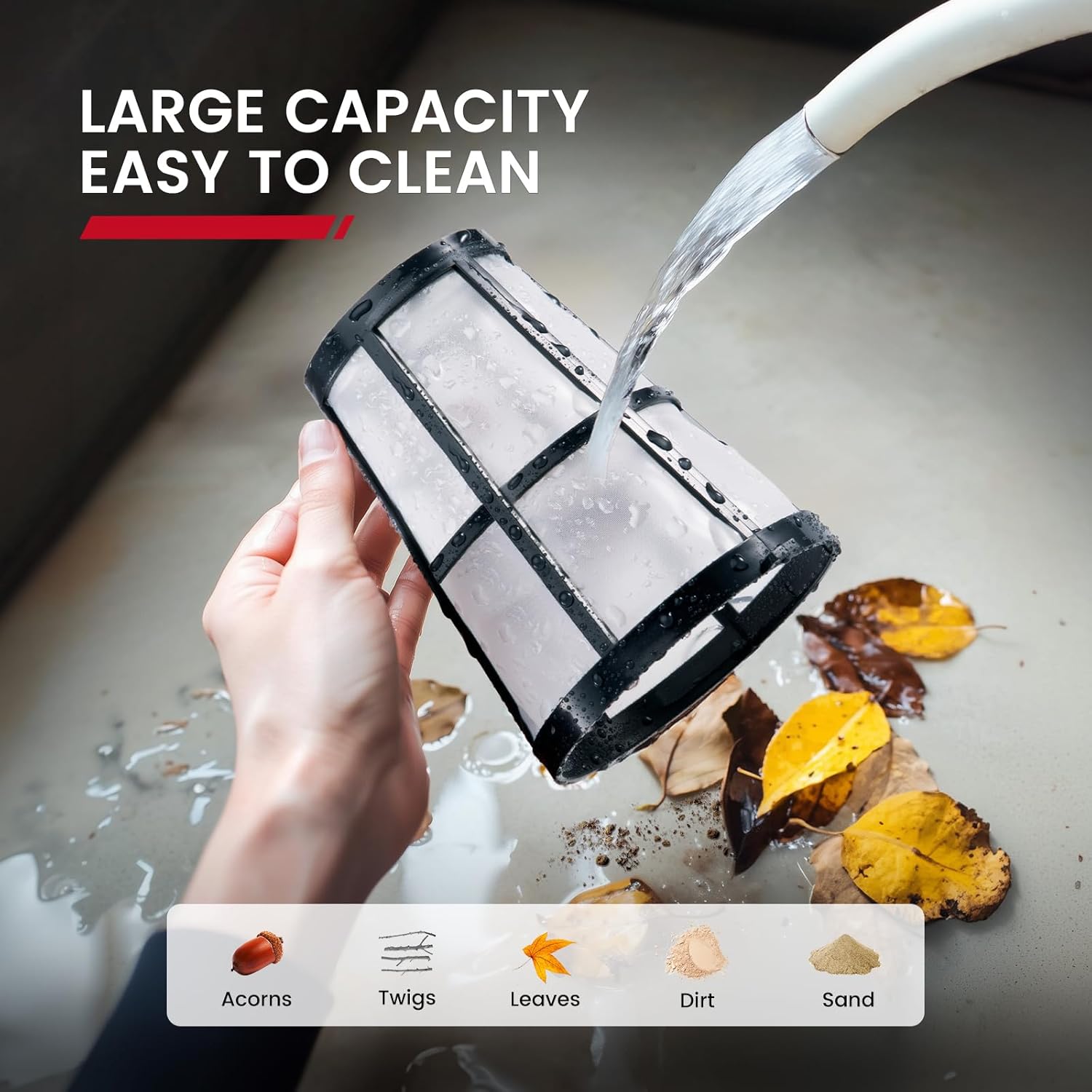
Image: The large capacity filter being rinsed, demonstrating how easily collected debris such as acorns, twigs, leaves, dirt, and sand are removed.

Image: The vacuum unit connected to its magnetic charger, highlighting its 80 minutes maximum runtime and 1.5 hours charging time.
Penyelesaian Masalah
If you encounter issues with your Enhulk PC40 Pool Vacuum, refer to the following common problems and solutions:
| Masalah | Kemungkinan Penyebab | Larutan |
|---|---|---|
| Penyedot debu tidak menyala. | Low battery; charging port is wet; power button not fully pressed. | Charge the battery; ensure charging port is dry; press the power button firmly. |
| Hisapnya lemah. | Filter basket is full or clogged; vacuum not submerged deep enough (less than 11 inches); large debris blocking intake. | Empty and clean the filter basket; ensure vacuum is submerged at least 11 inches; remove any large obstructions. |
| Waktu pengerjaan pendek. | Baterai tidak terisi penuh; penurunan kualitas baterai seiring waktu. | Ensure a full 90-minute charge; contact customer support if battery life significantly decreases. |
| Debris escaping filter. | Filter not properly installed; filter damaged. | Re-install filter correctly, ensuring a snug fit; replace filter if damaged. |
If the problem persists after attempting these solutions, please contact Enhulk customer support.
Spesifikasi
| Fitur | Detil |
|---|---|
| Nama Model | PC40 Pool Vacuum |
| Merek | Enhulk |
| Metode Kontrol | Menyentuh |
| Sumber Daya | Bertenaga Baterai |
| Jenis Baterai | Lithium-Ion (1 termasuk) |
| Kandungan Energi Baterai Lithium | 40 Watt Jam |
| Waktu Operasi Maks | Hingga 80 menit |
| Waktu Pengisian Daya | Sekitar 90 menit |
| Dimensi Produk | 9.8x9.4x23.6 inci |
| Berat Barang | 7.48 pon |
| Telescopic Pole Length | Tinggi 3.2 kaki hingga 6.4 kaki |
| Jenis Instalasi | Manual Assembly |
Garansi dan Dukungan
The Enhulk PC40 Pool Vacuum comes with a Garansi Terbatas. For detailed warranty information, product support, or to purchase replacement parts, please visit the official Enhulk store or contact their customer service.
Official Enhulk Store: https://www.amazon.com/stores/Enhulk/page/A38CC34E-59A5-4FD5-B05F-BEF01F844B08


