1. Pendahuluan dan Selesaiview
The NETVUE NI-9010 Baby Camera Monitor is designed to provide comprehensive monitoring of your baby, both at home and remotely. This device features a 5-inch display, smartphone app integration, cry detection, sleep analysis, two-way audio, and versatile installation options. This manual will guide you through the setup, operation, and maintenance of your baby monitor.
2. Apa yang ada di dalam kotak
- Peekababy 4-in-1 Bracket
- Baby Monitor with Camera and Audio (Parent Unit and Camera Unit)
- Adaptor Daya
- Panduan Pengguna
3. Panduan Pengaturan
3.1 Mengisi Daya Unit Induk
Before initial use, fully charge the parent unit (monitor) using the provided power adapter. A full charge ensures optimal battery life.
3.2 Camera Unit Placement and Installation
The NETVUE NI-9010 camera unit offers multiple installation options to suit various crib types and room layouts. Choose the method that provides the best view bayi Anda.
- Winding Installation: Wrap the flexible bracket around a crib rail for a secure attachment.
- Penempatan Desktop: Use the stand to place the camera on a flat surface like a dresser or nightstand.
- Pemasangan di Dinding: Mount the camera to a wall using the appropriate hardware (not specified if included, assume standard mounting).
- Instalasi Klip: Attach the camera to a crib or shelf edge using the adjustable clamp.

Image: Camera unit demonstrating winding installation on a crib.

Image: Various installation options for the camera unit, including desktop, wall, winding, and clip mounts.

Gambar: Detail view dari cl yang dapat disesuaikanamp and integrated cable slot for secure and tidy installation.
3.3 Connecting the Camera and Parent Unit
The camera unit and parent unit are typically pre-paired. If they do not connect automatically, refer to the pairing instructions in the full manual (not provided here).
3.4 Smartphone App Setup
Download the NETVUE app from your smartphone's app store. Follow the in-app instructions to connect your camera unit to your home Wi-Fi network and link it to your account. This enables remote viewdan fitur-fitur canggih.
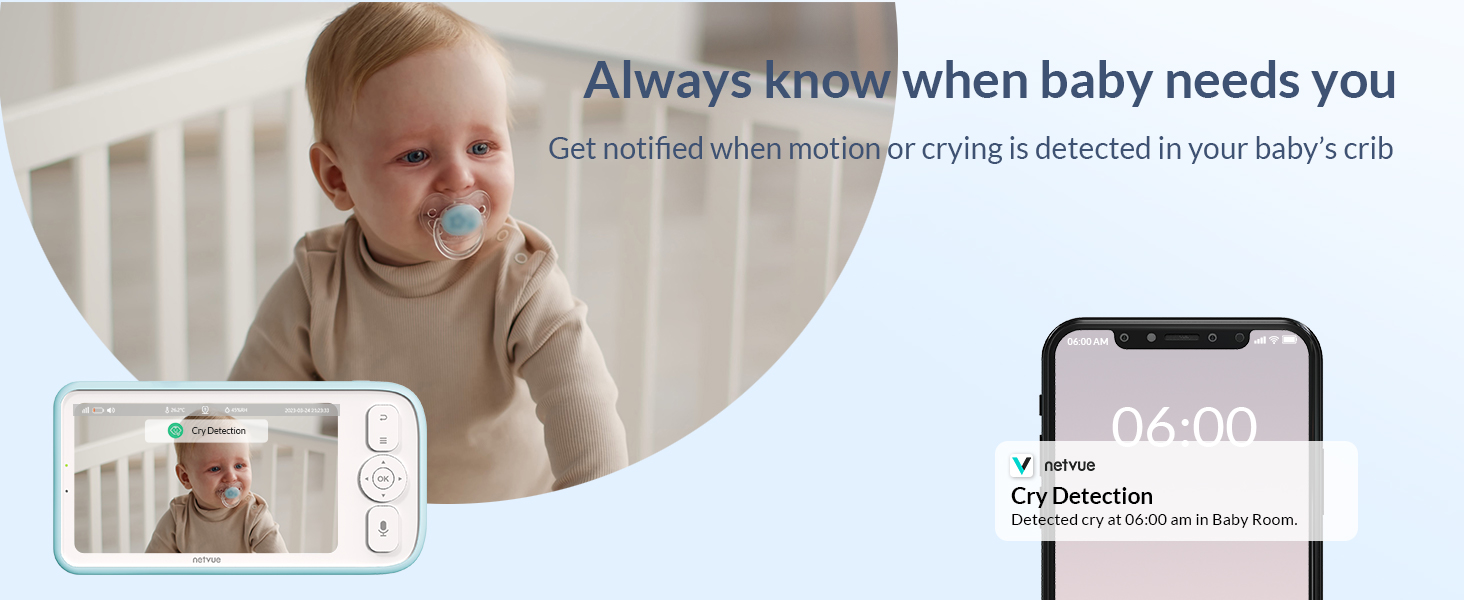
Image: Demonstrates viewing the baby via the dedicated monitor screen at home and through the smartphone app while away.
4. Petunjuk Pengoperasian
4.1 Pemantauan Dasar
Once powered on and connected, the parent unit will display the live video feed from the camera. Use the controls on the parent unit to adjust volume, brightness, and access menu options.
4.2 Percakapan Dua Arah
Press and hold the Two-Way Talk button on the parent unit or use the microphone icon in the smartphone app to speak to your baby. Release the button to listen.

Image: Illustrates the two-way talk feature, allowing parents to soothe their baby remotely.
Video: Demonstrates real-time communication using the smartphone app to speak to the baby.
4.3 Deteksi Tangisan dan Peringatan
The monitor is equipped with cry detection technology. When crying is detected, you will receive instant notifications on your parent unit and smartphone app. This allows for prompt response to your baby's needs.

Image: Shows the cry detection feature and how alerts are displayed on a smartphone.
4.4 Analisis Tidur
The monitor provides sleep quality analysis, categorizing sleep into wide awake, light sleep, and deep sleep periods. It also monitors environmental factors like temperature and humidity, accessible via the smartphone app.

Image: Smartphone app interface showing detailed sleep analysis data for the baby.
4.5 Feeding Reminders and Lullabies
Set feeding schedules and receive reminders. The monitor can also play soothing lullabies to comfort your baby. These features are configurable through the parent unit or the app.
Video: Demonstrates setting feeding reminders and playing lullabies through the monitor's parent unit.
4.6 Night Vision and VOX Mode
The camera automatically switches to night vision in low-light conditions, providing a clear view of your baby. VOX (Voice Operated eXchange) mode keeps the screen off but activates when sound is detected, conserving battery and reducing light disturbance.
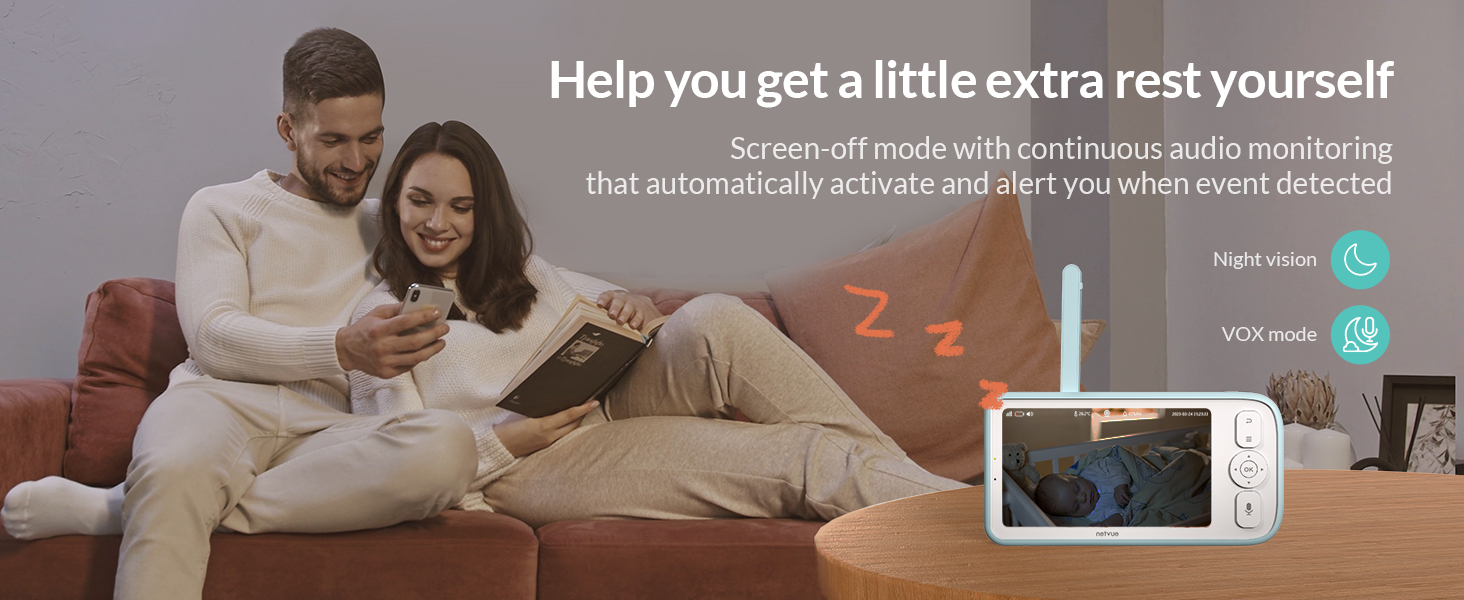
Image: Highlights night vision and VOX mode for undisturbed monitoring and rest.
4.7 Sharing and Recording Moments
Share live broadcasts of your baby's moments with family members through the app. The system supports multi-device connectivity, allowing up to 20 people to connect. You can also capture and save precious moments.

Image: Illustrates the ability to permanently record and save baby's growth moments.
5. Pemeliharaan
- Pembersihan: Wipe the camera lens and monitor screen with a soft, dry cloth. Do not use liquid cleaners.
- Perawatan Baterai: To prolong battery life, avoid extreme temperatures and fully discharge and recharge the parent unit periodically.
- Pembaruan Perangkat Lunak: Ensure your smartphone app is updated to the latest version for optimal performance and new features.
6. Spesifikasi
| Fitur | Detil |
|---|---|
| Merek | JARINGAN |
| Nomor Model | NI-9010 |
| Ukuran Layar | 5 inci |
| Kapasitas Baterai | 5000mAh (Baterai Lithium Ion Terintegrasi) |
| Bahan | Akrilonitril Butadiena Stirena (ABS) |
| Warna | Biru |
| Perangkat yang Kompatibel | Ponsel Pintar |
| Dimensi Produk | 3.16x8.47x4.97 inci |
| Berat Barang | 2.35 pon |
7. Penyelesaian masalah
- Tidak Ada Video/Audio: Ensure both the camera and parent unit are powered on and within range. Check Wi-Fi connection for app viewing.
- Sinyal Buruk: Move the camera and parent unit closer together, or reposition them to avoid obstructions. Ensure strong Wi-Fi signal for app connectivity.
- Baterai Terkuras dengan Cepat: Reduce screen brightness, disable unnecessary features, or ensure the parent unit is fully charged before use.
- Masalah Koneksi Aplikasi: Verify your smartphone's internet connection and ensure the NETVUE app is updated. Restart the app or camera unit if necessary.
8. Garansi dan Dukungan
Untuk informasi garansi, dukungan teknis, atau bantuan lebih lanjut, silakan merujuk ke situs resmi NETVUE. websitus web atau hubungi layanan pelanggan mereka secara langsung. Simpan struk pembelian Anda untuk klaim garansi.
NETVUE Support: www.netvue.com/support


