1. Pendahuluan
This user manual provides comprehensive instructions for the Callsky 10-inch Wi-Fi Tablet, Model Ctab 10. Please read this manual carefully before using your device to ensure proper operation and to maximize its features. Keep this manual for future reference.
2. Produk Lebihview
2.1 Isi Paket
Setelah membuka paket, pastikan semua barang yang tercantum di bawah ini ada:
- Callsky Ctab 10 Tablet
- Kabel Pengisi Daya USB Type-C
- Adaptor Daya
- Panduan Pengguna (Bahasa Jepang)

Image: Package contents including the tablet, charging cable, power adapter, and user manual.
2.2 Komponen Perangkat
Familiarize yourself with the physical layout and ports of your tablet:
- Kamera Depan: 5MP for video calls and selfies.
- Kamera Belakang: 8MP with autofocus for high-resolution photos.
- Tombol Daya: Located on the side for turning the device on/off and screen lock.
- Tombol Volume: Sesuaikan tingkat audio.
- Port USB Tipe-C: Untuk pengisian dan transfer data.
- Jack Headphone 3.5mm: Untuk keluaran audio.
- Speaker Ganda: For enhanced audio experience.
- Slot Kartu MicroSD: For storage expansion up to 2TB.

Gambar: Lebih dariview of tablet features including face recognition, wireless projection, and physical dimensions.
2.3 Fitur Utama
- Desain Ringan: Ultra-thin at 8.7mm and weighing 425g for easy portability.
- Sistem Operasi Android 14: Enhanced privacy, personalized settings, and improved user experience.
- Kinerja Tinggi: 1.8GHz Allwinner A523 Octa-core processor and Mali-G57 GPU for smooth multitasking, gaming, and HD video.
- Memori & Penyimpanan: 3GB RAM + 9GB virtual memory, 128GB internal storage, expandable up to 2TB via MicroSD.
- Tampilan Jelas: 10.1-inch 1280x800 Incell IPS display with eye protection mode and Widevine L1 support for high-quality streaming.
- Konektivitas: Wi-Fi 6 and Bluetooth 5.4 for stable and high-speed connections.
- Fitur Lanjutan: Wireless projection, face recognition, and split-screen functionality.
- Baterai Tahan Lama: Baterai 6000mAh untuk penggunaan yang lebih lama.

Image: Visual summary of the tablet's core specifications and features.
3. Pengaturan
3.1 Menyalakan Perangkat dan Pengaturan Dasar
- Press and hold the Power button until the Callsky logo appears.
- Follow the on-screen prompts to select your language (e.g., English).
- Connect to a Wi-Fi network. Select your network from the list and enter the password if required.
- Review and accept the Google Services terms.
- Set up a screen lock (PIN, pattern, or password) for security. You can skip this step and set it up later.
- Complete the remaining setup steps as guided by the Android 14 interface.
3.2 Memasang Kartu MicroSD
Untuk memperluas penyimpanan tablet Anda:
- Locate the MicroSD card slot on the side of the tablet.
- Gently insert the MicroSD card into the slot until it clicks into place. Ensure the card is oriented correctly.
- The tablet will detect the new storage. You may be prompted to format the card for optimal use with the device.
4. Petunjuk Pengoperasian
4.1 Navigasi Dasar
- Gerakan Sentuh: Ketuk untuk memilih, usap untuk menggulir, cubit untuk memperbesar.
- Layar Beranda: Akses aplikasi, widget, dan notifikasi.
- Pemberitahuan: Geser ke bawah dari atas layar untuk view pemberitahuan dan pengaturan cepat.
4.2 Memory and Storage Management
The tablet comes with 3GB of physical RAM and 9GB of virtual memory, totaling 12GB, along with 128GB of internal storage. You can expand storage up to 2TB using a MicroSD card.
- Untuk memeriksa kapasitas penyimpanan: Buka Pengaturan > Penyimpanan.
- To manage apps: Go to Pengaturan > Aplikasi.

Image: Details on memory and storage, including RAM, internal storage, and MicroSD expansion.
4.3 Display and Visual Experience
The 10.1-inch 1280x800 Incell IPS display provides clear and vibrant visuals. It supports Widevine L1 for high-definition streaming from platforms like Netflix and YouTube.
- Mode Perlindungan Mata: Activate this mode in settings to reduce blue light and eye strain during prolonged use.
- Layar Terbagi: Use two applications simultaneously for enhanced productivity.

Image: Tablet demonstrating Widevine L1 support for streaming services.
4.4 Konektivitas
The tablet supports Wi-Fi 6 and Bluetooth 5.4 for reliable and fast wireless connections.
- Wifinya: Connect to 2.4G or 5G networks. Go to Pengaturan > Jaringan & internet > Wi-Fi untuk mengelola koneksi.
- Bluetooth dapat digunakan untuk berbagai keperluan, seperti: Pair with wireless devices like headphones or keyboards. Go to Pengaturan > Perangkat yang terhubung > Bluetooth.
- Proyeksi Nirkabel: Share your screen with compatible displays. Access this feature from the quick settings panel.
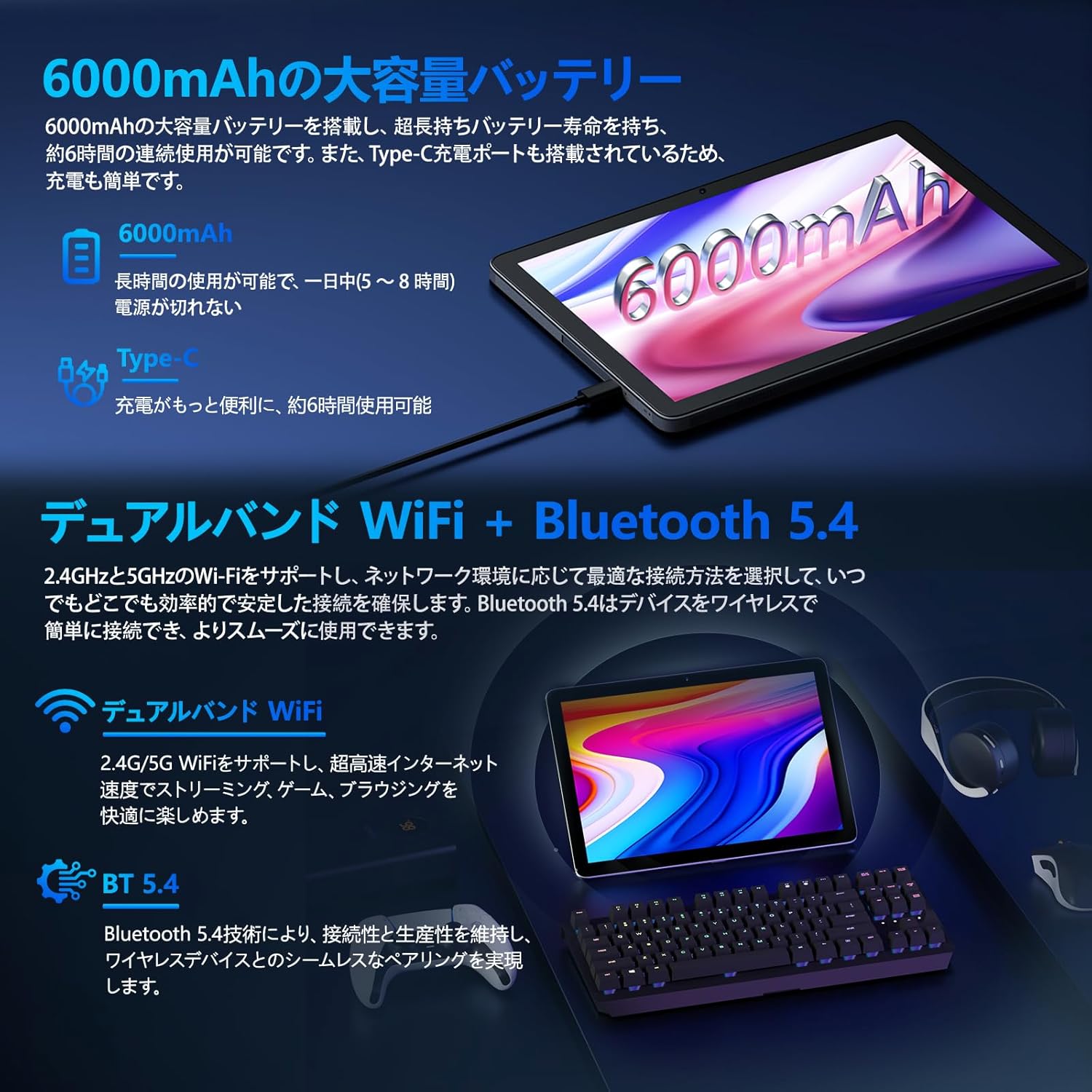
Image: Tablet highlighting battery capacity, Type-C charging, Wi-Fi, and Bluetooth features.
4.5 Kamera
The tablet features a 5MP front camera and an 8MP rear camera with autofocus, suitable for video calls and capturing photos.
- Buka aplikasi Kamera untuk mengambil foto atau merekam video.
- Pengenalan Wajah: Use the front camera for quick and secure unlocking. Set this up in Settings > Security & privacy > Face unlock.

Image: Illustration of the tablet's front and rear cameras and their resolutions.
4.6 Kids Mode (Parental Controls)
The tablet includes a dedicated Kids Mode and parental control features to ensure a safe and controlled environment for children.
- Access Kids Mode to provide curated content and limit screen time.
- Parents can manage app usage and content access through parental control settings.
4.7 Sensor
The tablet is equipped with various sensors for enhanced functionality:
- Bahasa Indonesia: Untuk layanan lokasi dan navigasi.
- Geomagnetic Sensor: Functions as a compass.
- Sensor Kedekatan: Prevents unintended screen operations.
- Sensor Cahaya Sekitar: Automatically adjusts screen brightness.
- Giroskop: For tilt operations and AR applications.
- Akselerometer: Detects tilt, shock, and movement.
5. Pemeliharaan
5.1 Perawatan Baterai
The 6000mAh battery provides long usage times. To prolong battery life:
- Hindari suhu ekstrem.
- Jangan sering membiarkan baterai benar-benar terkuras.
- Gunakan pengisi daya dan kabel yang telah disediakan.
- Optimize battery usage in Pengaturan > Baterai.

Image: Tablet connected to a Type-C charger, highlighting the 6000mAh battery.
5.2 Pembersihan
Gunakan kain lembut dan bebas serat untuk membersihkan layar dan bodi tablet. Hindari penggunaan bahan kimia keras atau bahan abrasif.
6. Penyelesaian masalah
Jika Anda mengalami masalah dengan tablet Anda, lihat masalah dan solusi umum berikut:
| Masalah | Kemungkinan Penyebab / Solusi |
|---|---|
| Tablet tidak menyala. | Pastikan baterai terisi daya. Hubungkan pengisi daya dan tunggu beberapa menit sebelum mencoba menyalakannya kembali. |
| Layar tidak responsif | Restart the tablet by holding the power button. If unresponsive, force restart by holding the power button for a longer duration (e.g., 10-15 seconds). |
| Masalah koneksi Wi-Fi | Periksa apakah Wi-Fi diaktifkan di pengaturan. Mulai ulang router Anda. Lupakan jaringan tersebut dan sambungkan kembali. |
| Device overheating / unexpected shutdowns | Close background applications. Avoid using the tablet in direct sunlight or hot environments. If the issue persists, contact customer support. |
| Aplikasi mogok atau macet | Clear the app's cache (Settings > Apps > [App Name] > Storage & cache > Clear cache). Update the app. Reinstall the app. |
| Kinerja lambat | Tutup aplikasi latar belakang yang tidak perlu. Bersihkan cache dan file sementara. files. Ensure sufficient storage space. |
If the problem persists after trying these solutions, please contact Callsky customer support.
7. Spesifikasi
| Fitur | Detil |
|---|---|
| Merek | Panggilan |
| Nama Model | Ctab 10 |
| Sistem Operasi | Android 14 |
| Ukuran Layar | 10.1 inci |
| Resolusi Tampilan | 1280x800 pixels (Incell IPS) |
| prosesor | Allwinner A523 Octa-core (1.8 GHz) |
| GPU | Mali-G57 (Integrated) |
| RAM | 3GB Physical + 9GB Virtual (Total 12GB) |
| Penyimpanan Internal | 128 GB |
| Penyimpanan yang Dapat Diperluas | Kapasitas hingga 2TB melalui kartu MicroSD. |
| Kamera Belakang | 8 MP |
| Kamera Depan | 5 MP |
| Wifi gratis | Wi-Fi 6 (802.11ac, 802.11b, 802.11g, 802.11n) |
| Bahasa Indonesia: Bluetooth | Bluetooth 5.4 |
| Kapasitas Baterai | 6000mAh (22.8 Watt-hours, 1 Lithium Polymer cell) |
| Port Pengisian Daya | Tipe-C |
| Ukuran | Ukuran 32.4x20.3x3.4 cm |
| Berat | 425 gram |
| Sertifikasi | GMS Certified, PSE Certified |
8. Garansi dan Dukungan
The Callsky Ctab 10 tablet comes with a Garansi 2 tahun. This warranty covers manufacturing defects and ensures long-term reliability.
8.1 Dukungan Pelanggan
If you encounter any issues or have questions regarding your Callsky tablet, please contact our customer support team. We are committed to providing prompt assistance.
- Metode Kontak: Refer to your purchase platform (e.g., Amazon) for specific contact details. Typically, you can find seller contact information through your order history.
- Waktu Respon: We aim to respond to inquiries within 24 hours on weekdays and within 48-72 hours on weekends or holidays.
Please have your product model (Ctab 10) and purchase details ready when contacting support.


