Perkenalan
Thank you for choosing the Mibro Smartwatch Lite 3. This manual provides essential information for setting up, operating, and maintaining your device. Please read it carefully to ensure proper use and to maximize the performance of your smartwatch.
Isi Paket
Pastikan semua item ada dalam paket:
- Mibro Smartwatch Lite 3 (with strap)
- Kabel Pengisi Daya Magnetik
- Panduan Pengguna
Produk Selesaiview
The Mibro Smartwatch Lite 3 features a 1.3-inch AMOLED display, designed for clear visuals and intuitive interaction. It integrates various sensors for health monitoring and supports Bluetooth calling.
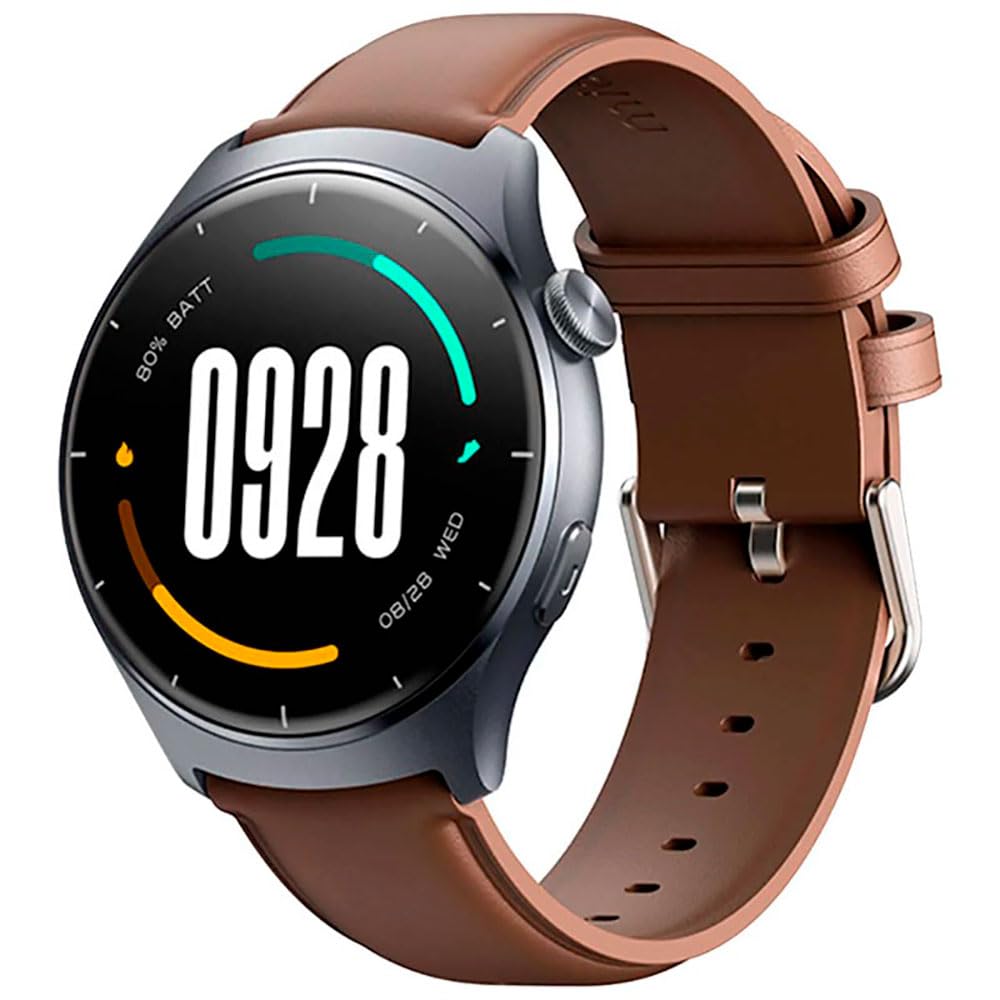
Gambar: Depan view of the Mibro Smartwatch Lite 3, showcasing its round display and strap.
Pengaturan
1. Mengisi Daya Jam Tangan Pintar
- Hubungkan kabel pengisi daya magnetik ke kontak pengisian daya di bagian belakang jam tangan pintar.
- Colokkan ujung USB kabel ke adaptor daya USB standar (disarankan 5V/1A) atau port USB komputer.
- The watch display will show a charging indicator. Ensure the watch is fully charged before first use.
2. Instalasi dan Pemasangan Aplikasi
- Download the official Mibro Fit application from your smartphone's app store (App Store for iOS, Google Play Store for Android).
- Open the Mibro Fit app and create an account or log in.
- Pastikan Bluetooth diaktifkan di ponsel cerdas Anda.
- In the Mibro Fit app, navigate to 'Device' or 'Add Device' and select 'Mibro Lite 3' from the list of available devices.
- Confirm the pairing request on both your smartphone and the smartwatch. A successful connection will be indicated on the watch display.
Pengoperasian
1. Navigasi Dasar
- Geser ke bawah: Access quick settings (e.g., brightness, do not disturb, battery saver).
- Geser ke atas: View pemberitahuan.
- Geser ke Kiri/Kanan: Jelajahi berbagai widget (misalnya, detak jantung, cuaca, data aktivitas).
- Tekan Tombol Samping: Kembali ke tampilan jam atau akses menu utama.
- Tekan Lama Tombol Samping: Power on/off or restart the device.
2. Mode Olahraga
The Mibro Lite 3 supports over 100 sports modes. To start a workout:
- From the main menu, select the 'Workout' or 'Sports' icon.
- Choose your desired activity (e.g., running, cycling, swimming).
- Tap 'Start' to begin tracking. The watch will display real-time data such as duration, heart rate, and calories burned.
- To pause or end a workout, press the side button or swipe on the screen as prompted.
3. Panggilan Bluetooth
Once paired with your smartphone, the Mibro Lite 3 allows you to make and receive calls directly from your wrist.
- Menerima Panggilan: Saat ada panggilan masuk, jam tangan akan menampilkan ID penelepon. Ketuk ikon hijau untuk menjawab atau ikon merah untuk menolak.
- Membuat panggilan: Access the 'Phone' or 'Dialer' function on the watch, then select a contact or dial a number.
4. Pemantauan Kesehatan
- Denyut Jantung: Jam tangan ini terus memantau detak jantung Anda. View real-time data by swiping to the heart rate widget or accessing the 'Heart Rate' app.
- SpO2 (Oksigen Darah): Measure your blood oxygen levels through the 'SpO2' app on the watch. Ensure the watch is snug on your wrist for accurate readings.
- Pelacakan Tidur: Wear the watch to bed for automatic sleep monitoring. Data on sleep stages and duration can be viewed in the Mibro Fit app.
- Pemantauan Stres & Pelatihan Pernapasan: Utilize these features to manage stress and improve relaxation.
5. Fitur Lainnya
- Kontrol Musik: Kendalikan pemutaran musik di ponsel cerdas Anda langsung dari jam tangan.
- App Message Reminders: Receive notifications from various apps on your watch.
- Cuaca: Dapatkan pembaruan cuaca secara langsung.
- Alarm, Timer, Stopwatch: Fungsi utilitas standar.
- Temukan Ponsel Anda: Locate your paired smartphone by triggering an alert sound.
- Kesehatan Wanita: Lacak siklus menstruasi dan data terkait.
Pemeliharaan
1. Pembersihan
- Bersihkan badan dan tali jam secara teratur dengan kain lembut dan kering.amp kain.
- Ensure the charging contacts are free from dust and debris to maintain efficient charging.
- Hindari penggunaan bahan kimia keras atau bahan abrasif untuk membersihkan.
2. Tahan Air
The Mibro Lite 3 is 2ATM waterproof, meaning it can withstand splashes, rain, and brief immersion in shallow water. It is suitable for activities like swimming in pools. However, it is not recommended for hot showers, saunas, or diving, as steam and high-pressure water jets may compromise the seal.
Penyelesaian Masalah
- Jam tidak menyala: Pastikan jam tangan terisi penuh. Hubungkan ke pengisi daya minimal 30 menit.
- Tidak dapat dipasangkan dengan telepon:
- Periksa apakah Bluetooth diaktifkan di ponsel Anda.
- Pastikan jam tangan berada dalam jangkauan Bluetooth ponsel Anda.
- Restart jam tangan dan ponsel Anda, lalu coba pasangkan kembali.
- Make sure the Mibro Fit app is updated to the latest version.
- Data kesehatan yang tidak akurat: Ensure the watch is worn snugly on your wrist, about one finger's width from the wrist bone. Avoid excessive movement during measurements.
- Notifikasi tidak diterima:
- Check notification permissions for the Mibro Fit app in your phone settings.
- Ensure 'Do Not Disturb' mode is not active on either the watch or the phone.
- Verify that the app is running in the background on your phone.
- Masa pakai baterai pendek: Kurangi kecerahan layar, nonaktifkan pemantauan detak jantung terus menerus jika tidak diperlukan, dan batasi pembaruan aplikasi latar belakang.
Spesifikasi
| Fitur | Spesifikasi |
|---|---|
| Nama Model | Mibro Tonton Lite 3 |
| Ukuran | φ44.8mm, T=11.2mm (Without HR protrusion) |
| Berat | 53.2g (with leather strap), 56g (with rubber strap) |
| Menampilkan | 1.3-inch AMOLED, 360*360 resolution, AOD, PPI 277 |
| Konektivitas | Bluetooth versi 5.3 |
| Sensor | PPG Heart Rate/SpO2 Sensor/Accelerometer |
| Peringkat Tahan Air | 2 ATM |
| Daya Tahan Baterai (Mode Harian) | Hingga 12 hari |
| Daya Tahan Baterai (Mode Siaga) | Hingga 50 hari |
| Daya Tahan Baterai (Mode Musik) | Hingga 5 jam |
| Battery Life (BT-Calling Mode) | Hingga 6 jam |
| Suhu Operasional | 0°C ~ 45°C |
Garansi dan Dukungan
The Mibro Smartwatch Lite 3 comes with a 12-month warranty from the date of purchase. This warranty covers manufacturing defects under normal use. It does not cover damage caused by misuse, accidents, unauthorized modifications, or normal wear and tear.
For technical support, warranty claims, or further assistance, please contact Mibro customer service through the official Mibro websitus atau informasi kontak yang diberikan dalam dokumentasi pembelian Anda.


