Perkenalan
This user manual provides comprehensive instructions for the Victoper LED Torch, a high-performance tactical flashlight designed for various outdoor activities and emergency situations. Please read this manual carefully before using the product to ensure proper operation and maintenance.
Informasi Keselamatan
- Do not look directly into the LED light beam to avoid eye injury.
- Jauhkan dari jangkauan anak-anak.
- Jangan mencampur baterai lama dan baru, atau jenis baterai yang berbeda.
- Pastikan baterai dimasukkan dengan polaritas yang benar (+/-).
- Do not attempt to disassemble or modify the flashlight, as this may void the warranty and cause damage.
- Buang baterai dengan benar sesuai peraturan setempat.
Isi Paket
The Victoper LED Torch package includes the following items:
- 2 x Victoper LED Flashlights
- 6 x AAA Batteries (3 per flashlight)
- 2 x AAA Battery Holders (pre-installed)
- 2 x Plastic Tubes for 18650 Battery (1 per flashlight, 18650 battery not included)
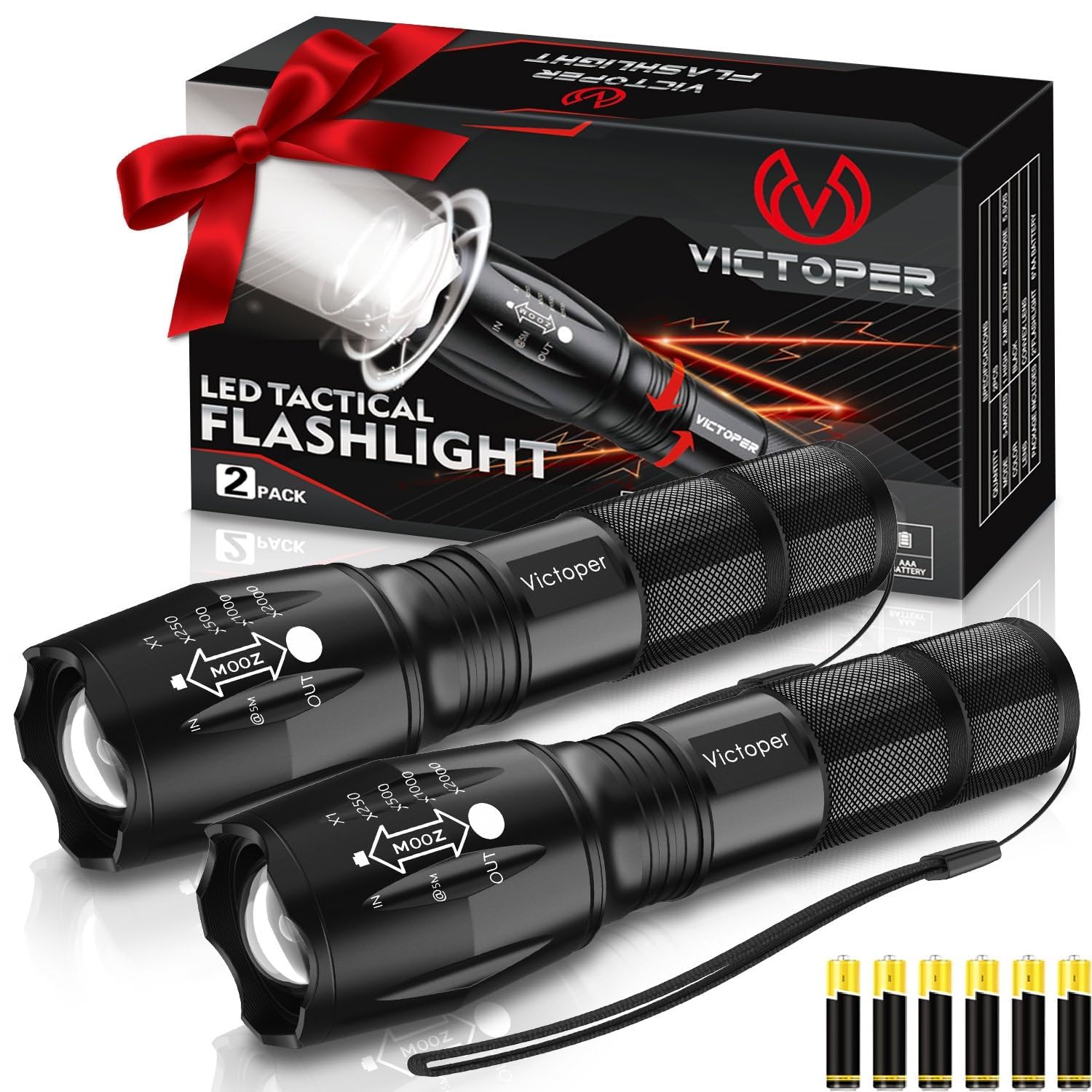
Image: Victoper LED Torch 2 Pack, showing both flashlights, the product box, and the included AAA batteries.
Produk Selesaiview
Familiarize yourself with the components of your Victoper LED Torch:

Image: Detailed diagram illustrating the components of the Victoper LED Torch, including the Light Head, Convex Lens, Zoomable Design, Aluminum Alloy body, Waterproof O-ring, Anti-skid Design, AAA Battery Holder, Plastic Tube for 18650 Battery, Tail Cover, and Power Switch.
- Kepala Terang: Contains the LED and convex lens.
- Convex Lens: Used for focusing the light beam.
- Desain yang Dapat Diperbesar: Allows adjustment between floodlight and spotlight.
- Bodi Paduan Aluminium: Konstruksi yang tahan lama dan ringan.
- Waterproof O-ring: Ensures water resistance.
- Anti-skid Design: Memberikan pegangan yang aman.
- Tempat Baterai AAA: For holding three AAA batteries.
- Plastic Tube: Used when inserting an 18650 battery (not included).
- Tail Cover: Secures the battery compartment.
- Saklar daya: Located on the tail cover, used for turning the flashlight on/off and cycling through modes.
Pengaturan
Instalasi Baterai
Your Victoper LED Torch comes with AAA batteries included. To install or replace batteries:
- Unscrew the tail cover of the flashlight by turning it counter-clockwise.
- Insert three AAA batteries into the provided AAA battery holder, ensuring correct polarity (+/-).
- Place the battery holder with batteries into the flashlight body.
- Alternatively, if using an 18650 battery (not included), insert the 18650 battery into the plastic tube, then insert the tube into the flashlight body, ensuring correct polarity.
- Screw the tail cover back on clockwise until it is securely tightened.

Image: Illustration of multiple battery options, showing the AAA battery holder with three AAA batteries and a single 18650 battery, highlighting the flashlight's versatility.
Petunjuk Pengoperasian
Daya Hidup/Mati dan Pemilihan Mode
The Victoper LED Torch features five lighting modes. To operate:
- Untuk Menghidupkan/Mematikan: Press the power switch located on the tail cover firmly until it clicks.
- Untuk Mengganti Mode: Once the flashlight is on, lightly press the power switch (without clicking) to cycle through the five modes:
- Tinggi: Kecerahan maksimum untuk penerangan yang kuat.
- Sedang: Kecerahan seimbang untuk penggunaan umum.
- Rendah: Reduced brightness for extended battery life or close-range tasks.
- Strobo: Cahaya berkedip cepat untuk memberi sinyal atau membuat bingung.
- SOS: Sinyal kode Morse internasional untuk keadaan darurat.
- To select a mode, simply stop pressing the switch when the desired mode is active.

Image: Visual representation of the five distinct light modes: High, Middle (Medium), Low, Strobe, and SOS, demonstrating the different light outputs.
Zoom Function (Telescopic Focusing)
The flashlight features a zoomable head that allows you to adjust the beam from a wide floodlight to a focused spotlight:
- Zoom Out (Floodlight): Pull the head of the flashlight outwards to widen the beam. This is ideal for illuminating a large area at close to medium distances.
- Zoom In (Spotlight): Push the head of the flashlight inwards to narrow the beam. This creates a concentrated spotlight for long-distance illumination.

Image: Comparison showing the flashlight's zoom capabilities, with "Zoom Out" illustrating a wide floodlight beam for near distances and "Zoom In" demonstrating a focused spotlight beam for long distances.
Pemeliharaan
Pembersihan
To maintain the performance and appearance of your flashlight:
- Wipe the exterior of the flashlight with a soft, damp kain.
- Jangan gunakan pembersih atau pelarut yang bersifat abrasif.
- Jaga kebersihan lensa untuk keluaran cahaya yang optimal. Gunakan kain pembersih lensa jika perlu.
Perawatan dan Penyimpanan Baterai
- Lepaskan baterai jika senter tidak akan digunakan dalam jangka waktu lama untuk mencegah kebocoran.
- Simpan senter di tempat sejuk dan kering, jauh dari sinar matahari langsung dan suhu ekstrem.
- Ensure the O-rings are clean and lightly lubricated with silicone grease periodically to maintain water resistance.

Image: The Victoper LED Torch partially submerged in water, illustrating its IP65 waterproof rating and suitability for extreme weather conditions.
Penyelesaian Masalah
| Masalah | Kemungkinan Penyebab | Larutan |
|---|---|---|
| Senter tidak menyala. |
|
|
| Cahaya redup atau berkedip-kedip. |
|
|
| Tidak dapat mengubah mode. |
|
|
Spesifikasi
| Fitur | Detil |
|---|---|
| Merek | victoper |
| Nomor Model | fl02 |
| Fitur Khusus | Adjustable Focus, Durable, Dustproof, High Power, Long Range, Weatherproof |
| Warna | hitam |
| Sumber Daya | Bertenaga Baterai |
| Jenis Sumber Cahaya | DIPIMPIN |
| Bahan | Metal (Aircraft-grade alloy) |
| Kecerahan Putih | 2000 lumen cahaya |
| Dimensi Produk | 31D x 31W x 128H Millimeters (12.8 x 3.1 x 3.1 cm) |
| Komposisi Sel Baterai | Alkaline (AAA) / Compatible with 18650 |
| Jumlah Baterai | Diperlukan 6 baterai AAA (termasuk) |
| Tingkat Tahan Air | Tahan air (IP65) |
| Waktu berjalan | 50000 hours (LED lifespan) |
| Berat Barang | 0.3 Kilogram (300 g) |
| Komponen yang Termasuk | 2 * flashlight, Battery, battery case |
Informasi Garansi
Victoper products are manufactured to high-quality standards. For specific warranty details and terms, please refer to the product packaging or contact Victoper customer support. Keep your purchase receipt as proof of purchase for any warranty claims.
Dukungan Pelanggan
If you have any questions, concerns, or require assistance with your Victoper LED Torch, please contact our customer support team. Refer to the contact information provided on the product packaging or the official Victoper webSitus ini menyediakan saluran dukungan yang paling mutakhir.
Untuk pertanyaan umum, Anda juga dapat mengunjungi halaman produk di Amazon.in.


