1. Pendahuluan
Thank you for choosing the Baseus Picogo Magsafe Portable Charger. This ultra-slim, high-capacity power bank is designed to provide convenient and fast charging for your compatible devices, especially iPhone 12-17 series, AirPods, and other USB-C devices. This manual will guide you through its features, setup, operation, and maintenance to ensure optimal performance and longevity.
2. Produk Lebihview & Fitur Utama
The Baseus Picogo Magsafe Portable Charger combines advanced technology with a sleek design, making it an essential accessory for your mobile lifestyle. Key features include:
- Desain Ultra Tipis dan Portabel: Measuring just 4.0 x 2.67 x 0.5 inches and weighing 7.8 ounces, it's designed for maximum portability.
- Kapasitas Tinggi: Dilengkapi dengan baterai 10,000mAh, menyediakan ample kekuatan untuk penggunaan jangka panjang.
- Pengisian Daya Nirkabel 15W Bersertifikasi Qi2: Offers fast and efficient magnetic wireless charging for compatible devices.
- Pengisian Cepat Berkabel 27W: Features a USB-C port for rapid wired charging of various devices.
- Super-Strong Magnetic Attachment: Designed with 11N ultra-strong magnets for a secure connection to MagSafe-compatible iPhones.
- Tahan lama & Aman: Built with premium materials, including Tesla's lithium-polymer battery technology, and an NTC temperature control chip to prevent overheating.
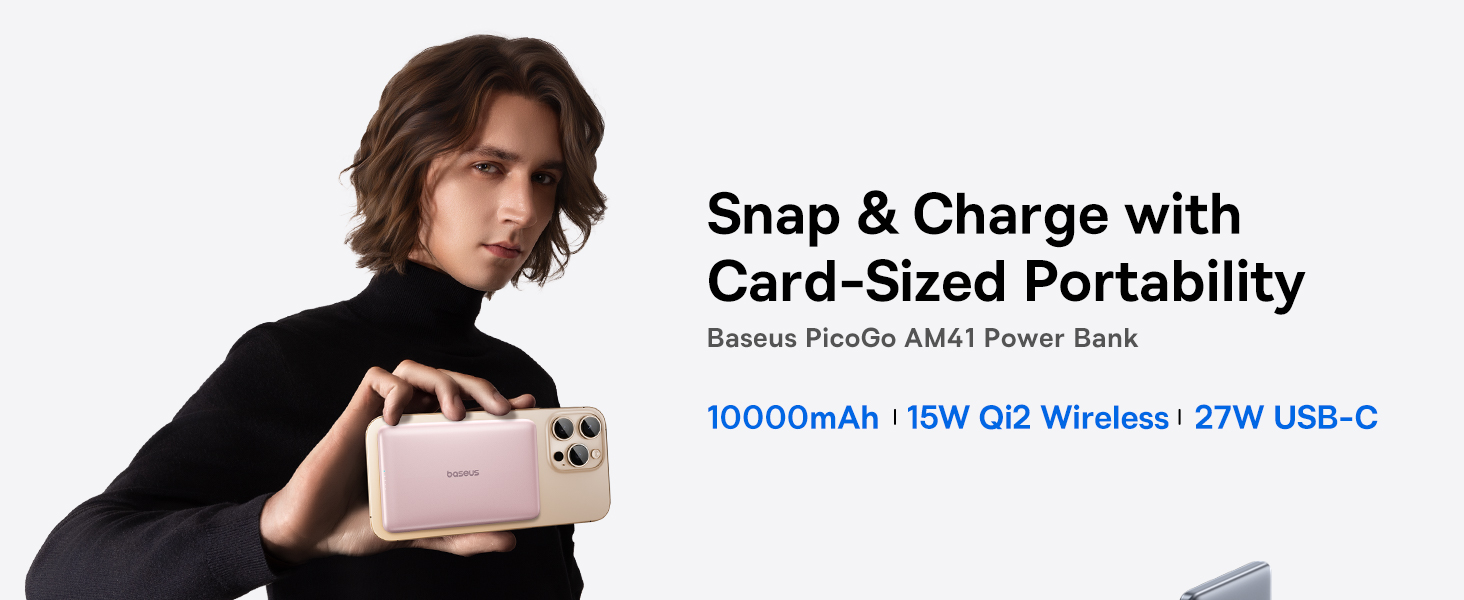
Image: The Baseus Picogo Magsafe Portable Charger demonstrating its ultra-slim, card-sized portability, highlighting its ergonomic design and lightweight nature.
3. Isi Paket
Silakan periksa paket untuk item berikut:
- Baseus Picogo Magsafe Portable Charger (Nebula Pink)
- Kabel Pengisi Daya USB-C ke USB-C
- User Manual (dokumen ini)
4. Pengaturan
Before first use, it is recommended to fully charge your Baseus Picogo Portable Charger.
- Connect the supplied USB-C to USB-C cable to the power bank's USB-C port.
- Plug the other end of the cable into a compatible USB wall adapter (not included).
- The LED indicators on the power bank will illuminate to show the charging progress. A full charge is indicated when all LED lights are solid.

Image: The power bank being recharged via its USB-C port, illustrating the recharging process.
5. Petunjuk Pengoperasian
5.1. Pengisian Daya Nirkabel (MagSafe)
For MagSafe-compatible devices (iPhone 12-17 series):
- Pastikan power bank terisi cukup daya.
- Align the MagSafe area of your iPhone with the magnetic charging surface of the power bank. The magnets will securely attach the devices.
- Pengisian daya nirkabel akan dimulai secara otomatis. Indikator LED pada power bank akan menunjukkan sisa daya.

Image: An iPhone wirelessly charging via magnetic attachment to the Baseus Picogo power bank, demonstrating the seamless connection.
5.2. Pengisian Daya Kabel (USB-C)
For devices that support USB-C charging:
- Hubungkan perangkat Anda ke port USB-C bank daya menggunakan kabel USB-C yang kompatibel.
- Pengisian akan dimulai secara otomatis.
5.3. Charging Multiple Devices Simultaneously
The power bank supports charging multiple devices at once:
- You can wirelessly charge one device via MagSafe while simultaneously charging another device via the USB-C port.

Image: The power bank charging an iPhone wirelessly and another device via its USB-C port, showcasing its dual-charging capability.
5.4. Mengisi daya Power Bank
To recharge the power bank, follow the steps outlined in the
Dokumen Terkait - PPKPC-1027G
 |
Panduan Memulai Cepat Power Bank Nirkabel Magnetik Baseus PicoGo AM41 10000mAh Pelajari cara menggunakan power bank nirkabel magnetik Baseus PicoGo AM41 10000mAh dengan pengisian cepat PD 27W. Panduan ini mencakup produk lebih dari 10000mAh.view, fitur, metode pengisian daya, spesifikasi, dan tindakan pencegahan penting untuk perangkat bersertifikat Qi2 Anda. |
 |
Panduan Memulai Cepat Power Bank Magnetik Baseus PicoGo AM41 10000mAh 27W Panduan singkat untuk Baseus PicoGo AM41, power bank magnetik ultra-tipis 10000mAh 27W. Panduan ini berisi petunjuk persiapan, pengisian daya power bank, pengisian daya nirkabel magnetik, dan pengisian daya perangkat menggunakan power bank, beserta spesifikasi produk. |
 |
Panduan Memulai Cepat Power Bank Baseus PicoGo AM41 Panduan memulai cepat yang ringkas dan mudah diakses untuk Power Bank Baseus PicoGo AM41 (10000mAh, 27W). Pelajari tentang fitur-fiturnya, pengisian daya nirkabel dan kabel, fungsi tombol daya, mode arus rendah, spesifikasi, dan sumber daya dukungan. |
 |
Panduan Memulai Cepat Power Bank Baseus PicoGo AM61 Panduan memulai cepat untuk Baseus PicoGo AM61 Power Bank, bank daya seluler magnetik Qi2.2 10000mAh 45W. |
 |
Baseus PicoGo AC22 10000mAh 45W Ultra Mini Power Bank Quick Start Guide Quick start guide for the Baseus PicoGo AC22 10000mAh 45W ultra-mini power bank with built-in USB-C cable. Learn about recharging, specifications, functions, power button operation, and warranty information. |
 |
Baseus PicoGo AM41 10000mAh Kapasitas Baterai Lebih Banyak Dihubungkan dengan Baseus PicoGo AM41, baterai Qi2 магнитна 10000 mAh 27 W. инструкции за употреба, функции, спецификации dan jaminan. |