1. Pendahuluan
Terima kasih sudah membeliasing the CROSSIO 23'' Outdoor Ceiling Fan with Lights. This manual provides essential information for the safe installation, operation, and maintenance of your new fan. Please read these instructions thoroughly before installation and retain them for future reference.
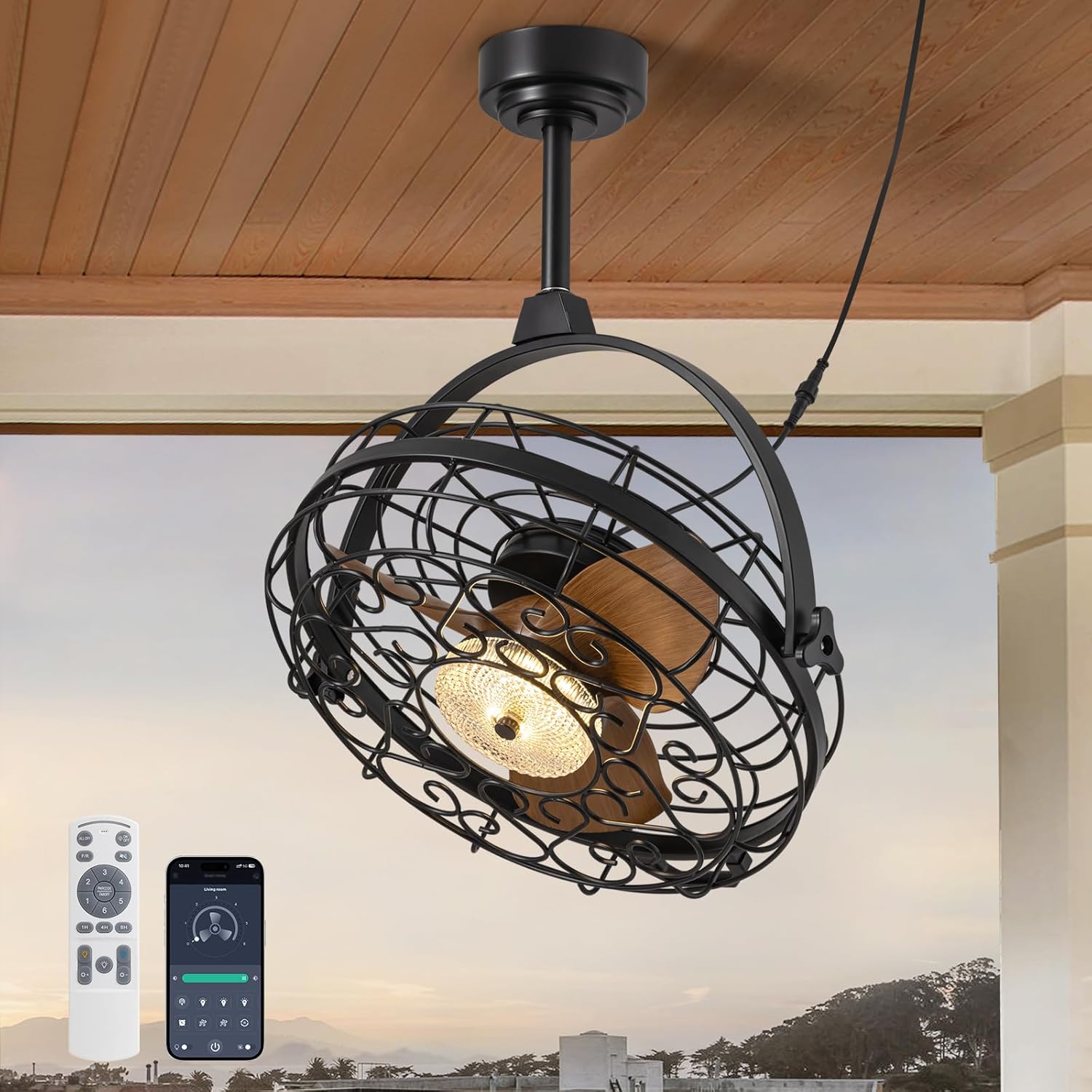
Image 1.1: The CROSSIO 23-inch outdoor ceiling fan, showcasing its design, remote control, and smartphone app interface.
Fitur Utama:
- Outdoor & Indoor Ready: Wet-rated design suitable for patios, gazebos, covered porches, living rooms, and bedrooms. Features a sealed motor and rust-proof materials for safe operation in wet conditions.
- Dimmable Fan Light: Integrated LED light with three adjustable color temperatures (Warm 3000K, Natural 4500K, Cool 6000K) and seamless dimming from 10% to 100%.
- Multiple Ceiling Compatibility: Designed for various mounting options including hanging with hooks, fixing to solid wood ceilings, or mounting to an outlet box. Includes two down rod lengths for flexible installation heights.
- Dual 360° Rotation & Reversible Motor: Manual 360° vertical and horizontal adjustment to direct airflow. Reversible motor function provides downdraft cooling in summer and updraft warm air circulation in winter.
- 6-Speed & Timer Function: Six customizable fan speeds and a convenient timer function (1, 4, or 8 hours) for automatic shut-off.
- Metode Pengendalian: Operable via included remote control and a dedicated smartphone application.
2. Informasi Keselamatan
Please observe the following safety precautions to reduce the risk of fire, electric shock, or personal injury.
- Baca semua instruksi dengan seksama sebelum pemasangan dan penggunaan.
- Pastikan aliran listrik terputus di pemutus sirkuit sebelum pemasangan atau perawatan.
- All electrical connections must be in accordance with local codes, ordinances, and the National Electric Code (NEC). If you are unfamiliar with electrical wiring, consult a qualified electrician.
- The fan must be mounted to a structure capable of supporting a minimum of 35 lbs (15.9 kg).
- Jangan mengoperasikan kipas dengan kabel atau steker yang rusak.
- Hindari memasukkan jari atau benda ke bilah kipas saat kipas sedang beroperasi.
- This fan is wet-rated for outdoor use in covered areas. Do not expose to direct heavy rain or submerge in water.
- Pastikan kipas dipasang pada ketinggian di mana bilah kipas setidaknya berjarak 7 kaki (2.13 meter) dari lantai.
- Gunakan hanya suku cadang pengganti yang ditentukan oleh pabrikan.
3. Isi Paket
Verify that all components are present and undamaged before beginning installation. If any parts are missing or damaged, contact customer support.
- Ceiling Fan Unit (with integrated light)
- Kontrol Jarak Jauh
- Mounting Hardware Kit (screws, anchors, brackets)
- Down Rods (2 lengths)
- Instruksi Manual (dokumen ini)
4. Spesifikasi
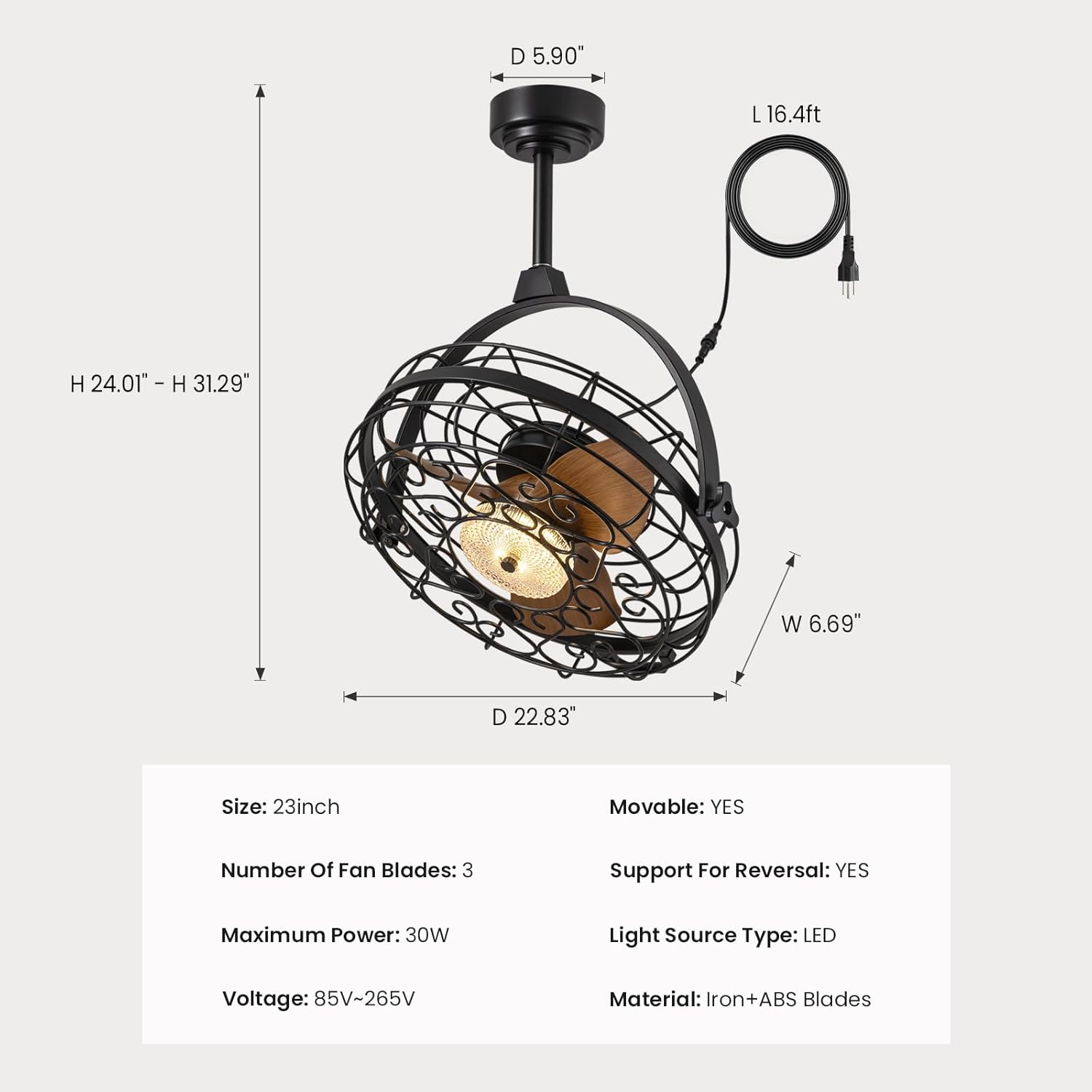
Image 4.1: Detailed dimensions of the fan unit, including height, width, and depth.
| Fitur | Spesifikasi |
|---|---|
| Nama Model | FS8912-01 |
| Merek | LINTAS |
| Ukuran | 23 inci |
| Dimensi Produk | 5"Panjang x 20"Lebar x 20"T |
| Berat Barang | 22.5 pon |
| Number of Fan Blades | 3 |
| Daya Maksimum | 30W |
| Jil.tage | Tegangan 85V-265V |
| Sumber Daya | AC |
| Jenis Sumber Cahaya | DIPIMPIN |
| Bahan | Iron + ABS Blades |
| Metode Kontrol | Aplikasi, Jarak Jauh |
| Penggunaan Dalam/Luar Ruangan | Dalam Ruangan, Luar Ruangan (Tahan Air) |
| Fitur Khusus | Adjustable Color Temperature, Dimmable, Timer, Waterproof, 360° Rotation, Reversible Motor |
| UPC | 733241251473 |
5. Petunjuk Instalasi
Before installation, ensure the power is turned off at the circuit breaker. Follow these steps for your chosen mounting method.

Image 5.1: Three available installation options: mounting to an outlet box, fixing to solid wood, or hanging with a ceiling hook.
General Steps for All Installations:
- Siapkan Lokasi Pemasangan: Ensure the ceiling structure can support the fan's weight (minimum 35 lbs).
- Merakit Batang Penyangga: Attach the desired length of down rod to the fan motor housing.
- Hubungkan Kabel Listrik: The fan comes with a 16ft flexible cord and a 3-prong plug. Ensure the power outlet is within reach and properly grounded.

Image 5.2: The 16ft flexible power cord with a 3-prong plug for easy connection.
Option 1: Outlet Box Mounting
- Secure the mounting bracket to a UL-listed outlet box (not included) that is rated for fan support.
- Attach the fan's down rod assembly to the mounting bracket.
- Make electrical connections (live, neutral, ground) from the fan to the outlet box wiring.
Option 2: Solid Wood Ceiling Mounting
- Drill pilot holes into the solid wood ceiling beam.
- Secure the mounting bracket directly to the wood using appropriate screws (provided in hardware kit).
- Attach the fan's down rod assembly to the mounting bracket.
Option 3: Ceiling Hook Hanging
- Install a sturdy ceiling hook (provided in hardware kit) into a secure ceiling joist or beam.
- Hang the fan unit from the ceiling hook using the integrated hanging mechanism.

Image 5.3: The fan is designed for easy hanging and removal, particularly with the ceiling hook option.
6. Petunjuk Pengoperasian
The CROSSIO ceiling fan can be controlled using the included remote control or a smartphone application.

Image 6.1: The remote control and smartphone application provide comprehensive control over fan and light functions.
Fungsi Kontrol Jarak Jauh:
- Saklar Lampu: Menghidupkan/mematikan lampu.
- Wind Speed Adjustment (1-6): Increases or decreases fan speed.
- Timer Button (1H/4H/8H): Mengatur kipas agar mati secara otomatis setelah 1, 4, atau 8 jam.
- Penyesuaian Suhu Warna: Cycles through Warm (3000K), Natural (4500K), and Cool (6000K) light.
- Penyesuaian Kecerahan (+/-): Dims or brightens the light from 10% to 100%.
- Tombol F/R (Maju/Mundur): Mengubah arah putaran bilah kipas.
Kontrol Aplikasi Ponsel Pintar:
Download the CROSSIO app from your device's app store. Follow the in-app instructions to pair your fan. The app provides all the functions available on the remote control, plus additional smart features.
Pengaturan Kecepatan Kipas:
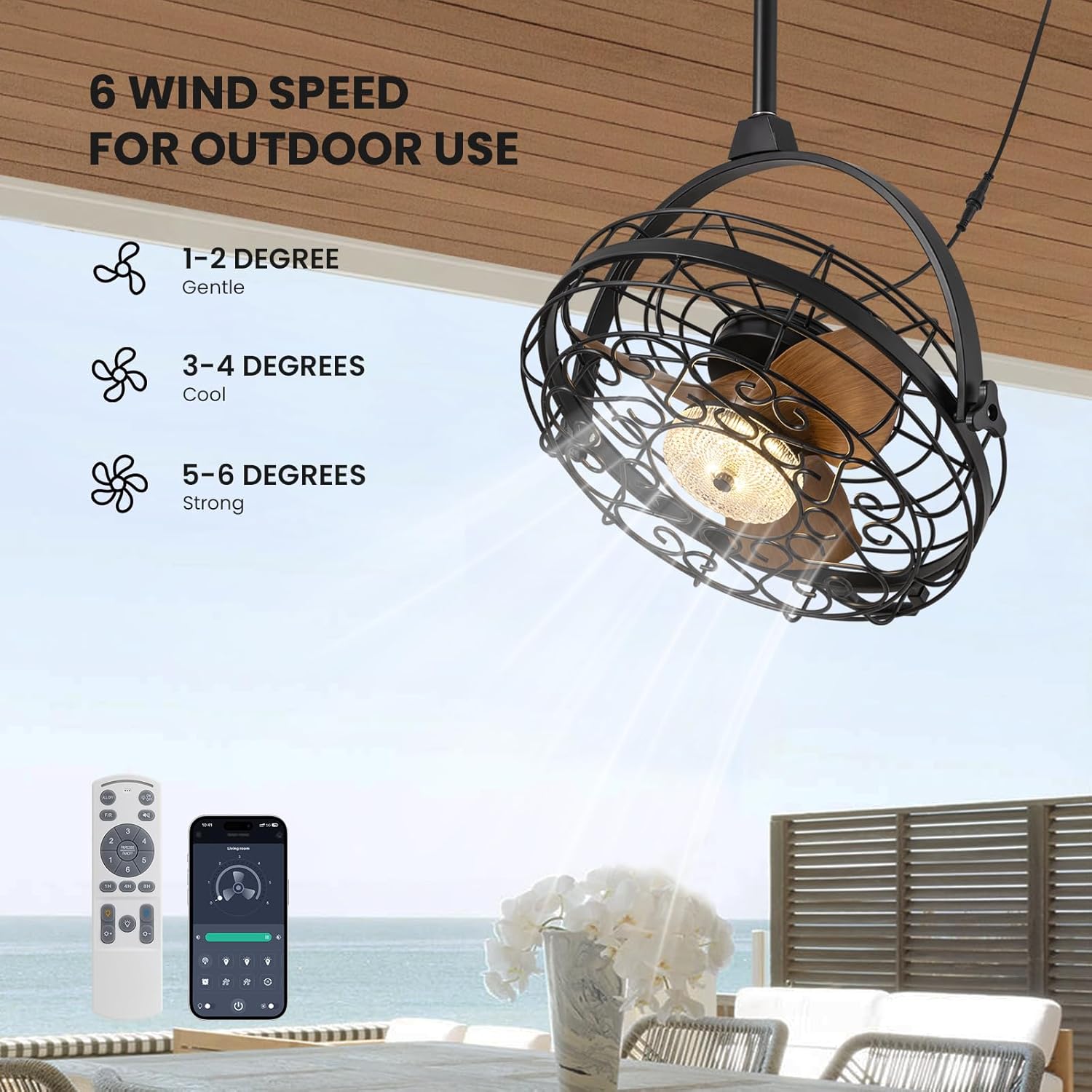
Image 6.2: The fan offers 6 distinct wind speed settings, from gentle to strong.
- Kecepatan 1-2: Gentle airflow, ideal for quiet environments or light breeze.
- Kecepatan 3-4: Cool airflow, suitable for moderate temperatures.
- Kecepatan 5-6: Strong airflow, effective for warmer conditions or larger areas.
Dimmable Light Operation:

Image 6.3: The integrated LED light can be adjusted to three color temperatures and dimmed from 10% to 100% brightness.
Use the color temperature button to cycle through 3000K (Warm), 4500K (Natural), and 6000K (Cool) settings. Use the brightness adjustment buttons to set the light intensity from 10% to 100%.
Fitur Rotasi 360°:

Image 6.4: The fan head can be manually adjusted 360 degrees both horizontally and vertically to direct airflow precisely.
The fan head can be manually rotated 360 degrees horizontally and vertically. This allows you to direct the airflow to specific areas as needed, providing flexible cooling.
Fungsi Motorik Reversibel:
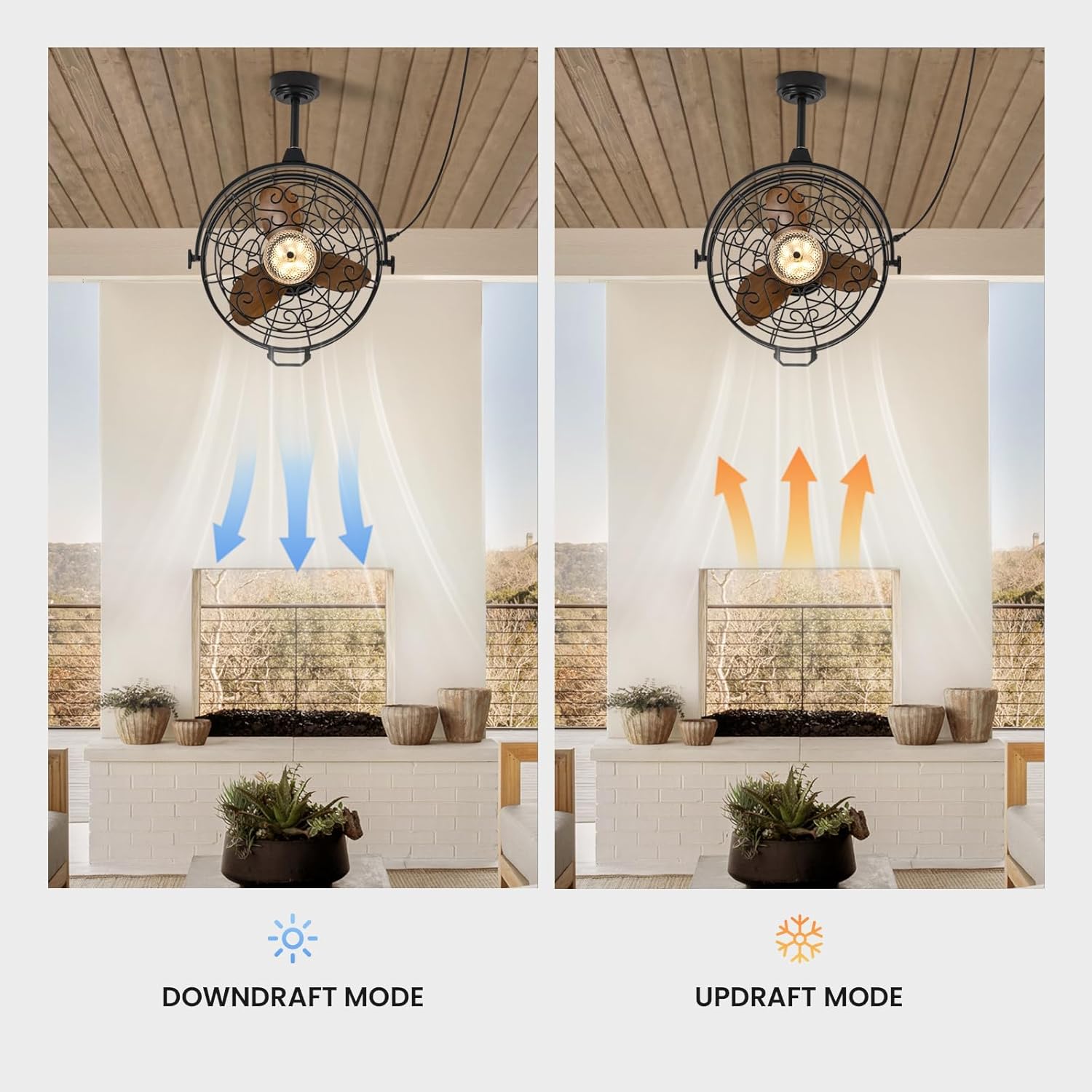
Image 6.5: The fan operates in downdraft mode for cooling in summer and updraft mode for circulating warm air in winter.
Use the F/R button on the remote or the corresponding setting in the app to switch the fan's rotation direction:
- Downdraft Mode (Summer): Bilah-bilah berputar berlawanan arah jarum jam, mendorong udara ke bawah untuk menciptakan efek pendinginan.
- Updraft Mode (Winter): Bilah-bilah berputar searah jarum jam, menarik udara ke atas untuk mengedarkan udara hangat yang terperangkap di dekat langit-langit.
7. Pemeliharaan
Perawatan rutin memastikan kinerja optimal dan memperpanjang umur pakai kipas Anda.
- Pembersihan: Usap rumah kipas dan bilah kipas dengan kain lembut.amp cloth. Do not use abrasive cleaners or solvents. Ensure the fan is completely dry before operating.
- debu: Periodically dust the fan blades and light fixture to prevent buildup that can affect performance and light output.
- Inspeksi: Regularly check all connections and mounting hardware for tightness. Ensure the power cord is free from damage.
- Sumber Cahaya: The LED light source is integrated and generally not user-replaceable. If the light fails, contact customer support.
Caution: Always disconnect power before cleaning or performing any maintenance.
8. Penyelesaian masalah
Jika Anda mengalami masalah dengan kipas Anda, lihat masalah dan solusi umum berikut ini.
| Masalah | Kemungkinan Penyebab | Larutan |
|---|---|---|
| Kipas angin tidak menyala | Tidak ada pasokan daya Baterai remote control lemah/habis Fan not properly plugged in | Periksa pemutus sirkuit dan sakelar dinding Ganti baterai kendali jarak jauh Pastikan steker dimasukkan sepenuhnya ke stopkontak yang berfungsi |
| Lampu tidak menyala | Saklar lampu mati Kegagalan LED | Press the light switch button on the remote/app Hubungi dukungan pelanggan untuk bantuan |
| Kipas mengeluarkan suara yang terlalu bising. | Sekrup pemasangan longgar Obstruksi pada bilah kipas | Ensure all mounting screws are tightened Check for any objects interfering with the blades (with power off) |
| Kontrol jarak jauh tidak berfungsi | Baterai lemah/habis Obstruction between remote and fan Fan not paired | Ganti baterai Pastikan garis pandang jelas Refer to pairing instructions in the app or contact support |
| Aliran udara lemah | Kecepatan kipas terlalu rendah Incorrect fan direction (winter mode in summer) | Tingkatkan pengaturan kecepatan kipas Switch to downdraft mode (counter-clockwise rotation) |
Jika masalah berlanjut setelah mencoba solusi ini, silakan hubungi dukungan pelanggan.
9. Garansi dan Dukungan
Informasi Garansi:
This CROSSIO product is covered by a manufacturer's warranty against defects in materials and workmanship. The specific terms and duration of the warranty may vary. Please retain your proof of purchase for warranty claims.
Dukungan Pelanggan:
For any questions, technical assistance, or warranty claims, please contact CROSSIO customer support. You can typically find contact information on the product packaging, the official CROSSIO websitus, atau melalui platform pembelian Anda.
When contacting support, please have your product model number (FS8912-01) and proof of purchase readily available.


