1. Pendahuluan
This manual provides essential instructions for the installation, operation, and maintenance of your Lockly Smart Lock Secure Pro with Knob. Please read this manual thoroughly before installation and retain it for future reference. This smart lock offers multiple access methods including fingerprint, PIN Genie keypad, smartphone app, and traditional physical keys, along with built-in Wi-Fi connectivity.
2. Informasi Keselamatan
- Jangan mencoba membongkar atau memperbaiki kunci sendiri. Hal ini dapat membatalkan garansi dan menyebabkan kerusakan.
- Gunakan hanya jenis baterai yang ditentukan (baterai alkaline AA). Jangan mencampur baterai lama dan baru atau jenis baterai yang berbeda.
- Pastikan semua komponen terpasang dengan aman selama pemasangan untuk mencegah kegagalan fungsi.
- Keep physical keys in a secure location away from the lock.
- Protect the keypad from direct sunlight and extreme weather conditions to prolong its lifespan.
3. Produk Lebihview
The Lockly Smart Lock Secure Pro with Knob integrates advanced security features into a convenient door locking solution. It features a biometric fingerprint sensor, a patented PIN Genie keypad, and Wi-Fi for remote access.

Image: Lockly Smart Lock Secure Pro with Knob illustrating its various unlocking methods: fingerprint, PIN Genie keypad, physical key, and smartphone app control.
4. Door Preparation & Compatibility
Before installation, verify your door's dimensions meet the requirements for the Lockly Smart Lock Secure Pro with Knob. Proper door preparation is crucial for correct functionality.

Image: Diagram showing required door measurements for Lockly Smart Lock installation, including door thickness (1 3/8" - 2") and backset (2 3/8" or 2 3/4").

Gambar: Depan view diagram detailing standard door bore hole (2 inch / 50mm) and backset (2.8 inch / 71mm) dimensions for knob installation.
Ensure your door thickness is between 1 3/8 inches and 2 inches. The backset should be either 2 3/8 inches or 2 3/4 inches. The bore hole diameter for the knob should be 2 inches (50mm).
5. Panduan Instalasi
Bagian ini memberikan gambaran umumview of the installation process. For detailed step-by-step instructions, refer to the dedicated installation guide included with your product packaging.
5.1 Instalasi Mekanik
- Siapkan Pintu: Ensure the door is properly drilled according to the compatibility requirements.
- Pasang Kaitnya: Masukkan kait ke tepi pintu dan kencangkan dengan sekrup.
- Pasang Rakitan Eksterior: Place the exterior lock assembly onto the door, ensuring the spindle passes through the latch.
- Pasang Pelat Pemasangan Interior: Pasang pelat pemasangan bagian dalam ke rakitan bagian luar menggunakan sekrup yang disediakan.
5.2 Electronic Installation
- Hubungkan Kabel: Hubungkan kabel dari rakitan eksterior ke rakitan interior dengan hati-hati.
- Pasang Rakitan Interior: Mount the interior assembly onto the mounting plate and secure it.
- Masukkan Baterai: Open the battery cover on the interior assembly and insert four (4) AA alkaline batteries.
- Perform Handing Process: Follow the on-screen or app instructions to calibrate the lock for your door's handing (left or right).
6. Pengaturan Awal & Pemasangan Aplikasi
After physical installation, download the Lockly App from your device's app store to complete the setup and connect your smart lock to Wi-Fi.
- Download Lockly App: Pencarian untuk "Lockly" in the App Store or Google Play Store.
- Buat Akun: Buka aplikasi dan ikuti petunjuk untuk membuat akun pengguna baru.
- Tambahkan Perangkat Baru: Select "Add New Device" and choose your Lockly Smart Lock model.
- Kunci Pasangan: Follow the in-app instructions to pair your lock via Bluetooth and connect it to your home Wi-Fi network. This enables remote control and monitoring.
7. Operating Your Lockly Smart Lock
7.1 Membuka kunci dengan Sidik Jari
The Lockly Smart Lock features AI Biometric Fingerprint Technology for quick access.

Image: A finger placed on the Lockly Smart Lock's biometric sensor, demonstrating its 0.2-second recognition speed and capacity for up to 99 unique fingerprints.
- Daftarkan Sidik Jari: Use the Lockly App to register up to 99 unique fingerprints.
- Letakkan Jari: Gently place your registered finger on the fingerprint sensor.
- Membuka kunci: The lock will unlock in approximately 0.2 seconds if the fingerprint is recognized.
7.2 Unlocking with PIN Genie Keypad
The patented PIN Genie keypad prevents code guessing by dynamically shuffling numbers.

Gambar: Close-up view of the Lockly Smart Lock's PIN Genie keypad, illustrating how the digit locations dynamically shuffle after each use to prevent password guessing.
- Aktifkan Papan Tombol: Sentuh layar untuk mengaktifkan papan tombol.
- Masukkan PIN: Enter your 6-8 digit PIN code. The numbers will shuffle after each digit entry.
- Mengonfirmasi: Press the Lockly button (bottom center) to confirm.
7.3 Unlocking with Lockly App
Control your lock remotely using the Lockly App via built-in Wi-Fi.
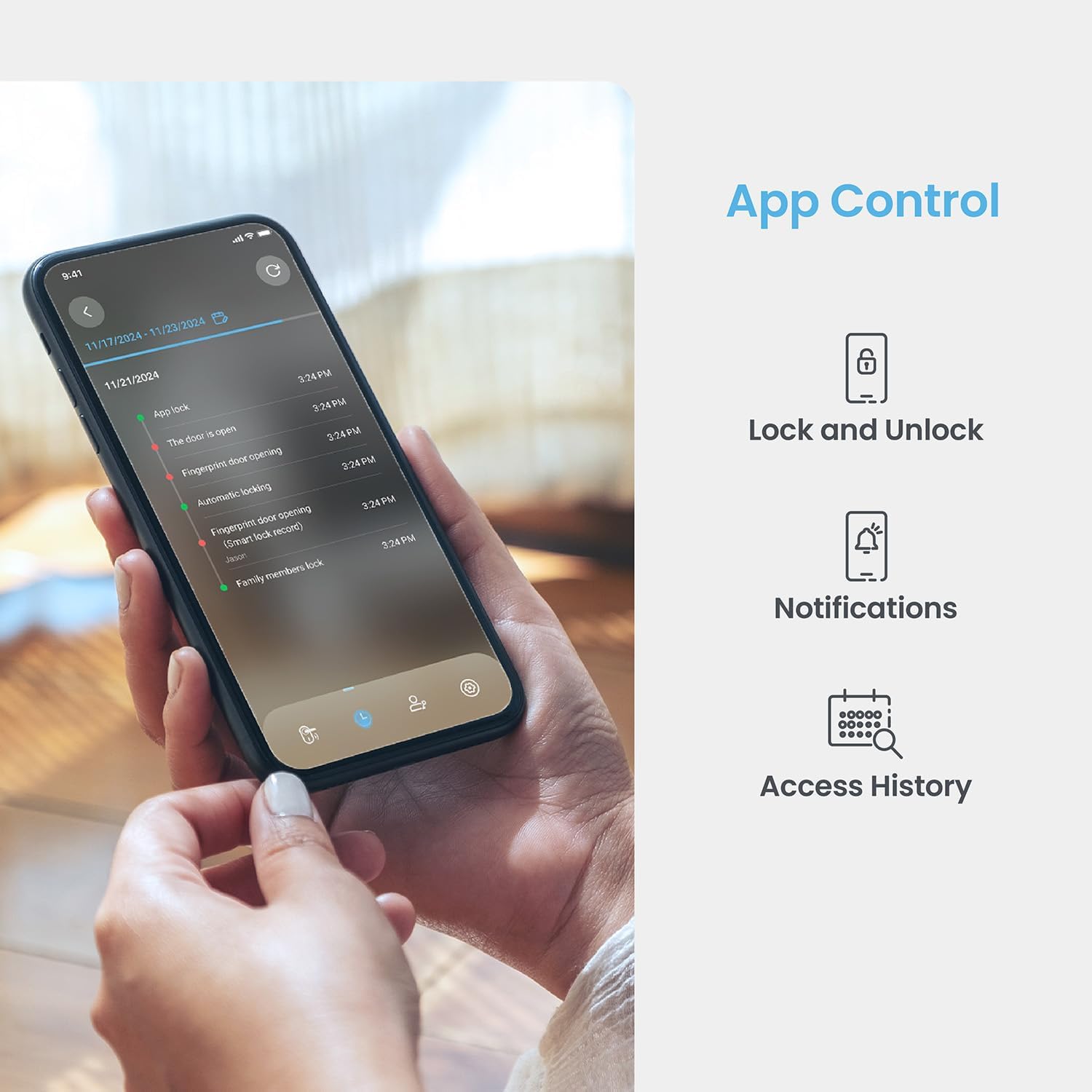
Image: A smartphone displaying the Lockly App, showing options for remote lock/unlock, notifications, and access history logs.
- Buka Aplikasi: Luncurkan aplikasi Lockly di ponsel cerdas Anda.
- Pilih Kunci: Choose the desired lock from your device list.
- Kunci/Buka Kunci: Tap the lock/unlock icon to control the deadbolt.
7.4 Membuka kunci dengan Kunci Fisik
Two physical backup keys are provided for manual unlocking.
- Masukkan Kunci: Insert the physical key into the keyhole located on the exterior assembly.
- Siap Huni: Turn the key to unlock the deadbolt.
7.5 Fitur Kunci Otomatis
The programmable auto-lock feature ensures your door is always secured.
- Aktifkan/Nonaktifkan: Configure auto-lock settings via the Lockly App.
- Atur Penundaan: Customize the delay time before the lock automatically engages after being closed.
7.6 Integrasi Kontrol Suara
Integrate your Lockly Smart Lock with smart home assistants.
- Connect to Alexa/Google Assistant: Follow the instructions in the Lockly App to link your lock with Amazon Alexa or Google Assistant.
- Perintah Suara: Use voice commands to lock or unlock your door (e.g., "Alexa, lock the front door").
8. Manajemen Pengguna
Manage access for multiple users through the Lockly App.
- Menambah/Menghapus Pengguna: Create or delete user profiles, assigning unique fingerprints or PIN codes.
- eKeys/eBadges: Grant temporary or permanent access to guests via eKeys or eBadges, which can be sent directly from your smartphone.
- Kode Akses Offline: Generate time-sensitive or single-use access codes that do not require internet connectivity for the recipient.
- Log Aktivitas: Review a detailed history of lock activity, including who accessed the door and when.
9. Pemeliharaan
9.1 Penggantian Baterai
The lock operates on 4 AA alkaline batteries, providing approximately 8 months of battery life. Replace batteries when the low battery indicator appears on the lock or in the app.
- Akses Kompartemen Baterai: Lepaskan penutup baterai pada rakitan interior.
- Ganti Baterai: Remove old batteries and insert four new AA alkaline batteries, ensuring correct polarity.
- Tutup Penutup: Ganti penutup baterai.
9.2 Pembersihan
Bersihkan bagian luar kunci dengan sikat lembut dan lembut.amp kain. Hindari pembersih atau pelarut abrasif yang dapat merusak lapisan akhir atau komponen elektronik.
10. Penyelesaian masalah
- Kunci Tidak Merespons: Check battery levels. Replace batteries if low. Ensure cables are securely connected.
- Keypad Not Activating: Ensure the screen is clean and free of debris. Try touching different areas of the screen.
- Sidik Jari Tidak Dikenali: Pastikan jari Anda bersih dan kering. Daftarkan ulang sidik jari Anda jika masalah masih berlanjut.
- Masalah Konektivitas Aplikasi: Verify your home Wi-Fi network is active and the lock is within range. Restart the lock and your router if necessary.
- Malfungsi Kunci Otomatis: Check auto-lock settings in the Lockly App. Ensure the door sensor is not obstructed.
11. Spesifikasi
| Fitur | Detil |
|---|---|
| Model | Secure Pro with Knob |
| ASIN | B0DZXB86LZ |
| Metode Pembukaan Kunci | Fingerprint, PIN Genie Keypad, Lockly App, Physical Key |
| Pengenalan Sidik Jari | 0.2 seconds, up to 99 fingerprints |
| Keypad Technology | Patented PIN Genie (dynamic number shuffling) |
| Konektivitas | Built-in Wi-Fi, Bluetooth |
| Sumber Daya | 4 x Baterai Alkaline AA |
| Daya Tahan Baterai | Sekitar 8 bulan |
| Kompatibilitas Ketebalan Pintu | 1 3/8" - 2" |
| Kompatibilitas Backset | 2 3/8" atau 2 3/4" |
| Kontrol Suara | Alexa, Google Assistant compatible |
| Standar | Built-to ANSI Standard |
12. Garansi dan Dukungan
For warranty information, technical support, or to register your product, please visit the official Lockly website or contact Lockly customer service. Keep your purchase receipt as proof of purchase.
Dukungan online: www.lockly.com/dukungan


