1. Informasi Keselamatan
Harap baca semua petunjuk keselamatan dengan saksama sebelum menggunakan produk ini. Simpan panduan ini untuk referensi di kemudian hari.
- Do not expose the soundbar to rain, moisture, or extreme temperatures.
- Jangan halangi lubang ventilasi apa pun.
- Gunakan hanya perlengkapan/aksesoris yang ditentukan oleh produsen.
- Unplug the soundbar during lightning storms or when unused for long periods.
- Serahkan semua servis kepada teknisi servis yang berkualifikasi.
2. Isi Paket
Verifikasi bahwa semua item ada dalam paket:
- THOMSON B210 Bluetooth Soundbar
- Kontrol Jarak Jauh
- Adaptor Daya
- Panduan Pengguna
- Kabel Audio (misalnya, Optik, AUX - kabel spesifik dapat bervariasi)
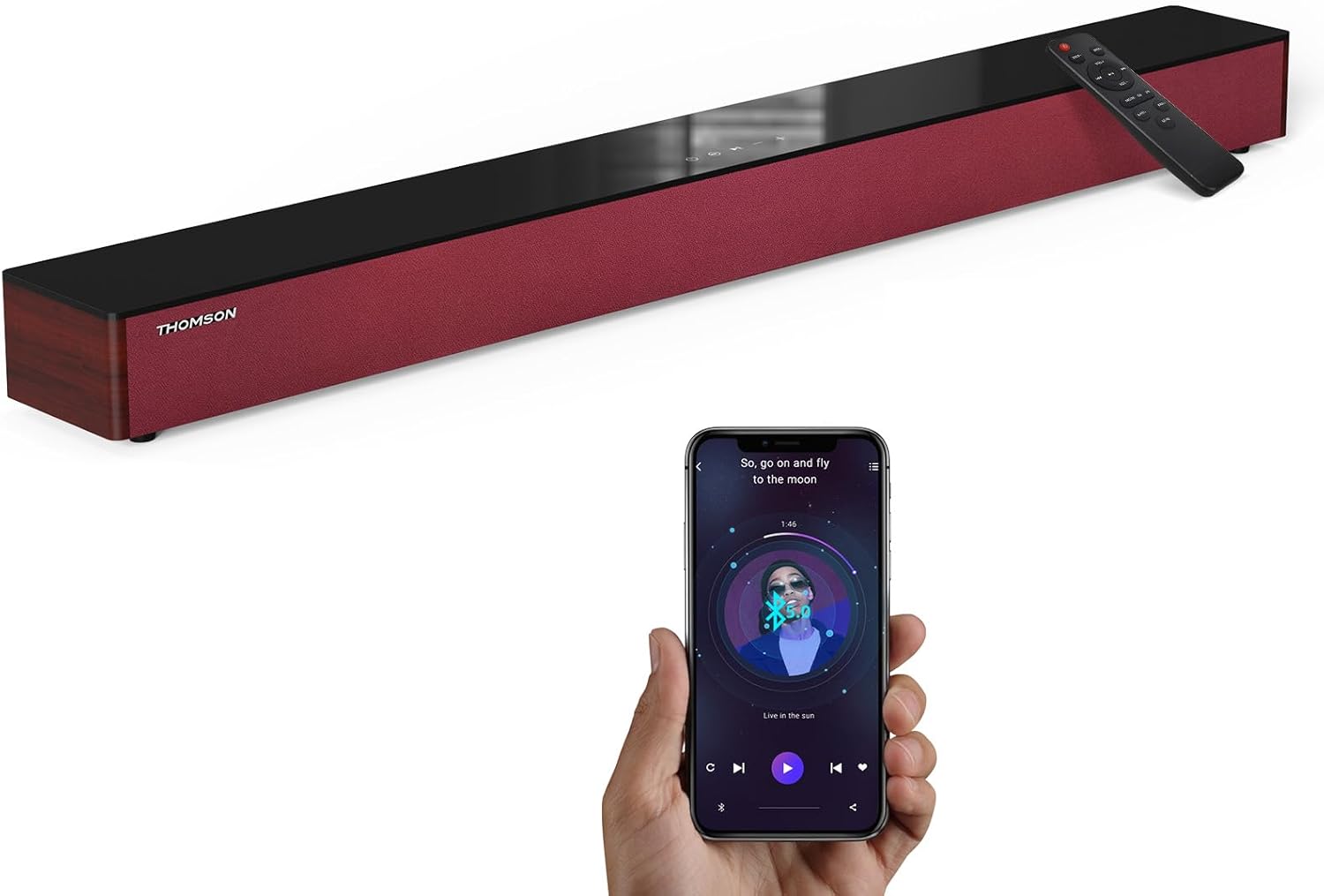
Image: The THOMSON B210 Soundbar, its remote control, and a smartphone demonstrating Bluetooth connectivity.
3. Produk Lebihview
3.1 Panel Depan dan Atas
The soundbar features intuitive controls on its top panel for easy access.
3.2 Sambungan Panel Belakang
The rear panel provides various input ports for connecting to different audio sources.

Gambar: Detail view of the soundbar's rear connection ports, including AUX IN, COAXIAL, OPTICAL, HDMI ARC, USB, and DC IN.
3.3 Kontrol Jarak Jauh
The included remote control allows for convenient operation of all soundbar functions.

Image: A hand operating the soundbar with its remote control, demonstrating wireless command over the device.
4. Pengaturan
4.1 Penempatan
Place the soundbar on a stable, flat surface directly in front of your television for optimal sound dispersion. Ensure there is adequate space around the soundbar for ventilation.
4.2 Sambungan Daya
- Connect the power adapter to the DC IN port on the rear of the soundbar.
- Colokkan ujung lain adaptor daya ke stopkontak di dinding.
5. Petunjuk Pengoperasian
5.1 Daya Hidup/Mati
Press the Power button on the soundbar's top panel or the remote control to turn the unit on or off.
5.2 Kontrol Volume
Use the Volume Up (+) and Volume Down (-) buttons on the soundbar or remote control to adjust the audio level.
5.3 Pilihan Masukan
Press the 'MODE' button on the soundbar or remote control to cycle through available input sources: ARC, Optical, AUX, USB, and Bluetooth.
5.4 Mode Equalizer
The soundbar offers three distinct equalizer modes to optimize audio for different content types:
- Mode Musik: Meningkatkan kejernihan musik dan bass.
- Mode Film: Provides a more immersive cinematic experience.
- Modus Berita: Optimizes dialogue for clear speech.
Press the corresponding EQ button on the remote control to select your desired mode.

Image: Visual representation of the soundbar's optimized audio modes for Music, Movie, and News content.
6. Koneksi
The THOMSON B210 Soundbar supports multiple connection types for versatility.

Image: The soundbar demonstrating its compatibility with multiple devices such as projectors, PCs, game consoles, and smartphones.
6.1 Koneksi HDMI ARC
For the best audio quality and control, connect your TV to the soundbar using an HDMI cable via the ARC port.
- Connect one end of an HDMI cable to the HDMI ARC port on your TV.
- Connect the other end to the HDMI ARC port on the soundbar.
- Select 'ARC' as the input source on the soundbar.
6.2 Koneksi Optik
Use an optical cable for a high-quality digital audio connection.
- Connect one end of an optical cable to the Optical OUT port on your TV or audio device.
- Connect the other end to the OPTICAL port on the soundbar.
- Pilih 'Optik' sebagai sumber input pada soundbar.
6.3 Koneksi AUX
For analog audio devices, use an AUX cable.
- Connect one end of a 3.5mm audio cable to the headphone jack or AUX OUT port on your device.
- Hubungkan ujung lainnya ke port AUX IN pada soundbar.
- Pilih 'AUX' sebagai sumber input pada soundbar.
6.4 Koneksi USB
Putar audio filelangsung dari perangkat penyimpanan USB.
- Insert a USB drive into the USB port on the soundbar.
- Select 'USB' as the input source on the soundbar.
- The soundbar will automatically begin playing compatible audio files.
6.5 Pemasangan Bluetooth
Connect your smartphone, tablet, or other Bluetooth-enabled device wirelessly.
- Turn on the soundbar and select 'Bluetooth' mode using the 'MODE' button. The Bluetooth indicator will flash.
- Aktifkan Bluetooth pada perangkat Anda dan cari perangkat yang tersedia.
- Select 'THOMSON B210' from the list.
- Once paired, the Bluetooth indicator will stop flashing and remain solid.

Image: A family enjoying entertainment with the soundbar, illustrating seamless Bluetooth connectivity from a smartphone.
7. Pemeliharaan
Untuk memastikan umur panjang dan kinerja optimal soundbar Anda, ikuti panduan perawatan berikut:
- Pembersihan: Gunakan kain lembut dan kering untuk membersihkan permukaan soundbar. Jangan gunakan cairan pembersih atau bahan abrasif.
- Penyimpanan: Jika menyimpan soundbar untuk jangka waktu yang lama, cabut kabelnya dari stopkontak dan simpan di tempat yang sejuk dan kering.
- Ventilasi: Pastikan lubang ventilasi tidak terhalang untuk mencegah panas berlebih.
8. Penyelesaian masalah
If you encounter issues with your THOMSON B210 Soundbar, refer to the following common problems and solutions:
| Masalah | Kemungkinan Penyebab | Larutan |
|---|---|---|
| Tidak ada daya | Kabel daya tidak tersambung; Stopkontak tidak aktif | Pastikan kabel daya terhubung dengan aman; Coba stopkontak yang berbeda. |
| Tidak ada suara | Incorrect input source; Volume too low; Mute activated; Cable connection issue | Pilih sumber input yang benar; Naikkan volume; Nonaktifkan fitur bisu; Periksa sambungan kabel audio. |
| Pemasangan Bluetooth gagal | Soundbar not in pairing mode; Device Bluetooth off; Device too far | Ensure soundbar is in Bluetooth mode (flashing indicator); Enable Bluetooth on device; Move device closer to soundbar |
| Kontrol jarak jauh tidak berfungsi | Baterai habis; Ada penghalang antara remote dan soundbar | Replace remote control batteries; Remove any obstructions; Ensure remote is pointed at the soundbar's sensor |
9. Spesifikasi
Detailed technical specifications for the THOMSON B210 Soundbar:
- Model: B210
- Merek: Bahasa Indonesia: TOMSON
- Dimensi Produk: 36.5"P x 4.7"L x 2.9"T (92.7 cm x 11.8 cm x 7.3 cm)
- Berat Barang: 11 pon (sekitar 5 kg)
- Daya Keluaran Maksimum Pembicara: 50 Watt
- Tipe Pemasangan: Dudukan Meja
- Versi Bluetooth: 5.3
- Sinyal untuk rasio kebisingan: 70dB
- Pembicara: 4 Full Range Speakers, 2 Woofers (Advanced Bass Diaphragms)
- Koneksi Input: ARC (HDMI), Optical, AUX, USB, Bluetooth

Image: Physical dimensions of the soundbar, showing length, width, and height in centimeters, along with a view dari port belakang.

Image: Internal component diagram of the soundbar, detailing its 4 high-performance drivers and 2 advanced bass diaphragms for enhanced audio.
10. Garansi dan Dukungan
THOMSON products are manufactured to high-quality standards. For warranty information and technical support, please refer to the warranty card included with your product or visit the official THOMSON support weblokasi.
For further assistance, please contact THOMSON customer service.


