1. Pendahuluan
Thank you for choosing the Retekess TA008 / TA005P Wireless TV Headphones. This manual provides detailed instructions for the proper setup, operation, and maintenance of your new headphones. Designed with seniors in mind, these headphones offer clear sound quality and an uninterrupted listening experience for television or surrounding sounds.
2. Produk Lebihview
2.1 Fitur Utama
- Kualitas Suara Stereo: Delivers rich, layered audio with clear highs and impactful lows.
- Desain yang nyaman: Features a retractable headband for adjustable fit, soft earmuffs, and soft silicone material for extended wear.
- Kompatibilitas Luas: Supports optical, AUX (3.5mm), and RCA audio connections for most TVs.
- Fungsi Bisu: Allows flexible control over audio output, enabling users to mute or restore sound as needed.
- Jangkauan Nirkabel yang Diperluas: Operates up to 100 feet (30 meters) from the transmitter.
- Daya Tahan Baterai yang Lama: Baterai isi ulang 600mAh bawaan menyediakan daya tahan hingga 10 jam penggunaan terus menerus.
- Voice Assistance Mode: One-touch button to easily switch to voice assistance mode, enhancing communication.
2.2 Komponen
The Retekess TA008 / TA005P system includes:
- Wireless Headphones (TA005P)
- Pemancar Nirkabel (TX)
- Adaptor Daya untuk Pemancar
- Audio Cables (Optical, 3.5mm AUX, RCA)
- Kabel Pengisian Daya USB untuk Headphone
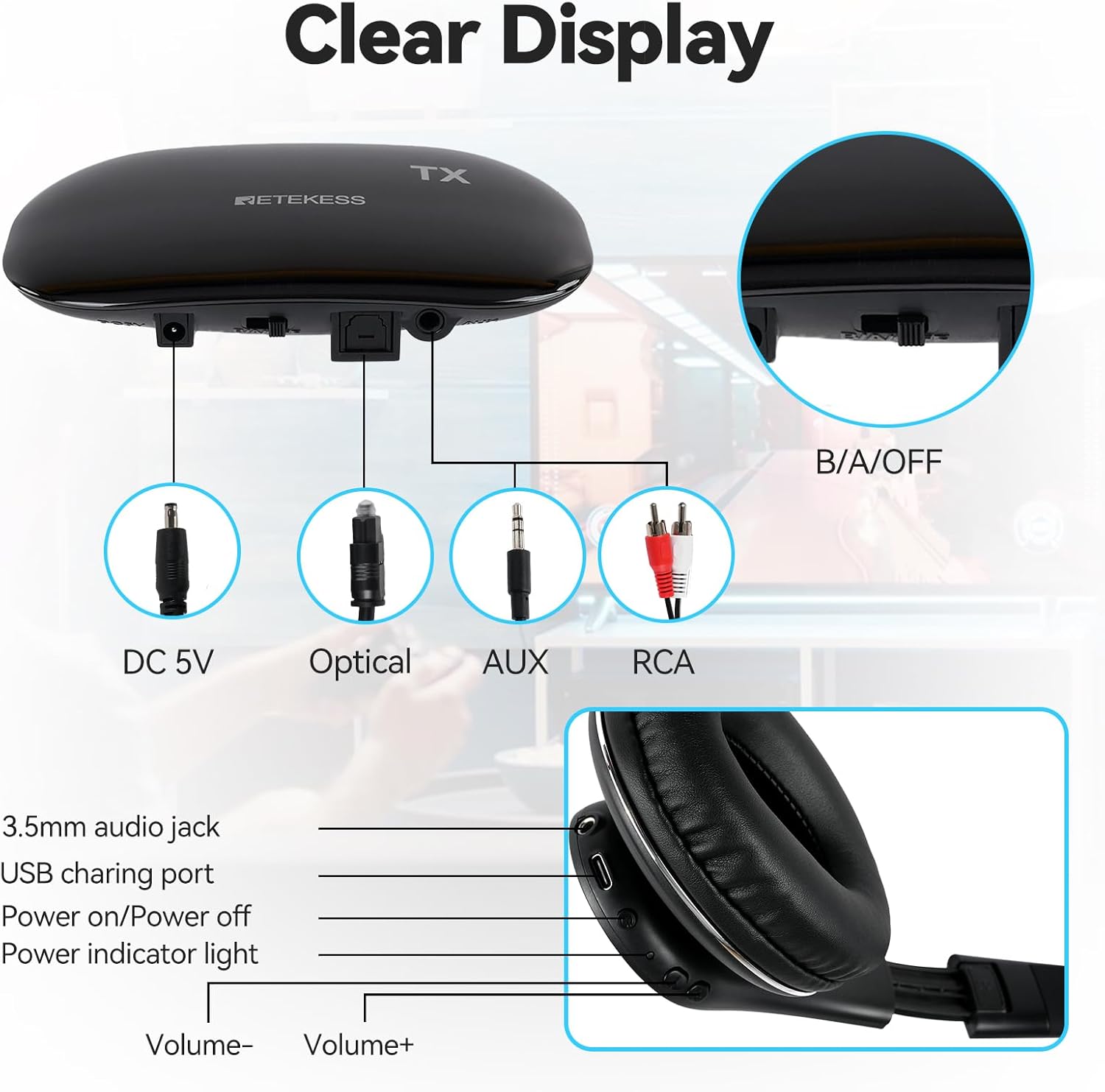
Gambar: Transmitter ports and headphone controls. The transmitter features DC 5V power input, Optical audio input, AUX (3.5mm) audio input, and RCA audio input. The headphones include a 3.5mm audio jack, USB charging port, Power on/off button, Power indicator light, Volume- button, and Volume+ button.

Gambar: Comfortable design features. This image illustrates the retractable head beam for adjustable fit, soft earmuffs for comfort, and the overall soft silicone material of the headphones.

Gambar: Good sound quality. This image visually represents the stereo sound quality and the presence of high and low bass, indicating a comprehensive audio experience.
3. Petunjuk Penyiapan
3.1 Menghubungkan Pemancar ke TV Anda
The transmitter supports multiple audio input methods. Choose the one compatible with your TV.
- Sambungan Daya: Connect the power adapter to the DC 5V port on the transmitter and plug it into a power outlet.
- Audio Connection (Choose ONE):
- Audio Digital Optik: Use the optical cable to connect the transmitter's OPTICAL IN port to your TV's optical audio output. This is recommended for modern TVs.
- 3.5mm AUX Audio: Use the 3.5mm audio cable to connect the transmitter's AUX IN port to your TV's 3.5mm audio output (headphone jack).
- Audio RCA: Use the RCA audio cable (red and white plugs) to connect the transmitter's RCA IN ports to your TV's RCA audio output ports. This is common for older TVs.

Gambar: Wide compatibility and connection options. This diagram illustrates the audio output options from a TV (3.5mm/AUX, RCA, Optical) and how they connect to the transmitter. It also notes that the TV headset automatically identifies the sound source and is plug-and-play. If multiple sound sources are connected, the 3.5mm sound source cable will be prioritized.
3.2 Mengisi Daya Headphone
Sebelum digunakan pertama kali, isi daya headphone hingga penuh.
- Hubungkan kabel pengisian daya USB ke port pengisian daya pada headphone.
- Hubungkan ujung lain kabel USB ke sumber daya USB (misalnya, port USB komputer, adaptor dinding USB).
- The power indicator light on the headphones will show charging status (refer to the indicator light section in the manual for details).
3.3 Pemasangan (Otomatis)
The headphones and transmitter are designed for automatic pairing. Once both are powered on and the transmitter is receiving an audio signal, the headphones should connect automatically. No manual pairing steps are typically required.
4. Petunjuk Pengoperasian
4.1 Menghidupkan/Mematikan
- Headphone: Press and hold the Power button on the headphones until the indicator light illuminates (for power on) or turns off (for power off).
- Pemancar: The transmitter powers on automatically when connected to power.
4.2 Menyesuaikan Volume
Use the Volume+ and Volume- buttons located on the headphones to adjust the listening volume to your preference.
4.3 Fungsi Bisu
The headphones feature a mute function. Press the dedicated mute button to temporarily silence the audio. Press it again to restore the sound.
4.4 Voice Assistance Mode
To activate the voice assistance mode:
- Short press the large gray button labeled 'AMBIENCE' on the wireless TV headset.
- This mode helps amplify surrounding sounds, improving daily communication.

Gambar: One-touch voice assistance mode. This image highlights the 'AMBIENCE' button on the headset, which allows users to easily switch to voice assistance mode to hear surrounding sounds clearly and improve communication.
5. Pemeliharaan
- Clean the headphones and transmitter with a soft, dry cloth. Do not use abrasive cleaners or solvents.
- Hindari memaparkan perangkat pada suhu ekstrem, kelembapan, atau sinar matahari langsung.
- Store the headphones and transmitter in a cool, dry place when not in use.
- Jangan mencoba membongkar atau memperbaiki perangkat sendiri. Hal ini akan membatalkan garansi.
6. Penyelesaian masalah
- No Sound or Buzzing in the Headset:
- Ensure the transmitter is properly connected to a power source and your TV's audio output.
- Verify that the correct audio input is selected on your TV.
- Periksa semua sambungan kabel untuk memastikannya aman.
- Atur volume pada headphone dan TV Anda.
- If multiple sound sources are connected to the transmitter, the 3.5mm input takes priority. Ensure the desired source is active.
- In some cases, the sound source may not broadcast when using the 3.5mm sound source cable, and the sound source can only be listened to through the headset; this is normal.
- Headphones Not Connecting:
- Ensure both the headphones and transmitter are powered on.
- Move the headphones closer to the transmitter to rule out range issues.
- Power cycle both devices (turn off, then turn on again).
- Daya Tahan Baterai Pendek:
- Pastikan headphone terisi penuh sebelum digunakan.
- Battery performance may decrease over time with prolonged use.
7. Spesifikasi
- Model: TA005P
- Jangkauan Nirkabel: Hingga 100 kaki (30 meter)
- Kapasitas Baterai: 600mAh (Headphones)
- Daya Tahan Baterai: Hingga 10 jam penggunaan terus menerus
- Audio Inputs (Transmitter): Optical, 3.5mm AUX, RCA
- Power Input (Transmitter): Tegangan DC5V
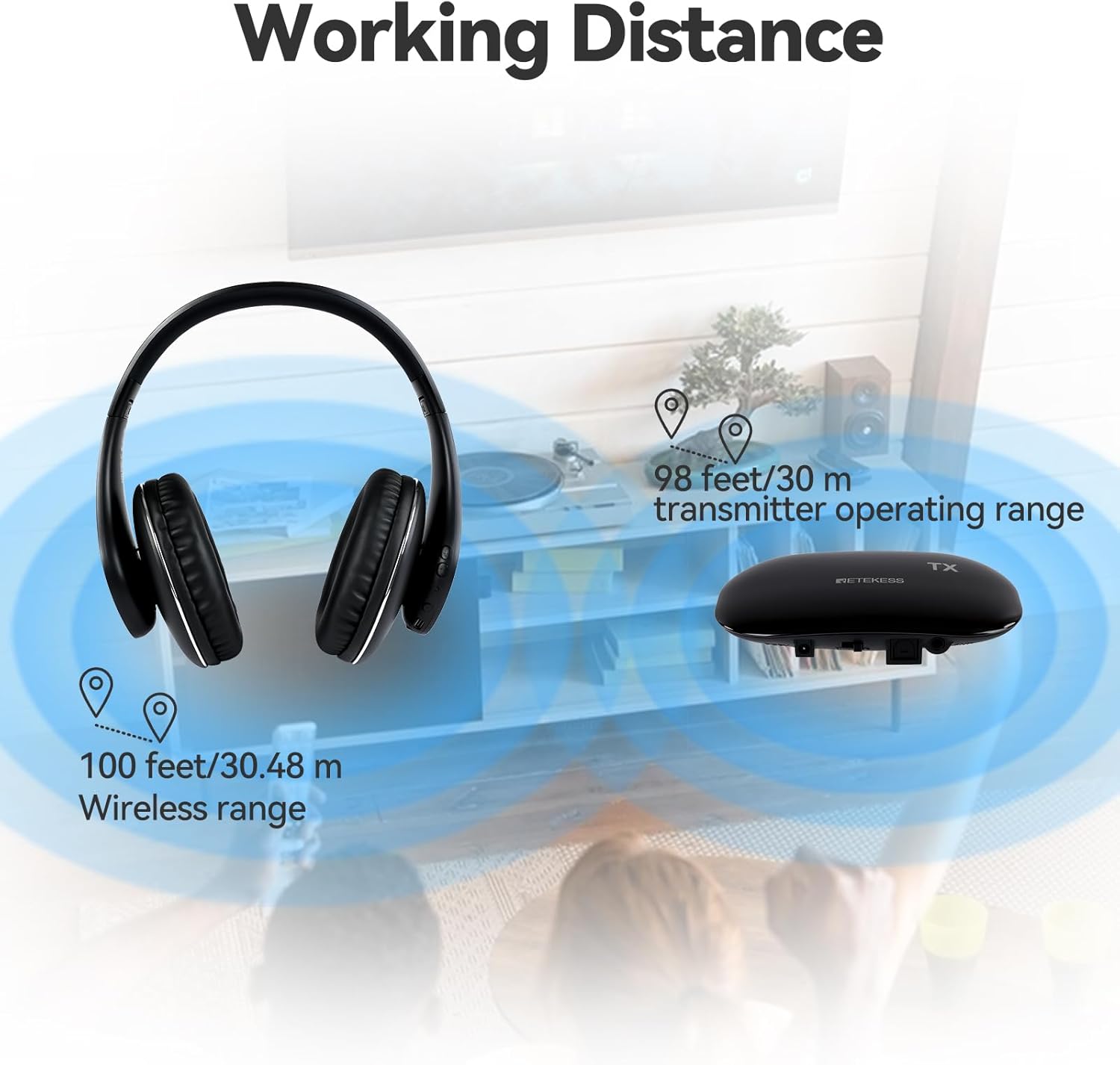
Gambar: Working distance. This image shows the wireless range of the headphones and transmitter, indicating a wireless range of 100 feet (30.48 meters) for the headphones and a transmitter operating range of 98 feet (30 meters).
8. Garansi dan Dukungan
Retekess products are designed for reliability and performance. For warranty information and technical support, please refer to the warranty card included with your purchase or visit the official Retekess websitus. Harap simpan bukti pembelian Anda untuk klaim garansi.
For further assistance, please contact Retekess customer service through the contact information provided on their official websitus web atau saluran dukungan pengecer Anda.


