1. Pendahuluan
Thank you for choosing the DUSONLAP SU8 Mini Wireless Sleep Earbuds. These earbuds are designed to provide a comfortable and immersive audio experience, especially for side sleepers, while effectively blocking out ambient noise. Please read this manual thoroughly to ensure proper usage and optimal performance.

Image: DUSONLAP SU8 Mini Wireless Sleep Earbuds and their compact charging case.
2. Apa yang ada di dalam kotak
- DUSONLAP SU8 Sleep Earbuds (x2)
- SU8 Charging Case (x1)
- Kabel Pengisi Daya USB-C (x1)
- Panduan Pengguna (x1)

Image: All items included in the DUSONLAP SU8 product package.
3. Fitur Produk
- Mini Portable and Safe Design: Made of soft, skin-friendly silicone, weighing only 3 grams per ear, with an ergonomic in-ear design for comfort and secure fit.
- True Noise Blocking: Achieves a noise suppression effect of 24 decibels, ideal for blocking ambient sounds.
- Premium Stereo Sound and Clear Call: Engineered with a 13mm dual chamber speaker driver unit for balanced sound with deep bass. Features ENC (Enhanced Noise Cancellation) technology for clear calls.
- NEW Bluetooth 5.4 and One-Step Pairing: Advanced Bluetooth 5.4 technology provides a fast, stable, and seamless connection with superior sound quality and strong signal up to 15m. Automatic connection to previously paired devices upon opening the charging case.
- LED Power Display and Long Battery Life: Charging case features an LED digital display to monitor charging status and remaining power. Earbuds offer 5-7 hours of listening time, with the case providing an additional 40 hours (total 47 hours). Supports USB-C fast charging.
- Ergonomic Design and IPX7 Waterproof: Soft silicone material and compact design ensure comfortable wear without earaches, even during extended use or side sleeping. IPX7 nano-coating technology makes them waterproof and sweatproof.
- Touch Control and Wide Compatibility: High-tech touch screen controls for calls, music playback, volume adjustment, song switching, and Siri activation. Compatible with most Bluetooth-enabled devices (iOS, Android, laptops, tablets, etc.).

Image: Earbuds designed for comfortable side sleeping with sleep mode features.

Image: IPX7 Waterproof feature for protection against sweat and water.
4. Pengaturan
4.1. Mengisi Daya Earbud dan Casing
- Masukkan earbud ke dalam casing pengisi daya. Pastikan terpasang dengan benar.
- Hubungkan kabel pengisian daya USB-C ke port pengisian daya pada casing dan ke sumber daya.
- The LED digital display on the case will show the charging status.
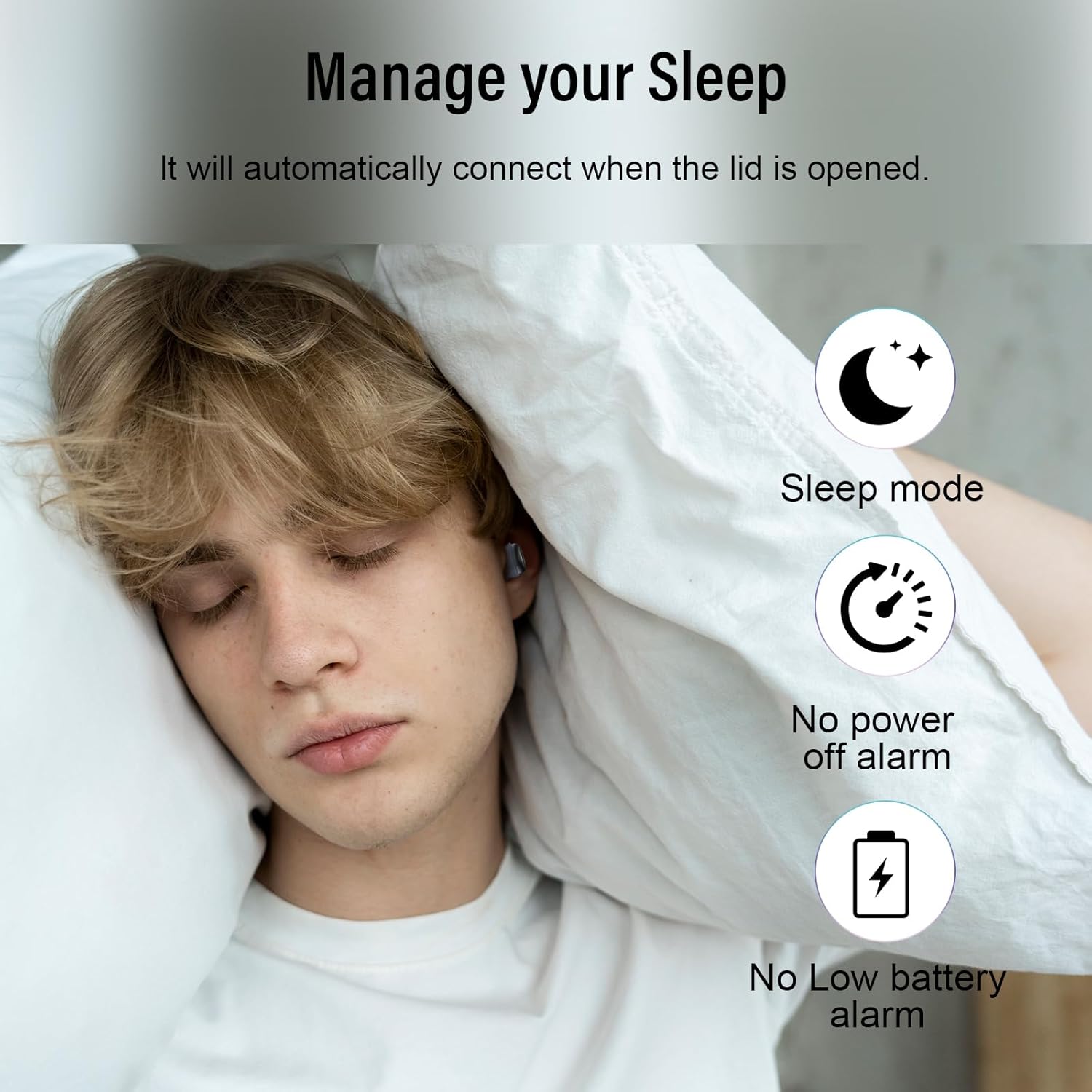
Image: Earbuds charging inside the case, with battery indicator visible.
4.2. Memasangkan dengan Perangkat Anda
- Buka penutup casing pengisi daya. Earbud akan otomatis masuk ke mode berpasangan.
- Pada perangkat Anda (ponsel pintar, tablet, laptop), buka pengaturan Bluetooth.
- Select "SU8" from the list of available devices to connect.
- Setelah terhubung, Anda akan mendengar suara petunjuk, dan earbud siap digunakan.

Image: Visual guide for one-step Bluetooth pairing.
4.3. Cara Memakai Earbud
- Choose the appropriate ear caps and install them on the SU8 sleep earbuds.
- Place the ear cap downwards and insert it into your ear canal.
- Twist gently to lock into place for a secure and comfortable fit.

Image: Step-by-step instructions for wearing the earbuds.
5. Petunjuk Pengoperasian
5.1. Kontrol Sentuh
The DUSONLAP SU8 earbuds feature intuitive touch controls for easy management of calls and music.
- Menjawab Panggilan: Ketuk dua kali salah satu earbud.
- Hanging Up Calls: Ketuk dua kali salah satu earbud.
- Menolak Panggilan: Tekan lama salah satu earbud selama 2 detik.
- Putar/Jeda Musik: Single-tap either earbud.
- Sesuaikan Volume: Tekan lama earbud kanan untuk menaikkan volume, tekan lama earbud kiri untuk menurunkan volume.
- Ganti Lagu: Triple-tap the right earbud for next track, triple-tap the left earbud for previous track.
- Aktifkan Asisten Suara (Siri): Ketuk tiga kali salah satu earbud.
- Mode tidur: Quadruple-tap either earbud to activate sleep mode (no shutdown and low battery beep).

Gambar: Lebih dariview fungsi kontrol sentuh.
5.2. Mode Tidur
The dedicated sleep mode ensures an undisturbed night by disabling shutdown and low battery beeps. Activate it with a quadruple-tap on either earbud.
Video: Demonstration of D20 Sleep Headphones features, including sleep mode and comfortable fit.
Video: Singkat sajaview of aggoo Sleep Earbuds, highlighting comfort and sleep-friendly design.
6. Pemeliharaan
6.1. Pembersihan
- Bersihkan earbud dan casing pengisi daya secara teratur dengan kain lembut dan kering.
- Lepaskan ujung telinga dan bersihkan secara terpisah dengan sabun lembut dan air jika perlu. Pastikan benar-benar kering sebelum dipasang kembali.
- Hindari penggunaan bahan kimia keras atau bahan abrasif.
6.2. Penyimpanan
- Simpan earbud dalam wadah pengisi dayanya saat tidak digunakan untuk melindunginya dan menjaga dayanya tetap terisi.
- Simpan perangkat di tempat yang sejuk dan kering, jauhkan dari suhu ekstrem dan sinar matahari langsung.
6.3. Tahan Air
The earbuds are IPX7 waterproof, meaning they can withstand sweat and light rain. However, they are not designed for swimming or submersion in water. Ensure the charging port is dry before charging.
7. Penyelesaian masalah
- Earbud tidak dapat dipasangkan: Pastikan kedua earbud berada di dalam wadah pengisian daya, lalu buka penutupnya untuk masuk kembali ke mode pemasangan. Periksa pengaturan Bluetooth perangkat Anda dan coba sambungkan kembali.
- Tidak ada suara dari satu earbud: Place both earbuds back in the case, close the lid, then open it again. This often resets the connection.
- Masalah pengisian daya: Verify the USB-C cable is securely connected to both the case and the power source. Check the LED display for charging indicators. Ensure the charging contacts on the earbuds and case are clean.
- Ukuran tidak nyaman: Experiment with different ear tip sizes provided to find the most comfortable and secure fit for your ear canal.
- Low battery beep in sleep mode: Ensure sleep mode is properly activated by quadruple-tapping an earbud. If the issue persists, the earbuds might be too low on battery to sustain sleep mode without a warning.
8. Spesifikasi
| Fitur | Spesifikasi |
|---|---|
| Nama Model | SU8 |
| Merek | DUSONLAP |
| Teknologi Konektivitas | Nirkabel (Bluetooth 5.4) |
| Penempatan Telinga | Di Telinga |
| Faktor Bentuk | Di Telinga |
| Kontrol Kebisingan | Enhanced Noise Cancellation (ENC) |
| Tingkat Tahan Air | Tahan Air IPX7 |
| Rata-rata Umur Baterai | 47 Hours (5-7 hours earbuds + 40 hours case) |
| Komposisi Sel Baterai | Polimer Litium |
| Bahan | Silikon |
| Fitur Khusus | Noise Cancelling, Waterproof, Touch Control |
9. Garansi dan Dukungan
For warranty information, technical support, or any inquiries regarding your DUSONLAP SU8 Mini Wireless Sleep Earbuds, please refer to the contact details provided on the product packaging or visit the official DUSONLAP weblokasi. Simpan kwitansi pembelian Anda untuk klaim garansi.


