1. Produk Lebihview
The VOSFEEL M01 Rechargeable Camping Fan is a versatile and portable device designed to provide cooling and illumination in various indoor and outdoor settings. It features a high-capacity battery, multiple fan speeds, an LED lantern, and convenient charging capabilities for other devices.
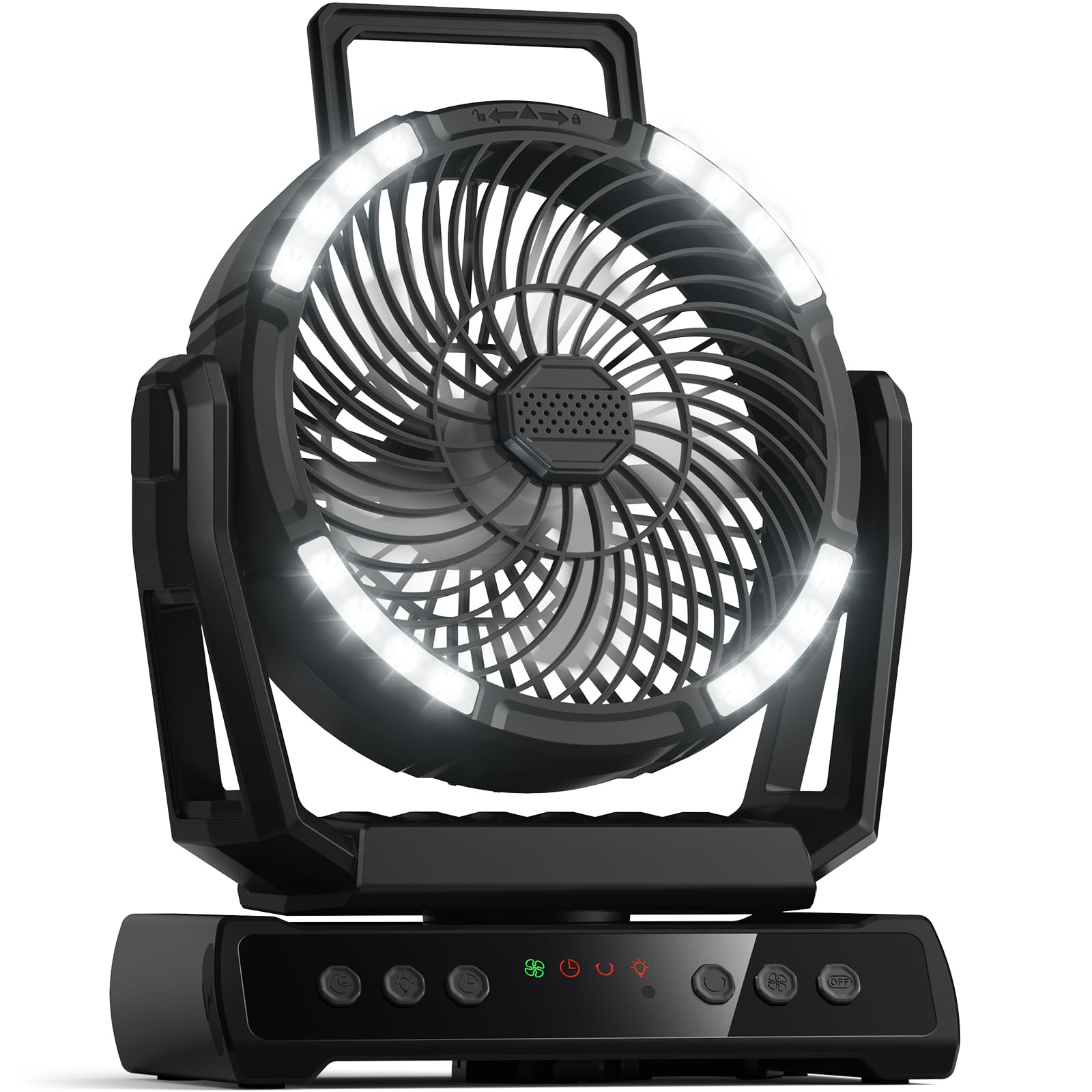
Gambar 1.1: The VOSFEEL M01 Rechargeable Camping Fan in use, demonstrating its fan, LED light, and device charging capabilities.
2. Isi Paket
- VOSFEEL M01 Rechargeable Campkipas angin
- Kontrol Jarak Jauh
- Kabel Pengisian Daya USB-C
- Panduan Pengguna
3. Pengaturan
3.1 Pengisian Awal
- Connect the provided USB-C charging cable to the fan's charging port.
- Colokkan ujung kabel lainnya ke adaptor daya USB yang kompatibel (tidak termasuk).
- The LED display will show the charging progress. Fully charge the fan before first use for optimal battery life.
3.2 Pengaturan Kontrol Jarak Jauh
The remote control comes with batteries pre-installed. Simply remove any plastic tab protecting the battery to activate it.
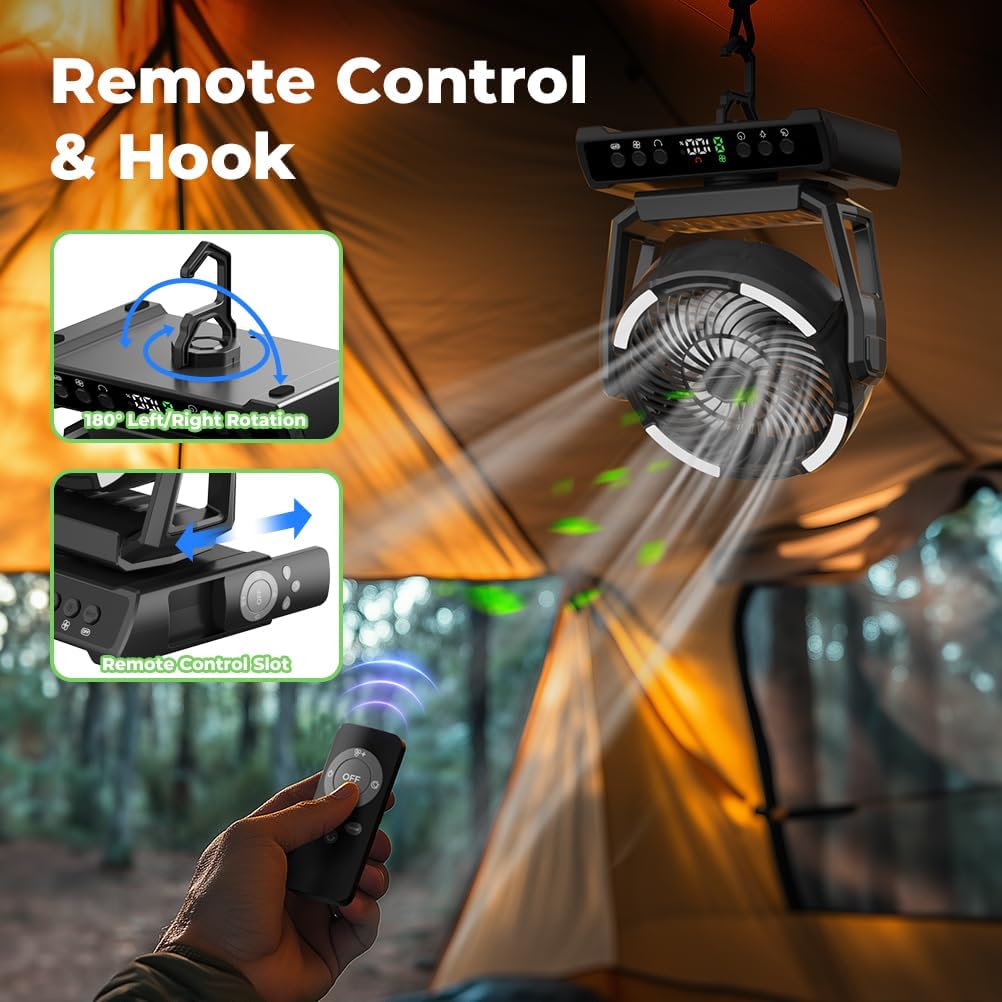
Gambar 3.1: The fan hanging from a tent, illustrating the remote control and its storage slot.
4. Petunjuk Pengoperasian
4.1 Daya Hidup/Mati
- Tekan tombol Tombol Daya on the fan's control panel or the remote control to turn the fan on.
- To turn off all functions (fan, light, oscillation), press the Master OFF Button on the control panel or remote.
4.2 Penyesuaian Kecepatan Kipas
The fan offers 9 wind speeds, including a natural wind mode. Use the Tombol Kecepatan Kipas (+ / -) on the control panel or remote to cycle through speeds 1-8. The 'F' setting indicates natural wind mode.

Gambar 4.1: Visual representation of the 9 wind speed settings.
4.3 Pengoperasian Lentera LED
The integrated LED lantern has 3 adjustable brightness levels. Press the Tombol Lampu on the fan or remote to cycle through Low, Medium, and High brightness. A dedicated Tombol Mode Malam can dim or turn off the display light for undisturbed sleep.

Gambar 4.2: The fan's LED lantern demonstrating its three brightness levels.
4.4 Oscillation and Rotation
- Tekan tombol Tombol Osilasi on the fan or remote to activate automatic 45° to 90° left/right rotation.
- The fan head can be manually rotated 270° up and down to direct airflow precisely.
4.5 Fungsi Timer
Set a timer for 1 to 9 hours using the Tombol Pengatur Waktu. The fan will automatically turn off after the set duration.
4.6 Fungsi Power Bank
The fan is equipped with two USB output ports, allowing you to charge up to two external devices simultaneously. Connect your device's charging cable to the USB output port on the fan.
Klip 4.1: A demonstration of the VOSFEEL Portable Camping Fan's features, including fan speeds, oscillation, and charging capabilities.
4.7 Fungsi Aroma
To use the aromatherapy feature, gently twist and remove the aroma tablet cover located at the center of the fan grille. Insert an aromatherapy tablet or a few drops of essential oil onto the pad, then replace the cover. The fan will then disperse the aroma.

Gambar 4.3: Instructions for using the fan's aroma function.
5. Pemeliharaan
5.1 Cleaning the Fan Blades
- Pastikan kipas dimatikan dan dicabut sebelum dibersihkan.
- Gently twist the front cover counter-clockwise to remove it.
- Usap bilah kipas dan permukaan bagian dalam dengan kain lembut.amp Jangan gunakan pembersih abrasif atau merendam kipas dalam air.
- Align the notches and twist the front cover clockwise to reattach it securely.

Gambar 5.1: Steps for easy cleaning of the fan blades.
6. Penyelesaian masalah
- Kipas tidak menyala: Pastikan baterai terisi penuh. Sambungkan kipas ke sumber daya menggunakan kabel USB-C.
- Aliran udara lemah: Check the fan speed setting and increase if necessary. Ensure the fan blades are clean and free from obstructions.
- Lampu LED tidak menyala: Press the Light Button to cycle through brightness levels. Ensure the fan has sufficient battery charge.
- Kontrol jarak jauh tidak merespons: Check if the remote control batteries are properly inserted and functional. Ensure there are no obstructions between the remote and the fan.
- Perangkat tidak mengisi daya melalui USB: Ensure the fan has sufficient battery charge. Verify that the USB cable and the device being charged are functioning correctly.
7. Spesifikasi
| Fitur | Spesifikasi |
|---|---|
| Merek | MERASA |
| Nama Model | Pesawat M01 |
| Kapasitas Baterai | 30000 mAh |
| Kecepatan Kipas | 9 (including natural wind mode) |
| Tingkat Cahaya LED | 3 |
| Osilasi | 45°-90° Left/Right Auto Rotation |
| Rotasi Manual | 270° Up/Down |
| Fungsi Pengatur Waktu | 1-9 Jam |
| Sumber Daya | Bertenaga Baterai (Dapat Diisi Ulang) |
| Metode Kontrol | Tombol Tekan, Jarak Jauh |
| Dimensi Produk | 8.3"Panjang x 5.3"Lebar x 10.8"T |
| Berat Barang | 2.81 pon |
| Tingkat Kebisingan | 29 Desibel |
8. Garansi dan Dukungan
For warranty information and customer support, please refer to the contact details provided on the product packaging or the official VOSFEEL weblokasi. Simpan kwitansi pembelian Anda untuk klaim garansi.


