1. Pendahuluan
Thank you for choosing the CREATE WIND CLEAR STUDIO S Ceiling Fan with Light. This manual provides essential information for the safe installation, operation, and maintenance of your new ceiling fan. Please read it thoroughly before use and retain it for future reference.
The WIND CLEAR STUDIO S is a silent ceiling fan featuring a 40W DC motor, a summer/winter function, and 6 speed settings. It includes retractable blades and an integrated LED light with 3 adjustable color temperatures. A programmable timer allows for automatic shut-off.

Image 1.1: The CREATE WIND CLEAR STUDIO S Ceiling Fan with Light, featuring a white body and light wood trim, with its remote control.
2. Petunjuk Keselamatan
- Pastikan catu daya terputus sebelum pemasangan, perawatan, atau pembersihan.
- Pemasangan harus dilakukan oleh teknisi listrik yang berkualifikasi sesuai dengan peraturan instalasi listrik setempat.
- The mounting structure must be capable of supporting the weight of the fan (minimum 15 kg).
- Jaga jarak minimal 2.3 meter (7.5 kaki) antara lantai dan bilah kipas.
- Jangan memasukkan benda apa pun ke jalur putaran bilah.
- Peralatan ini hanya untuk penggunaan di dalam ruangan.
- Jauhkan remote control dari jangkauan anak-anak.
3. Isi Paket
Pastikan semua komponen lengkap dan tidak rusak sebelum melanjutkan pemasangan. Jika ada bagian yang hilang atau rusak, hubungi dukungan pelanggan.
- Ceiling Fan Motor Unit with Integrated LED Light
- Retractable Fan Blades (3 units)
- Kontrol Jarak Jauh
- Mounting Bracket
- Downrods (2 lengths for adjustable height)
- Hardware Kit (screws, washers, wire nuts)
- Panduan Pengguna dan Panduan Perakitan
4. Pengaturan dan Instalasi
Detailed installation instructions are provided in the separate assembly guide included with your product. Please follow those instructions carefully. This fan includes two suspension rods, allowing for flexible installation height to suit your space.
Ensure the fan is securely mounted to a ceiling joist or a suitable support structure. All electrical connections must be made correctly and safely.

Image 4.1: The ceiling fan installed in a room, demonstrating its aesthetic integration.

Gambar 4.2: Lainnya view of the ceiling fan installed, highlighting its design and lighting capabilities.
5. Petunjuk Pengoperasian
Your CREATE WIND CLEAR STUDIO S fan is controlled via the included remote control. Ensure batteries are correctly inserted into the remote.
5.1 Fungsi Kontrol Jarak Jauh
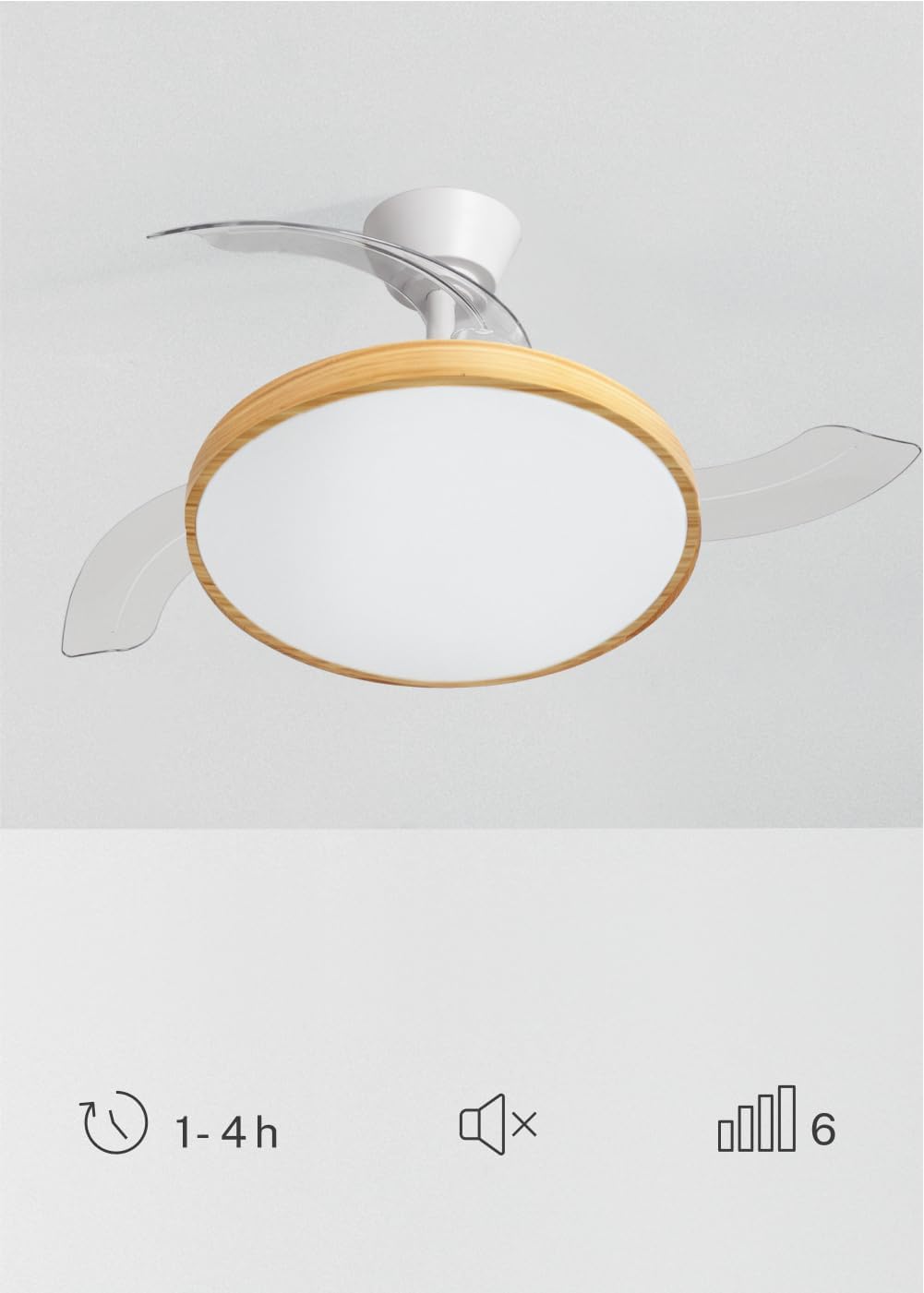
Image 5.1: The remote control for the ceiling fan, illustrating buttons for light control, fan speed adjustment (1-6), timer settings (1H, 2H, 4H), and a mute function.
- Daya Hidup/Mati: Tekan tombol daya untuk menghidupkan atau mematikan kipas dan lampu.
- Kecepatan Kipas: Use the speed buttons (1-6) to adjust the fan's rotation speed. There are 6 available speeds.
- Kontrol Cahaya: Tekan tombol lampu untuk menghidupkan atau mematikan lampu LED.
- Suhu Warna Terang: Cycle through the 3 available light color temperatures (Warm White 2700K, Natural White 3300K, Cool White 4000K) by pressing the light temperature button.
- Fungsi Pengatur Waktu: Set the fan to automatically turn off after 1, 2, or 4 hours using the respective timer buttons.
- Fungsi Bisu: Press the mute button to silence operational beeps.
5.2 Summer/Winter Function
The fan features a reversible motor for year-round use. This function helps optimize air circulation for both cooling and heating.

Image 5.2: Diagram showing air circulation for summer mode (downward airflow for cooling) and winter mode (upward airflow to redistribute warm air).
- Mode Musim Panas (Rotasi berlawanan arah jarum jam): Creates a downward airflow, generating a cooling breeze.
- Mode Musim Dingin (Rotasi searah jarum jam): Creates an upward airflow, circulating warm air trapped near the ceiling throughout the room.
Refer to your assembly guide for instructions on how to switch between summer and winter modes, typically via a switch on the fan body or remote control.
5.3 Penyesuaian Suhu Warna Cahaya
The integrated LED light offers three distinct color temperatures to suit different moods and activities.

Image 5.3: Illustration of the three adjustable light color temperatures: 2700K for warm light, 3300K for natural light, and 4000K for cool light.
- 2700K (Putih Hangat): Ideal untuk relaksasi dan menciptakan suasana nyaman.
- 3300K (Putih Alami): Cocok untuk penerangan umum dan aktivitas sehari-hari.
- 4000K (Putih Dingin): Best for tasks requiring clear visibility and concentration.
6. Pemeliharaan
Perawatan rutin memastikan kinerja optimal dan memperpanjang umur pakai kipas langit-langit Anda.
- Pembersihan: Bersihkan bilah kipas dan rumah motor secara teratur dengan kain lembut dan kering.amp Gunakan kain. Jangan gunakan pembersih abrasif atau pelarut. Pastikan kipas dimatikan dan aliran listrik terputus sebelum membersihkan.
- Inspeksi Pisau: Periksa bilah kipas secara berkala untuk melihat tanda-tanda kerusakan atau ketidakseimbangan.
- Kekencangan Sekrup: Over time, screws may loosen. Check and tighten all screws on the mounting bracket and blade attachments annually.
- Sumber Cahaya: The integrated LED light source is designed for long life and is generally not user-replaceable. If the light fails, contact customer support.
7. Penyelesaian masalah
If you encounter issues with your fan, refer to the following common problems and solutions before contacting customer support.
| Masalah | Kemungkinan Penyebab | Larutan |
|---|---|---|
| Kipas tidak mulai | Tidak ada pasokan daya; kabel longgar; baterai kendali jarak jauh lemah. | Check circuit breaker; ensure all connections are secure; replace remote control batteries. |
| Lampu tidak bekerja | No power supply; loose wiring; LED failure. | Check power; ensure connections are secure; contact support if LED is faulty. |
| Kipas bergoyang berlebihan | Loose mounting screws; unbalanced blades; incorrect installation. | Tighten all mounting screws; ensure blades are securely attached and balanced; re-check installation steps. |
| Kontrol jarak jauh tidak berfungsi | Low or dead batteries; remote not paired (if applicable); obstruction. | Replace batteries; ensure clear line of sight to receiver; refer to assembly guide for pairing instructions. |
8. Spesifikasi
| Fitur | Detil |
|---|---|
| Merek | MEMBUAT |
| Model | WIND CLEAR STUDIO S |
| Warna | Blanco Y Madera Clara (White and Light Wood) |
| Diameter | 91 Sentimeter |
| Kekuatan | 40 Watt (Motor DC) |
| Jil.tage | 240 Volt |
| Jumlah Kecepatan | 6 |
| Efisiensi Energi | A sampai G |
| Tingkat Kebisingan | 40 Desibel |
| Jenis Sumber Cahaya | LED (3 Color Temperatures) |
| Metode Kontrol | Kontrol Jarak Jauh |
| Jenis Instalasi | Pemasangan semi-rata |
| Penggunaan Dalam/Luar Ruangan | Dalam |
| Pengatur waktu | 1 jam, 2 jam, 4 jam |
| Fitur Khusus | Retractable Blades, Summer/Winter Function |

Image 8.1: The fan is suitable for rooms up to approximately 13 square meters.
9. Garansi dan Dukungan
Your CREATE WIND CLEAR STUDIO S Ceiling Fan with Light comes with a manufacturer's warranty. Please refer to the warranty card included in your package for specific terms and conditions.
For technical assistance, troubleshooting beyond this manual, or to inquire about replacement parts, please contact CREATE customer support. You can find more information and contact details on the official CREATE brand store:


