1. Pendahuluan
This manual provides essential instructions for the safe operation and maintenance of your VTech Advanced HD Plus 5.5" HD 1 Cam Video Baby Monitor. Please read this manual thoroughly before using the product to ensure proper setup and functionality. Keep this guide for future reference.

Image 1.1: The VTech Advanced HD Plus 5.5" HD 1 Cam Video Baby Monitor, featuring the parent unit and baby unit.
2. Fitur Utama
The VTech Advanced HD Plus Video Baby Monitor is designed to provide reliable monitoring of your baby. Key features include:
- 5.5" HD IPS LCD Screen: Offers clear 720p video resolution with wide viewing angles and enhanced color accuracy.
- Daya Tahan Baterai yang Lama: Up to 13 hours of continuous video streaming or 19 hours of audio-only streaming on a single charge.
- Pan-Tilt-Zoom Camera: Remote control for 360-degree panoramic view, 122-degree vertical view, and 4x digital zoom.
- Sudut Lebar View: A 110-degree wide-angle lens captures more of the nursery.
- Adaptive Night Light: Touch-controlled, dimmable 7-color night light to create a soothing environment.
- Pembicaraan Dua Arah: Allows communication with your baby from the parent unit.
- Lullabies & Soothing Sounds: Five calming melodies and five ambient sounds to help soothe your baby.
- Pemantauan Suhu: Displays the nursery's ambient temperature on the parent unit.
- Peringatan Gerakan dan Suara: Notifies you of activity in the baby's room.
- Penglihatan Malam Inframerah Otomatis: Provides clear video in low-light conditions.
- Secure 2.4GHz Wireless Connection: Ensures a private and interference-free connection up to 1,000 feet. No Wi-Fi required.

Image 2.1: Visual representation of the monitor's main features.
3. Isi Paket
Pastikan semua item ada dalam paket Anda:
- Unit Induk
- Unit Bayi (Kamera)
- 2 AC Adapters (one for Parent Unit, one for Baby Unit)
- Panduan Memulai Cepat
4. Petunjuk Penyiapan
4.1. Pengisian Daya Unit Induk
- Connect the small end of the parent unit power adapter to the power jack on the side of the parent unit.
- Colokkan ujung adaptor daya yang lebih besar ke stopkontak dinding.
- Charge the parent unit for at least 12 hours before initial use. The battery icon will indicate charging status.
4.2. Menyalakan Unit Bayi (Kamera)
- Connect the small end of the baby unit power adapter to the power jack on the back of the baby unit.
- Colokkan ujung adaptor daya yang lebih besar ke stopkontak dinding.
- The baby unit will power on automatically once connected to power.
4.3. Memposisikan Unit Bayi
Tempatkan unit bayi di lokasi yang menyediakan pandangan yang jelas view of your baby in their crib or play area. For optimal performance:
- Place the baby unit at least 3 feet (1 meter) away from your baby to avoid potential hazards.
- Ensure the baby unit is on a flat, stable surface or securely mounted to a wall (mounting hardware not included).
- Avoid placing the baby unit near other electronic devices that may cause interference.
- Keep the power cords out of reach of children.
5. Petunjuk Pengoperasian
5.1. Parent Unit Controls
Familiarize yourself with the buttons on your parent unit:
- MENU/PILIH: Press to open the menu or confirm a selection.
- Tombol Panah (Atas, Bawah, Kiri, Kanan): Navigate menu options and control camera pan/tilt.
- VOL + / VOL -: Sesuaikan volume mendengarkan.
- BERBICARA: Press and hold to speak to your baby through the baby unit.
- AKTIF/MATI LCD: Press to turn the screen on or off while audio monitoring continues.
- ZOOM: Press to zoom in or out on the video feed.
- Tombol Daya: Tekan dan tahan untuk menghidupkan atau mematikan unit induk.
5.2. Video Monitoring
Once both units are powered on and linked, the parent unit will automatically display live video from the baby unit. The 5.5" IPS screen provides a clear view.
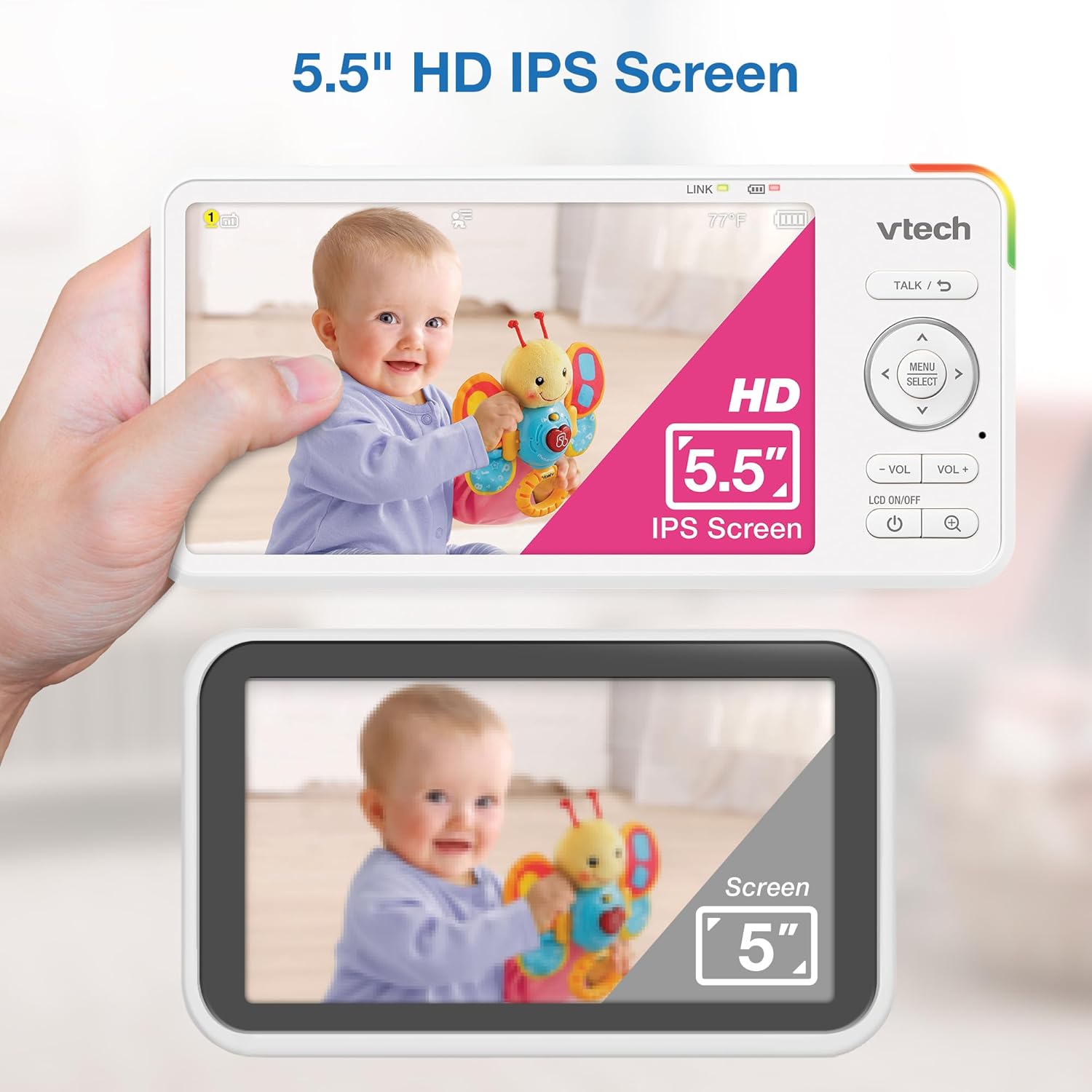
Image 5.1: The 5.5" HD IPS screen offers a larger and clearer view compared to standard screens.
5.3. Geser, Miringkan, dan Perbesar
Use the arrow buttons on the parent unit to remotely adjust the camera's view:
- Tekan tombol Atas/Bawah arrows to tilt the camera vertically (122-degree vertical view).
- Tekan tombol Kiri/Kanan arrows to pan the camera horizontally (360-degree panoramic view).
- Tekan tombol PERBESAR button to activate the 4x digital zoom for a closer look.

Image 5.2: Remote pan, tilt, and 4x zoom functionality for comprehensive nursery coverage.
5.4. Pembicaraan Dua Arah
Untuk berbicara dengan bayi Anda, tekan dan tahan tombol BICARA button on the parent unit. Release the button to stop talking and resume listening.

Image 5.3: Using the two-way talk feature to communicate with your baby.
5.5. Night Light, Lullabies, and Soothing Sounds
Access these features through the parent unit's menu:
- Lampu Malam: Select the night light option to choose from 7 colors or adjust brightness. The adaptive feature adjusts to nursery brightness.
- Lullabies & Soothing Sounds: Choose from five melodies and five ambient sounds to play through the baby unit.
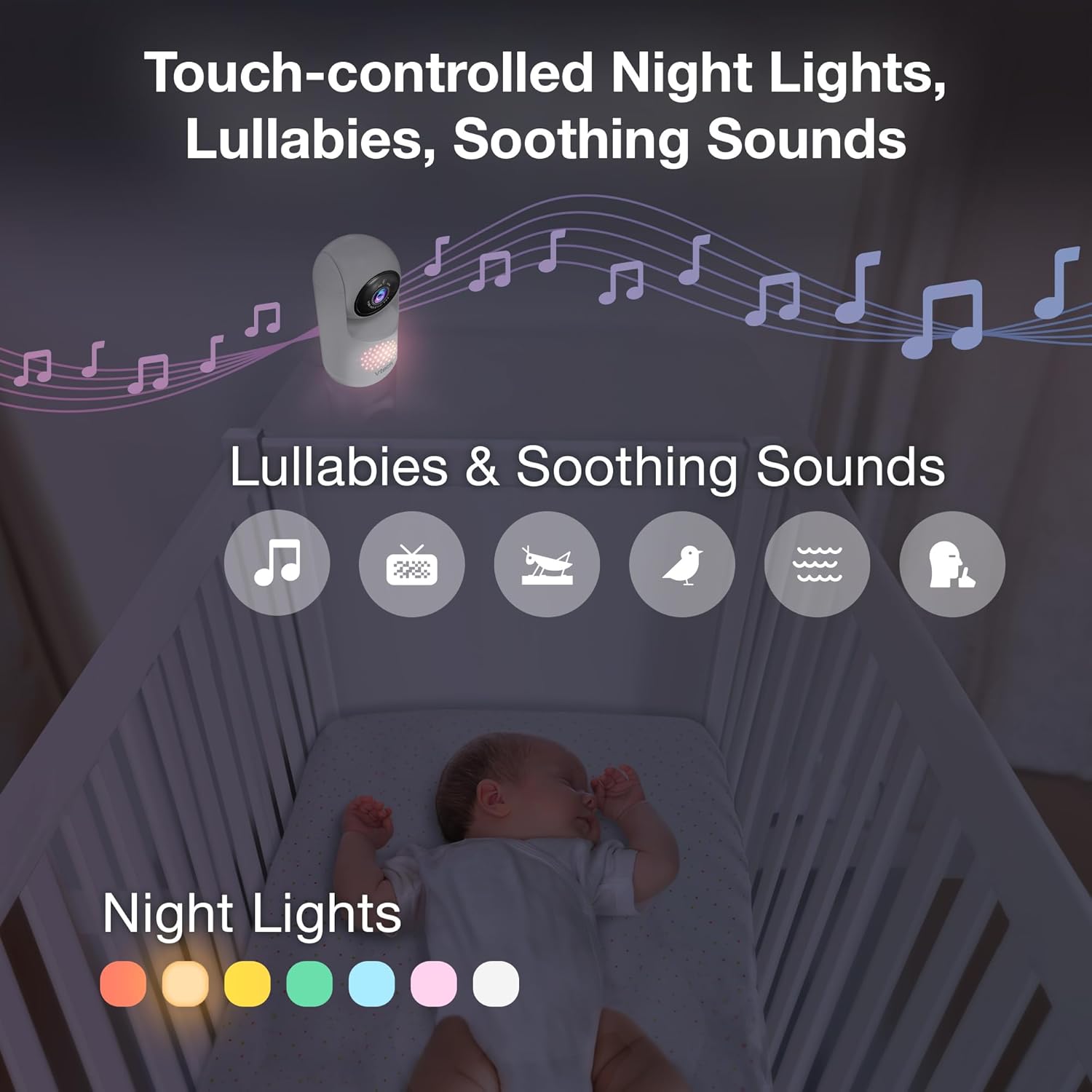
Image 5.4: The camera unit provides touch-controlled night lights, lullabies, and soothing sounds.
5.6. Pemantauan Suhu
The parent unit displays the current temperature of the baby's room, measured by the baby unit. This helps ensure a comfortable environment for your baby.
5.7. Motion and Sound Alerts
The monitor is equipped with motion and sound detection. When activity is detected, the parent unit will provide an alert. You can adjust the sensitivity settings in the menu.

Image 5.5: Motion and temperature alerts displayed on the parent unit.
5.8. Penglihatan Malam
Unit bayi secara otomatis mengaktifkan penglihatan malam inframerah dalam kondisi cahaya redup, memberikan gambar hitam-putih yang jelas pada unit orang tua.

Image 5.6: Automatic infrared night vision for clear monitoring in the dark.
6. Pemeliharaan
6.1. Pembersihan
- Bersihkan unit monitor dengan kain lembut,amp kain.
- Jangan gunakan semprotan pembersih atau cairan pembersih.
- Ensure units are unplugged before cleaning.
6.2. Perawatan Baterai
- Untuk memperpanjang masa pakai baterai, isi daya unit utama hingga penuh sebelum penggunaan pertama.
- Hindari suhu ekstrem yang dapat memengaruhi kinerja baterai.
- If storing the unit for an extended period, charge the battery periodically.

Image 6.1: The 5,000mAh rechargeable battery provides extended monitoring time.
7. Penyelesaian masalah
If you experience issues with your VTech Advanced HD Plus monitor, refer to the following common solutions:
| Masalah | Solusi yang mungkin |
|---|---|
| No link / Poor connection |
|
| Tidak ada gambar / Layar hitam |
|
| Tidak ada suara / Volume rendah |
|
| Baterai cepat habis |
|
If the problem persists after trying these solutions, please contact VTech customer support.
8. Spesifikasi
| Fitur | Detil |
|---|---|
| Nama Model | HD Plus Lanjutan |
| Ukuran Layar | Layar LCD IPS 5.5 inci |
| Resolusi Video | 720p |
| Teknologi Konektivitas | 2.4G FHSS Wireless (No Wi-Fi) |
| Jangkauan | Hingga 1,000 kaki (garis pandang) |
| Kapasitas Baterai | 5000 mAh |
| Battery Life (Video Streaming) | Hingga 13 jam |
| Battery Life (Audio-only) | Hingga 19 jam |
| Pan Angle | 360 degrees panoramic |
| Sudut Kemiringan | 122 degrees vertical |
| Perbesar | 4x Digital |
| Sudut Lebar View | 110 derajat |
| Penglihatan Malam | Automatic Infrared |
| Jenis Peringatan | Audio dan Gerakan |
| Sumber Daya | Listrik Kabel (5V, 7.5W) |
| Dimensi (Unit Induk) | 6.58x3.23x0.71 inci |
| Berat Barang | 1.6 pon (0.73 kg) |
| UPC | 735078058157 |
9. Dukungan dan Garansi
For technical support, product registration, or warranty information, please visit the official VTech webkunjungi situs web atau hubungi layanan pelanggan:
- Weblokasi: www.vtechbabycare.com
- E-mail: dukungan@vtechbabycare.com
Please refer to your product packaging or the VTech website for specific warranty details applicable to your region.


