1. Pendahuluan
This manual provides essential information for the proper use and maintenance of your Picun F5 Active Noise Cancelling Headphones. Please read it thoroughly before operating the device.
2. Isi Paket
Verifikasi bahwa semua item ada dalam paket Anda:
- 1 x Picun F5 Headphone
- 1x Kabel Audio 3.5mm
- 1 x Kabel Pengisian Daya USB
- 1 x Panduan Pengguna

3. Fitur Produk
- Peredam Kebisingan Aktif (ANC): Advanced technology to reduce ambient noise for an immersive audio experience.
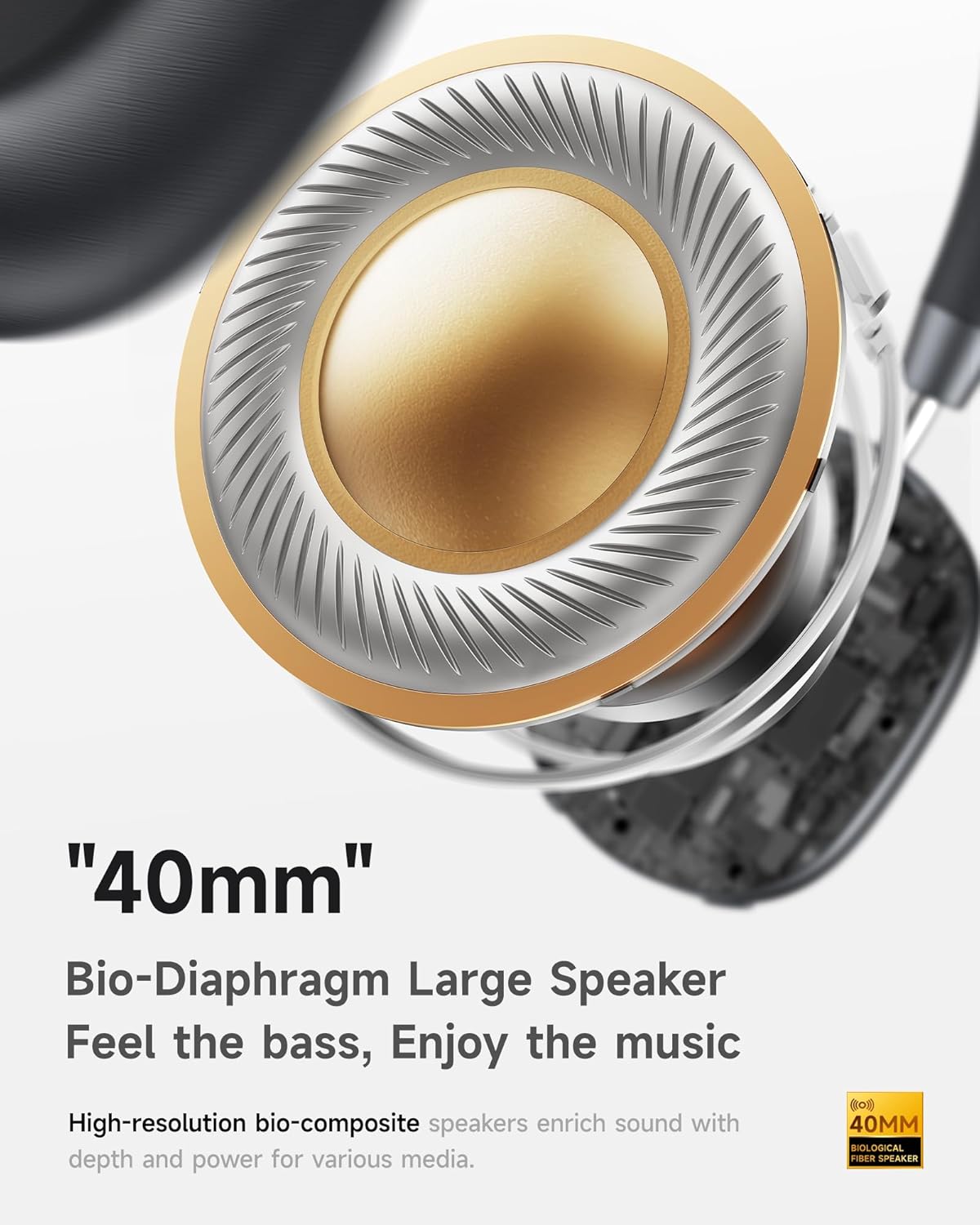
- Hi-Fi Audio with Deep Bass: Delivers clear sound with enhanced bass.
- App-Controlled EQ: Customize audio settings via a dedicated companion application.
- Mikrofon internal: Ensures clear voice calls.
- Koneksi Multi-Titik: Allows seamless switching between two connected Bluetooth devices.
- Desain Ergonomis: Lightweight build with soft memory-foam earcups for extended comfort.
- Long Playtime & Fast Charging: Up to 30 hours of playback on a single charge, with quick recharge capabilities.



4. Pengaturan
4.1 Mengisi Daya Headphone
Before first use, fully charge your Picun F5 headphones. Connect the provided USB charging cable to the headphone's charging port and a compatible USB power source. The charging indicator light will show the charging status.
4.2 Pemasangan Bluetooth
- Pastikan headphone dimatikan.
- Tekan dan tahan tombol Daya hingga lampu indikator berkedip, menandakan mode pemasangan.
- Pada perangkat Anda (ponsel pintar, tablet, komputer), aktifkan Bluetooth dan cari perangkat yang tersedia.
- Select "Picun F5" from the list of devices to connect.
- Setelah terhubung, lampu indikator akan berubah menjadi biru menyala terus-menerus atau mati, tergantung pada modelnya.
4.3 Koneksi Multi-Titik
The Picun F5 supports connecting to two Bluetooth devices simultaneously. After pairing with the first device, disable Bluetooth on that device. Pair the headphones with the second device. Then, re-enable Bluetooth on the first device. The headphones should now be connected to both devices, allowing seamless audio switching.

5. Operasi
5.1 Kontrol Dasar
The headphones feature intuitive controls for managing audio and calls:
- Daya Hidup/Mati: Tekan dan tahan tombol Daya.
- Penyesuaian Volume: Use the dedicated volume knob/buttons on the earcup.
- Putar/Jeda: Tekan tombol multifungsi sekali saja.
- Lagu Berikutnya: Tekan tombol multifungsi dua kali.
- Lagu Sebelumnya: Tekan tombol multifungsi tiga kali.
- Menjawab/Mengakhiri Panggilan: Single press the Multi-function button during an incoming call.
- Tolak Panggilan: Tekan dan tahan tombol Multifungsi selama ada panggilan masuk.
5.2 Active Noise Cancelling (ANC) Modes
The ANC feature can be toggled or adjusted using a dedicated button on the headphones. Refer to the specific button layout on your device for exact functionality. Some models may offer different ANC levels or transparency modes.
5.3 App Control and Custom EQ
Download the companion app for your Picun F5 headphones to unlock personalized features. The app allows you to:
- Customize Equalizer (EQ) settings to match your audio preferences.
- Adjust ANC levels or switch between different noise control modes.
- Access additional smart features and settings.


6. Pemeliharaan
To ensure the longevity and optimal performance of your Picun F5 headphones, follow these maintenance guidelines:
- Pembersihan: Gunakan kain lembut dan kering untuk membersihkan earcup dan headband. Hindari penggunaan bahan kimia keras atau bahan abrasif.
- Penyimpanan: Store the headphones in a cool, dry place, away from direct sunlight and extreme temperatures. When not in use, consider storing them in a protective case.
- Hindari Kelembaban: Jangan biarkan headphone terkena air atau kelembapan berlebihan.
- Tangani dengan hati-hati: Hindari menjatuhkan atau membiarkan headphone terkena benturan keras.

7. Penyelesaian masalah
If you encounter issues with your Picun F5 headphones, refer to the following common solutions:
- Tidak Ada Daya: Pastikan headphone terisi penuh. Sambungkan ke sumber daya dan periksa indikator pengisian daya.
- Tidak Dapat Dipasangkan: Make sure the headphones are in pairing mode (indicator flashing). Disable and re-enable Bluetooth on your device, then try pairing again. Ensure the headphones are not already connected to another device.
- Tidak ada suara: Check the volume levels on both the headphones and your connected device. Ensure the headphones are properly paired. If using a wired connection, ensure the 3.5mm audio cable is securely plugged in.
- Kualitas Suara Buruk: Move closer to your connected device to avoid interference. Check for any obstructions between the headphones and the device. Ensure the audio source is of good quality.
- ANC Tidak Berfungsi: Ensure the ANC feature is activated. Check for any physical obstructions around the microphones.
If the issue persists, try resetting the headphones (refer to the full user manual for specific reset instructions) or contact customer support.
8. Spesifikasi
| Merek | Gambar |
| Nama Model | F5 |
| Teknologi Konektivitas | Nirkabel (Bluetooth 4.0) |
| Kontrol Kebisingan | Sound Isolation (Active Noise Cancelling) |
| Respon Frekuensi | Frekuensi 20kHz |
| Kepekaan | 42dB |
| Jack Headphone | 3.5 mm Jack |
| Daya Tahan Baterai | 30 Jam |
| Jenis Penggerak Audio | Driver Dinamis |
| Bentuk Lubang Suara | Bulat |
| Impedansi | Tegangan 32 ohm |
| Berat Barang | 14 ons (0.4 Kilogram) |
| Bahan | Akrilonitril Butadiena Stirena (ABS) |
9. Garansi dan Dukungan
Picun products are designed for reliability and performance. For warranty information, product support, or technical assistance, please refer to the warranty card included in your package or visit the official Picun weblokasi. Simpan kwitansi pembelian Anda untuk klaim garansi.


