1. Pendahuluan
Welcome to the user manual for your new TCL 75P89K QLED 4K Google TV. This guide provides essential information for setting up, operating, and maintaining your television to ensure optimal performance and enjoyment. Please read this manual thoroughly before using your TV and keep it for future reference.
Produk Selesaiview
The TCL 75P89K is a 75-inch QLED 4K Ultra HD Google TV, featuring a 144Hz refresh rate, Dolby Vision, HDR10+, and HDMI 2.1 connectivity. It offers a stunning visual experience with vibrant colors and sharp details, powered by Google TV for smart functionality and seamless content access.
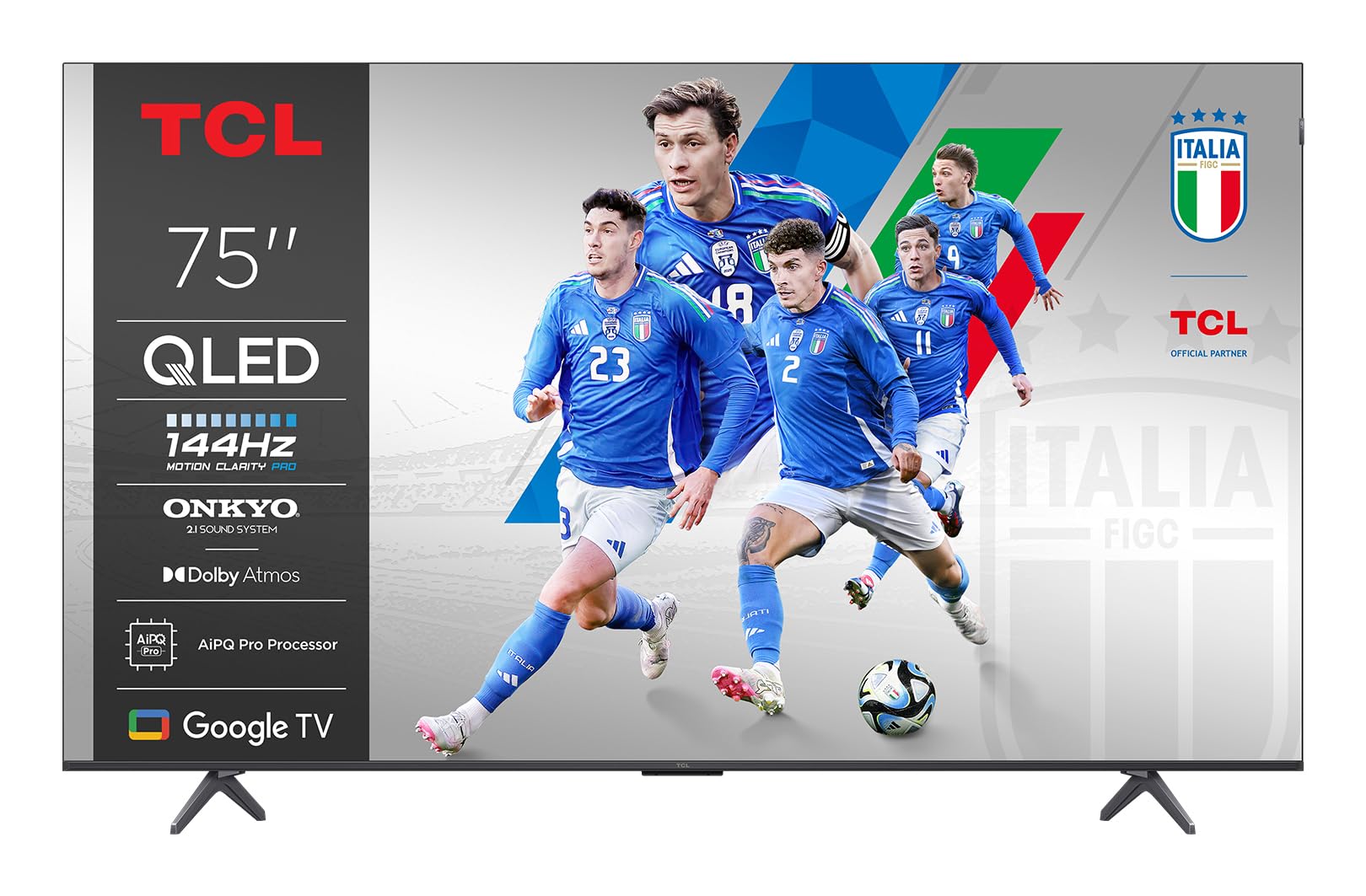
Gambar: Depan view of the TCL 75P89K QLED 4K Google TV, showcasinberkat desainnya yang ramping dan layarnya yang cerah.
2. Informasi Keselamatan
Before operating the TV, please read all instructions carefully. Keep these instructions for future reference. Always follow basic safety precautions to reduce the risk of fire, electric shock, and injury to persons.
- Jangan halangi lubang ventilasi apa pun.
- Jangan memasang di dekat sumber panas.
- Lindungi kabel listrik agar tidak terinjak atau terjepit.
- Gunakan hanya perlengkapan/aksesoris yang ditentukan oleh produsen.
- Cabut peralatan ini saat terjadi badai petir atau bila tidak digunakan dalam waktu lama.
- Serahkan semua servis kepada teknisi servis yang berkualifikasi.
3. Pengaturan
3.1 Membongkar
Carefully remove the TV from its packaging. It is recommended to keep the original packaging for future transport or servicing needs. Ensure all accessories are present.
3.2 Pemasangan Stand atau Pemasangan di Dinding
Your TV can be placed on a stand or mounted on a wall. Follow the instructions provided with your TV stand or wall mount kit.
Wall Mounting Instructions (Example for PERLESMITH TV Wall Mount)
If you are using a PERLESMITH wall mount (model PSPILFK1), the following video provides a detailed guide on how to install it. This video demonstrates the steps for attaching the TV brackets and mounting the assembly to the wall.
Video: Installation guide for PERLESMITH TV Wall Mount (PSPILFK1-E). This video demonstrates how to attach the TV brackets to the television and then securely mount the entire assembly onto a wall, ensuring proper alignment and stability.
3.3 Menghubungkan Periferal
Connect your external devices such as Blu-ray players, gaming consoles, sound systems, and cable/satellite boxes to the TV's ports.
- HDMI: Use HDMI cables for high-definition video and audio. Your TCL 75P89K supports HDMI 2.1 for advanced features like 4K@144Hz.
- Kabel USB: Connect USB devices for media playback or software updates.
- Kekuatan: Sambungkan kabel daya ke TV, lalu ke stopkontak di dinding.
3.4 Pengaturan Awal
Once powered on, the TV will guide you through the initial setup process. This includes selecting your language, connecting to a Wi-Fi network, and signing in to your Google account to access Google TV features.
4. Mengoperasikan TV Anda
4.1 Kendali Jarak Jauh Berakhirview
Familiarize yourself with the TV's remote control. It typically includes buttons for power, volume, channel selection, input source, navigation, and direct access to smart TV apps.
4.2 Fungsi Dasar
- Daya Hidup/Mati: Tekan tombol daya pada remote atau TV.
- Kontrol Volume: Gunakan tombol Volume Naik/Turun.
- Pemilihan Saluran: Gunakan tombol Naik/Turun Saluran atau keypad angka.
- Sumber Masukan: Press the Input button to switch between connected devices (HDMI, AV, etc.).
4.3 Fitur Smart TV (Google TV)
Your TCL 75P89K runs on Google TV, providing access to a vast library of apps, streaming services, and personalized content recommendations.
- Layar Beranda: Akses konten, aplikasi, dan pengaturan yang dipersonalisasi.
- Asisten Suara: Use the built-in Google Assistant for voice commands, content search, and smart home control.
- Aplikasi: Unduh dan instal aplikasi dari Google Play Store.
4.4 Picture & Sound Settings
Sesuaikan Anda viewpengalaman menonton dan mendengarkan melalui menu pengaturan TV.
- Mode Gambar: Select from various preset picture modes (e.g., Standard, Movie, Sport, Vivid) or customize settings like brightness, contrast, color, and sharpness.
- Mode Suara: Choose sound modes (e.g., Standard, Music, Movie) or adjust equalizer settings.
- Dolby Vision/HDR10+: The TV automatically detects and optimizes content for Dolby Vision and HDR10+ for enhanced dynamic range and color.
4.5 Fitur Permainan
The 75P89K is optimized for gaming with a 144Hz refresh rate and HDMI 2.1.
- Kecepatan Penyegaran 144Hz: Memberikan gerakan yang sangat halus untuk permainan cepat.
- VRR (Variabel Refresh Rate): Mengurangi efek screen tearing dan stuttering untuk gameplay yang lebih lancar.
- ALLM (Mode Latensi Rendah Otomatis): Secara otomatis mengalihkan TV ke mode latensi rendah saat konsol game terdeteksi.
4.6 Casting/Screen Mirroring
Share content from your mobile devices to the TV using built-in casting features.
- Chromecast Bawaan: Cast videos, photos, and apps from your compatible smartphone or tablet.
- AirPlay 2: Stream content directly from Apple devices.
5. Pemeliharaan
5.1 Membersihkan TV Anda
- Layar: Gently wipe the screen with a soft, lint-free cloth. For stubborn marks, use a screen cleaner specifically designed for TVs.
- Bingkai: Bersihkan bingkai dan penyangganya dengan kain lembut dan kering.
- Peringatan: Jangan gunakan pembersih abrasif, lilin, atau pelarut karena dapat merusak lapisan permukaan TV. Selalu cabut colokan TV sebelum membersihkan.
5.2 Pembaruan Perangkat Lunak
Televisi Anda mungkin menerima pembaruan perangkat lunak untuk meningkatkan kinerja dan menambahkan fitur baru. Pastikan televisi Anda terhubung ke internet agar dapat menerima pembaruan ini secara otomatis atau periksa secara manual di menu pengaturan.
6. Penyelesaian masalah
Jika Anda mengalami masalah dengan TV Anda, lihat masalah dan solusi umum berikut:
| Masalah | Solusi yang mungkin |
|---|---|
| Tidak ada daya | Periksa apakah kabel daya terpasang dengan benar ke TV dan stopkontak. Coba stopkontak lain. |
| Tidak ada gambar, tetapi ada suara | Periksa sumber input. Pastikan perangkat eksternal menyala dan terhubung dengan benar. |
| Tidak ada suara, tetapi gambar ada | Check the volume level and mute status. Verify audio output settings and external audio device connections. |
| Kontrol jarak jauh tidak berfungsi | Ganti baterainya. Pastikan tidak ada penghalang antara remote dan TV. |
| Masalah koneksi Wi-Fi | Restart your router and modem. Check TV network settings. Ensure the TV is within range of your Wi-Fi network. |
For more complex issues, please contact TCL customer support.
7. Spesifikasi
| Fitur | Detil |
|---|---|
| Merek | TCL |
| Pabrikan | TCL |
| Nama Model | 75P89K |
| Tahun Model | 2021 |
| Antarmuka Perangkat Keras | Video yang menggunakan HDMI |
| Resolusi Tampilan | 4K |
| Teknologi Tampilan | Lampu LED QLED |
| Ukuran Layar | 75 inci |
| Rasio Kontras Gambar | Tinggi |
| Rasio Aspek | 16:9 |
| Masukan Audio | Video yang menggunakan HDMI |
| Konfigurasi Saluran Suara Surround Speaker | 5.1 |
| Tingkat Penyegaran | 144 hertz |
| Jumlah Port USB | 1 |
| Jenis Konektor | Video yang menggunakan HDMI |
| Kompatibilitas Pemasangan | Dudukan Dinding |
| Berat Produk | 9 kg |
| Pembaruan Perangkat Lunak Dijamin Hingga | Tidak dikenal |
| Layanan Internet yang Didukung | Google TV |
| Warna | Hitam |
8. Garansi dan Dukungan
8.1 Informasi Garansi
Untuk informasi garansi yang lebih detail, silakan lihat kartu garansi yang disertakan dengan produk Anda atau kunjungi situs resmi TCL. websitus. Simpan struk pembelian Anda sebagai bukti pembelian untuk klaim garansi.
8.2 Dukungan Pelanggan
If you require further assistance or have questions not covered in this manual, please contact TCL customer support. You can find contact details on the official TCL websitus atau dalam dokumentasi produk Anda.
Dukungan Online: Kunjungi www.tcl.com untuk FAQ, artikel dukungan, dan informasi kontak.


