1. Pendahuluan
Thank you for choosing the CROSSIO 20 Inch Wall Mount Fan. This manual provides essential information for the safe installation, operation, and maintenance of your new fan. Please read these instructions thoroughly before use and retain them for future reference.
2. Informasi Keselamatan
- Pastikan catu daya sesuai dengan volume kipastagpersyaratan e.
- Selalu putuskan aliran listrik sebelum pemasangan, pembersihan, atau perawatan.
- Mount the fan securely to a structural support to prevent falling.
- Keep fingers and other objects away from moving fan blades.
- Jangan mengoperasikan kipas dengan kabel atau steker yang rusak.
- This fan is rated for indoor use. Avoid exposure to direct water or extreme weather conditions.
3. Isi Paket
Verifikasi bahwa semua komponen tersedia sebelum memulai instalasi.
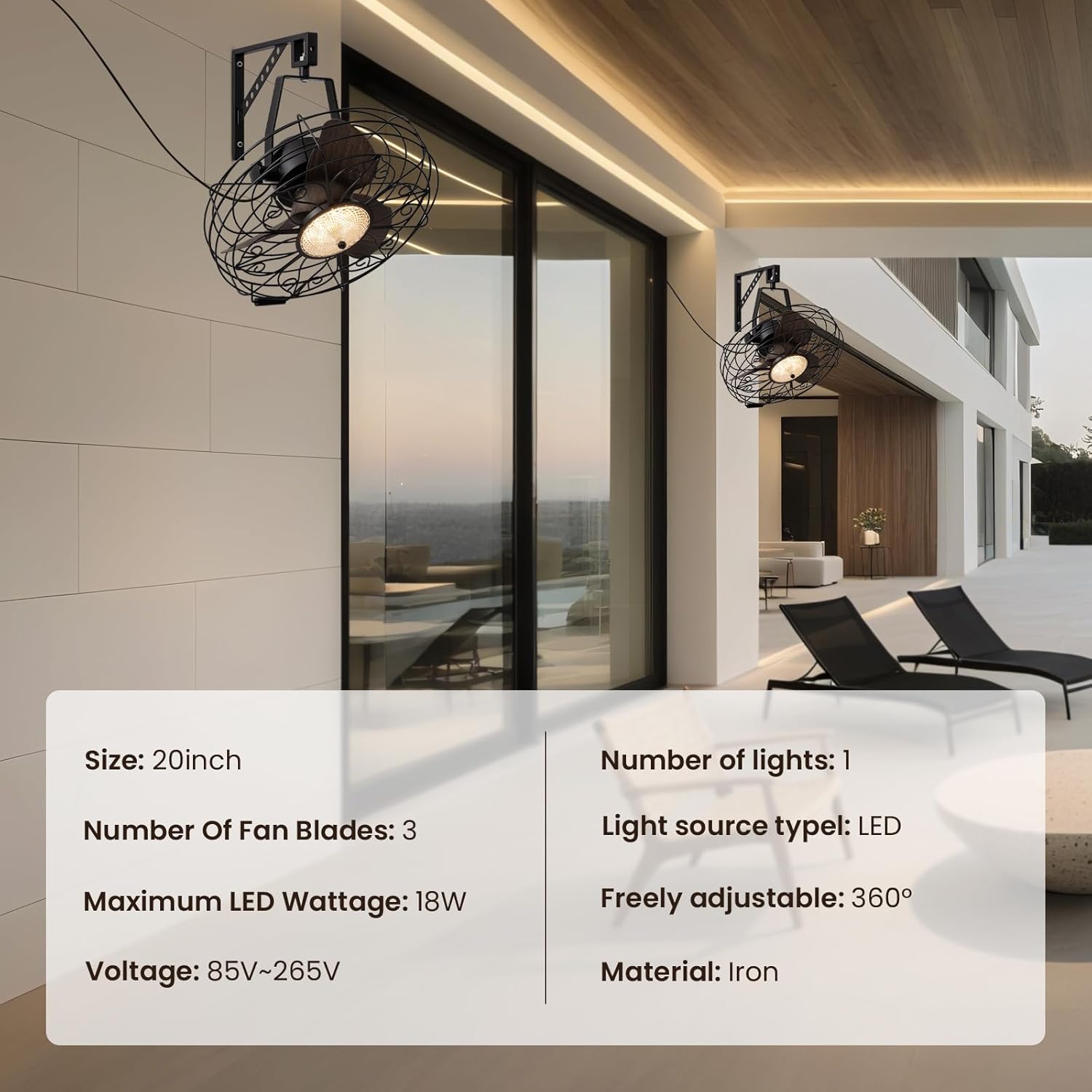
Gambar: Produk utama view showing the fan, remote control, and mounting hardware.
- Wall Mount Fan Unit
- Mounting Bracket
- Kontrol Jarak Jauh
- Perangkat Keras Instalasi (sekrup, jangkar)
- User Manual (dokumen ini)
4. Pengaturan dan Instalasi
Follow these steps to properly install your wall mount fan.
4.1. Memasang Braket
Select a suitable location on a sturdy wall, preferably into a wall stud. Use the mounting bracket as a template to mark drill holes. Drill pilot holes and secure the bracket using the provided screws and anchors.
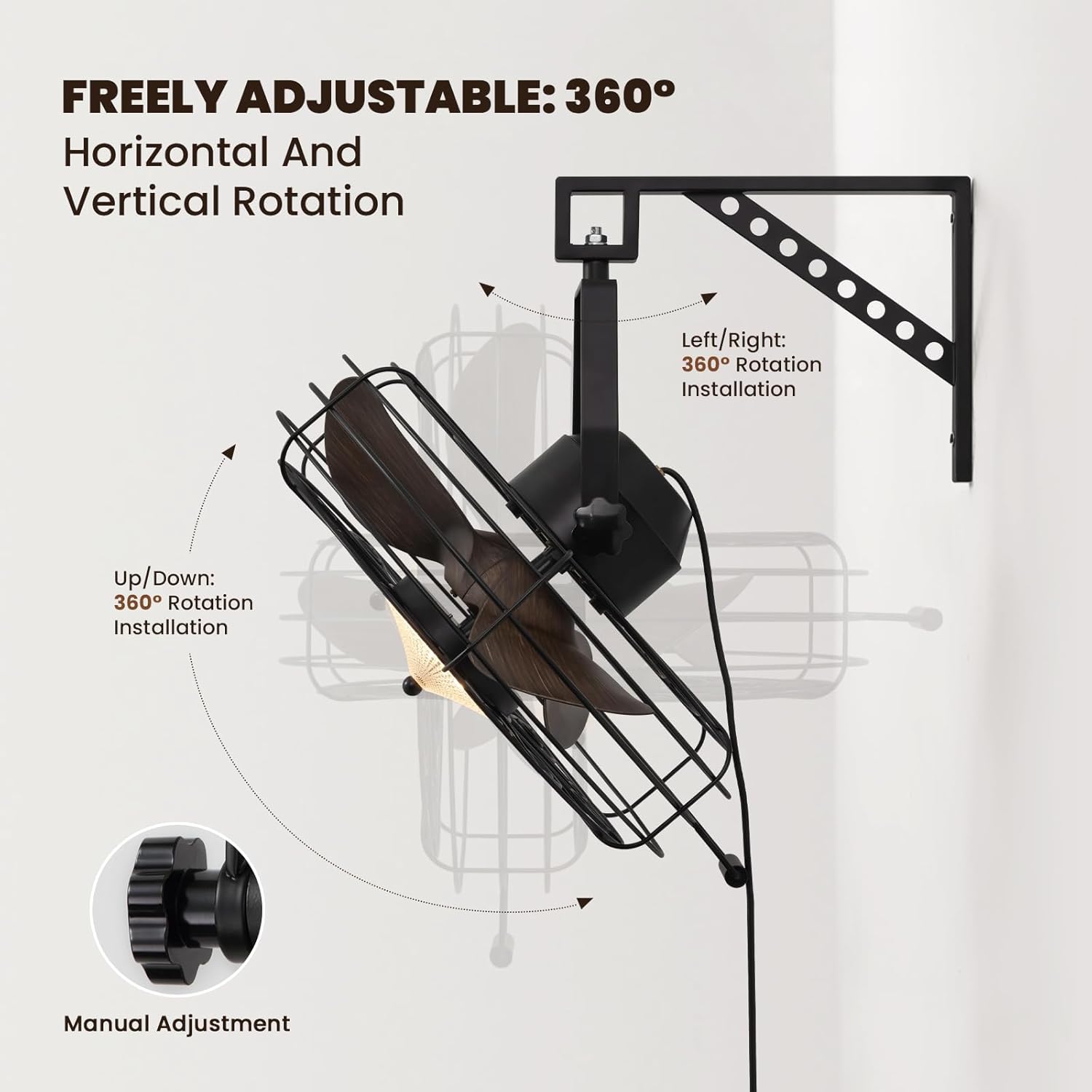
Image: The fan mounted on a wall, highlighting its 360° adjustable rotation.
4.2. Assembling the Fan Unit
Attach the fan unit to the mounted bracket. Ensure all connections are secure. The fan offers 360° manual adjustment for both vertical and horizontal rotation. Adjust the angle as desired and tighten the coupling knobs to secure its position.
4.3. Sambungan Listrik
Plug the fan's power cord into a standard electrical outlet. For hardwired installations, consult a qualified electrician.
4.4. Panduan Video Instalasi
Video: Detailed installation instructions for the 20'' Wall Mount Fan.
Video: General wall mount fan installation guide, demonstrating common steps.
5. Petunjuk Pengoperasian
Your fan can be operated using the included remote control or a compatible smart app.
5.1. Operasi Kontrol Jarak Jauh
The remote control allows full functionality from a distance.
- Daya Hidup/Mati: Tekan tombol daya untuk menghidupkan atau mematikan kipas dan lampu.
- Kecepatan Kipas: Select from 6 speed settings (1-6) to adjust airflow intensity.
- Kontrol Cahaya: Adjust light brightness (10-100%) and choose between three color temperatures: Warm (3000K), Natural (4500K), and Cool (6000K).
- Mode Reversibel: Switch between downward cooling airflow for summer and upward warm air circulation for winter.
- Fungsi Pengatur Waktu: Set the fan to automatically shut off after 1, 4, or 8 hours.

Image: Illustration of the three light color modes available.
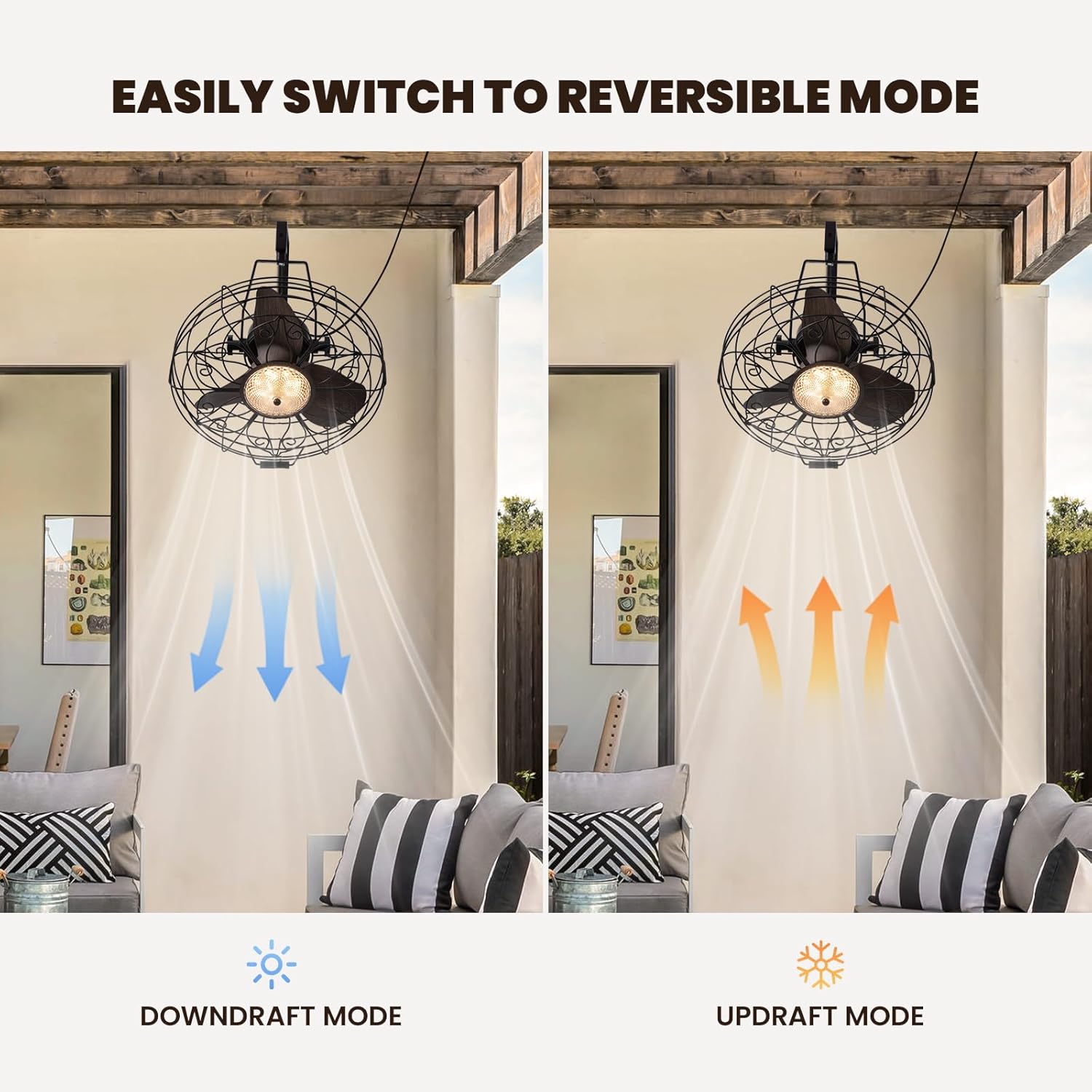
Image: Visual representation of the fan's reversible downdraft and updraft modes.

Image: Depiction of the fan's 6-speed settings, suitable for various environments.
5.2. Kontrol Aplikasi Cerdas
Download the compatible smart app to control your fan from your smartphone. The app provides additional features and convenience for managing fan speeds, light settings, and scheduling.
6. Pemeliharaan
Perawatan rutin memastikan kinerja optimal dan umur panjang kipas Anda.
- Pembersihan: Wipe the fan blades and housing with a soft, damp kain. Jangan gunakan pembersih atau pelarut yang bersifat abrasif.
- Inspeksi: Periksa kekencangan semua perangkat keras pemasangan secara berkala.
- Pelumasan: Motor kipas dilumasi secara permanen dan tidak memerlukan oli tambahan.
7. Penyelesaian masalah
Jika Anda mengalami masalah dengan kipas angin Anda, lihat masalah umum dan solusi berikut:
- Kipas Tidak Beroperasi: Check if the power cord is securely plugged in and the wall switch (if applicable) is on. Ensure the remote control batteries are functional.
- Lampu Tidak Berfungsi: Verify power connection. If using the app, ensure proper pairing.
- Kebisingan Berlebihan: Ensure all screws and mounting hardware are tightened. Check if fan blades are free from obstruction.
8. Spesifikasi
| Merek | LINTAS |
| Nama Model | CFL-1227-01 |
| Ukuran | 20 inci |
| Dimensi Produk | 21.25"Panjang x 19.68"Lebar x 22.44"T |
| Berat Barang | 18.29 pon |
| Warna | Hitam |
| Sumber Daya | DC |
| Apatage | 18 watt |
| Tingkat Kebisingan | 35 Desibel |
| Jumlah Tingkat Daya | 6 |
| Metode Kontrol | Aplikasi, Jarak Jauh |
| Penggunaan Dalam/Luar Ruangan | Dalam |

Image: Diagram showing the dimensions of the fan unit.
9. Garansi dan Dukungan
Your CROSSIO Wall Mount Fan comes with a standard manufacturer's warranty. For warranty claims, technical support, or replacement parts, please contact the seller or refer to the contact information provided with your purchase documentation. Keep your proof of purchase for warranty validation.


