1. Pendahuluan
This manual provides detailed instructions for the safe and effective use of your Godox V480F TTL Camera Flash. The V480F is a high-performance speedlite designed for Fujifilm cameras, featuring a 2.0-inch color touchscreen, 2.4GHz wireless system, and a powerful Li-ion battery. Please read this manual thoroughly before operation to ensure optimal performance and to prevent damage to the unit or injury to yourself.
2. Tindakan pencegahan keselamatan
- Jangan membongkar atau memodifikasi unit lampu kilat. Perbaikan hanya boleh dilakukan oleh petugas servis yang berwenang.
- Jaga agar unit tetap kering. Jangan sampai terkena hujan, kelembapan, atau kelembapan tinggi.
- Avoid direct eye exposure to the flash. The intense light can cause temporary vision impairment.
- Handle the Li-ion battery with care. Do not short-circuit, incinerate, or expose to extreme temperatures. Use only the specified charger.
- Jauhkan dari jangkauan anak-anak.
- Ensure the flash is securely mounted to the camera or stand to prevent accidental drops.
3. Isi Paket
Verifikasi bahwa semua item ada dalam paket Anda:
- Flash Body x1
- Tas Penyimpanan x1
- Penyebar x1
- Adaptor x1
- Baterai Lithium x1
- Dudukan Mini x1
- Kabel Pengisian USB-C x1

Image: All components included in the Godox V480F package.
4. Fitur Produk
4.1 Intuitive Touchscreen & Buttons
The V480 features a 2.0-inch color touchscreen and tactile buttons for precise adjustments. Users can tap, swipe, or press buttons to navigate menus and change settings efficiently.

Image: The V480F's touchscreen interface.
4.2 Smart Distance Readout
The V480's display provides a real-time effective flash range, allowing users to confirm if the subject is within optimal reach for various shooting conditions, including tight spaces or bounce applications.

Image: Flash mounted on camera showing distance readout.
4.3 Sender & Receiver Functionality
The integrated Godox 2.4GHz X wireless system enables the V480 to function as both a sender and a receiver. It supports 32 channels and a range of up to 100 meters, allowing control of multiple flashes without external triggers.

Image: Wireless flash setup with the V480F.
4.4 Pro-Level Flash Modes
The V480 supports TTL, Manual, Multi mode, and High-Speed Sync (HSS) up to 1/8000s. It also includes Flash Exposure Compensation and Front/Rear-Curtain Sync for various creative lighting effects.
4.5 Lightweight Portability
Weighing approximately 282g (361g with battery), the V480 is designed for portability, fitting comfortably in hand and most camera bags.

Image: The V480F held in hand, demonstrating its compact size.
4.6 650 Full-Power Flashes
The 7.2V/2200mAh rechargeable Li-ion battery provides up to 650 full-power flashes with a recycle time of approximately 1.7 seconds. USB-C charging allows for convenient recharging.

Image: The V480F battery connected for USB-C charging.
4.7 10-Level Modeling Lamp
A built-in LED modeling lamp offers ten brightness levels, allowing users to preview how the flash will shape shadows and highlights before firing the main flash.

Image: The V480F's modeling lamp sedang digunakan.
4.8 Flexible Bounce Head
The flash head can tilt from -7° to 120° and swivel a full 330°, providing flexibility for bouncing light off walls, ceilings, or floors to achieve soft, natural fill light or specific side lighting.
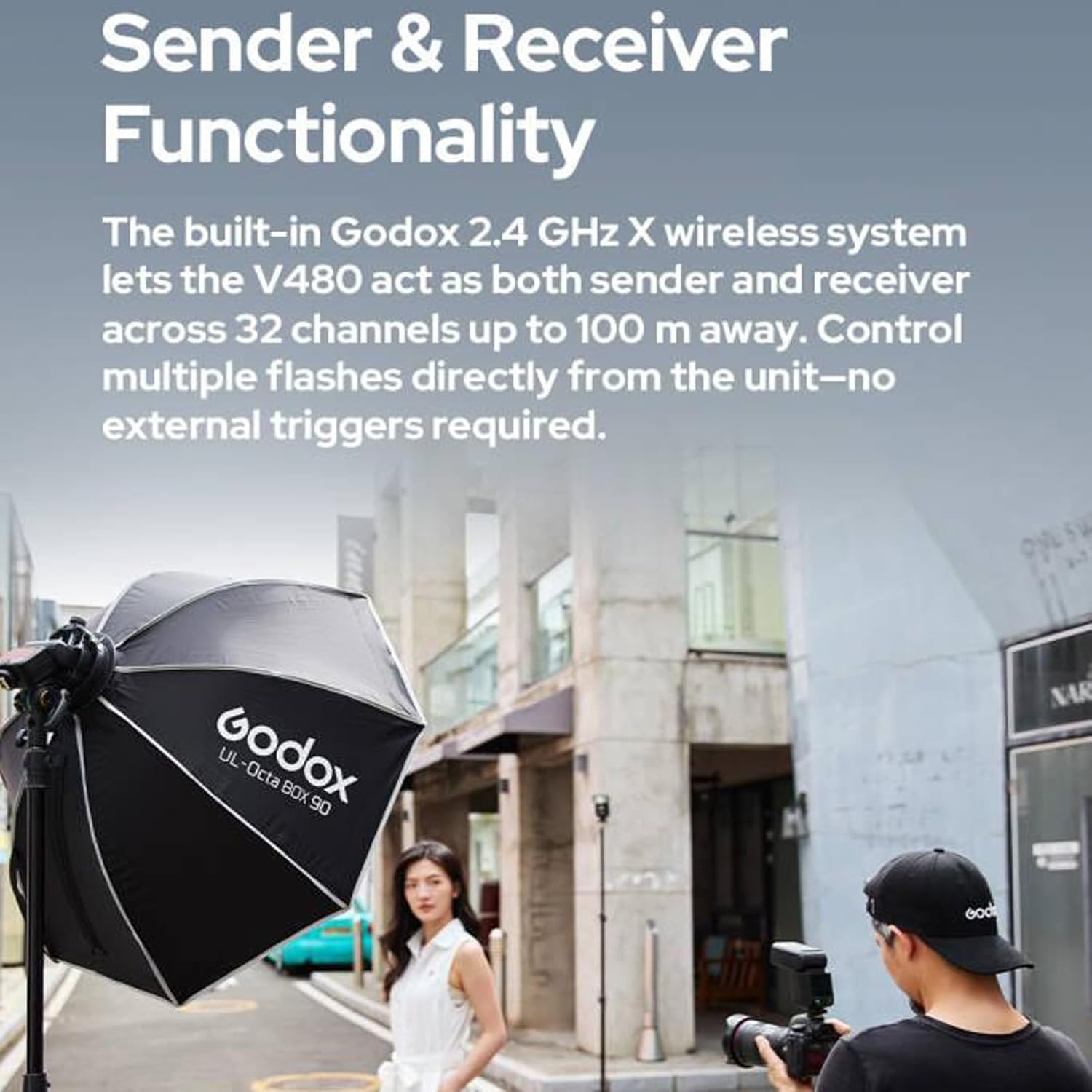
Image: Illustration of the flexible bounce head movement.
4.9 Creative Light Shapers
The flash includes a built-in catchlight panel and a wide-angle diffuser. The catchlight panel creates sparkling eye reflections, while the wide-angle diffuser softens and broadens light coverage.
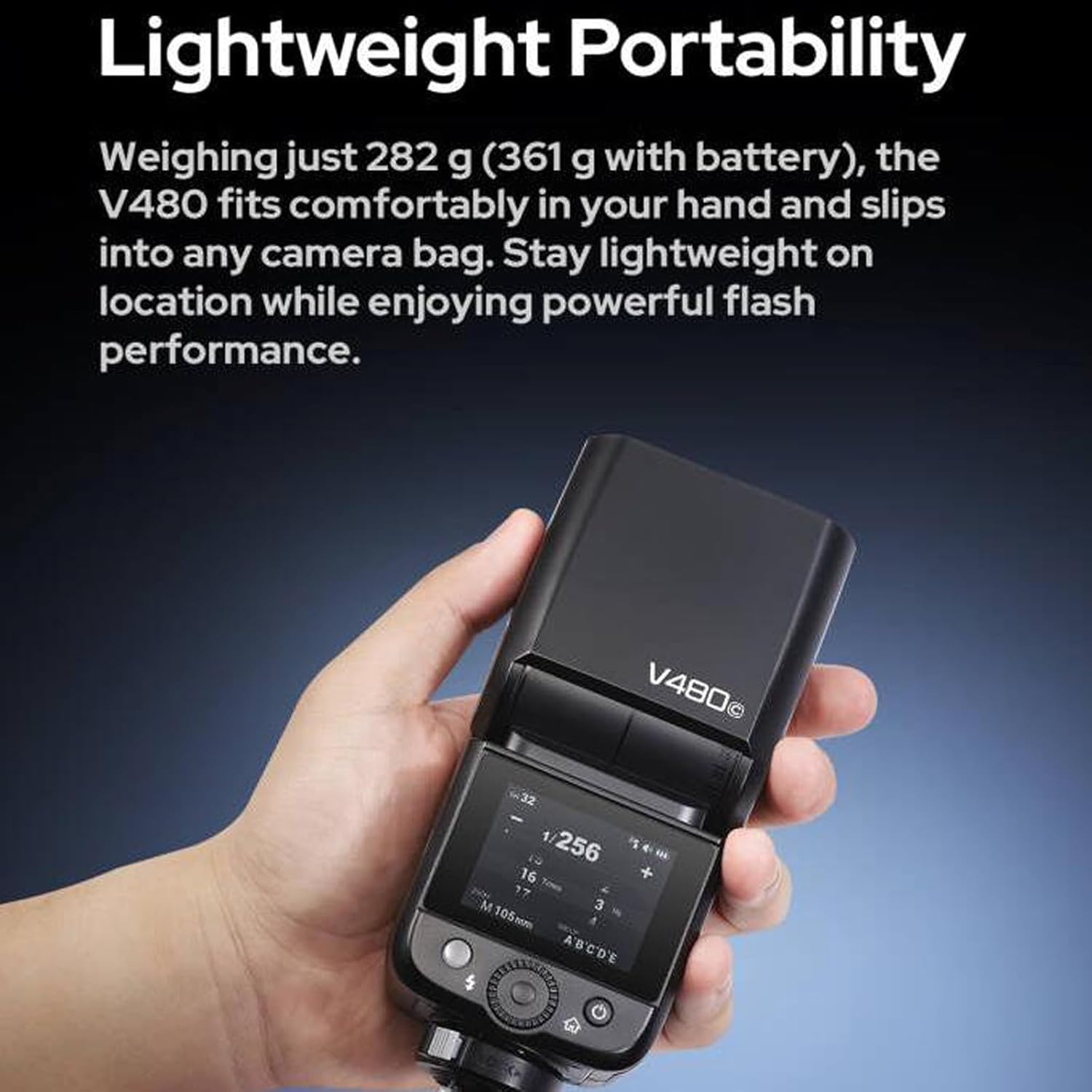
Image: The V480F with its integrated light shaping tools.
4.10 Extensive Accessory Compatibility
The V480 is compatible with various accessories, including the Godox AK-R1 Kit (via S-R2 adapter) and Bowens-mount softboxes or reflectors (using the S2 bracket).

Image: Accessory compatibility diagram for the V480F.
5. Memulai
5.1 Pemasangan Baterai
- Pastikan unit lampu kilat dalam keadaan mati.
- Locate the battery compartment on the side or rear of the flash unit.
- Buka penutup kompartemen.
- Insert the provided 7.2V/2200mAh Li-ion battery, ensuring correct polarity.
- Tutup penutup ruang baterai dengan rapat.
5.2 Memasang Lampu Kilat
- Slide the flash's hot shoe onto your Fujifilm camera's hot shoe mount.
- Kencangkan cincin pengunci atau tuas pada unit lampu kilat untuk mengamankannya ke kamera.
5.3 Menghidupkan/Mematikan
Press and hold the power button (usually located on the side or rear) for a few seconds to turn the flash unit on or off. The touchscreen will illuminate upon power-on.
6. Petunjuk Pengoperasian
6.1 Pemilihan Mode
Use the touchscreen or navigation buttons to select your desired flash mode:
- Mode TTL (Through-The-Lens): The flash automatically adjusts output for correct exposure.
- Mode Manual (M): Manually set flash power output (e.g., 1/1 to 1/256).
- Mode Multi (Stroboskopik): Fires a series of rapid flashes during a single exposure to capture multiple movements.
6.2 Sinkronisasi Kecepatan Tinggi (HSS)
Activate HSS mode to use flash at shutter speeds faster than your camera's native sync speed (up to 1/8000s). This is useful for overpowering ambient light or using wide apertures in bright conditions.
6.3 Kompensasi Eksposur Flash (FEC)
In TTL mode, FEC allows you to fine-tune the flash output by adjusting it up or down in increments (e.g., +/- 3 stops).
6.4 Using the Modeling Lamp
Press the dedicated modeling lamp button or access it via the touchscreen. Adjust brightness levels from 1 to 10 to preview efek pencahayaan.
6.5 Adjusting Bounce Head
Gently tilt and swivel the flash head to direct light. The head can tilt from -7° to 120° and swivel 330° horizontally. Ensure the head clicks into place at desired angles.
6.6 Wireless Operation (2.4GHz X System)
To use the V480 as a wireless sender or receiver:
- Access the wireless settings menu on the touchscreen.
- Select 'Master' for sender mode or 'Slave' for receiver mode.
- Set the desired channel (1-32) and group (A, B, C, D, E) to match other Godox X system units.
- Ensure the ID setting is consistent across all units for reliable communication.
7. Pemeliharaan
7.1 Pembersihan
Wipe the flash unit with a soft, dry cloth. For stubborn dirt, use a slightly damp cloth and then dry thoroughly. Do not use solvents or abrasive cleaners. Keep the hot shoe contacts clean and free of debris.
7.2 Perawatan Baterai
- Isi baterai hingga penuh sebelum digunakan pertama kali.
- Isi daya baterai saat indikator baterai lemah muncul.
- If storing the flash for an extended period, charge the battery to approximately 50% and remove it from the unit. Recharge every 3-6 months to maintain battery health.
7.3 Penyimpanan
Store the flash unit in a cool, dry place, away from direct sunlight and extreme temperatures. Use the provided storage bag for protection.
8. Penyelesaian masalah
8.1 Lampu Kilat Tidak Menyala
- Check if the flash is powered on and the battery is charged.
- Ensure the flash is securely mounted to the camera's hot shoe.
- Verify camera and flash settings are compatible (e.g., flash mode, sync speed).
- Clean the hot shoe contacts on both the flash and camera.
8.2 Exposure Issues (Too Bright/Dark)
- Adjust Flash Exposure Compensation (FEC) in TTL mode.
- In Manual mode, adjust the flash power output.
- Check camera ISO, aperture, and shutter speed settings.
- Ensure the flash head is pointed correctly (if bouncing).
8.3 Baterai Tidak Mengisi Daya
- Verify the USB-C cable and adapter are properly connected and functional.
- Pastikan baterai terpasang dengan benar ke dalam pengisi daya.
- If the battery is completely depleted, it may take a few minutes for the charging indicator to appear.
8.4 Wireless Communication Problems
- Confirm all units (sender and receiver) are set to the same channel and group.
- Check that the wireless ID settings match.
- Ensure units are within the 100m operating range and there are no significant obstructions.
- Periksa kemungkinan gangguan dari perangkat 2.4GHz lainnya.
9. Spesifikasi Teknis
| Fitur | Spesifikasi |
|---|---|
| Model | V480F |
| Nomor Panduan | Approx. GN50 (ISO 100, in meters) |
| Cakupan Flash | Auto zoom (flash coverage is set automatically to match the lens focal length and image size); Manual zoom (24-105mm) |
| Flash Head Angle | Kepala lampu kilat berayun/miring (lampu kilat pantul): 0 hingga 330° secara horizontal dan -7° hingga 120° secara vertikal |
| Durasi Flash (t0.1) | 1 / 600s-1 / 20000s |
| Kontrol Paparan | Blitz otomatis TTL dan blitz manual |
| Kompensasi Eksposur Lampu Kilat (FEC) | ±3 stops with 1/3 increment each step |
| Mode Sinkronisasi | High-speed sync (up to 1/8000 seconds), first-curtain sync and second-curtain sync |
| Multi-flash | Disediakan (hingga 100 kali, 100Hz) |
| Wireless Flash (2.4G Transmission) | Pengirim Penerima |
| Grup Pengirim | A, B, C, D, E (V480C); M, A, B, C, D, E (V480S/V480N/V480F/V480O) |
| Kelompok Penerima | A, B, C, D, E |
| Rentang Transmisi (perkiraan) | 100m |
| Saluran | 32 (01-32) |
| ID | NONAKTIF/01-99 |
| Pemodelan LEDamp Kekuatan | 2W |
| Suhu Warna | 5300K±300K |
| Catu Daya | Baterai Lithium 7.2V / 2200mAh |
| Waktu Daur Ulang | Kira-kira 1.7 detik |
| Number of Flashes (approx.) | 650 |
| Hemat Daya | Standby and auto off functions provided |
| Mode Pemicu Sinkronisasi | Hot shoe, kabel sinkronisasi 2.5 mm |
| Dimensi (L x T x D) | 6.54" x 2.8" x 1.93" |
| Berat Bersih Tanpa Baterai | Sekitar 282g |
| Berat Bersih Dengan Baterai | Sekitar 361g |
| Pemasangan yang Kompatibel | Compatible with FUJIFILM Cameras (e.g., X-Pro2, X-T20, X-T2, X-T1, GFX50s, GFX50R, X-T30, X-T4, X-T3, X-H2, X-T50, X-S20, X-T5, X-Pro1, X-T10, X-E1, X-A3, X100F, X100T) |
10. Garansi dan Dukungan
10.1 Informasi Garansi
Godox products typically come with a limited manufacturer's warranty. Please refer to the warranty card included with your product or visit the official Godox webKunjungi situs web untuk melihat syarat dan ketentuan khusus terkait wilayah dan tanggal pembelian Anda. Simpan bukti pembelian Anda untuk klaim garansi.
10.2 Dukungan Pelanggan
For technical assistance, troubleshooting not covered in this manual, or service inquiries, please contact Godox customer support through their official website or your local distributor. You can find more information and resources on the Toko GODOX di Amazon.