1. Pendahuluan
This manual provides essential information for the safe and efficient operation of your Anern 4200W Hybrid Solar Inverter. Please read this manual thoroughly before installation and use. Keep it for future reference.
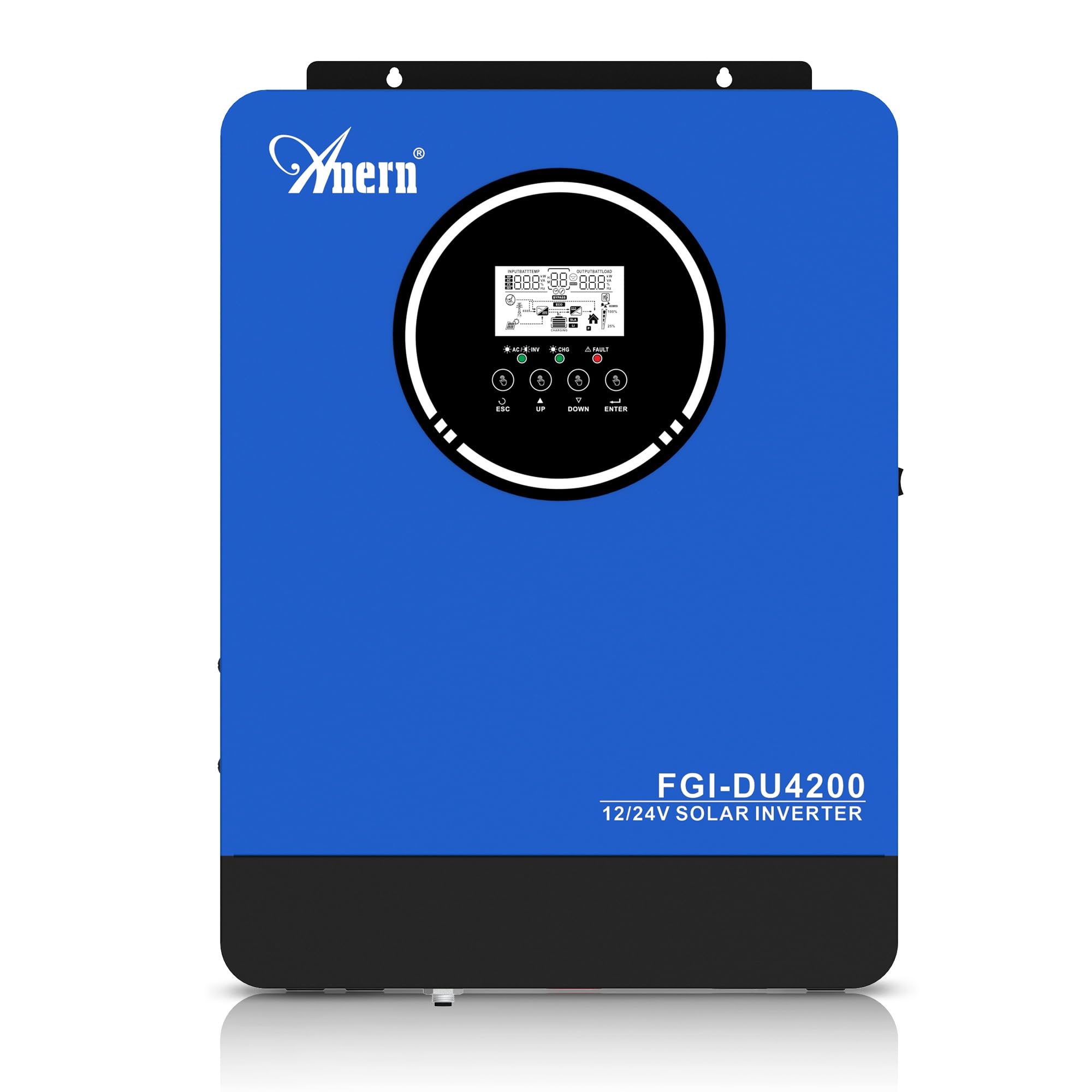
Figure 1: Anern 4200W Hybrid Solar Inverter. This image displays the main unit of the inverter, highlighting its key specifications such as 100A AC charging current, 4200W rated output power, and 500 VDC maximum PV array voltage.
2. Petunjuk Keselamatan
Selalu perhatikan tindakan pencegahan keselamatan berikut untuk mengurangi risiko sengatan listrik, kebakaran, atau cedera:
- Pemasangan harus dilakukan oleh personel yang berkompeten.
- Ensure all wiring is correctly connected and equipped with appropriate protective switches.
- Jangan membongkar inverter. Tidak ada komponen di dalamnya yang dapat diperbaiki oleh pengguna.
- Hindari memaparkan inverter pada hujan, salju, cipratan air, atau cairan apa pun.
- Pastikan ventilasi yang memadai di sekitar inverter untuk mencegah panas berlebih.
- Disconnect all power sources (PV, battery, utility) before performing any maintenance or wiring.
3. Produk Lebihview
The Anern 4200W Hybrid Solar Inverter is designed to convert DC power from solar panels and batteries into AC power for household use. It features an integrated 100A MPPT solar charge controller and supports both 12V and 24V battery systems with automatic detection.
Fitur Utama:
- Output Gelombang Sinus Murni 4200W: Provides stable and clean power for sensitive electronics.
- 100A MPPT Solar Charge Controller: Memaksimalkan perolehan energi dari panel surya.
- 12V/24V Battery Auto-Detection: Automatically adjusts output based on connected battery voltage.
- BMS Interface: Supports communication with lithium batteries for enhanced monitoring and protection.
- Real-time LED Display: Shows system status, operating data, and error codes.
- Configurable Charging & Output Modes: Offers flexibility for various application needs.
- Optional WiFi/GPRS Monitoring: Remote monitoring capability (module sold separately).

Figure 2: Inverter Display and Controls. This image illustrates the inverter's LCD display, function buttons for configuration, and the optional WiFi module for remote monitoring.
4. Pengaturan dan Instalasi
4.1 Diagram Pengkabelan
Refer to the electrical schematic for proper system wiring. Ensure all connections are secure and correctly polarized.

Figure 3: Electrical Schematic. This diagram shows the complete wiring for a solar inverter system, including solar panels, combiner box, DC/AC breakers, inverter, utility grid connection, and loads.
4.2 Koneksi Baterai
The inverter supports 12V and 24V battery configurations. It automatically detects the battery voltage and adjusts its output accordingly (2300W for 12V, 4200W for 24V). For 24V systems, connect two 12V batteries in series. For 12V systems, connect batteries in parallel if increasinkapasitas g.

Figure 4: Battery Connection Options. This image illustrates how to connect batteries for 12V (parallel connection for 2300W output) and 24V (series connection for 4200W output) systems.
The inverter also supports lithium batteries and includes a BMS (Battery Management System) interface for monitoring and protection. Ensure the BMS is properly connected if using lithium batteries.

Figure 5: Communication Interfaces. This image highlights the dual communication interfaces for BMS (Battery Management System) and optional WiFi module, enabling remote monitoring and battery communication.
4.3 Startup and Shutdown Sequence
Urutan Permulaan:
- Hubungkan baterai.
- Nyalakan inverter.
- Activate the protective switches for PV, Utility, and Loads.
Urutan Matikan:
- Deactivate the protective switches for Loads, Utility, and PV.
- Matikan inverter.
- Lepaskan baterai.
Important Note: Inductive loads (e.g., motors, refrigerators) may require up to 3 times their rated power for startup. Ensure the inverter's capacity is sufficient to handle these surge loads. Exceeding the inverter's surge capacity can cause damage.
5. Operasi
5.1 Layar LCD dan Pengaturan
The inverter features an LED display that provides real-time system data and operating status. Use the function buttons below the display to navigate menus and configure settings. Settings include battery charging current, AC/solar charging priority, and charging current priority.
5.2 Mode Pengisian Daya
The inverter offers four configurable charging modes:
- Prioritas Tenaga Surya: Solar power is prioritized for charging.
- Hanya Tenaga Surya: Only solar power is used for charging.
- Prioritas Utilitas: Utility grid power is prioritized for charging.
- Solar + Utility Hybrid: Combines solar and utility power for charging.
5.3 Mode Keluaran
Three output modes are available to adapt to various application needs:
- Solar Priority (SUB): Solar power is prioritized for loads.
- Utility Priority (USB): Utility grid power is prioritized for loads.
- SBU: Solar, Battery, Utility priority.

Figure 6: Charging and Output Modes. This diagram visually explains the four available charging modes (Solar Charge, Utility Priority, Solar Priority, Hybrid Charge) and three load output modes (PV Priority, Utility Priority, SBU Priority).
5.4 Pemantauan Jarak Jauh
The inverter supports remote monitoring via an optional WiFi/GPRS module (sold separately). This allows users to monitor system performance and status from a distance.
6. Pemeliharaan
Perawatan rutin memastikan kinerja optimal dan umur pakai inverter Anda lebih lama:
- Jaga agar inverter tetap bersih dan bebas dari debu. Gunakan kain kering untuk membersihkannya.
- Pastikan lubang ventilasi tidak terhalang.
- Periksa secara berkala semua sambungan kabel untuk memastikan kekencangannya dan tanda-tanda korosi.
- Monitor the battery status, especially if using lithium batteries with the BMS interface, to prevent overcharge or deep discharge.
- Inspect solar panels for dirt or damage that could reduce efficiency.
7. Penyelesaian masalah
The LED display will show error codes if issues arise. Refer to the inverter's display for specific error codes to diagnose and resolve problems. Common issues and their potential solutions include:
- Tidak Ada Daya Keluaran: Check battery connections, DC/AC breakers, and inverter power switch.
- Vol Baterai Rendahtage: Ensure batteries are adequately charged. Check charging sources (solar, utility).
- Peringatan Kelebihan Beban: Reduce the connected load. Inductive loads may cause temporary overloads during startup.
- Terlalu panas: Ensure proper ventilation. Clean any dust from the inverter's vents.
- PV Input Error: Check solar panel connections and voltage. Ensure PV array voltage berada dalam rentang yang ditentukan (55-500V DC).
For persistent issues or error codes not listed, contact customer support.
8. Spesifikasi Teknis
| Fitur | Spesifikasi |
|---|---|
| Merek | Anern |
| Nomor Model | AN-FGI-DU 4200 |
| Tenaga Listrik | 4200 Watt |
| Daya Keluaran | 4500 Watt |
| Max. Output Power (Watts) | 4200 |
| Bentuk Gelombang Keluaran | Gelombang Sinus Murni |
| Sumber Daya | Bertenaga Surya, Bertenaga Baterai |
| Penggunaan Produk yang Direkomendasikan | Rumah |
| Komponen yang Termasuk | Manual Instruksi |
| Kepatuhan | CE |
| Dimensi Produk | 30 x 10 x 40 cm; berat 8.86 kg |
9. Garansi dan Dukungan
For warranty information and technical support, please refer to the documentation provided with your purchase or contact Anern customer service. Keep your purchase receipt as proof of purchase.


