Perkenalan
This manual provides essential information for setting up, operating, maintaining, and troubleshooting your HP 15-fd series laptop. Please read this guide thoroughly to ensure optimal performance and longevity of your device.
The HP 15-fd laptop is equipped with a 13th Gen Intel Core i3-1315U processor, 15.6-inch HD touchscreen display, 8GB DDR4 RAM, and a 512GB SSD, running on Windows 11 Pro. It is designed for productivity and includes various connectivity options and accessories.
1. Pengaturan
1.1 Pembongkaran dan Pemeriksaan Awal
Keluarkan semua komponen dari kemasan dengan hati-hati. Pastikan semua barang yang tercantum dalam daftar kemasan ada dan tidak rusak. Jika ada barang yang hilang atau rusak, segera hubungi pengecer Anda.
1.2 Menghubungkan ke Daya
- Hubungkan adaptor AC ke konektor daya pada laptop Anda.
- Colokkan adaptor AC ke stopkontak listrik yang memiliki ground.
- Biarkan baterai terisi daya setidaknya selama 30 menit sebelum penggunaan pertama, atau hingga indikator baterai menunjukkan daya penuh.
1.3 Initial Power On and Windows 11 Pro Setup
- Tekan tombol daya yang terletak di bagian atas keyboard untuk menghidupkan laptop.
- Follow the on-screen instructions to complete the Windows 11 Pro setup process. This includes selecting your region, language, connecting to a Wi-Fi network, and creating a user account.
- Ensure you have an active internet connection for Windows updates and software activation.
1.4 Termasuk Aksesoris
Your laptop package includes the following accessories to enhance your experience:
- 5-in-1 Docking Station: Provides additional ports including HDMI video output, USB 3.0, USB Type-C/PD, and RJ45 Ethernet.
- Kabel HDMI: Untuk menghubungkan ke layar eksternal.
- 128GB Portable SSD: For additional storage and data transfer.
- Lifetime Office: Pre-installed or provided with activation instructions for Microsoft Office suite.

Figure 1: Included accessories, including the 5-in-1 docking station, HDMI cable, 128GB portable SSD, Windows 11 Pro, and Lifetime Office.
2. Mengoperasikan Laptop Anda
2.1 Menghidupkan/Mematikan Daya dan Mode Tidur
- Nyalakan: Tekan tombol daya.
- Menutup: Klik tombol Mulai, lalu Daya > Matikan.
- Mode tidur: Tutup penutupnya atau klik tombol Mulai, lalu Daya > Tidur.
2.2 Menggunakan Layar Sentuh
Your HP 15-fd laptop features a responsive 15.6-inch multi-touch display. You can interact with the system using various touch gestures:
- Mengetuk: Setara dengan satu klik mouse.
- Ketuk dua kali: Opens applications or selects items.
- Cubit untuk memperbesar: Gunakan dua jari untuk memperbesar atau memperkecil tampilan.
- Geser: Navigate through content or switch between applications.
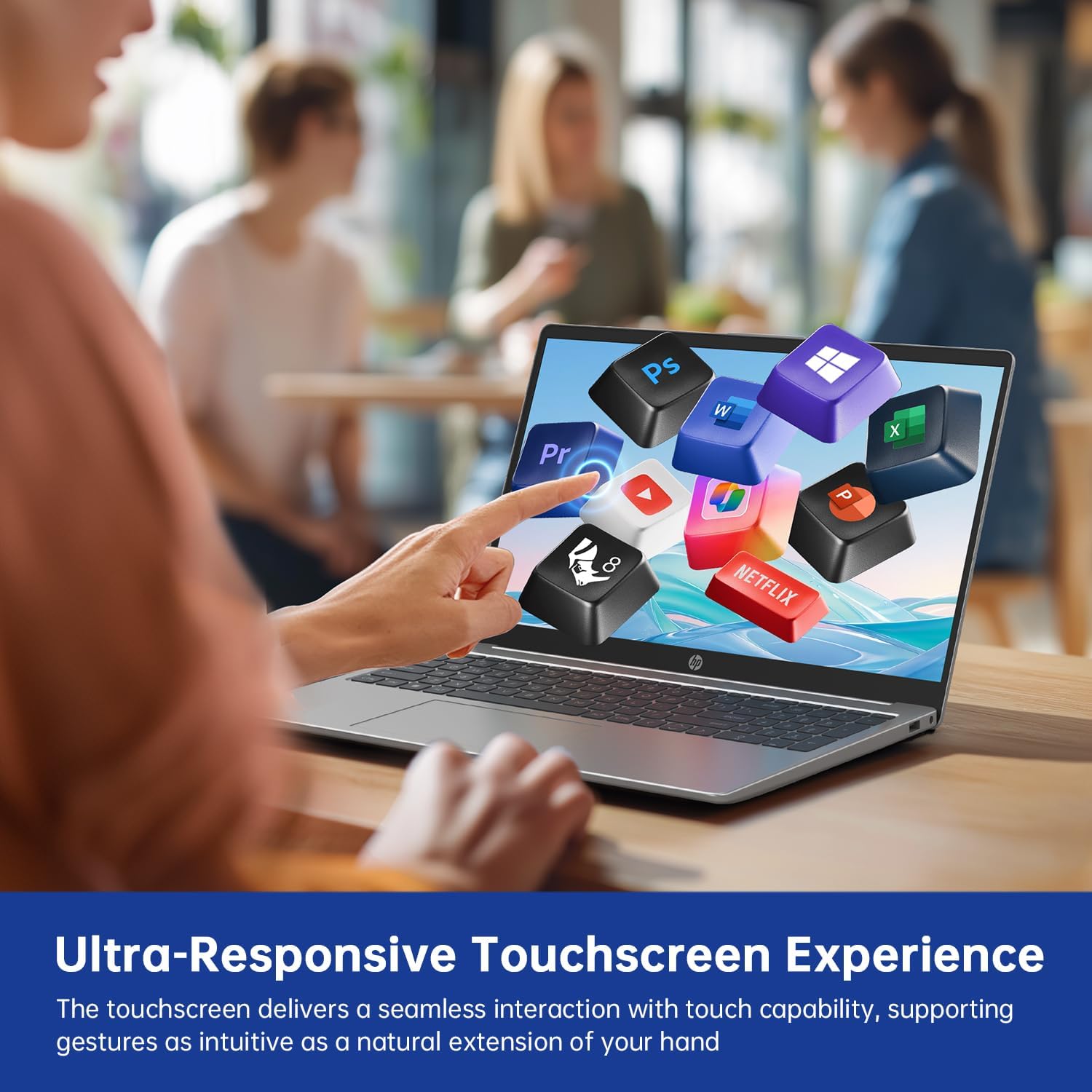
Figure 2: Demonstrating the ultra-responsive touchscreen experience with various application icons.
2.3 Keyboard dan Tombol Angka
The full-size keyboard includes a dedicated numeric keypad for efficient data entry. Function keys (F1-F12) provide quick access to system controls when pressed in combination with the Fn key.
2.4 Port dan Konektivitas
The laptop offers a variety of ports for connecting external devices:
- Port USB-A 3.0 (x2): Untuk menghubungkan perangkat USB seperti mouse, keyboard, atau hard drive eksternal.
- Port USB-C 3.0 (x1): Versatile port for data transfer, charging, or connecting compatible peripherals.
- Port HDMI (x1): Untuk menghubungkan ke monitor atau proyektor eksternal.
- 3.5mm Audio Jack (x1): Untuk headphone atau speaker eksternal.
- DC-in Port (x1): For connecting the AC adapter to charge the laptop.
Wireless connectivity includes Wi-Fi 6E for high-speed internet access and Bluetooth 5.0 untuk menghubungkan aksesori nirkabel.

Gambar 3: Lebihview of multiple available ports on the HP 15-fd laptop.
2.5 Camera Privacy Switch
Your laptop features a 720p HD webcam with a built-in privacy switch. To ensure your privacy, slide the physical switch to cover the camera lens when not in use. Slide it back to uncover the lens when you need to use the camera for video calls or other applications.

Figure 4: The camera privacy switch provides control over webcam access.
2.6 Fungsionalitas AI Copilot
The integrated AI Copilot assists in automating tasks, generating insights, and streamlining workflows. It learns from your actions to provide smarter suggestions, enhancing productivity for tasks such as coding, writing, or data analysis.
3. Pemeliharaan
3.1 Membersihkan Laptop Anda
- Layar: Gunakan kain yang lembut dan tidak berbulu secara tipis dampBersihkan dengan air atau cairan pembersih layar. Jangan menyemprotkan cairan langsung ke layar.
- Keyboard dan Sasis: Gunakan kain yang lembut dan kering. Untuk kotoran membandel, gunakan sedikit kain kering.amp Kain yang dibasahi larutan sabun lembut dapat digunakan, pastikan tidak ada cairan yang masuk ke dalam lubang.
- Pelabuhan: Gunakan udara bertekanan untuk membersihkan debu dari port secara perlahan.
3.2 Perawatan Baterai
- Hindari mengosongkan baterai sepenuhnya secara sering.
- Simpan laptop di tempat yang sejuk dan kering jika tidak digunakan dalam jangka waktu lama.
- Jangan biarkan laptop terkena suhu ekstrem.
3.3 Pembaruan Perangkat Lunak
Regularly check for and install updates for Windows 11 Pro and HP drivers to ensure optimal performance, security, and compatibility. You can typically find these updates through Windows Update settings and the HP Support Assistant application.
4. Penyelesaian masalah
This section addresses common issues you might encounter with your HP 15-fd laptop.
4.1 Masalah Daya
- Laptop tidak menyala: Ensure the AC adapter is securely connected to both the laptop and a working power outlet. Check if the battery is charged. Try a different power outlet.
- Baterai tidak mengisi daya: Verify the AC adapter is functioning correctly. Check the power cable for damage.
4.2 Masalah Tampilan
- Screen is blank or dark: Ensure the laptop is powered on. Adjust screen brightness using function keys. Connect an external monitor via HDMI to check if the issue is with the laptop's display.
- Layar sentuh tidak responsif: Restart the laptop. Ensure display drivers are up to date.
4.3 Masalah Konektivitas
- Wi-Fi tidak terhubung: Check if Wi-Fi is enabled in Windows settings. Restart your router and laptop. Ensure correct Wi-Fi password is entered.
- Perangkat Bluetooth tidak dapat dipasangkan: Ensure Bluetooth is enabled on both devices. Place devices close to each other. Check device compatibility.
4.4 Isu-isu Kinerja Umum
- Kinerja lambat: Close unnecessary applications. Check for malware. Ensure sufficient free space on the SSD. Update drivers and Windows.
- System freezes or crashes: Perform a system restart. Check for recent software installations that might be causing conflicts.
If you are unable to resolve an issue using these steps, please refer to the Support section for further assistance.
5. Spesifikasi

Figure 5: Key display and physical dimensions of the HP 15-fd laptop.
| Fitur | Spesifikasi |
|---|---|
| Nama Model | 15-fd |
| Prosesor | Prosesor Intel Core i3-1315U Generasi ke-13 (hingga 4.5 GHz) |
| Grafik | Intel UHD Graphics (Terintegrasi) |
| Menampilkan | Layar sentuh HD 15.6 inci (1366 x 768) |
| RAM | Memori DDR8 4 GB |
| Penyimpanan | SSD berkapasitas 512GB |
| Sistem Operasi | Windows 11 Pro |
| Konektivitas Nirkabel | Wi-Fi 6E, Bluetooth 5.0 |
| Pelabuhan | 2x USB-A 3.0, 1x USB-C 3.0, 1x HDMI, 1x 3.5mm Audio Jack, 1x DC-in |
| Dimensi (P x L x T) | 14.17x9.29x0.73 inci |
| Berat | Sekitar 3.52 lbs (1.6 kg) |
| Warna | Perak Alami |
| Fitur Khusus | Numeric Keypad, Fingerprint Reader, HD Audio, Camera Privacy Switch |
6. Informasi Garansi
Your HP 15-fd laptop comes with a Garansi 12 bulan from the date of purchase. This warranty covers manufacturing defects and hardware malfunctions under normal use. Please retain your proof of purchase for warranty claims.
The warranty does not cover damage caused by misuse, accidents, unauthorized modifications, or external factors. For detailed warranty terms and conditions, please refer to the documentation included with your product or visit the official HP support weblokasi.
7. Dukungan
Untuk bantuan teknis, pemecahan masalah di luar panduan ini, atau layanan garansi, silakan hubungi Dukungan Pelanggan HP.
- Dukungan online: Kunjungi situs dukungan resmi HP. webSitus untuk driver, manual, dan panduan pemecahan masalah.
- Dukungan Telepon: Refer to the contact information provided in your product packaging or on the HP Support websitus untuk wilayah Anda.
When contacting support, please have your laptop's serial number and model number (15-fd) ready. This information can usually be found on a label on the bottom of your laptop.