1. Lebihview
The AUTOPHIX OM126P+ OBD2 Scanner is a versatile automotive diagnostic tool designed to assist in identifying and resolving vehicle issues. It supports OBD2-compliant domestic, Asian, and European vehicles sold in North America, including US cars from 1996 onwards, EU models from 2002 onwards, and Asian vehicles from 2008 onwards. This device is capable of reading and clearing diagnostic trouble codes (DTCs), identifying the causes of Check Engine Light (CEL/MIL) illumination, and supporting live data stream viewing, freeze frame analysis, and I/M readiness status checks. It also performs O2 sensor tests and reads Vehicle Identification Numbers (VIN), comprehensively meeting users' diagnostic and system maintenance needs.
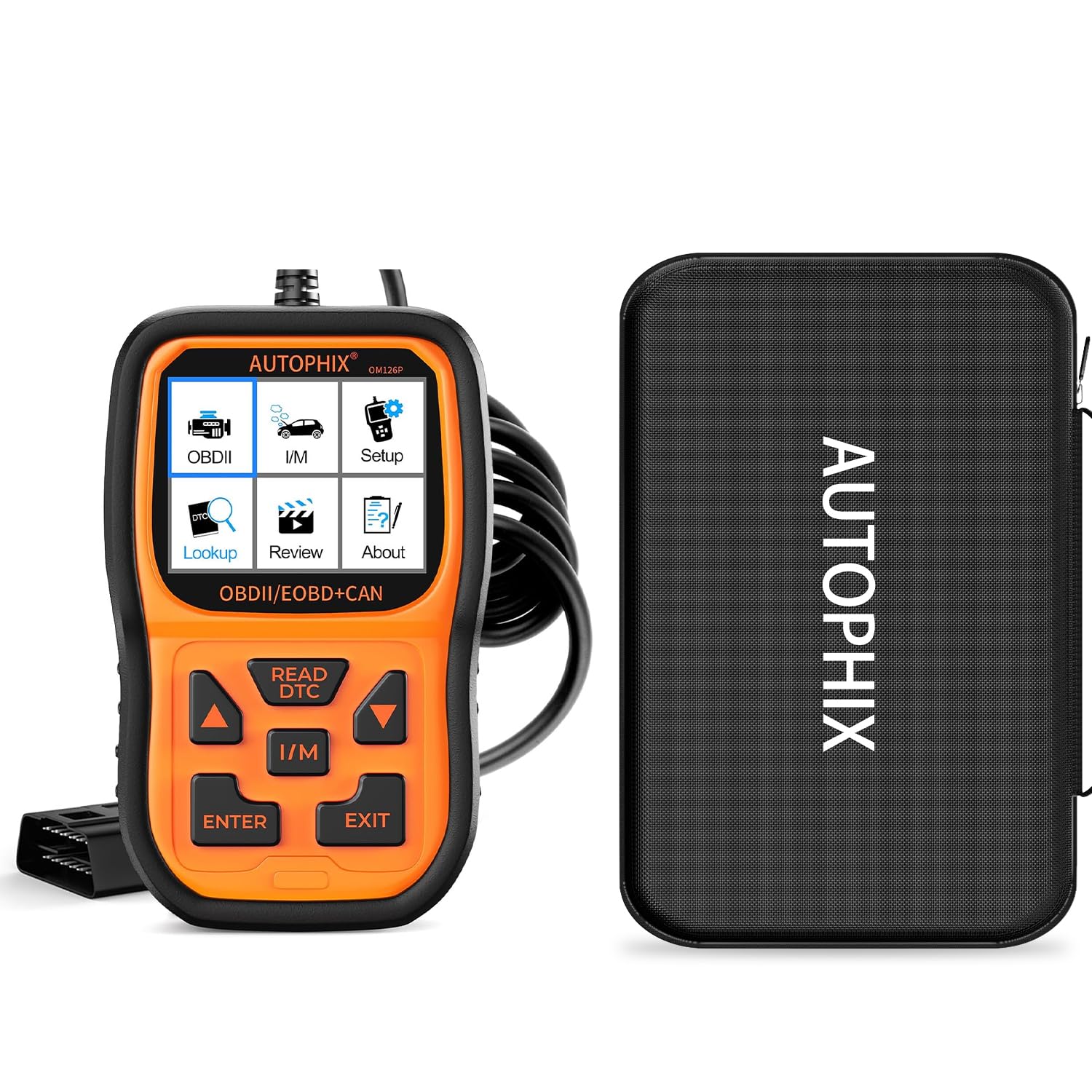
Image: AUTOPHIX OM126P+ OBD2 Scanner highlighting key features like checking engine issues, clearing codes, smog test readiness, and DTC interpretation.

Image: AUTOPHIX OM126P+ OBD2 Scanner displaying its main functions: Read Codes, Erase Codes, I/M Readiness, Data Stream, Freeze Frame, O2 Sensor Test, On-board Monitoring, Component Test, Vehicle Information, and DTC Lookup.
2. Isi Produk
- 1x AUTOPHIX OM126P+ Code Reader
- 1x EVA Storage Bag
- 1x USB Type-A to Micro-B Cable (for updates)
- 1x User's Manual (printed)
3. Pengaturan
Menghubungkan ke Kendaraan
To begin using the OM126P+ scanner, locate your vehicle's OBD2 port, typically found under the dashboard on the driver's side. Ensure the vehicle's ignition is on (engine can be running or off, depending on the desired test). Plug the scanner's OBD2 connector firmly into the vehicle's port. The device will automatically power on and display the main menu.

Image: AUTOPHIX OM126P+ OBD2 Scanner connected to a vehicle's OBD2 port, displaying a check engine light on the dashboard.
4. Petunjuk Pengoperasian
Navigasi Menu Utama
The OM126P+ features a user-friendly interface with a 2.4-inch color display and six simple buttons for navigation:
- Panah Atas/Bawah: Navigasi melalui opsi menu.
- Panah Kiri/Kanan: Navigate within certain screens or adjust settings.
- Tombol ENTER: Pilih opsi atau konfirmasi tindakan.
- Tombol KELUAR: Return to the previous screen or exit a function.
- Tombol BACA DTC: Directly access Diagnostic Trouble Code reading.
- Tombol I/M: Directly access I/M Readiness status.
Pengaturan Sistem
Access the 'Setup' option from the main menu to configure device settings:
- Bahasa: Select your preferred language (English, French, Spanish, German, Italian, etc.).
- Satuan ukuran: Switch between Metric and English units.
- Berbunyi: Turn the button press sound on or off.
- Catatan: Enable or disable data recording for later review.
- Latar belakang: Choose between Day mode (light background) or Night mode (dark background).
- Masukan: Initiate recording for feedback purposes if encountering issues.
OBDII/EOBD Functions
From the main menu, select 'OBDII' to access the primary diagnostic functions:
- Status Pengawasan: Memberikan quick overview of various data points and system readiness.
- Baca Kode: Menampilkan Kode Masalah Diagnostik (DTC) yang sedang berjalan, tertunda, dan permanen.
- Hapus Kode: Clears DTCs from the vehicle's computer and turns off the Check Engine Light after repairs.
- Kesiapan I/M: Memeriksa status sistem pemantauan terkait emisi untuk menentukan apakah kendaraan siap untuk uji emisi.
- Aliran data: View live data parameters from the vehicle's ECU. Options include:
- View All Items: Displays all supported live data.
- Select Items: Allows selection of specific data points for monitoring.
- View Graphic Items: Presents selected data points in a graphical format for easier analysis.
- Bingkai beku: Captures a snapshot of sensor data at the moment a DTC was set, providing context for the fault.
- Uji Sensor O2: Mengambil hasil uji pemantauan sensor O2.
- Pemantauan di Dalam Pesawat: Mengakses hasil pengujian pemantauan diagnostik pada komponen/sistem tertentu.
- Tes Komponen: Memungkinkan pengujian komponen tertentu.
- Informasi kendaraan: Retrieves vehicle details such as VIN (Vehicle Identification Number), Calibration ID, and Calibration Verification Number.
Pencarian DTC
From the main menu, select 'Lookup' to manually enter a DTC code and retrieve its definition and possible causes. This is useful for understanding codes obtained from other sources or for deeper analysis.
Review Data
If the 'Record' feature is enabled in the setup, the 'Review' option allows you to view previously recorded diagnostic data and DTCs. You can also delete recorded data from this menu.

Image: AUTOPHIX OM126P+ OBD2 Scanner displaying I/M Readiness status with various system monitors showing 'OK' or 'N/A'.
5. Pemeliharaan dan Pembaruan
The OM126P+ scanner can be updated via a computer to ensure it has the latest software and vehicle compatibility. Use the provided USB Type-A to Micro-B cable to connect the scanner to your computer. Visit the official AUTOPHIX website (www.autophix.com) and navigate to the support/download section. Pencarian untuk your OM126P+ model to find available upgrade software and the detailed user manual PDF, which contains comprehensive update instructions. For Windows 8/10/11, the update software can typically be run directly. For Windows 7, driver installation may be required first.
6. Penyelesaian masalah
If you encounter connection errors or other issues with the diagnostic tool, utilize the 'Feedback' function found in the 'Setup' menu. This feature allows you to record diagnostic information which can then be sent to AUTOPHIX support via your computer for assistance. Refer to the detailed user manual PDF for specific troubleshooting steps related to various diagnostic functions.
7. Spesifikasi
- Merek: OTOMATIS
- Model: OM126P+
- Ukuran Layar: 2.4 inci
- Dukungan Sistem Operasi: Windows 7/8/10/11 (does not support Windows XP, Mac, and iOS systems for updates)
- Sumber Daya: Vehicle OBD2 port
- Protokol yang Didukung: ALL OBD II: CAN, J1850 PWM, J1850 VPW, ISO9141 and KWP2000
8. Garansi dan Dukungan
The AUTOPHIX OM126P+ Code Reader comes with a 5-year warranty and lifetime free updates. For further support or inquiries, please visit the official AUTOPHIX websitus atau hubungi layanan pelanggan mereka.

Image: AUTOPHIX Storage Bag Protective Case highlighting military-grade EVA material, high-quality double zipper, and finely sewn wrist strap.


