Perkenalan
Welcome to the OUKITEL C3 Cell Phone user manual. This guide provides essential information to help you set up, operate, and maintain your new smartphone. Please read this manual thoroughly to ensure proper usage and to maximize your device's potential.
Apa yang ada di dalam kotak
Upon opening your OUKITEL C3 package, you should find the following items:
- 1x OUKITEL C3 Cell Phone
- 1x Charger 10W
- 1x Kabel Data
- 1x Casing Ponsel
- 1x Panduan Pengguna

Image: Contents of the OUKITEL C3 package, including the phone, charger, data cable, phone case, and manual.
Video: An unboxing demonstration of the OUKITEL C3 Cell Phone, showing the phone and its included accessories.
Produk Selesaiview
The OUKITEL C3 is a 4G Android smartphone featuring a 6.52-inch waterdrop screen, a 5000mAh battery, and a dual-camera system. It is designed for everyday communication and multimedia use.
Fitur Utama:
- Menampilkan: 6.52-inch HD Waterdrop Screen (540x1200 resolution, 450nit brightness)
- Prosesor: Unisoc T310
- Ingatan: 16GB RAM (4GB fixed + 12GB virtual) + 64GB ROM, expandable up to 1TB via TF card
- Baterai: 5000mAh with 10W fast charging and OTG reverse charging support
- Kamera: 13MP Main Camera, 5MP Front Camera
- Sistem Operasi: Android 14
- Konektivitas: 4G Dual SIM, Bluetooth 5.0, Wi-Fi, GPS, GLONASS, Beidou, Galileo
- Keamanan: ID Wajah
- Ukuran: 9.3mm thickness, 198g weight
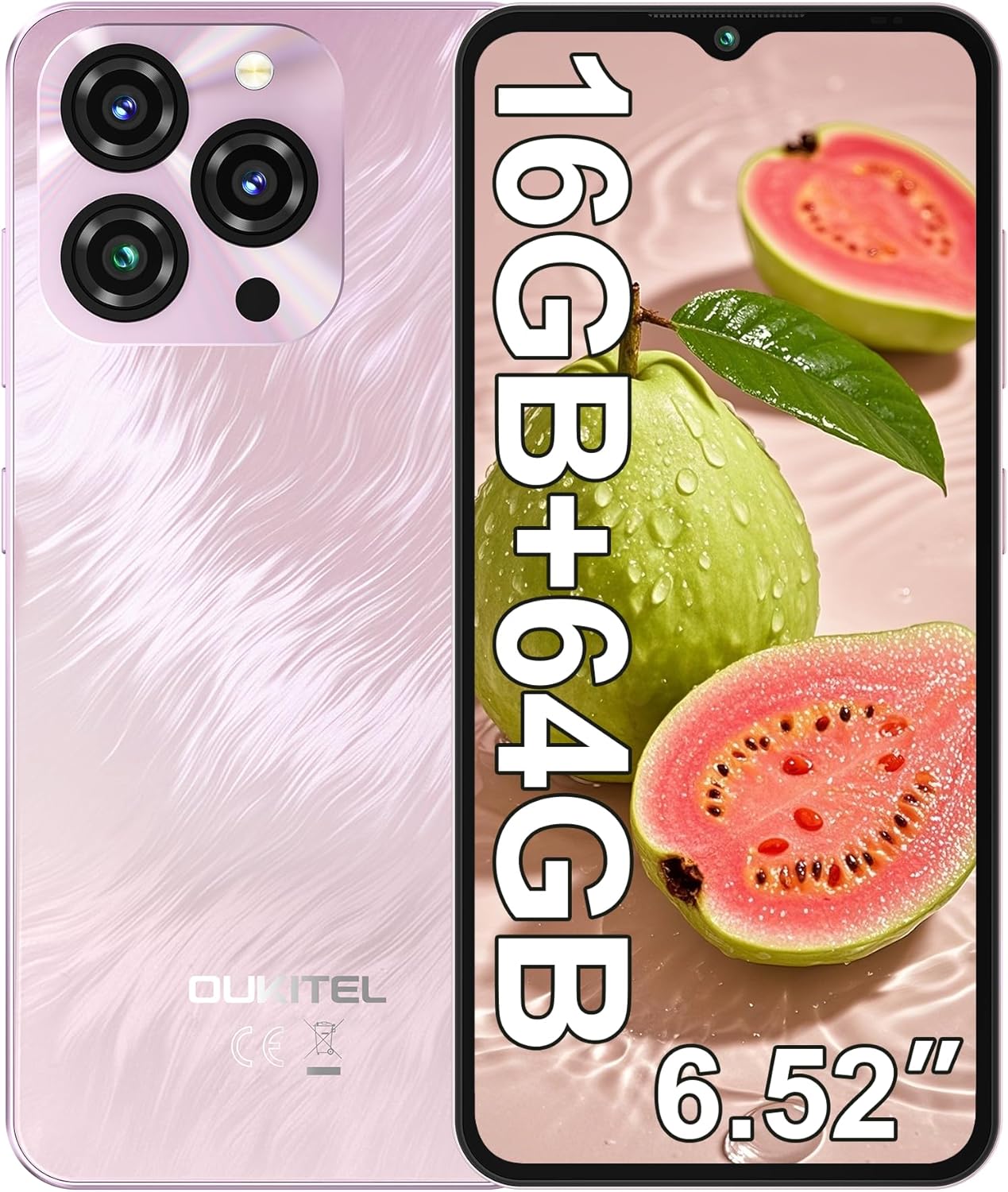
Image: The OUKITEL C3 Cell Phone, showcasing desain dan modul kameranya.

Image: Close-up of the OUKITEL C3's 6.52-inch waterdrop display, highlighting its visual quality.

Image: Visual representation of the OUKITEL C3's slim 9.3mm thickness and 198g weight.
Pengaturan
1. Pemasangan Kartu SIM dan Kartu TF
The OUKITEL C3 supports dual Nano SIM cards or one Nano SIM card and one TF (microSD) card for expanded storage.
- Temukan tempat kartu SIM di sisi telepon.
- Insert the SIM ejector tool (included in the box) into the small hole next to the tray and push gently until the tray pops out.
- Place your Nano SIM card(s) and/or TF card into the designated slots on the tray. Ensure the gold contacts face downwards and the cards are correctly oriented.
- Masukkan kembali baki ke dalam ponsel dengan hati-hati hingga rata dengan sisi perangkat.

Image: Diagram showing the SIM card tray, 3.5mm audio jack, and USB-C port on the OUKITEL C3.
2. Pengaktifan dan Pengaturan Awal
- Press and hold the Power button (located on the right side of the phone) until the OUKITEL logo appears.
- Ikuti petunjuk di layar untuk memilih bahasa Anda, sambungkan ke jaringan Wi-Fi, dan atur akun Google Anda.
- You will also be guided through setting up security features like Face ID during this process.
3. Mengisi Daya Perangkat
Sebelum digunakan pertama kali, disarankan untuk mengisi daya OUKITEL C3 Anda hingga penuh.
- Connect the USB data cable to the 10W charger.
- Hubungkan pengisi daya ke stopkontak.
- Connect the USB-C end of the cable to the charging port at the bottom of your phone.
- Ikon baterai di layar akan menunjukkan status pengisian daya.

Image: Illustration of the OUKITEL C3's 5000mAh battery and charging process.
Petunjuk Pengoperasian
1. Navigasi Dasar (Android 14)
Your OUKITEL C3 runs on Android 14, offering an intuitive user experience.
- Layar Beranda: Swipe left or right to navigate between home screens. Tap and hold an empty space to customize widgets, wallpapers, and settings.
- Laci Aplikasi: Geser ke atas dari bagian bawah layar untuk mengakses semua aplikasi yang terinstal.
- Notifikasi & Pengaturan Cepat: Geser ke bawah dari atas layar untuk view Notifikasi dan akses ke pengaturan cepat (Wi-Fi, Bluetooth, dll.).
- Aplikasi Terbaru: Swipe up from the bottom and hold (or tap the square navigation button if enabled) to see recently used applications.

Image: The OUKITEL C3 displaying the Android 14 operating system interface with various applications.
2. Penggunaan Kamera
The OUKITEL C3 is equipped with a 13MP main camera and a 5MP front camera.
- Buka aplikasi "Kamera" dari layar beranda atau laci aplikasi Anda.
- Switch between the front and rear cameras using the camera switch icon.
- Ketuk tombol rana untuk mengambil foto.
- Explore different modes like Video, Portrait, or Panorama if available in the camera app.

Image: Visual detailing of the OUKITEL C3's 13MP main camera and 5MP front camera capabilities.
3. Konektivitas
- Wifinya: Buka Pengaturan > Jaringan & internet > Wi-Fi untuk terhubung ke jaringan yang tersedia.
- Bluetooth dapat digunakan untuk berbagai keperluan, seperti: Go to Settings > Connected devices > Bluetooth to pair with Bluetooth devices like headphones or speakers.
- Bahasa Indonesia: Location services are enabled by default. You can manage them in Settings > Location. The phone supports GPS, GLONASS, Beidou, and Galileo for accurate positioning.
- OTG: The OUKITEL C3 supports USB On-The-Go (OTG), allowing you to connect USB devices like flash drives or keyboards using an OTG adapter (sold separately).
4. Face ID
Face ID provides a convenient and secure way to unlock your phone.
- Buka Pengaturan > Keamanan & privasi > Buka kunci perangkat > Buka kunci wajah.
- Follow the on-screen instructions to register your face. Ensure good lighting and hold the phone at eye level.
- Once registered, you can unlock your phone by simply looking at the front camera.
Pemeliharaan
1. Perawatan Baterai
- Hindari memaparkan ponsel pada suhu ekstrem.
- Use only the provided charger and cable for optimal charging performance and safety.
- Untuk penyimpanan jangka panjang, isi daya baterai hingga sekitar 50% dan matikan perangkat.
2. Pembaruan Perangkat Lunak
Regularly check for and install software updates to ensure your phone has the latest features, security patches, and performance improvements.
- Buka Pengaturan > Sistem > Pembaruan sistem.
- Tap "Check for update" and follow the instructions if an update is available.
3. Membersihkan Perangkat Anda
- Gunakan kain lembut dan tidak berbulu untuk membersihkan layar dan bagian belakang ponsel.
- Hindari penggunaan bahan kimia keras atau bahan abrasif.
- Untuk noda membandel, sedikit dampbilas kain dengan air atau pembersih layar yang dirancang untuk perangkat elektronik.
Penyelesaian Masalah
| Masalah | Solusi yang mungkin |
|---|---|
| Telepon tidak menyala. | Pastikan baterai terisi daya. Hubungkan pengisi daya dan tunggu beberapa menit sebelum mencoba menyalakannya kembali. |
| Cannot make or receive calls/texts. |
|
| Aplikasi lambat atau macet. |
|
| Baterai cepat terkuras. |
|
| Face ID not working. |
|

Image: Important information regarding OUKITEL C3's carrier compatibility, specifically T-Mobile support.
Spesifikasi
| Fitur | Detil |
|---|---|
| Nama Model | OUKITEL C3 |
| Sistem Operasi | Android 14 |
| Menampilkan | 6.52 Inches HD Waterdrop Screen, 540 x 1200 Resolution, 60 Hz Refresh Rate |
| RAM | 16 GB (4GB fixed + 12GB virtual) |
| Penyimpanan Internal (ROM) | 64 GB |
| Penyimpanan yang Dapat Diperluas | Up to 1 TB via TF Card |
| Kamera Utama | 13 MP |
| Kamera Depan | 5 MP |
| Kapasitas Baterai | 5000 mAh |
| Pengisian daya | 10W Fast Charging, Supports OTG Reverse Charging |
| Konektivitas | 4G Cellular Technology, Bluetooth 5.0, Wi-Fi |
| Navigasi | GPS, GLONASS, Beidou, Galileo |
| Soket Audio | 3.5 mm |
| Jenis Kartu SIM | SIM Nano Ganda |
| Ukuran | Ketebalan 9.3mm |
| Berat | 198 gram (sekitar 14.9 ons) |
| Supported Carrier | T-Mobile (Does not support Metro PCS, AT&T, Verizon) |
Video: Sebuah overview of the OUKITEL C3 Cell Phone's main features and specifications.
Garansi dan Dukungan
For warranty information and technical support, please refer to the warranty card included in your product package or visit the official OUKITEL websitus. Simpan bukti pembelian Anda untuk klaim garansi.
Informasi Kontak: Please refer to the contact details provided in your product documentation or on the OUKITEL official webSitus untuk layanan dan dukungan pelanggan.


