1. Pendahuluan
Thank you for choosing the DUCO AG01 AI Smart Sunglasses. These innovative glasses integrate advanced technology to enhance your daily experiences, offering features such as a 4K HD camera, AI assistant, real-time translation, and Bluetooth connectivity. This manual provides essential information for the proper setup, operation, and maintenance of your new smart sunglasses.
2. Isi Paket
Pastikan semua item ada dalam paket Anda:
- DUCO AG01 AI Smart Sunglasses
- Kotak Kacamata
- Kain Pembersih Microfiber
- Kabel Pengisi Daya Magnetik
- Panduan Pengguna

Figure 2.1: DUCO AG01 Package Contents
3. Fitur Produk
- 8MP 4K HD Camera: Capture high-resolution photos and videos with AI-powered stabilization and an ultra-wide perspective.
- AI Assistant & Translation: Access an AI assistant and real-time translation for 163 languages, breaking language barriers.
- Open-Ear Audio & Stereo Sound: Enjoy immersive audio without blocking ambient sounds, featuring dual microphones with noise reduction for clear calls.
- Konektivitas Bluetooth 5.3: Seamlessly connect to your smartphone for calls, music, and data transfer.
- Kontrol Sentuh Cerdas: Manage calls, music playback, and camera functions with intuitive touch and button controls.
- Daya Tahan Baterai yang Lama: Powered by a 410mAh high-capacity battery, offering up to 8 hours of active use (translation/calls/music) and 15 days of standby time.
- Perlindungan UV400: Lenses provide essential UV protection for your eyes.
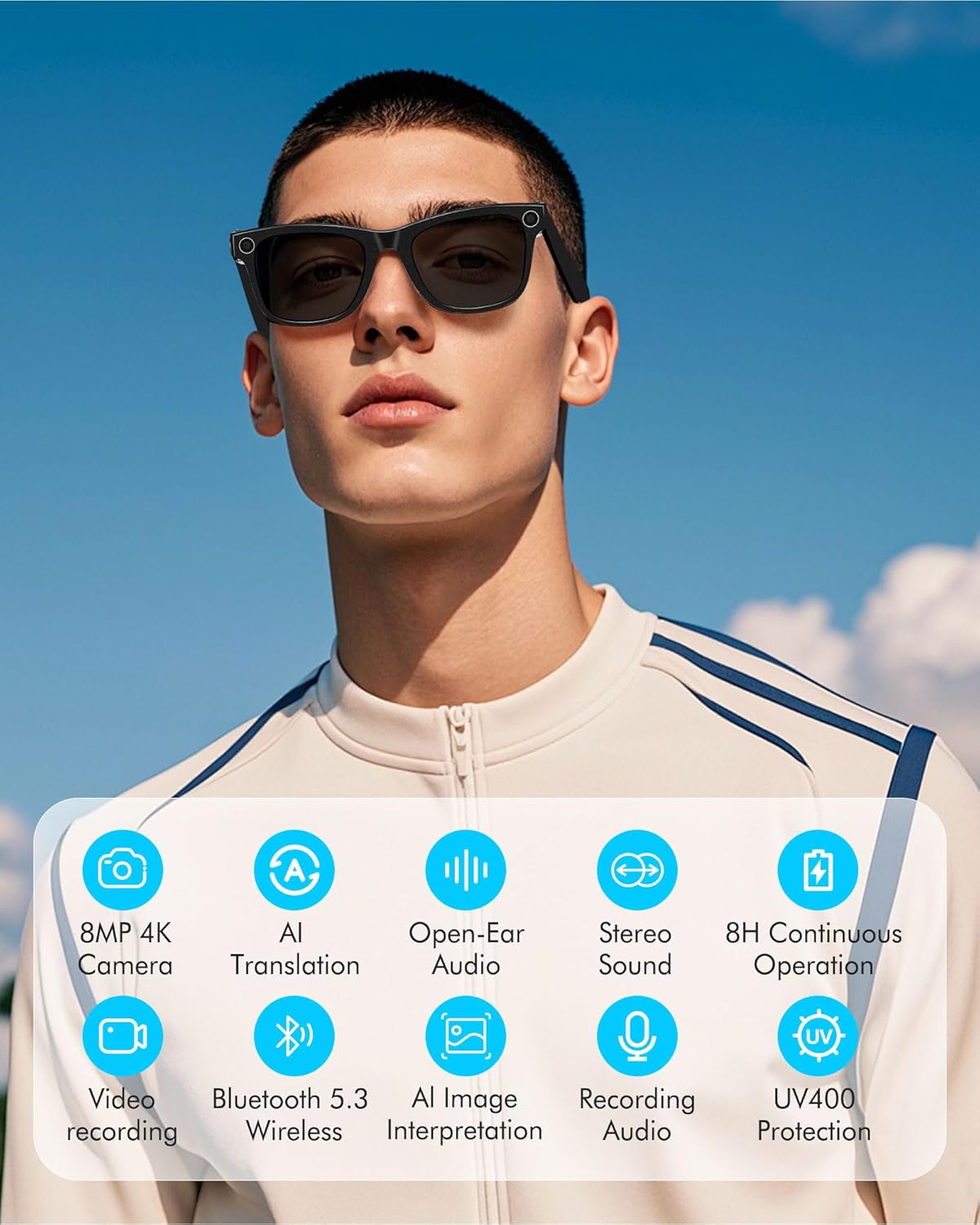
Figure 3.1: Key Features of DUCO AG01 Smart Sunglasses

Figure 3.2: 4K HD 8MP Camera System

Figure 3.3: Open Hi-Fi Sound & ENC Clear Calls

Figure 3.4: 8-Hour Continuous Use Battery
4. Pengaturan
4.1 Menghidupkan/Mematikan
To power on the DUCO AG01 Smart Sunglasses, locate the power switch on the right temple and slide it forward. To power off, slide the switch backward.
4.2 Pengunduhan dan Instalasi Aplikasi
Download the companion app by scanning the QR code provided in the included user manual or searching for "HeyCyan" in your device's app store. Install the app on your smartphone.

Figure 4.1: App Download and Interface
4.3 Pemasangan Bluetooth
- Ensure your DUCO AG01 Smart Sunglasses are powered on.
- Open the "HeyCyan" app on your smartphone.
- Aktifkan Bluetooth di telepon pintar Anda.
- In the app, search for available devices. The glasses should appear as "AG01_A16E".
- Select the device to pair. A successful connection will be indicated in the app.
Video 4.1: Demonstrates powering on the glasses, connecting to the HeyCyan app, and Bluetooth pairing. It also shows how to take photos, start/end video recording, answer/reject calls, control music volume, switch songs, and charge the device.
5. Petunjuk Pengoperasian
5.1 Camera and Video Functions
The DUCO AG01 Smart Sunglasses feature a camera on the right temple for hands-free capture.
- Mengambil foto: Single-click the top-right button on the temple.
- Start Video Recording: Long-press the top-right button on the temple.
- End Video Recording: Press the top-right button once while recording.

Figure 5.1: Real-Time Translation Feature
5.2 Rekaman Audio
To start audio recording, double-click the top-right button on the temple. To end recording, click the button once.
5.3 Manajemen Panggilan
Manage your calls directly from your smart sunglasses:
- Menjawab/Mengakhiri Panggilan: Click the top-right button once.
- Tolak Panggilan: Long-press the top-right button for 2 seconds.
5.4 Kontrol Pemutaran Musik
Control your music using the touch panel on the right temple:
- Putar/Jeda Musik: Double-tap the right touch panel.
- Lagu Berikutnya: Triple-tap the right touch panel.
- Tingkatkan Volume: Swipe forward on the right touch panel.
- Kurangi Volume: Swipe backward on the right touch panel.

Figure 5.2: Intelligent Touch Control Overview
Asisten Suara AI 5.5
Activate your AI voice assistant by saying "HeyCyan" or by long-pressing the designated button (refer to Figure 5.2 for button location). This allows for hands-free commands and information retrieval.
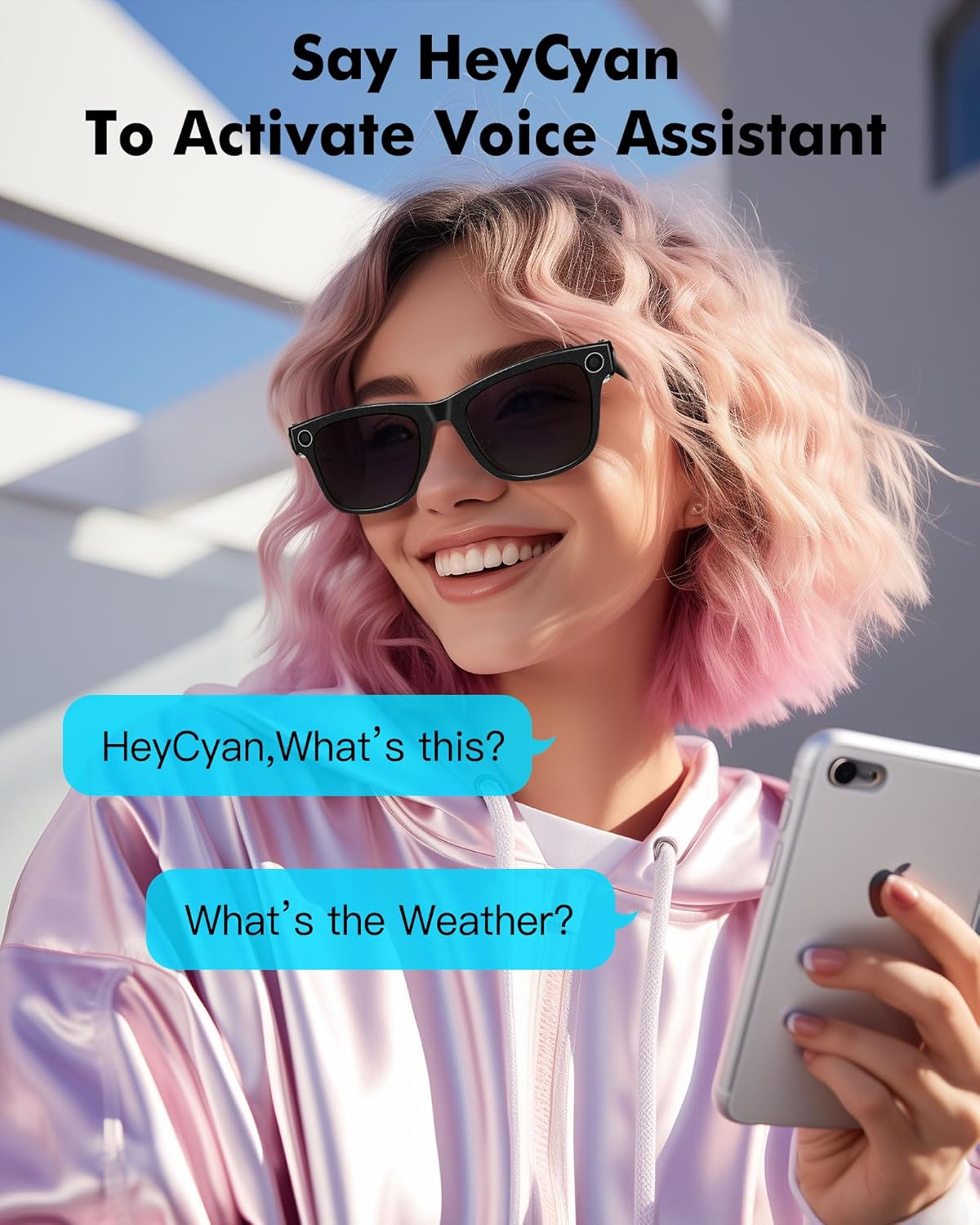
Gambar 5.3: Mengaktifkan Asisten Suara
6. Pengisian daya
To charge your DUCO AG01 Smart Sunglasses, connect the magnetic charging cable to the charging port located on the left temple. Connect the other end of the USB cable to a compatible power source (e.g., computer USB port, wall adapter).
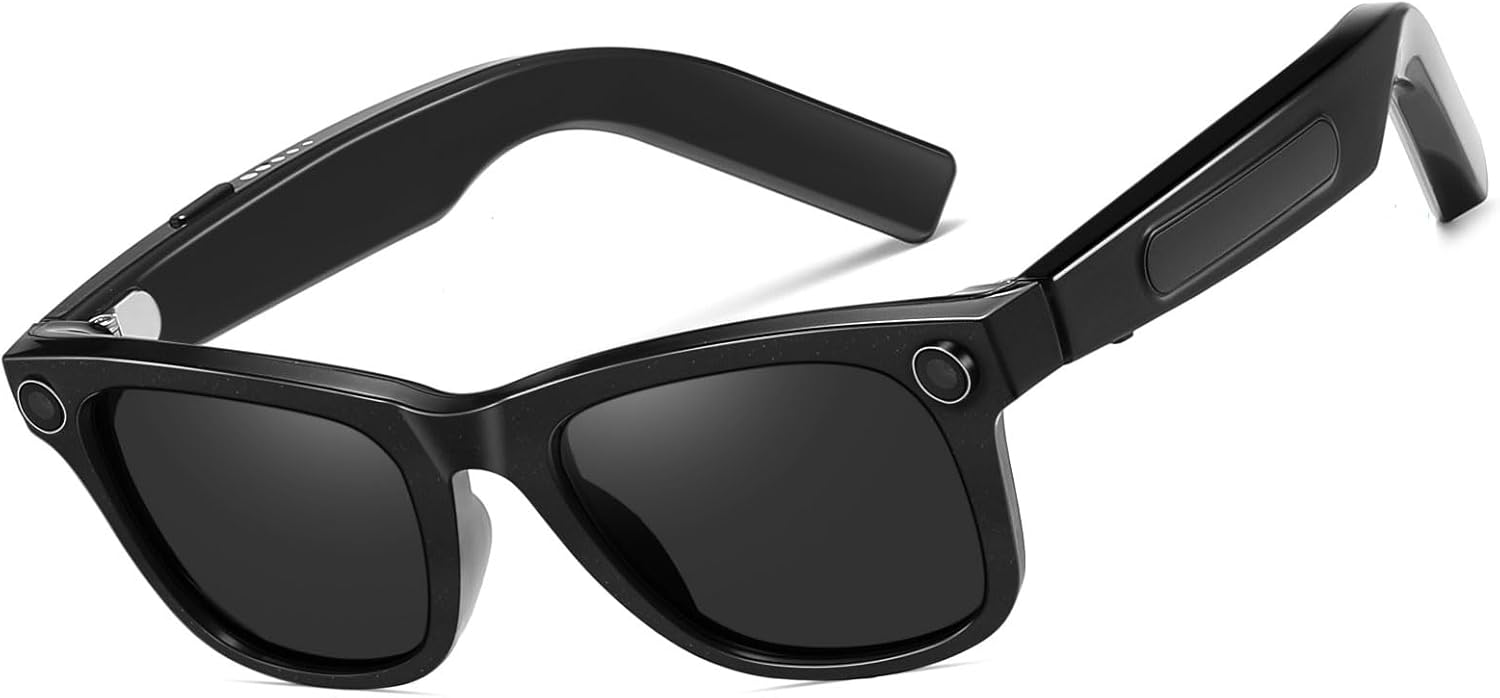
Gambar 6.1: Lokasi Port Pengisian Daya
7. Pemeliharaan
- Pembersihan: Use the provided microfiber cleaning cloth to gently wipe the lenses and frame. Avoid using harsh chemicals or abrasive materials.
- Penyimpanan: When not in use, store the sunglasses in their protective case to prevent scratches and damage.
- Tahan Air: The glasses are designed for everyday use but are not fully waterproof. Avoid prolonged exposure to water or submersion.
- Suhu: Do not expose the sunglasses to extreme temperatures, as this may affect battery life and electronic components.
8. Penyelesaian masalah
If you encounter issues with your DUCO AG01 Smart Sunglasses, please refer to the following common solutions:
- Tidak Dapat Menyala: Ensure the glasses are fully charged. Connect them to the charging cable and allow sufficient time to charge.
- Masalah Koneksi Bluetooth: Make sure Bluetooth is enabled on your smartphone and the glasses are within range. Try restarting both the glasses and your phone. If issues persist, unpair and re-pair the device.
- Aplikasi Tidak Merespons: Close and restart the "HeyCyan" app. Ensure the app is updated to the latest version.
- Kualitas Audio Buruk: Check the volume settings on both the glasses and your connected device. Ensure the speakers are not obstructed.
- Kamera/Video Tidak Berfungsi: Verify that the glasses are powered on and connected to the app. Check if there is sufficient storage space for new recordings.
For further assistance, please contact DUCO customer support.
9. Spesifikasi
| Fitur | Spesifikasi |
|---|---|
| Nomor Model | AG01 |
| Kamera | 8MP 4K HD |
| Fitur AI | AI Assistant, Real-time Translation (163 languages), AI Image Interpretation |
| Konektivitas | Bluetooth 5.3 |
| Suara | Open-Ear Audio, Stereo Sound, Dual Microphones with ENC Noise Reduction |
| Kapasitas Baterai | 410 mAh |
| Active Runtime | Up to 8 hours (translation/calls/music) |
| Waktu Siaga | Hingga 15 hari |
| Jenis Lensa | UV Protected, UV400 Protection |
| Jenis polarisasi | Tidak Terpolarisasi |
| Bahan Bingkai | Polikarbonat |
| Bahan Lensa | Polikarbonat |
| Panjang Lengan | 150.5 mm |
| Lebar Jembatan | 12.5 mm |

Gambar 9.1: Dimensi Produk
10. Garansi dan Dukungan
The DUCO AG01 AI Smart Sunglasses come with a Garansi pabrik 3 tahun. For warranty claims, technical support, or any product-related inquiries, please contact DUCO customer service through the official websitus atau platform pembelian Anda.


