Perkenalan
Thank you for choosing the AJAZZ AJ139PRO Dual-Mode Gaming Mouse. This manual provides essential information for setting up, operating, and maintaining your new gaming mouse. Please read it carefully to ensure optimal performance and longevity of your device.

Image: The AJAZZ AJ139PRO Dual-Mode Gaming Mouse in black, showcasing its ergonomic design and key features like dual-mode connectivity, lightweight build, PAW3395 sensor, 26000 DPI, and 300mAh battery.
Isi Paket
- AJAZZ AJ139PRO Dual-Mode Gaming Mouse
- Kabel USB-C ke USB-A
- Penerima USB 2.4GHz
- Panduan Pengguna
Pengaturan
1. Mengisi Daya Mouse
Connect the provided USB-C cable to the mouse and the USB-A end to your computer or a USB power adapter. The mouse features a 300mAh battery, offering up to 40 hours of continuous use on a full charge.
2. Opsi Konektivitas
2.1. Mode Nirkabel 2.4GHz
- Locate the 2.4GHz USB receiver, typically stored in a compartment on the underside of the mouse.
- Hubungkan penerima USB ke port USB-A yang tersedia di komputer Anda.
- Nyalakan mouse menggunakan sakelar di bagian bawahnya. Pilih mode '2.4G'.
- Komputer Anda akan secara otomatis mendeteksi dan menginstal driver yang diperlukan.
2.2. Mode USB-C Berkabel
- Hubungkan kabel USB-C yang tersedia ke mouse dan ujung USB-A ke komputer Anda.
- Mouse akan secara otomatis beralih ke mode kabel dan mulai mengisi daya.
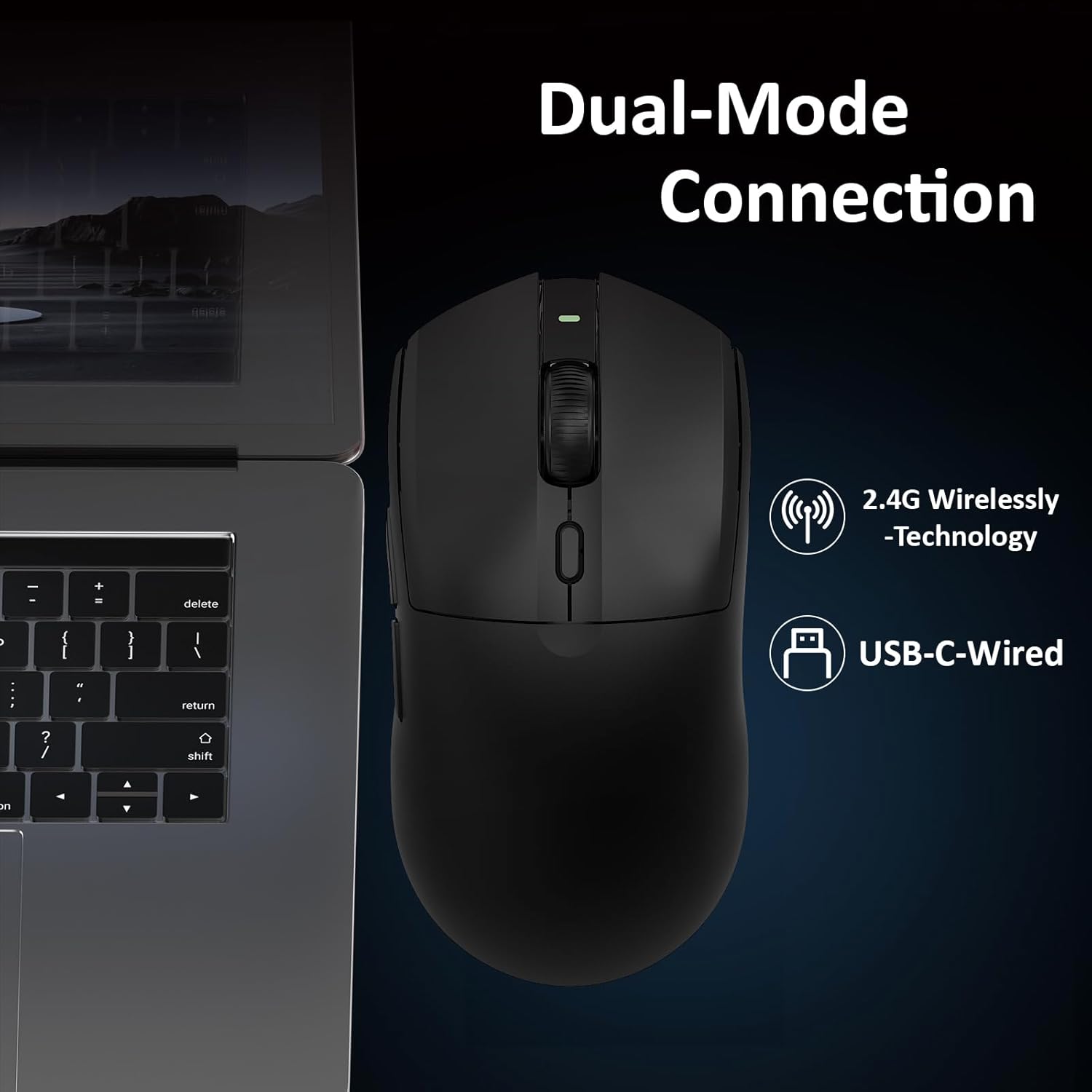
Image: A close-up of the AJAZZ AJ139PRO mouse connected to a laptop, illustrating both 2.4G wireless and USB-C wired connection options.
Petunjuk Pengoperasian
1. Penyesuaian DPI
The mouse features a dedicated DPI button, usually located near the scroll wheel. Press this button to cycle through preset DPI levels. For fine-tuning and custom DPI settings (200 to 26,000 DPI in 100-increment steps), use the official driver software.
2. Tombol yang Dapat Diprogram
The AJ139PRO includes multiple programmable buttons (left-click, right-click, middle-click/scroll wheel, two side buttons, and DPI loop). These can be customized using the driver software to assign macros, keyboard functions, or other commands for enhanced gaming and productivity.
3. Tingkat Pemungutan Suara
The mouse operates at a 1000Hz polling rate, ensuring rapid response times and smooth cursor movement. This setting can typically be adjusted via the driver software if needed.
4. Indikator Status Baterai
The mouse may feature an LED indicator that changes color or blinks to show the current battery level. Refer to the driver software for precise battery percentage.

Image: Details on the mouse's 300mAh battery, providing approximately 40 hours of continuous use, and its 1000Hz refresh rate for responsive performance.
Fitur
- Professional Gaming Sensor: Equipped with the Pixart PAW3395 optical sensor, offering up to 26,000 DPI, 650 IPS tracking speed, and 50G acceleration for precise and responsive control.
- Konektivitas Mode Ganda: Seamlessly switch between 2.4GHz wireless for freedom of movement and a wired USB-C connection for stable, lag-free performance and charging.
- Desain Ultra Ringan: Weighing just 59 grams, the mouse is engineered for comfort during extended use and rapid, effortless movements.
- Durable Microswitches: Features ASUS microswitches rated for over 80 million clicks, providing crisp feedback and long-lasting reliability.
- Baterai Tahan Lama: A 300mAh high-capacity battery delivers up to 40 hours of continuous use, suitable for both work and gaming sessions.
- Kenyamanan Ergonomis: Designed with an ergonomic shape to fit hand lengths from 17 to 19 cm, ensuring a comfortable and secure grip.

Gambar: Detail view of the PAW3395 sensor, highlighting its esports-grade optical tracking performance with 26000 DPI, 650 IPS, and 50G acceleration.
Spesifikasi
| Dimensi Produk | 5x2.5x0.1 inci |
| Berat Barang | 4 ons (59g) |
| Nomor Model Barang | AJ139 PRO |
| Merek | AJAZZ |
| Teknologi Konektivitas | USB, 2.4GHz Wireless |
| Teknologi Deteksi Gerakan | Optik (Sensor PAW3395) |
| DPI Maks | 26,000 |
| Tingkat Polling | frekuensi 1000Hz |
| Kapasitas Baterai | 300 mAh |
| Daya Tahan Baterai | Hingga 40 jam |
Pemeliharaan
- Pembersihan: Use a soft, dry cloth to clean the mouse surface. For optical sensor, use a cotton swab lightly dampdengan isopropil alkohol.
- Perawatan Baterai: Hindari menguras baterai sepenuhnya secara sering. Isi daya mouse secara teratur untuk menjaga kesehatan baterai.
- Penyimpanan: Simpan tikus di tempat sejuk dan kering, jauhkan dari sinar matahari langsung dan suhu ekstrem.
Penyelesaian Masalah
- Mouse tidak merespons: Ensure the mouse is charged and powered on. Check the USB receiver connection or try wired mode.
- Keterlambatan atau Pemutusan Koneksi: Ensure the USB receiver is not obstructed and is close to the mouse. Avoid interference from other wireless devices. Update mouse drivers.
- DPI tidak berubah: Ensure the DPI button is functioning. Check the driver software for custom profiles that might override settings.
- Masalah pengisian daya: Try a different USB port or cable. Ensure the cable is securely connected to both the mouse and the power source.
Garansi dan Dukungan
The AJAZZ AJ139PRO Gaming Mouse comes with a standard manufacturer's warranty. For detailed warranty information, technical support, or service inquiries, please refer to the official AJAZZ websitus web atau hubungi penjual Anda. Simpan bukti pembelian Anda untuk klaim garansi.
Panduan Visual
Produk Selesaiview

Image: The AJAZZ AJ139PRO mouse from a side angle, emphasizing its 59g ultra-lightweight design for easy targeting and tracking.

Image: Technical drawing showing the dimensions of the AJAZZ AJ139PRO mouse: 125mm length, 63.3mm width, and 38mm height.
Video Produk Resmi
Mouse Gaming AJAZZ AJ139 V2 MC
Video: This video demonstrates the features and performance of the AJAZZ AJ139 V2 MC Gaming Mouse, highlighting its design and functionality.
Extra-long battery life, precise clicks
Video: Sebuah video singkat yang menampilkanasing the extended battery life and precise clicking capabilities of the AJAZZ gaming mouse.
Newly upgraded gaming mouse, ultra-fast clicking
Video: This video highlights the ultra-fast clicking response of the newly upgraded AJAZZ gaming mouse.
The ultimate choice for gaming mice
Video: A promotional video presenting the AJAZZ mouse as a top choice for gamers, emphasizing its features and benefits.
500mAh battery, extended battery life
Video: This video focuses on the mouse's 500mAh battery (note: product specs state 300mAh, this video may be for a similar model or contain a slight discrepancy) and its extended battery life.
Original Phase Sensor, Precision. Super cool!!!
Video: A video highlighting the precision and advanced technology of the mouse's original phase sensor.