Perkenalan
The EMEET Wireless Remote Control is designed to enhance your experience with EMEET P-Series 4K webcams, including PIXY, Piko+, and Piko. This controller provides convenient access to key webcam functions such as AI tracking, pan, tilt, zoom, image adjustments, and privacy mode, allowing for effortless operation during streaming, meetings, or content creation. For full functionality, ensure you have the EMEETSTUDIO software installed on your computer.
Apa yang ada di dalam kotak

Image: Contents of the EMEET Remote Control R2 box.
Your EMEET Remote Control package includes:
- EMEET Remote Control R2
- Penerima USB
- Panduan Pengguna
By default, the EMEET remote control and its USB wireless receiver are pre-paired for one-to-one use. Please ensure the safe keeping of the USB receiver.
Produk Selesaiview: Remote Control Functions
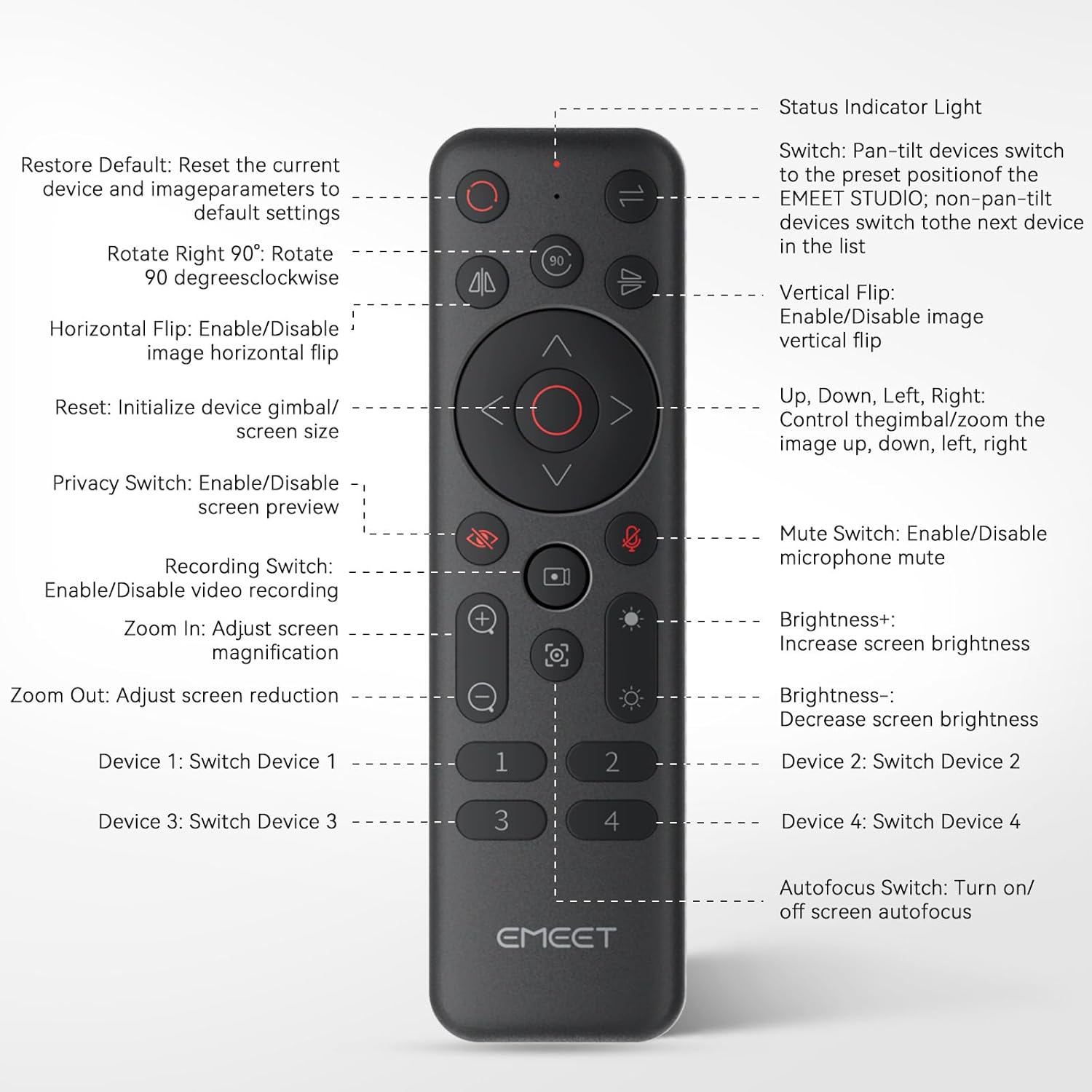
Image: EMEET Remote Control button layout and functions.
- Lampu Indikator Status: Displays the remote's status.
- Kembalikan ke semula: Reset the current device and image parameters to default settings.
- Putar 90°: Putar 90 derajat searah jarum jam.
- Balik Horisontal: Enable/Disable image horizontal flip.
- Atur ulang: Initialize device gimbal/screen size.
- Privacy Switch: Enable/Disable screen preview.
- Sakelar Perekaman: Enable/Disable video recording.
- Perbesar: Adjust screen magnification.
- Perkecil: Adjust screen reduction.
- Perangkat 1-4: Switch between connected devices (1-4).
- Pan-tilt Switch: Pan-tilt devices switch to the preset position of the EMEET STUDIO; non-pan-tilt devices switch to the next device in the list.
- Balik Vertikal: Enable/Disable image vertical flip.
- Atas, Bawah, Kiri, Kanan: Control the gimbal/zoom the image up, down, left, right.
- Sakelar Bisu: Enable/Disable microphone mute.
- Kecerahan+: Tingkatkan kecerahan layar.
- Kecerahan-: Kurangi kecerahan layar.
- Autofocus Switch: Turn on/off screen autofocus.
Petunjuk Pengaturan
Follow these steps to set up your EMEET Remote Control with your EMEET P-Series webkamera:
- Pasang Baterai: Please install 2 AAA batteries into the remote control. Ensure correct polarity (follow the positive and negative marks). Batteries are not included and need to be purchased separately.
- Plug in USB Receiver: Colokkan penerima USB ke port USB yang tersedia di komputer Anda.
- Menghubungkan Webkamera: Connect your EMEET PIXY, Piko+, or Piko 4K Webcam to your computer.
- Launch EMEET Studio: Open the EMEET Studio software on your computer.
- Start Operating: You can now start operating your device effortlessly via the remote control. Keep the remote within 32.8 ft (10 meters) for best performance.

Setup for EMEET PIXY

Setup for EMEET Piko

Setup for EMEET Piko+
Petunjuk Pengoperasian
Precision PTZ Control (for PIXY)
Instantly adjust pan, tilt, and zoom for your PIXY webcam with one click using the remote. This feature is designed for streamers, educators, and professionals who require fast, stable, and accurate framing adjustments on the fly.
Remote Control for PIXY

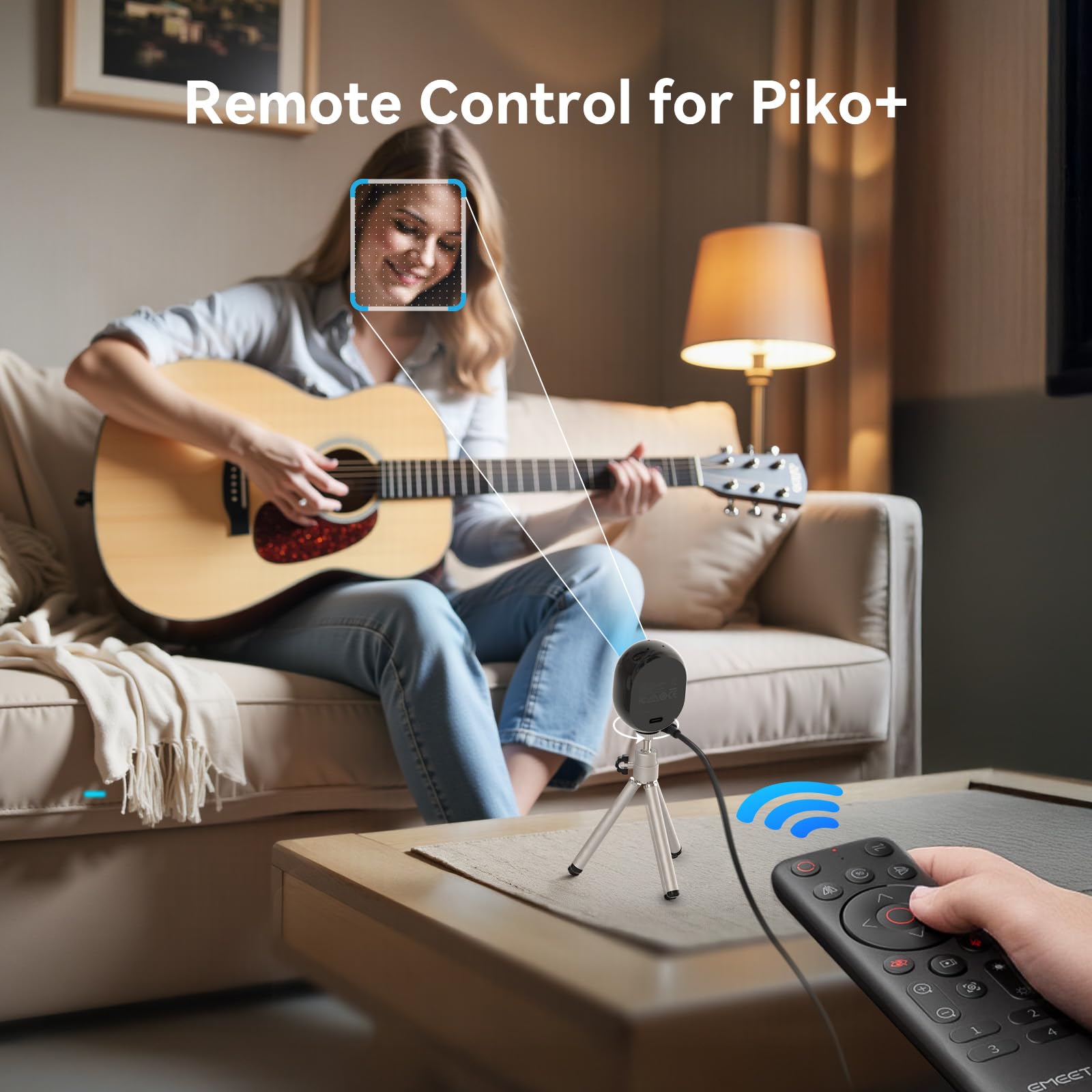
Remote Control for Piko+
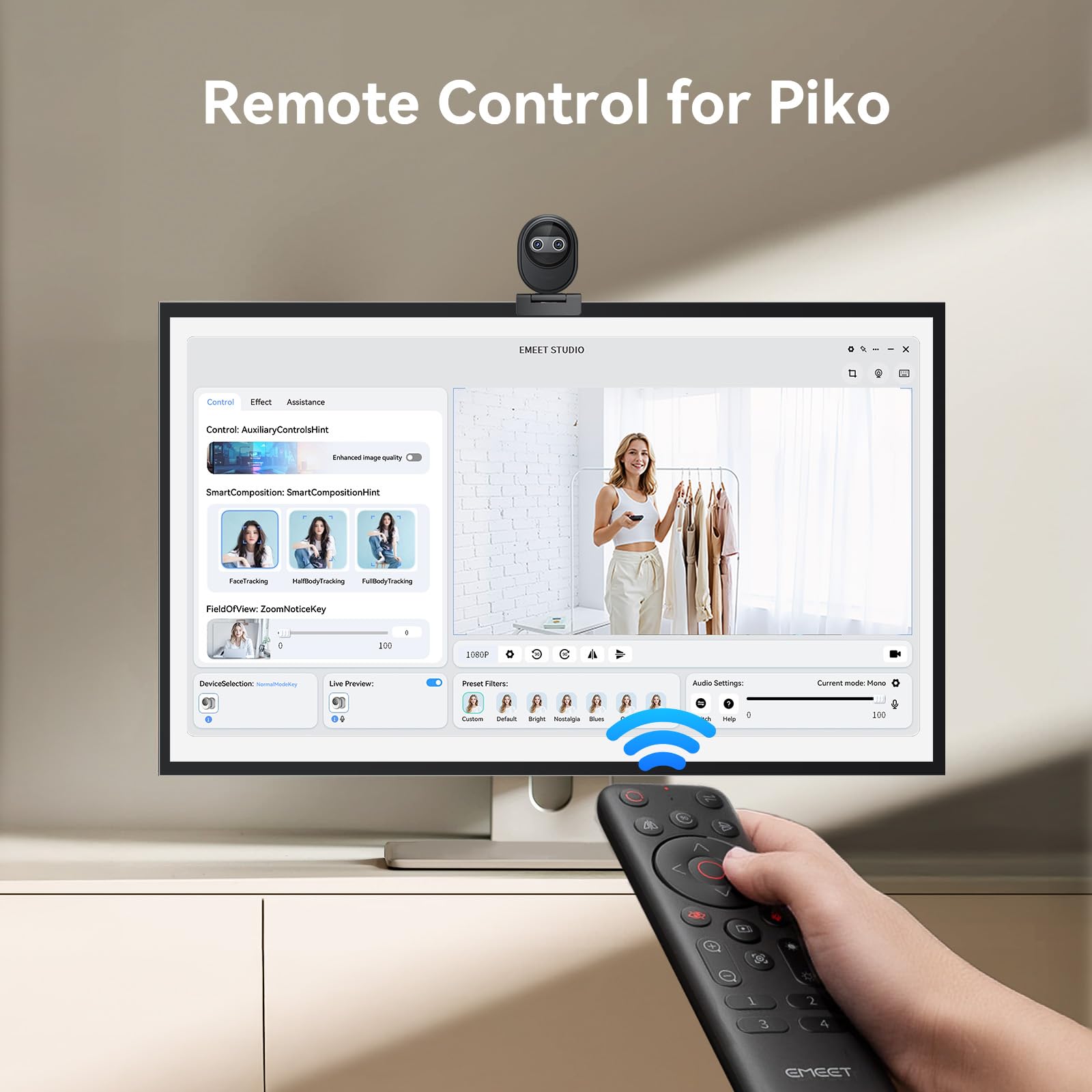
Remote Control for Piko
AI Tracking & Preset Access (for PIXY)
Activate auto-tracking or switch between preset views during live sessions for PIXY without needing to reach for your mouse. This allows for seamless scene switching, boosting production value.
Basic Image Adjustment
Control brightness, zoom level, mirroring, and flip functions directly via the remote. Fine-tune your visuals in real time without touching software controls.
Mode Privasi
Utilize the one-tap privacy mode to protect your space. Whether you're pausing a call or stepping away, simply tilt to hide the lens via the remote for a secure, silent, and quick privacy solution.
Kesesuaian
The EMEET Remote Control is fully compatible with all EMEET 4K dual-camera streaming webcams in the P-Series family, specifically PIXY, Piko, and Piko+. Full function access requires the EMEETSTUDIO software.
Spesifikasi
| Fitur | Detil |
|---|---|
| Merek | EMEET |
| Berat Barang | 2.88 ons |
| Dimensi Paket | 6.1x1.83x0.94 inci |
| Fitur Khusus | Ringan |
| Teknologi Konektivitas | Frekuensi radio |
| Perangkat yang Kompatibel | EMEET PIXY, Piko+, Piko 4K Webkamera |
Penyelesaian Masalah
- Jarak Jauh Tidak Merespons: Ensure fresh AAA batteries are correctly installed. Check that the USB receiver is securely plugged into your computer. Verify the remote is within the 32.8 ft (10 meters) operating range of the webkaca.
- Fungsi Tidak Berfungsi: Make sure the EMEET Studio software is running and your webcam is properly connected and recognized by the software. Check for any available software or firmware updates for your webcam and remote control within EMEET Studio.
- Masalah Penyandingan: The remote and receiver are pre-paired. If issues persist, consult the full user manual for specific re-pairing instructions if available.
Garansi dan Dukungan
EMEET is committed to providing excellent customer service and product reliability. We offer a Garansi eksklusif 2 tahun for your EMEET Remote Control. For any technical assistance or inquiries, our professional technical team provides dukungan seumur hidup. You can expect a quick reply to your queries, typically within 24 jam.
For further support, please refer to the contact information provided in your user manual or visit the official EMEET weblokasi.


