1. Pendahuluan
This manual provides essential information for the safe and efficient operation of your Thomson 43UF4S35 43-inch 4K UHD Smart LED TV with Fire TV. Please read this manual thoroughly before using your television and retain it for future reference. This television combines a stunning 4K UHD display with the intuitive Fire TV operating system, offering integrated Alexa voice control, Apple AirPlay support, and comprehensive connectivity options for a complete entertainment experience.
2. Informasi Keselamatan
Perhatikan tindakan pencegahan keselamatan berikut untuk mencegah kebakaran, sengatan listrik, atau cedera:
- Jangan biarkan TV terkena hujan atau lembab.
- Pastikan ventilasi yang baik; jangan halangi lubang ventilasi.
- Jangan menaruh TV pada kereta, dudukan, tripod, braket, atau meja yang tidak stabil.
- Lindungi kabel listrik agar tidak terinjak atau terjepit.
- Cabut TV saat terjadi badai petir atau saat tidak digunakan dalam jangka waktu lama.
- Serahkan semua servis kepada teknisi servis yang berkualifikasi.
3. Isi Paket
Verifikasi bahwa semua item ada dalam kemasan:
- Thomson 43UF4S35 43-inch 4K UHD Smart LED TV
- Adaptor Daya
- Kabel listrik
- Remote Control (dengan baterai)
- Meja TV (2 buah)
- User Manual (dokumen ini)
4. Fisik Lebih dariview
4.1. Dimensi

Gambar: Depan view of the Thomson 43UF4S35 TV with key dimensions labeled in centimeters. The TV measures 97 cm in width, 60 cm in total height with the stand, and has a screen height of 56 cm. The TV's depth is 9 cm, and the stand's depth is 27 cm.

Gambar: Sisi profile of the Thomson 43UF4S35 TV, illustrating its slim design and the attached stand.
4.2. Koneksi Panel Belakang

Gambar: Terperinci view of the rear connection panel of the Thomson 43UF4S35 TV. Ports are clearly labeled for Audio Out, CI+ slot, Headphone jack, three HDMI 2.1 inputs, LAN (Ethernet) port, Satellite input, Antenna input, and two USB 2.0 ports.
- SUARA KELUAR: Untuk menghubungkan sistem audio eksternal.
- CI+: Common Interface Plus slot for conditional access modules (CAM) to decrypt pay-TV channels.
- HEADPHONE: Jack 3.5mm untuk menghubungkan headphone.
- 3x HDMI 2.1: High-Definition Multimedia Interface inputs for connecting devices like Blu-ray players, game consoles, or set-top boxes.
- LAN: Port Ethernet untuk koneksi jaringan kabel.
- SATELIT: Input for satellite dish connection (DVB-S2).
- ANTENA: Input for terrestrial antenna connection (DVB-T2) or cable TV (DVB-C).
- 2x USB 2.0: Universal Serial Bus ports for connecting USB storage devices for media playback or software updates.
5. Pengaturan
5.1. Perakitan Dudukan
- Letakkan TV dengan hati-hati menghadap ke bawah di permukaan yang lembut dan rata untuk mencegah kerusakan layar.
- Attach the two stand pieces to the designated slots on the bottom of the TV using the provided screws. Ensure they are securely fastened.
- Angkat TV hingga tegak dan letakkan di permukaan yang stabil dan rata.
5.2. Menghubungkan Daya
Connect the power adapter to the TV's power input, then plug the power cable into a wall outlet. The TV will enter standby mode.
5.3. Initial Setup (Fire TV)
- Tekan tombol daya pada remote control untuk menyalakan TV.
- Ikuti petunjuk di layar untuk memilih bahasa Anda, sambungkan ke jaringan Wi-Fi, dan masuk ke akun Amazon Anda.
- The Fire TV interface will guide you through setting up live TV channels (via the Triple Tuner) and installing your favorite streaming applications.
- Buat pengguna profileuntuk rekomendasi dan pengaturan yang dipersonalisasi.
6. Mengoperasikan TV
6.1. Kontrol Jarak Jauh

Gambar: The Bluetooth remote control for the Thomson 43UF4S35 TV, featuring a central navigation pad, number buttons, and dedicated quick access buttons for popular streaming services like Netflix, Prime Video, Amazon Music, and an Alexa voice control button.
The included Bluetooth remote control allows for easy navigation. It features dedicated buttons for quick access to popular streaming services such as Netflix, Prime Video, and Amazon Music. The central navigation pad is used for menu selection and browsing.
6.2. Antarmuka Fire TV

Gambar: A visual representation of the Fire TV home screen, displaying a selection of streaming applications and options for multiple user profiles, indicating the personalized nature of the interface.
The Fire TV operating system provides a user-friendly interface for accessing streaming services, live TV, and apps. Navigate using the remote control to browse content, launch applications, and manage settings. User profiles can be created to tailor recommendations and settings for different household members.
6.3. Kontrol Suara Alexa
Press the Alexa button on your remote control and speak your commands. You can ask Alexa to:
- Pencarian untuk film atau acara TV.
- Luncurkan aplikasi.
- Kendalikan perangkat rumah pintar.
- Check the weather or get information.
6.4. Apple AirPlay
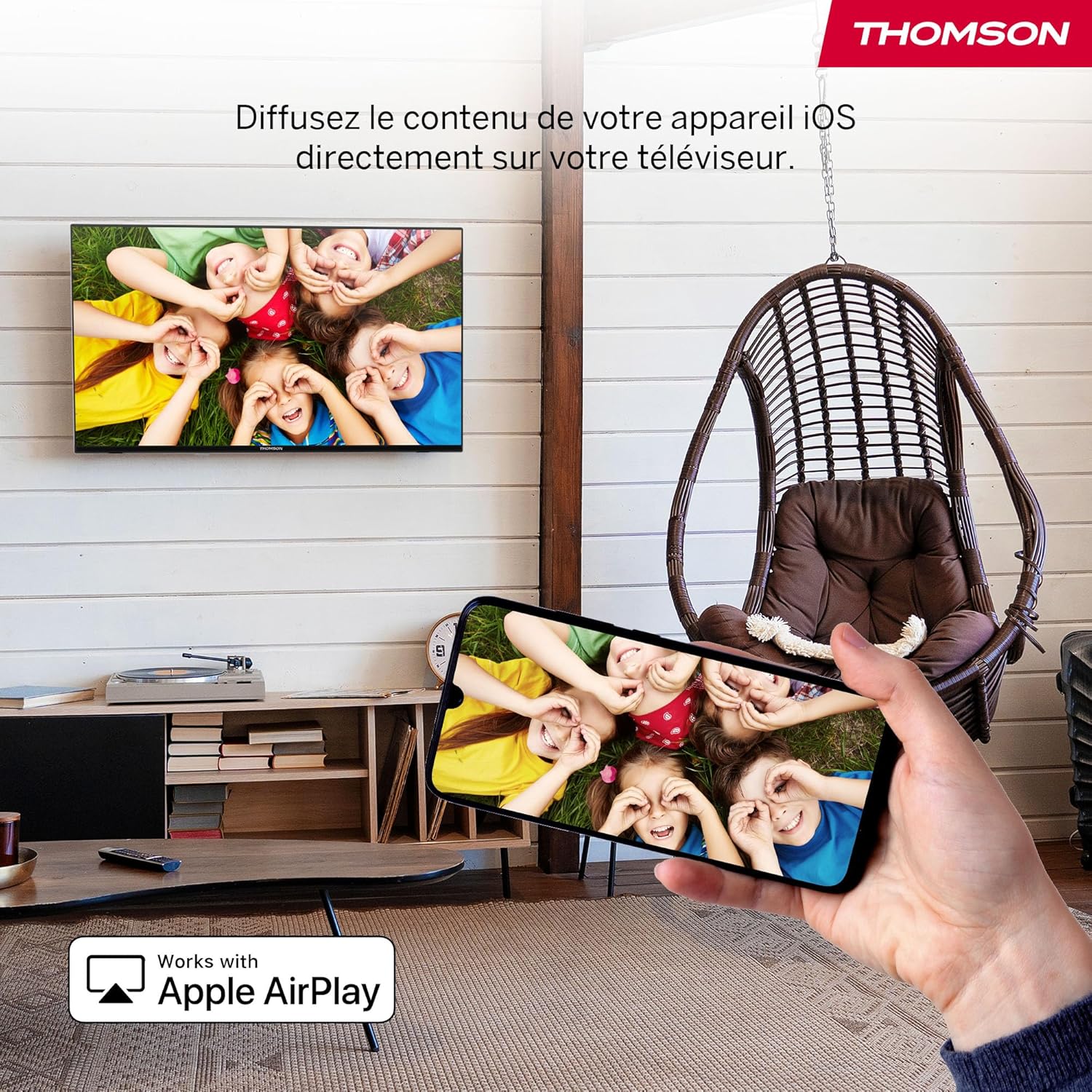
Gambar: An illustration of Apple AirPlay in use, showing content from an iPhone being wirelessly streamed or mirrored to the Thomson TV, enabling seamless content sharing from iOS devices.
The TV supports Apple AirPlay, allowing you to stream content directly from your iPhone, iPad, or Mac. Ensure your Apple device and the TV are connected to the same Wi-Fi network. Select the AirPlay icon on your Apple device and choose your Thomson TV from the list of available devices.
6.5. Triple Tuner
The integrated Triple Tuner supports DVB-C (cable), DVB-S2 (satellite), and DVB-T2 (terrestrial antenna) signals. Connect your preferred signal source to the corresponding input on the rear panel. During initial setup or via the TV settings, you can scan for available channels.
6.6. Smart Home Dashboard

Gambar: A view of the Smart Home Dashboard accessible on the Thomson TV, presenting an organized interface for managing and controlling various smart home devices, including cameras and lighting, directly from the television screen.
Access the integrated Smart Home Dashboard to control compatible connected devices in your home. This feature allows you to manage smart lights, cameras, and other smart appliances directly from your TV screen.
7. Picture and Sound
7.1. 4K UHD with Dolby Vision

Gambar: A side-by-side comparison illustrating the visual difference between Standard Dynamic Range (SDR) and Dolby Vision. The Dolby Vision image on the right displays significantly improved contrast, brighter highlights, and more vibrant colors in a landscape scene.
Experience exceptional clarity with 4K UHD resolution, offering four times the detail of Full HD. Dolby Vision further enhances the visual experience by providing superior brightness, contrast, and color accuracy, bringing scenes to life with stunning realism.
7.2. Dolby Atmos Sound
Gambar: A visual representation of the Dolby Atmos audio experience, showing sound waves expanding from the television screen to envelop viewers, suggesting a multi-dimensional and immersive sound environment.
Dolby Atmos delivers rich, multi-dimensional sound that flows around you, creating an immersive audio experience. For the full effect, connect your TV to a compatible Dolby Atmos sound system.
8. Konektivitas
Your Thomson TV offers a variety of connection options:
- HDMI: Connect up to three HDMI devices for high-definition audio and video.
- Kabel USB: Use the two USB 2.0 ports to play media from USB drives or for service updates.
- Jaringan LAN (Ethernet): Untuk koneksi internet kabel yang stabil.
- Wifinya: Connect wirelessly to your home network for streaming and online features.
- Bluetooth dapat digunakan untuk berbagai keperluan, seperti: Pair Bluetooth-enabled devices such as headphones or soundbars.
- CI+: Insert a Conditional Access Module for encrypted digital TV services.
9. Pemeliharaan
Untuk memastikan umur panjang dan kinerja TV Anda yang optimal:
- Pembersihan: Gently wipe the screen with a soft, dry, lint-free cloth. For stubborn marks, use a screen-specific cleaner applied to the cloth, not directly to the screen. Clean the TV body with a soft, dry cloth.
- Ventilasi: Pastikan lubang ventilasi di bagian belakang TV tidak terhalang.
- Pembaruan Perangkat Lunak: The Fire TV system will periodically check for and install software updates automatically when connected to the internet.
10. Penyelesaian masalah
Jika Anda mengalami masalah, lihat solusi umum berikut:
| Masalah | Solusi yang mungkin |
|---|---|
| Tidak ada daya | Check if the power cable is securely connected to the TV and the wall outlet. Ensure the outlet is functioning. |
| Tidak ada gambar, tetapi ada suara | Pastikan sumber input yang dipilih sudah benar. Periksa koneksi perangkat eksternal. |
| Tidak ada suara, tetapi gambar ada | Check volume levels and mute settings. Ensure external audio devices are correctly connected and powered on. |
| Kontrol jarak jauh tidak berfungsi | Replace batteries. Ensure there are no obstructions between the remote and the TV. Re-pair the Bluetooth remote if necessary (refer to Fire TV settings). |
| Tidak dapat terhubung ke Wi-Fi | Pastikan router Anda menyala dan berfungsi. Masukkan kembali kata sandi Wi-Fi. Coba mulai ulang TV dan router. |
| Kualitas gambar buruk | Check antenna/cable/satellite connections. Adjust picture settings (brightness, contrast, sharpness). Ensure the content source is high quality. |
11. Spesifikasi
| Fitur | Detil |
|---|---|
| Merek | Bahasa Indonesia: Thomson |
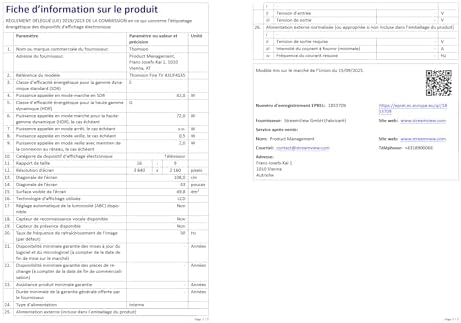
| Nomor Model | 43UF4S35 |
| Ukuran Layar | 43 Inci (109 cm) |
| Resolusi | UHD 4K (3840 x 2160) |
| Teknologi Tampilan | Layar LCD |
| Tingkat Penyegaran | 50Hz |
| Sistem Operasi | Televisi Api |
| Fitur Khusus | Dolby Vision, Dolby Atmos, Alexa Voice Control, Apple AirPlay, Smart Home Dashboard |
| Konektivitas | Wi-Fi, Bluetooth, Ethernet (LAN), 3x HDMI 2.1, 2x USB 2.0, CI+, Audio Out, Headphones, Satellite, Antenna |
| Triple Tuner | DVB-C, DVB-S2, DVB-T2 |
| Warna | Hitam |
| Rasio Aspek | 16:9 |
| Dimensi Produk (P x L x T) | Ukuran 9x97x60cm |
| Komponen yang Termasuk | Power Adapter, Power Cable, Remote Control, Stand, User Manual |
| Pabrikan | SUNGAI KECILVIEW GMBH |
| Negara Asal | Turki |
12. Garansi dan Dukungan
Your Thomson 43UF4S35 TV comes with a Garansi pabrik 3 tahunGaransi ini mencakup cacat material dan pengerjaan dalam penggunaan normal. Harap simpan bukti pembelian Anda untuk klaim garansi.
For technical support, troubleshooting assistance, or warranty service, please contact your retailer or the manufacturer, STREAMVIEW GMBH. Refer to your purchase documentation for specific contact details.


