1. Pendahuluan
This manual provides detailed instructions for the installation, operation, and maintenance of your CP PLUS EZ-P34Q 3MP Smart Wi-Fi CCTV Camera. Please read this manual thoroughly before using the product to ensure proper functionality and safety. Keep this manual for future reference.
2. Produk Lebihview
The CP PLUS EZ-P34Q is a 3MP Smart Wi-Fi CCTV Camera designed for indoor home surveillance. It features 360° pan and 60° tilt capabilities, providing comprehensive coverage. The camera supports 2K clarity video recording with H.265 compression, ensuring clear footage and efficient storage. Advanced features include motion detection, human body detection, motion tracking, sound alerts, dual-vision night mode, two-way communication, and cloud recording options. It is equipped with CTC Cyber Secure Tech for data privacy.

Figure 2.1: CP PLUS EZ-P34Q Camera with highlighted features.
3. Apa yang ada di dalam kotak
Verifikasi bahwa semua item berikut disertakan dalam paket Anda:
- CP PLUS EZ-P34Q Camera Unit
- Adaptor Daya
- Kabel Pengisi Daya (USB Tipe-C)
- Manual Instruksi
- Sekrup Pemasangan
4. Pengaturan
4.1 Instalasi Fisik
The camera is designed for indoor use and tabletop mounting. Ensure the camera is placed on a stable, flat surface with a clear view of the area you wish to monitor. For wall or ceiling mounting, use the provided mounting screws and follow the instructions in the separate mounting guide (if applicable).
- Choose a suitable indoor location for the camera.
- Connect the charging cable to the camera's USB Type-C port and the power adapter.
- Colokkan adaptor daya ke stopkontak listrik standar. Kamera akan menyala dan memulai urutan pengaktifannya.
4.2 Instalasi dan Pemasangan Aplikasi
To operate the camera and access its features, you need to download and install the compatible mobile application on your smartphone.
- Download the official CP PLUS mobile application from your device's app store (e.g., Google Play Store or Apple App Store).
- Daftar untuk membuat akun baru atau masuk jika Anda sudah punya.
- Follow the in-app instructions to add your new EZ-P34Q camera. This typically involves scanning a QR code on the camera or manually entering its device ID.
- Connect the camera to your Wi-Fi network as prompted by the application. Ensure your Wi-Fi network is 2.4GHz for optimal compatibility.
- Once successfully paired, you can view the live feed and configure camera settings through the app.
5. Operasi
5.1 Kontrol Pan & Tilt
The camera offers a 360° horizontal pan and 60° vertical tilt range, allowing you to adjust the viewing angle remotely via the mobile application.
- Buka siaran langsungnya view di aplikasi seluler.
- Use the directional controls (usually an on-screen joystick or arrows) to move the camera lens horizontally (pan) and vertically (tilt).

Figure 5.1: Illustrates the 360° pan and tilt capability for comprehensive coverage.
5.2 Smart Detection Suite
The camera is equipped with advanced detection features to enhance security and reduce false alarms.
- Deteksi gerakan: Kamera mendeteksi gerakan dalam bidang pandangnya view.
- Human Body Detection: Specifically identifies human shapes, minimizing alerts from pets or inanimate objects.
- Pelacakan gerak: When motion is detected, the camera can automatically track the moving object.
- Peringatan Suara: The camera can detect unusual sounds and send notifications.
- Pencegahan Aktif: Features a built-in siren and warm LED flash light that can be activated automatically upon detection of unexpected motion to deter intruders.
Configure these settings in the mobile application's detection settings menu to receive instant notifications on your smartphone.

Figure 5.2: Motion tracking feature in action, following movement.
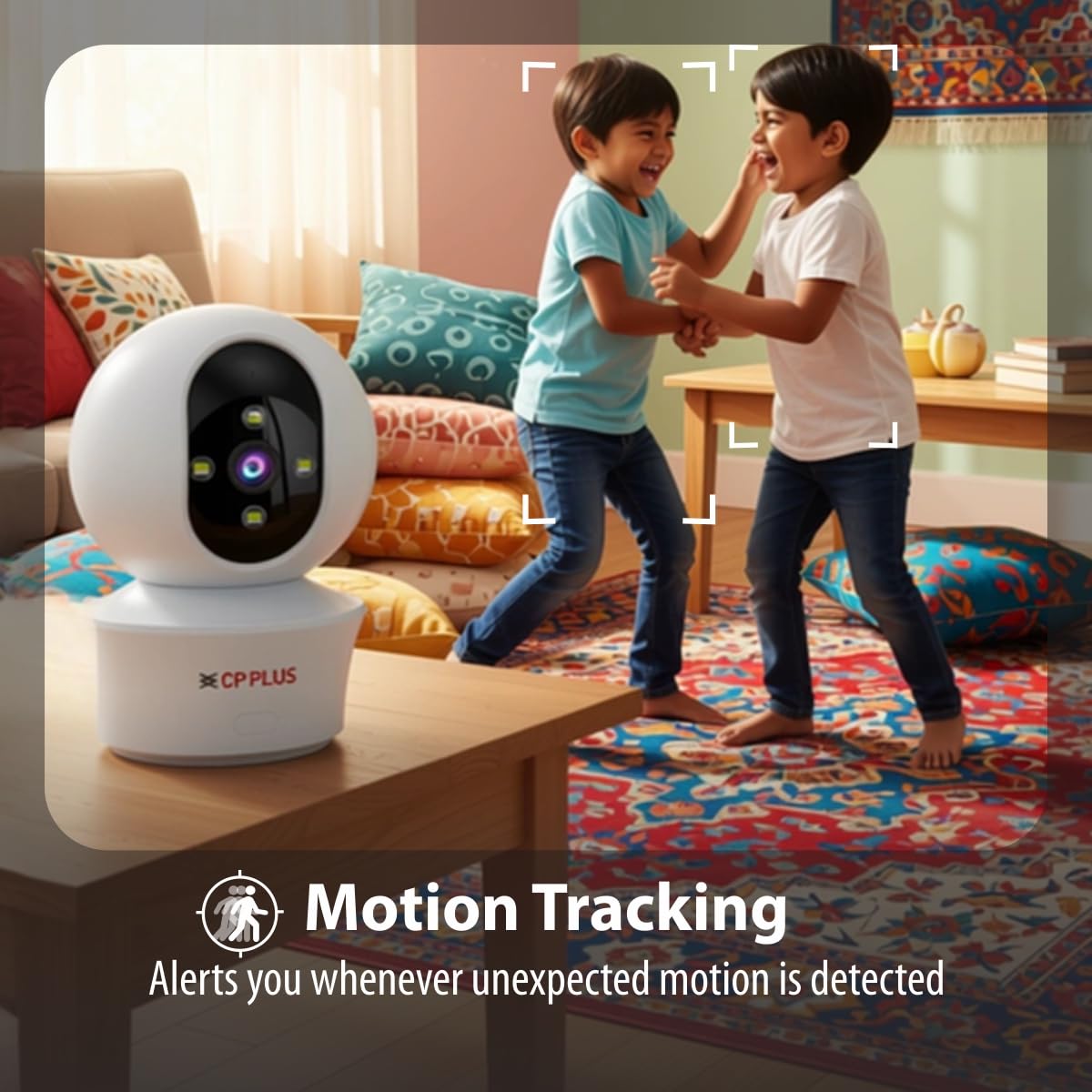
Figure 5.3: Human body detection providing real-time alerts.

Figure 5.4: Active deterrence using siren and LED flash light.
5.3 Penglihatan Malam
The camera offers dual-vision night mode for clear surveillance in low-light conditions.
- Penglihatan Malam Inframerah (IR): Menyediakan makanan hitam putih yang jelastage up to 20-30 meters in complete darkness.
- White LED Color Night Vision: Utilizes built-in white LEDs to deliver full-color video up to 15-20 meters at night, also serving as a deterrent.
You can switch between these modes or set them to activate automatically based on ambient light conditions through the app.

Figure 5.5: Full-color night vision capturing details in low light.
5.4 Komunikasi Dua Arah
The built-in microphone and speaker allow for two-way audio communication.
- Dari siaran langsung view in the mobile app, tap the microphone icon to speak through the camera's speaker.
- The camera's microphone will pick up audio from the monitored area, which you can hear through your smartphone.
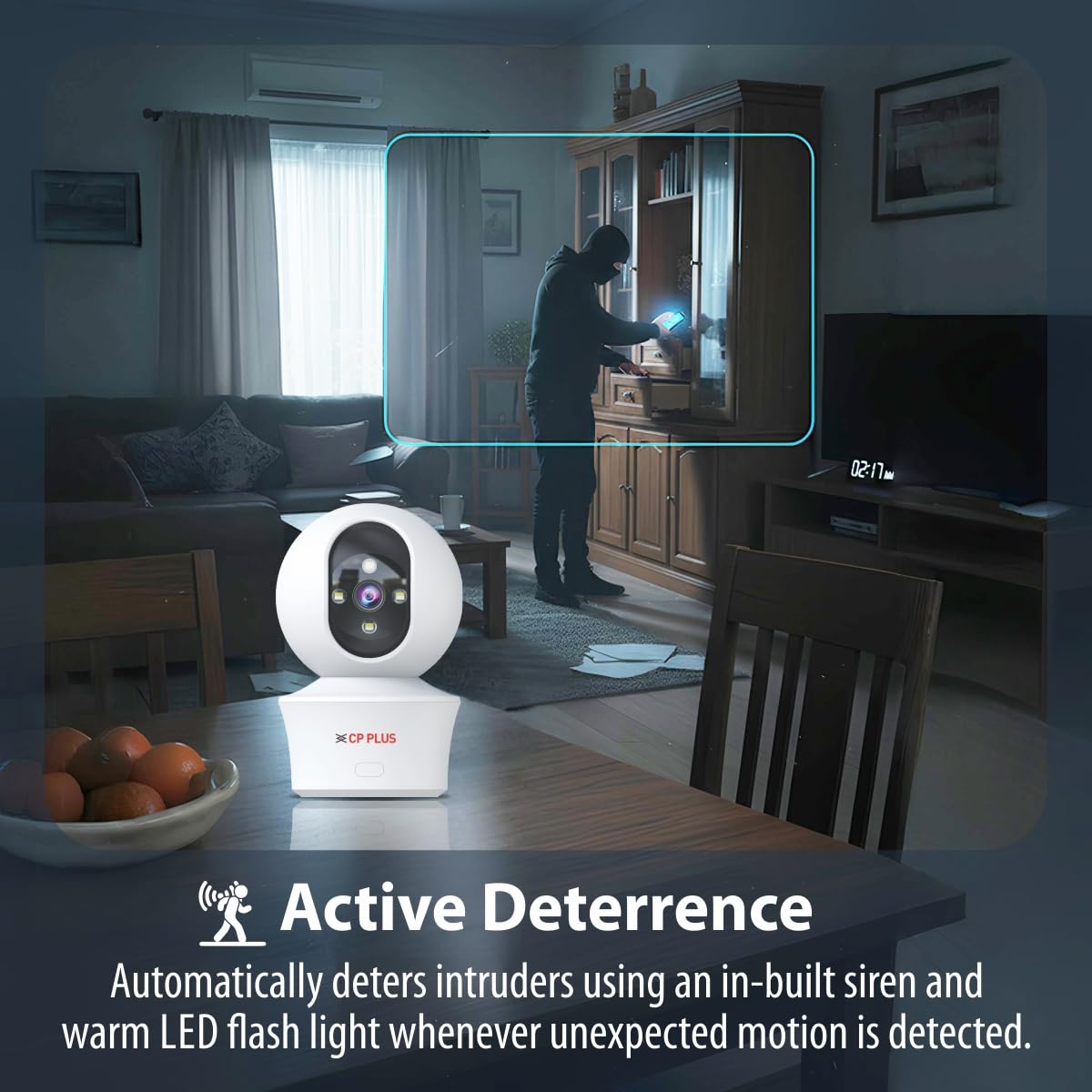
Figure 5.6: Two-way communication feature for interacting with the monitored area.
5.5 Perekaman dan Penyimpanan Video
The camera supports both local and cloud storage options for your video recordings.
- Penyimpanan Kartu MicroSD: Insert a MicroSD card (up to 256GB, not included) into the designated slot on the camera for local storage. Recordings will be saved directly to the card.
- Rekaman Awan: The camera supports cloud recording services (subscription may be required). Refer to the mobile application for details on activating and managing cloud storage.
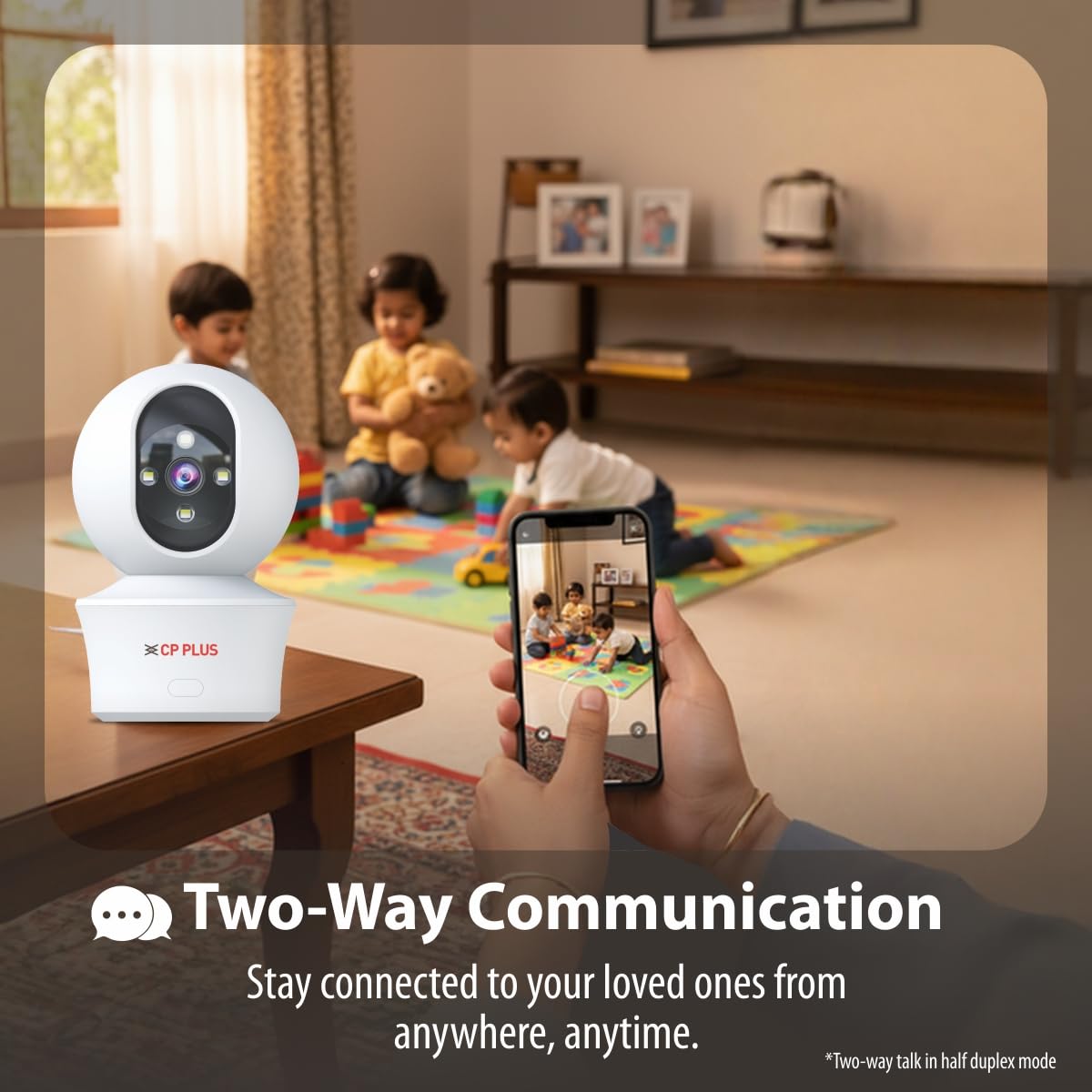
Figure 5.7: Cloud recording feature for remote access to footage.
5.6 CTC Cyber Secure Tech
Your CP PLUS camera incorporates CTC Cyber Secure Tech to ensure your video data remains encrypted, private, and protected from cyber threats.
6. Spesifikasi
| Fitur | Spesifikasi |
|---|---|
| Nomor Model | EZ-P34Q |
| Resolusi | 3MP (2304x1296) |
| Kompresi Video | Bahasa Indonesia: H.265 |
| Pan Rentang | 360° |
| Rentang Kemiringan | 60° |
| Rentang Penglihatan Malam IR | 20-30 meter |
| White LED Night Vision Range | 15-20 meters (Full Color) |
| Kecepatan Bingkai | 20 bingkai per detik |
| Penyimpanan | Kartu microSD (hingga 256GB), Penyimpanan Cloud |
| Konektivitas | Akses internet nirkabel (2.4 GHz) |
| Masukan Daya | USB Tipe-C 5V |
| Dimensi (P x L x T) | Ukuran 7.7x7.7x10.9 cm |
| Berat | 330 gram |
| Penggunaan Dalam/Luar Ruangan | Hanya di Dalam Ruangan |
| Fitur Khusus | 2-Way Audio, Motion Sensor, Night Vision, Human Detection, Auto Tracking, Built-in Siren |
7. Penyelesaian masalah
Jika Anda mengalami masalah dengan kamera Anda, lihat masalah umum dan solusi berikut:
- Kamera tidak terhubung ke Wi-Fi:
- Pastikan jaringan Wi-Fi Anda menggunakan frekuensi 2.4GHz.
- Periksa kekuatan sinyal Wi-Fi di lokasi kamera.
- Pastikan Anda memasukkan kata sandi Wi-Fi yang benar di aplikasi.
- Mulai ulang router Wi-Fi dan kamera Anda.
- Kualitas video buruk:
- Periksa kecepatan koneksi internet Anda.
- Pastikan lensa kamera bersih.
- Adjust video resolution settings in the app if your network bandwidth is limited.
- Tidak ada peringatan deteksi gerakan:
- Verify motion detection and notification settings are enabled in the app.
- Check the detection sensitivity settings.
- Pastikan kamera view tidak terhalang.
- Audio dua arah tidak berfungsi:
- Periksa izin mikrofon dan speaker untuk aplikasi tersebut di ponsel Anda.
- Ensure volume levels are adjusted correctly in the app and on your phone.
8. Informasi Keselamatan
- This camera is designed for hanya untuk penggunaan di dalam ruangan. Do not expose it to water, moisture, or extreme temperatures.
- Use only the provided power adapter and charging cable. Using unauthorized accessories may damage the product and void the warranty.
- Jauhkan kamera dan aksesorinya dari jangkauan anak-anak.
- Jangan mencoba membongkar atau memperbaiki kamera sendiri. Hubungi dukungan pelanggan untuk mendapatkan bantuan.
- Pastikan ventilasi yang baik di sekitar kamera untuk mencegah panas berlebih.
9. Video Produk Selesaiview
Tonton video singkat ini untuk ringkasan singkat.view of the CP PLUS EZ-P34Q camera's features and capabilities.
Video 9.1: A brief introduction to the CP PLUS 3MP Camera features.
10. Garansi dan Dukungan
For warranty information, technical support, or service inquiries, please refer to the official CP PLUS websitus web atau hubungi layanan pelanggan mereka. Simpan struk pembelian Anda sebagai bukti pembelian.


