Perkenalan
This manual provides essential information for setting up, operating, and maintaining your Apple Watch Series 11 GPS + Cellular 42mm. Please read these instructions carefully to ensure proper use and to maximize the device's capabilities.
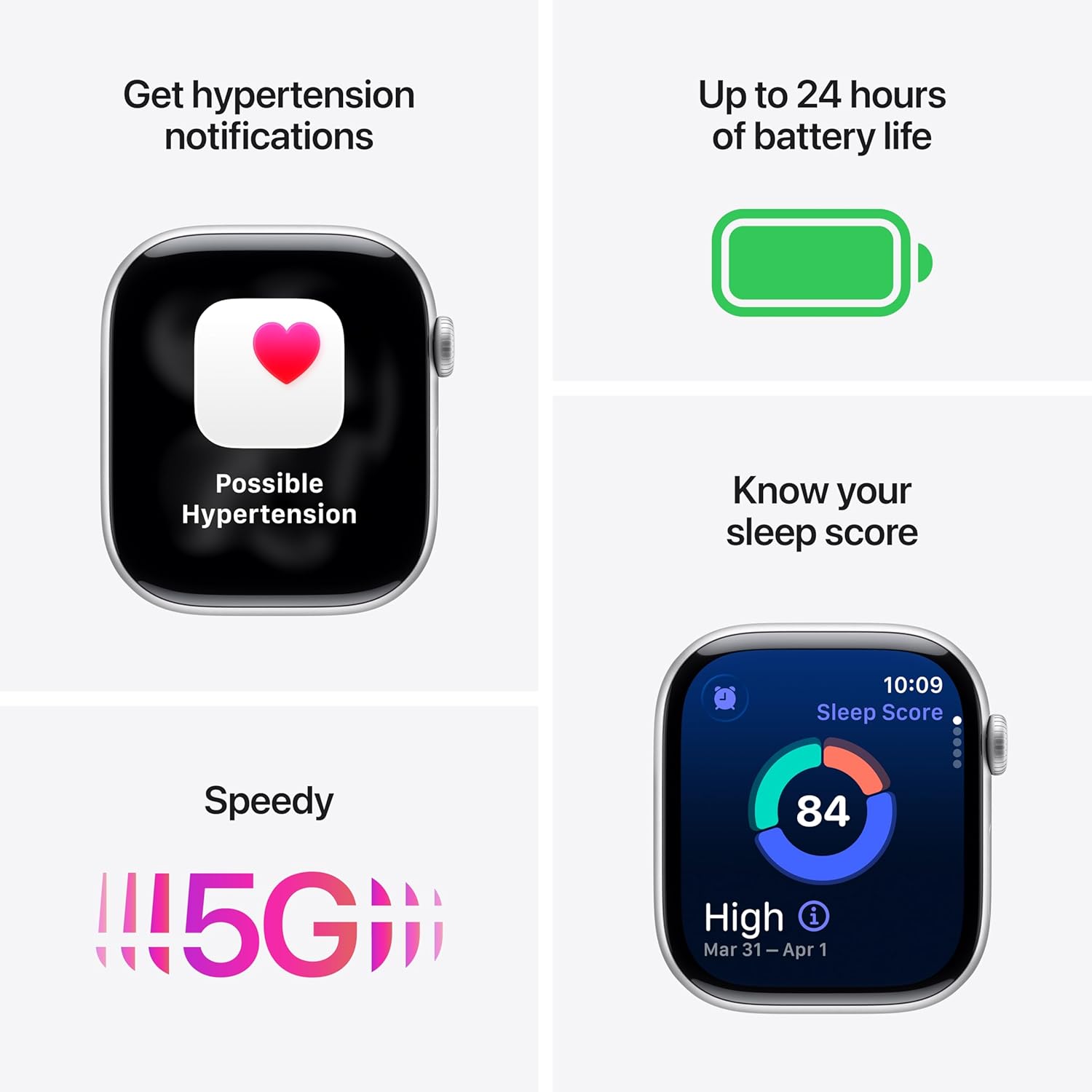
Image: The Apple Watch Series 11, showcasing its design with a Natural Titanium Case and Natural Milanese Loop band.
Apa yang ada di dalam kotak
Verifikasi bahwa semua item ada dalam kemasan:
- Apple Watch Series 11 GPS + Cellular 42mm Natural Titanium Case
- Natural Milanese Loop
- Kabel Pengisian Magnetik 1m

Image: A visual representation of the Apple Watch Series 11, its Milanese Loop band, and the USB-C Magnetic Fast Charging Cable, as found in the product box.
Pengaturan
- Isi Daya Apple Watch Anda: Connect the magnetic charging cable to the back of your Apple Watch and plug the USB-C end into a power adapter (sold separately) or a USB-C port. Allow the watch to charge until it powers on.
- Pasangkan dengan iPhone: Ensure your iPhone is updated to the latest iOS version and has Bluetooth enabled. Open the Apple Watch app on your iPhone. Follow the on-screen instructions to pair your watch. Position your iPhone so the Apple Watch appears in the viewpenemu.
- Set Up Cellular (GPS + Cellular models): During the pairing process, you will be prompted to set up cellular service. This requires an active cellular plan with a compatible carrier. Follow the steps provided by your carrier.
- Sesuaikan Pengaturan: Personalize your watch settings, including passcode, Apple Pay, and app preferences.
Mengoperasikan Perangkat
Pemantauan Kesehatan
The Apple Watch Series 11 offers advanced health tracking capabilities:
- Hypertension Notifications: The watch can detect signs of chronic high blood pressure and provide notifications.
- Skor Tidur: Track and understand your sleep quality with detailed sleep scores.
- Aplikasi EKG: Take an electrocardiogram (ECG) at any time to record your heart's electrical activity.
- Pemantauan Denyut Jantung: Receive notifications for high, low, or irregular heart rhythms.
- Aplikasi Oksigen Darah: Ukur kadar oksigen darah Anda.
- Vitals App: View overnight health metrics for comprehensive insights.
- Sleep Apnea Notifications: Receive alerts for possible sleep apnea events.

Image: The Apple Watch Series 11 screen showing current heart rate and an overview of overnight vitals, illustrating its health monitoring features.
Pelacakan Kebugaran
Utilize the watch for comprehensive fitness tracking:
- Lingkaran Aktivitas: Track your daily movement, exercise, and standing goals.
- Aplikasi Olahraga: Access advanced metrics for various workouts, including Pacer, Heart Rate Zones, and training load.
- Workout Buddy: Connect with Apple Intelligence on your iPhone for enhanced workout support.

Image: The Apple Watch Series 11 displaying activity rings on one screen and an active 'Outdoor Run' workout on another, highlighting its fitness tracking capabilities.
Konektivitas
Stay connected with your Apple Watch:
- 5G and LTE: Make calls, send texts, download music, and access emergency services without your iPhone nearby.
- Wi-Fi dan Bluetooth: Connect to wireless networks and accessories.

Image: A person wearing the Apple Watch Series 11, with text indicating "A 5G leap in connectivity," demonstrating its advanced cellular capabilities.
Fitur Keamanan
The watch includes features designed for your safety:
- Deteksi Jatuh: Automatically detects hard falls and can initiate a call to emergency services.
- Deteksi Tabrakan: Can detect severe car crashes and connect you with emergency services.
- SOS darurat: Press and hold the side button to quickly contact emergency services.
- Check In: Automatically notifies a loved one when you arrive at your destination.
Kontrol
- Mahkota Digital: Navigate menus, zoom, and scroll with haptic feedback.
- Tombol Samping: Access the Dock, Apple Pay, and Emergency SOS.
- Double Tap and Wrist Flick Gesture: Interact with the watch using simple hand movements.
- Siri: Use voice commands for various tasks with on-device processing.
Daya Tahan Baterai dan Pengisian Daya
The Apple Watch Series 11 is designed for extended use:
- Penggunaan Normal: Daya tahan baterai hingga 24 jam.
- Mode Daya Rendah: Daya tahan baterai hingga 38 jam.
- Fast-Charge Capable: Achieve up to 80% charge in approximately 30 minutes.
- Quick Charge for Short Use: 15 minutes of charging provides up to 8 hours of normal use, or 5 minutes for up to 8 hours of sleep tracking.
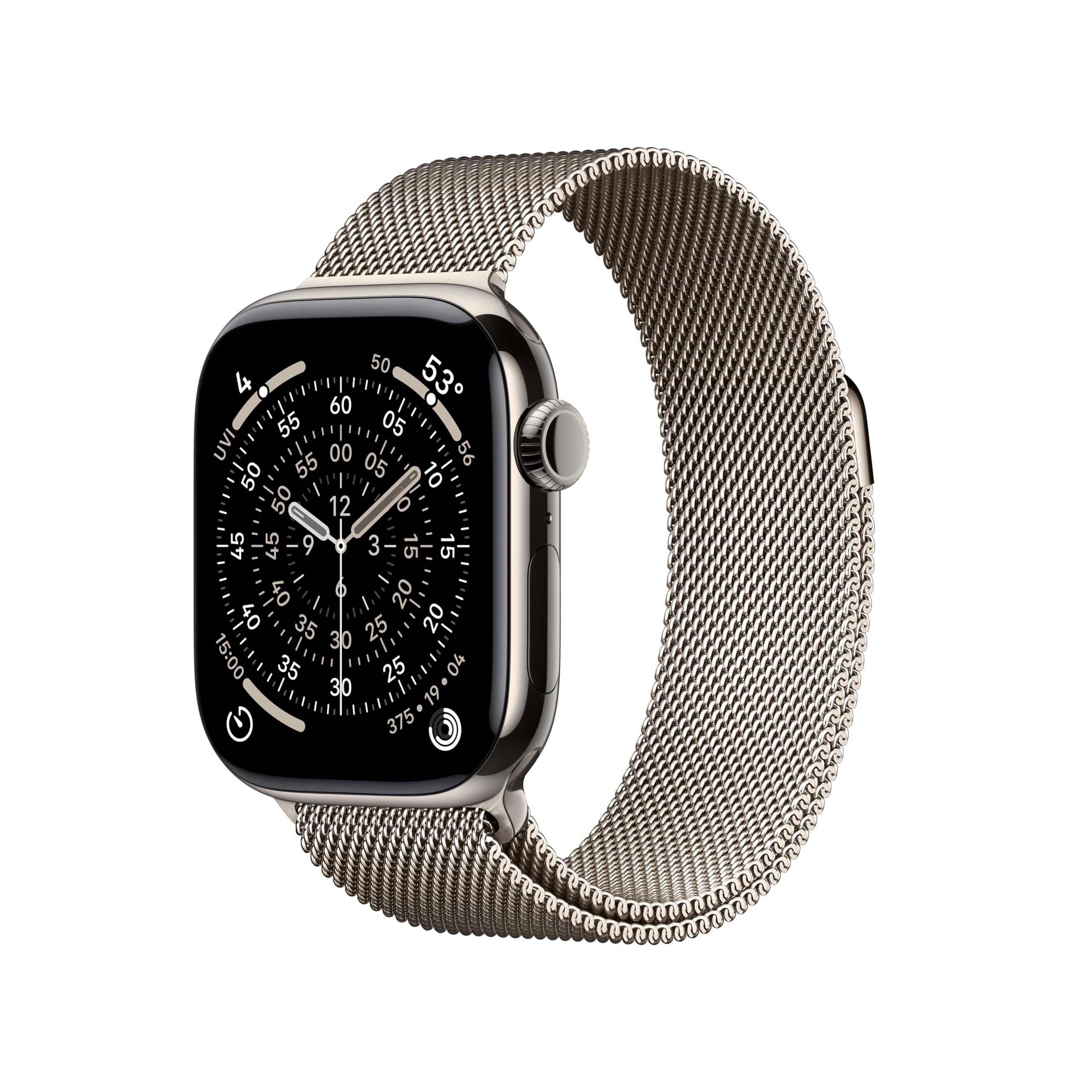
Image: A composite image highlighting key features of the Apple Watch Series 11, including hypertension notifications, up to 24 hours of battery life, sleep score display, and 5G connectivity.
Daya Tahan dan Perawatan
Your Apple Watch Series 11 is built for resilience:
- Tahan Air: Water resistant up to 50 meters, suitable for swimming.
- Tahan Debu: IP6X dust resistant.
- Display Durability: Features a superdurable glass display that is 2x more scratch resistant than Series 10. Titanium cases include a sapphire front crystal.
Petunjuk Perawatan:
- Clean your watch regularly with a soft, lint-free cloth.
- Hindari memaparkan jam tangan pada suhu ekstrem atau bahan kimia keras.
- Keringkan jam tangan secara menyeluruh setelah terkena air.
Penyelesaian Masalah
If you encounter issues with your Apple Watch, consider the following steps:
- Mulai Ulang Jam Tangan Anda: Press and hold the side button until the power off slider appears, then drag the slider. To turn it back on, press and hold the side button again until you see the Apple logo.
- Periksa Koneksi: Ensure your Apple Watch is properly paired with your iPhone and that Bluetooth and Wi-Fi are enabled. For cellular models, verify your cellular plan is active.
- Perbarui Perangkat Lunak: Ensure both your Apple Watch and iPhone are running the latest software versions.
- Atur Ulang Pengaturan: If problems persist, you may need to reset your Apple Watch settings via the Apple Watch app on your iPhone.
- Hubungi Dukungan: For further assistance, visit the official Apple Support websitus atau hubungi layanan pelanggan Apple.
Spesifikasi
| Dimensi Produk | 9.4x3x1.2 inci |
| Berat Barang | 1.28 ons |
| Pabrikan | Apel |
| Nomor Model Barang | MF8P4LW/A |
| Sistem Operasi | jam tangan |
| Kapasitas Penyimpanan Memori | 64 GB |
| Fitur Khusus | Activity Tracker, Always On Display, Cycle Tracking, GPS, Heart Rate Monitor |
| Kapasitas Baterai | 327 Miliamp Jam |
| Teknologi Konektivitas | 5G and LTE, GPS + Cellular |
| Standar Komunikasi Nirkabel | 802.11a/g/n/ac, Bluetooth |
| Bahasa Indonesia: GPS | GPS bawaan |
| Membentuk | Persegi panjang |
| Ukuran Layar | 42 Milimeter |
| Bahan | Aluminium or Titanium |
| Dimensions (42mm) | Tinggi: 42mm, Lebar: 36mm, Kedalaman: 9.7mm |
| Case Weight (Titanium) | 34.6 gram |
| Menampilkan | Always-On Retina display, up to 2,000 nits brightness, 326 pixels per inch |
| Keripik | S10 SiP with 64-bit dual-core processor, 4-core Apple Neural Engine |
| Sensor | Electrical heart sensor, Optical heart sensor, Blood oxygen sensor, Temperature sensor, Compass, Altimeter, Gyroscope, Accelerometer, Ambient light sensor, Depth gauge, Water temperature sensor |
| Daya tahan | Water resistance 50m (swimproof), Dust Resistance IP6X |
Garansi dan Dukungan
Your Apple Watch Series 11 is covered by Apple's standard limited warranty. For detailed warranty information, technical support, service options, and additional resources, please visit the official Apple Support weblokasi:
You can also find information regarding AppleCare+ for extended coverage and accidental damage protection.


