Perkenalan
This manual provides detailed instructions for the setup, operation, and maintenance of your REACHER CR7WL FM Alarm Clock Radio with White Noise Machine. Please read this manual thoroughly before using the device to ensure proper function and to maximize your user experience. Keep this manual for future reference.
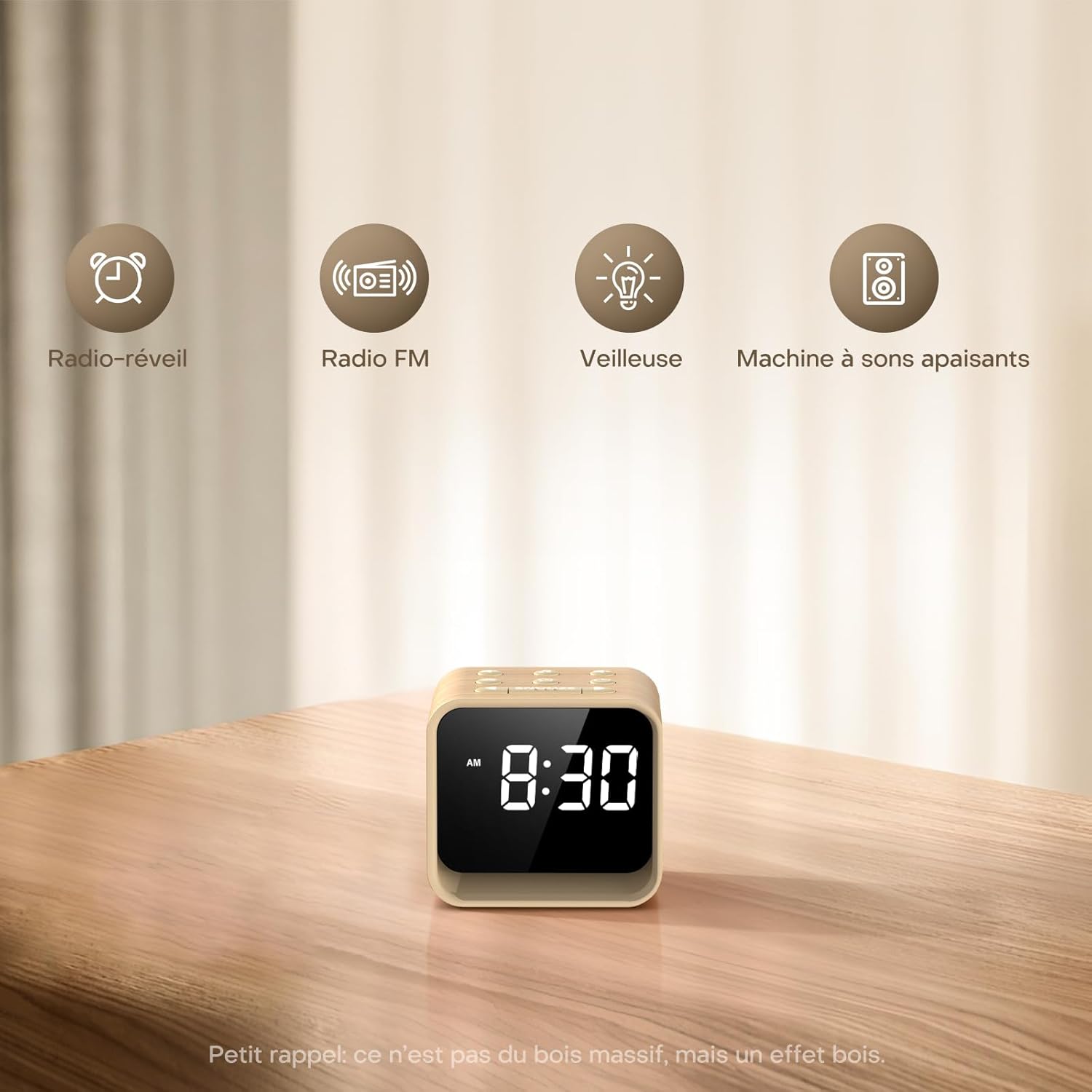
Image: The REACHER CR7WL device highlighting its core functionalities: Alarm Clock, FM Radio, Night Light, and Soothing Sound Machine.
Fitur Produk
- Enhanced FM Radio Experience: Enjoy clear, high-quality FM radio with automatic station search and easy saving of favorite stations.
- Customizable Alarm: Choose from 9 alarm sounds, including 8 natural sounds (bird, flute, piano, frog, stream, wave, bell, beep) or your preferred FM radio station. Features a 9-minute snooze function and adjustable volume (20-105 dB).
- 4-in-1 Bedside Companion: Functions as a connected alarm clock, FM radio, night light, and sleep aid.
- Soothing Sleep Aid: Access 24 relaxing sounds, including natural sounds (rain, fan, waves) and various white noises (white, brown, pink, blue) for a customized sleep environment.
- Adjustable Display & 7-Color Night Light: Clear display with adjustable brightness for day and night viewing. The integrated 7-color night light at the base creates a soft, warm ambiance.
- Sumber Daya: Operates exclusively via AC power.
Isi Paket
Silakan periksa paket untuk item berikut:
- REACHER CR7WL FM Alarm Clock Radio
- Adaptor Daya (DC 5V)
- Panduan Pengguna
Product Layout and Controls

Gambar: Detail view of the control buttons and ports on the REACHER CR7WL. The top panel features buttons for sound, time, alarm, FM radio, and snooze. The rear panel includes the display dimmer, night light brightness control, DC 5V power input, and the radio antenna.
Kontrol Panel Atas:
- Sound On/Off Button: Activates or deactivates soothing sounds.
- Tombol Pengaturan Waktu: Adjusts hour and minute.
- Tombol Pengaturan/Hidup/Mati Alarm: Configures and toggles the alarm.
- FM Radio On/Off/Auto Search Button: Controls FM radio functions.
- Tombol TUNDA: Activates snooze function for alarms and controls the night light.
Kontrol Panel Belakang:
- Peredup Tampilan: Mengatur kecerahan tampilan waktu.
- Kecerahan Lampu Malam: Adjusts the intensity of the 7-color night light.
- DC 5V Masukan: Port koneksi daya.
- Antena Radio: Rentangkan untuk penerimaan FM yang optimal.
Pengaturan
1. Koneksi Daya
- Unpack the alarm clock and all accessories.
- Insert the DC 5V power adapter into the DC 5V input port on the rear of the unit.
- Colokkan adaptor daya ke stopkontak dinding standar. Layar akan menyala.

Image: Illustration of connecting the power adapter to the alarm clock and a power source. A CR2032 button cell battery is also shown, which serves solely for memory backup of settings during power outagyaitu.
2. Pengaturan Waktu
- Tekan dan tahan tombol Pengaturan Waktu button (usually marked with a clock icon) on the top panel. The hour digits will start flashing.
- Gunakan +/- buttons (or similar directional buttons) to adjust the hour.
- Tekan tombol Pengaturan Waktu Tekan tombol lagi untuk beralih ke pengaturan menit. Angka menit akan berkedip.
- Gunakan +/- tombol untuk menyesuaikan menit.
- Tekan tombol Pengaturan Waktu tombol sekali lagi untuk mengonfirmasi dan keluar dari mode pengaturan waktu.
Petunjuk Pengoperasian
1. Mengatur Alarm
- Tekan dan tahan tombol Pengaturan Alarm button (usually marked with an alarm clock icon). The alarm hour digits will flash.
- Gunakan +/- tombol untuk mengatur jam alarm yang diinginkan.
- Tekan tombol Pengaturan Alarm button again to switch to minute adjustment. The alarm minute digits will flash.
- Gunakan +/- tombol untuk mengatur menit alarm yang diinginkan.
- Tekan tombol Pengaturan Alarm button again to select the alarm sound. Use the +/- buttons to cycle through the 9 available sounds (8 natural sounds + FM radio).
- Tekan tombol Pengaturan Alarm Tekan tombol sekali lagi untuk mengkonfirmasi dan mengaktifkan alarm. Ikon alarm akan muncul di layar.

Image: The 9 available alarm sounds, including various natural sounds and FM radio, designed to provide a gentle wake-up experience.
2. Fungsi Tunda
Saat alarm berbunyi, tekan tombol TIDUR SEBENTAR button to temporarily silence the alarm for 9 minutes. The alarm will sound again after 9 minutes. To turn off the alarm completely, press any other button.
3. Pengoperasian Radio FM
- Extend the radio antenna on the rear of the unit for better reception.
- Tekan tombol Radio FM Indonesia tombol untuk menyalakan radio.
- Tekan dan tahan tombol Radio FM Indonesia button to initiate an automatic station search. The radio will scan and save available stations.
- Gunakan +/- buttons to cycle through saved stations or manually tune.
- Adjust the volume using the dedicated volume controls (if available) or the +/- buttons in radio mode.
- Tekan tombol Radio FM Indonesia Tekan tombol lagi untuk mematikan radio.

Image: The FM Radio function, indicating a frequency range of 76-108 MHz, 0-30 volume levels, and an adjustable auto-off timer from 0-180 minutes.
4. White Noise / Soothing Sounds
- Tekan tombol Suara Aktif/Nonaktif button to activate the soothing sounds.
- Gunakan +/- buttons to cycle through the 24 available soothing sounds.
- Adjust the volume using the dedicated volume controls or the +/- buttons in sound mode.
- Tekan tombol Suara Aktif/Nonaktif Tekan tombol lagi untuk mematikan suara.

Gambar: Sebuah overview of the 24 soothing sounds, categorized into 6 white noises, 4 fan sounds, 2 baby-specific sounds, and 12 nature sounds, designed to aid relaxation and sleep.
5. Fungsi Lampu Malam
- Tekan tombol TIDUR SEBENTAR tombol untuk menyalakan lampu malam.
- Tekan tombol TIDUR SEBENTAR Tekan tombol berulang kali untuk berganti-ganti di antara 7 warna yang tersedia.
- Gunakan Kecerahan Lampu Malam control on the rear panel to adjust the intensity of the light.
- Tekan dan tahan tombol TIDUR SEBENTAR tombol untuk mematikan lampu malam.
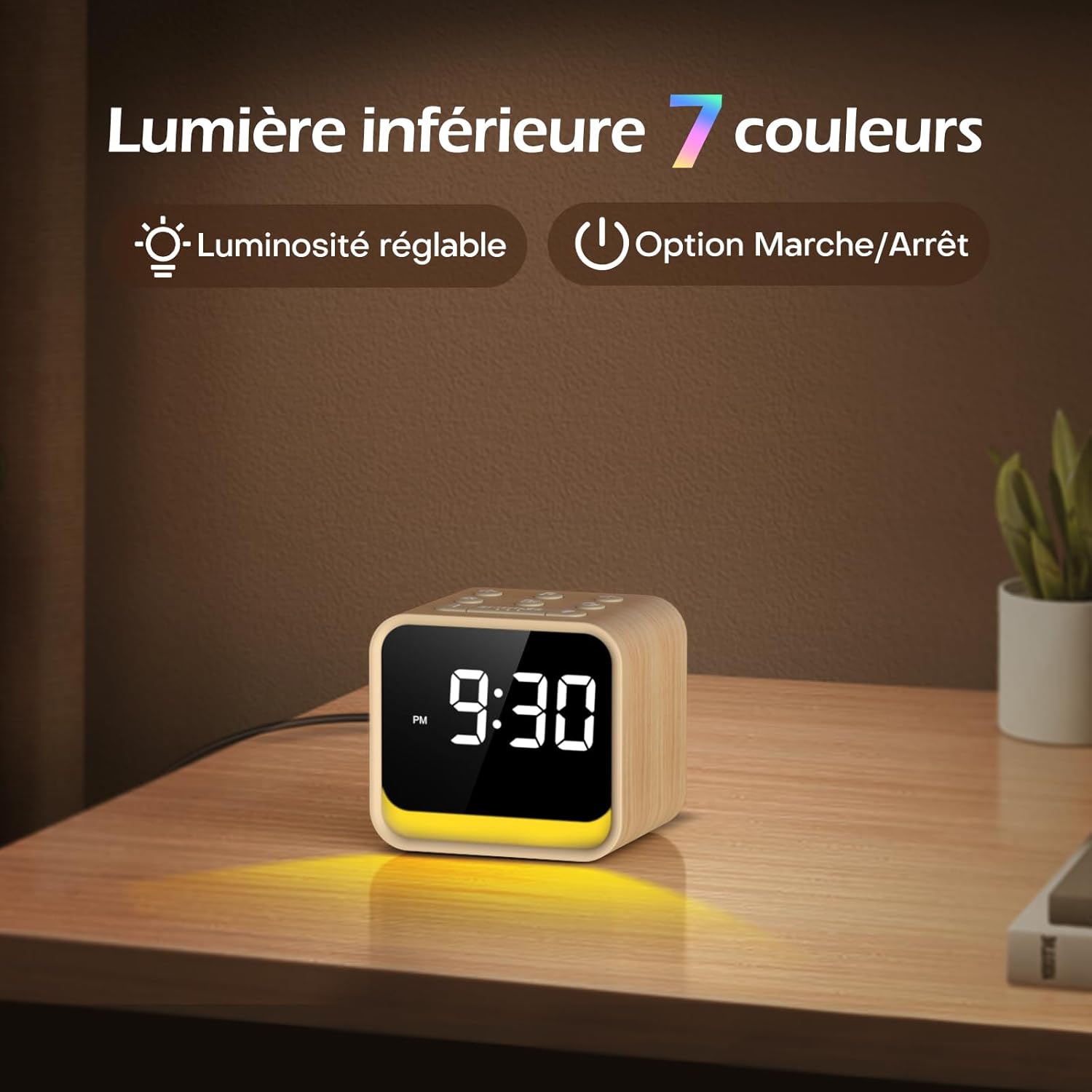
Image: The 7-color ambient night light feature, showing the light emanating from the base of the clock, with options for adjustable brightness.
6. Pengatur Waktu Tidur
The sleep timer allows the FM radio or soothing sounds to play for a set duration before automatically turning off. This duration can be set from 0 to 180 minutes.
- While FM radio or soothing sounds are playing, press the Pengatur Waktu Tidur button (if available, or refer to specific button combinations in the quick start guide).
- Gunakan +/- buttons to select the desired sleep timer duration.
- The device will automatically turn off the audio after the set time.
7. Penyesuaian Kecerahan Tampilan
The display brightness can be adjusted to suit your preference, ensuring readability during the day and preventing disturbance at night.
- Temukan Tampilan Peredup control on the rear panel of the unit.
- Slide or rotate the control to increase or decrease the display brightness.
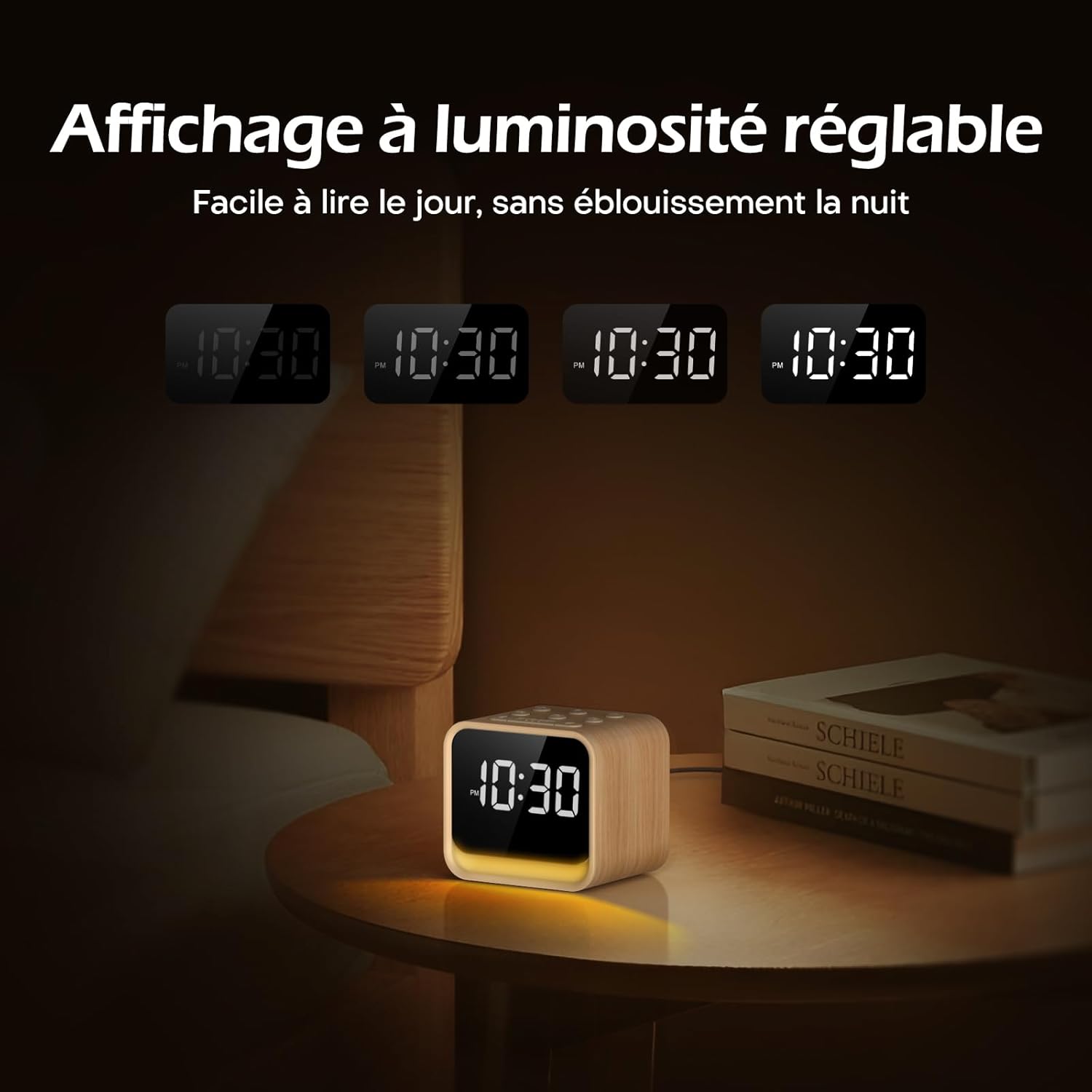
Image: The adjustable brightness display, demonstrating its readability in various lighting conditions, from bright daylight to a dim night setting.
Pemeliharaan
To ensure the longevity and optimal performance of your REACHER CR7WL:
- Pembersihan: Lap perangkat dengan kain lembut dan kering. Jangan gunakan pembersih cair atau bahan abrasif.
- Penempatan: Place the device on a stable, flat surface. Avoid direct sunlight, excessive heat, or moisture.
- Kekuatan: Always use the provided power adapter. Disconnect power during electrical storms or when not in use for extended periods.
Penyelesaian Masalah
| Masalah | Kemungkinan Penyebab | Larutan |
|---|---|---|
| Perangkat tidak menyala. | Adaptor daya tidak tersambung atau stopkontak rusak. | Pastikan adaptor daya terpasang dengan benar ke perangkat dan stopkontak yang berfungsi. Coba stopkontak lain. |
| No sound from FM radio. | Antenna not extended, poor reception, or volume too low. | Extend the radio antenna fully. Try repositioning the device. Increase the volume. Perform an automatic station search. |
| Alarm tidak berbunyi. | Alarm tidak aktif atau volume terlalu rendah. | Ensure the alarm is set and the alarm icon is visible on the display. Increase the alarm volume. |
| Tampilan terlalu redup atau terlalu terang. | Display dimmer not adjusted. | Adjust the Display Dimmer control on the rear panel. |
| Night light not working or wrong color. | Night light off or color not selected. | Press the SNOOZE button to turn on/cycle colors. Adjust brightness with the Night Light Brightness control. |
Spesifikasi
| Fitur | Detil |
|---|---|
| Merek | PENCAPAI |
| Nomor Model | CR7WL |
| Warna | Maple Finish |
| Dimensi Produk (P x L x T) | 9 x 3.81 x 8 cm (3.54 x 1.5 x 3.15 inci) |
| Berat | 480 gram (1.06 pon) |
| Bahan | Wood-look finish (not solid wood) |
| Jenis Tampilan | Digital |
| Fitur Khusus | Adjustable Brightness, FM Radio, White Noise Machine, 7-Color Night Light, 9 Alarm Sounds, Sleep Timer |
| Sumber Daya | Corded Electric (DC 5V Adapter) |
| Baterai Cadangan | CR2032 (for memory retention only) |

Image: Product dimensions showing the device measures 9 cm in length, 7.2 cm in depth, and 8 cm in height.
Garansi dan Dukungan
Informasi Garansi
REACHER products are designed and manufactured to the highest quality standards. For specific warranty details, please refer to the warranty card included in your product packaging or contact customer support.
Dukungan Pelanggan
If you encounter any issues or have questions regarding your REACHER CR7WL FM Alarm Clock Radio, please contact our customer support team. Contact information can typically be found on the product packaging or our official weblokasi.
Please have your model number (CR7WL) and purchase details ready when contacting support.


