1. Pendahuluan
Thank you for choosing the Blackstorm 27-inch QHD Mini-LED Gaming Monitor. This monitor is designed to provide an exceptional visual experience for gaming enthusiasts, offering unparalleled precision and performance. Featuring a 27-inch IPS panel with advanced Mini-LED backlighting, it delivers superior image quality, making every gaming moment vivid and immersive. This manual will guide you through the setup, operation, and maintenance of your new monitor.
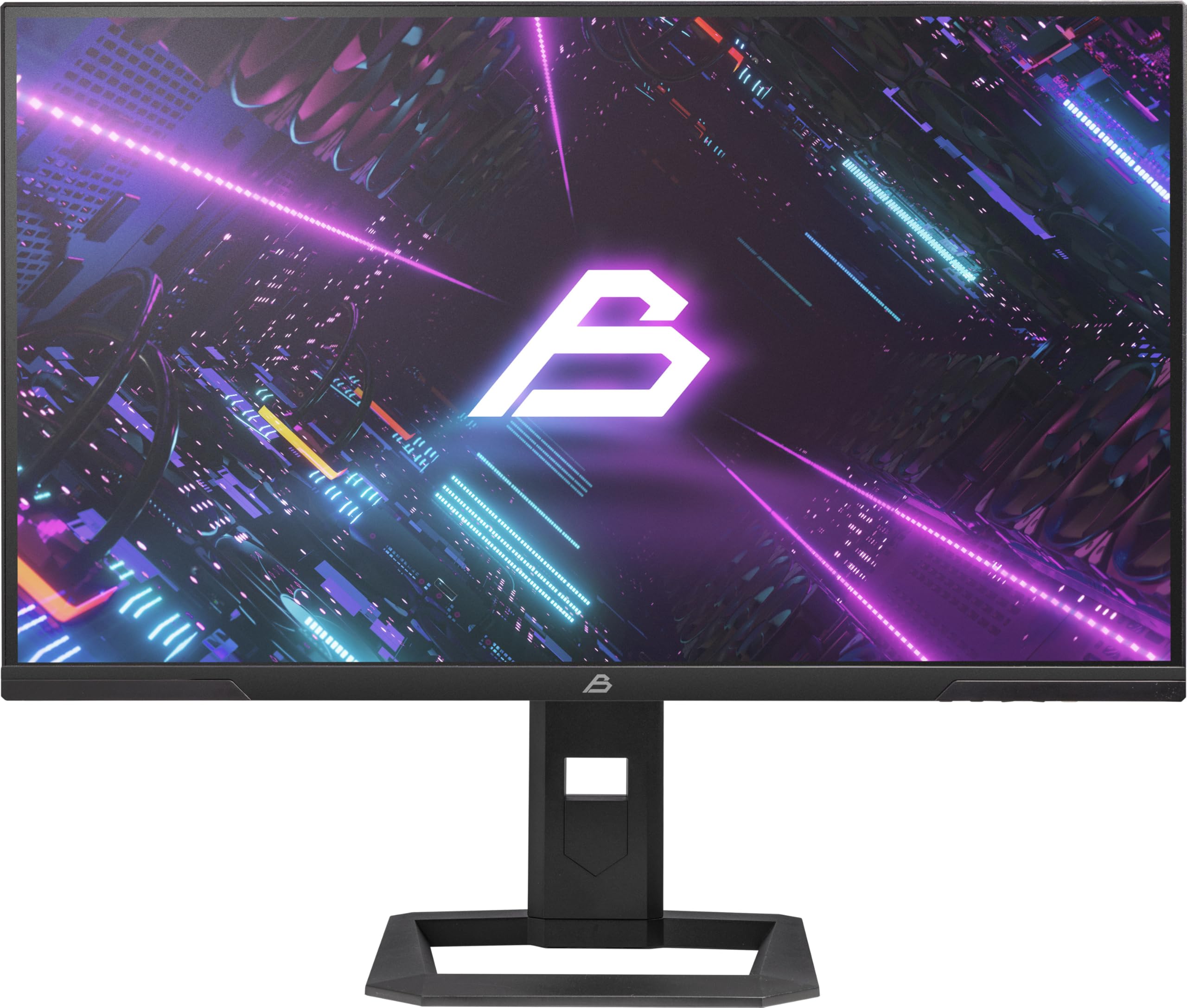
Gambar 1: Depan view of the Blackstorm 27-inch QHD Mini-LED Gaming Monitor.
2. Fitur Utama
- High-Performance Gaming Display: A 27-inch IPS panel with Mini-LED backlighting provides exceptional brightness, contrast, and color reproduction, ideal for visual precision and performance in all game types.
- Pengalaman Bermain Game yang Lancar: WQHD resolution (2560 x 1440) and a 180 Hz refresh rate ensure smooth, detailed visuals. A rapid 2 ms response time is crucial for fast-paced games.
- Superior Color Reproduction and Brightness: Covers 99% of AdobeRGB and DCI-P3 color spaces for accurate and vibrant colors. Features 450 nits (SDR) brightness and HDR1000 compatibility for an impressive gaming experience in any environment.
- Ergonomic Design and Connectivity: The ergonomic stand allows for height, tilt, swivel, and pivot adjustments. VESA 100x100 mount compatible. Includes HDMI 2.1 and DisplayPort 1.4 connections for high-resolution, fast image transfer.
- Teknologi Tampilan Canggih: IPS panel with Mini-LED technology, 576 dimming zones, and a 1,000,000:1 contrast ratio.
3. Isi Paket
Harap periksa isi kemasan dengan saksama. Jika ada barang yang hilang atau rusak, hubungi penjual.
- Blackstorm 27-inch QHD Mini-LED Gaming Monitor
- Dudukan Monitor (Alas dan Leher)
- Kabel listrik
- Kabel HDMI
- Kabel DisplayPort
- User Manual (dokumen ini)
- Kartu Garansi (jika ada)
4. Petunjuk Penyiapan
4.1 Merakit Stand
- Keluarkan komponen monitor dan dudukan secara hati-hati dari kemasannya.
- Pasang leher penyangga ke panel monitor. Pastikan terpasang dengan aman hingga berbunyi klik atau dikencangkan dengan sekrup seperti yang ditunjukkan dalam panduan memulai cepat.
- Attach the stand base to the stand neck. Tighten any screws firmly to ensure stability.
- Letakkan monitor yang sudah dirakit pada permukaan yang stabil dan datar.

Gambar 2: Belakang view of the monitor showing the stand attachment and port area.
4.2 Menghubungkan ke Komputer
- Pastikan komputer dan monitor Anda dalam keadaan mati.
- Hubungkan salah satu ujung kabel HDMI atau DisplayPort yang tersedia ke port yang sesuai pada kartu grafis komputer Anda.
- Connect the other end of the cable to the HDMI 2.1 or DisplayPort 1.4 input on the back of the monitor.
- Sambungkan kabel daya ke input daya monitor, lalu colokkan ujung lainnya ke stopkontak.
- Nyalakan komputer Anda, lalu nyalakan monitor. Monitor akan secara otomatis mendeteksi sinyal input.
4.3 Penyesuaian Ergonomis
Dudukan monitor memungkinkan berbagai penyesuaian untuk mengoptimalkan viewkenyamanan:
- Penyesuaian Ketinggian: Dorong atau tarik monitor perlahan ke atas atau ke bawah hingga mencapai ketinggian yang diinginkan.
- Penyesuaian Kemiringan: Miringkan layar monitor ke depan atau ke belakang untuk menemukan posisi optimal. viewsudut.
- Penyesuaian Putar: Putar monitor ke kiri atau kanan pada alasnya.
- Penyesuaian Pivot: Putar monitor 90 derajat untuk beralih antara orientasi lanskap dan potret.

Gambar 3: Sisi view Mengilustrasikan dudukan monitor yang dapat disesuaikan.
5. Mengoperasikan Monitor
5.1 Menu Tampilan di Layar (OSD)
The OSD menu allows you to adjust various monitor settings. Typically, buttons are located on the back or bottom edge of the monitor. Refer to the quick start guide for exact button locations.
- Press the OSD button to open the menu.
- Gunakan tombol navigasi (atas/bawah/kiri/kanan) untuk menelusuri opsi menu.
- Tekan tombol pilih untuk masuk ke submenu atau mengkonfirmasi pengaturan.
- Press the exit button to return to the previous menu or close the OSD.
5.2 Menyesuaikan Pengaturan Tampilan
Pengaturan utama yang dapat Anda sesuaikan meliputi:
- Kecerahan/Kontras: Adjust for optimal visual comfort.
- Pengaturan Warna: Fine-tune color temperature, gamma, and color space (e.g., AdobeRGB, DCI-P3).
- Kecepatan Penyegaran: Ensure your computer's display settings are configured to utilize the monitor's 180 Hz refresh rate for the smoothest experience.
- Modus HDR: Enable HDR1000 for compatible content to experience enhanced dynamic range.
- Lampu Latar Dinamis: This feature enhances depth and realism. For competitive gaming requiring extreme responsiveness, you may choose to disable dynamic backlighting for a more consistent and precise image.
6. Pemeliharaan
Perawatan yang tepat memastikan umur panjang dan kinerja optimal monitor Anda.
- Membersihkan Layar:
- Selalu matikan dan cabut monitor sebelum membersihkan.
- Gunakan kain yang lembut dan tidak berbulu secara tipis dampdibersihkan dengan air atau cairan pembersih layar tanpa amonia dan tanpa alkohol.
- Wipe the screen gently to remove dust and smudges. Avoid applying direct pressure.
- Membersihkan Casing:
- Gunakan kain lembut dan kering untuk membersihkan monitor casing.
- Hindari penggunaan pembersih atau pelarut abrasif yang dapat merusak permukaan.
- Ventilasi: Pastikan lubang ventilasi monitor tidak terhalang untuk mencegah panas berlebih.
- Penyimpanan: Bila tidak digunakan dalam jangka waktu lama, simpan monitor di tempat sejuk dan kering, idealnya dalam kemasan aslinya.
7. Penyelesaian masalah
Jika Anda mengalami masalah dengan monitor Anda, lihat solusi umum berikut:
| Masalah | Solusi yang mungkin |
|---|---|
| Tidak ada gambar di layar / pesan "Tidak ada sinyal" |
|
| Gambarnya buram atau terdistorsi |
|
| Monitor tidak menyala. |
|
| Warnanya tampak salah |
|
If the problem persists after trying these solutions, please contact Blackstorm customer support.
8. Spesifikasi Teknis
| Fitur | Spesifikasi |
|---|---|
| Merek | Badai Hitam |
| Model | GMF27QHD180-MLED |
| Ukuran Layar | 27 inci |
| Teknologi Tampilan | IPS with Mini-LED |
| Resolusi | 2560 x 1440 Piksel (WQHD) |
| Tingkat Penyegaran | 180Hz |
| Waktu Respon | 2 Milidetik |
| Brightness (SDR) | 450 candela/square meter |
| Rasio Kontras | 1,000,000:1 |
| Gamut Warna | 99% AdobeRGB, DCI-P3 |
| Dukungan HDR | HDR1000 |
| Zona Peredupan | 576 |
| Rasio Aspek | Pukul 16:9 (1.77:1) |
| Antarmuka Perangkat Keras | DisplayPort 1.4, HDMI 2.1 |
| Fitur Khusus | HDR, Height Adjustment, Tilt Adjustment, Swivel Adjustment, Pivot Adjustment, Adjustable Stand |
| Kompatibilitas VESA | 100x100mmXNUMX |
| Dimensi Produk | 23.5 x 54 x 96 cm; berat 12.66 kg |

Figure 4: Energy efficiency label. For more details, visit Pangkalan Data EPREL.
9. Garansi dan Dukungan
For warranty information, please refer to the separate warranty card included with your product or visit the official Blackstorm website. For technical support, troubleshooting assistance beyond this manual, or service inquiries, please contact Blackstorm customer support through their official channels.
Anda dapat menemukan informasi lebih lanjut dan detail kontak di Blackstorm Store on Amazon.


