1. Pendahuluan
The House of Marley Get Together Go is a portable Bluetooth speaker designed for high-quality audio and outdoor durability. It features sustainable materials, multiple sound modes, and a robust, adventure-ready design.

Figure 1: Get Together Go Speaker in an outdoor environment.
Key features include IP67 waterproof and dustproof rating, up to 20 hours of playtime, customizable EQ modes, and Auracast multi-speaker pairing. The speaker is crafted from renewable bamboo and REGRIND silicone, reflecting a commitment to sustainable design.

Gambar 2: Lebihview of main features including EQ settings, playtime, IP67 protection, and ambient lighting.
2. Isi Paket
Pastikan semua item ada dalam paket:
- House of Marley Get Together Go Portable Bluetooth Speaker
- Kabel Pengisian Daya USB-C
- Panduan Memulai Cepat (tidak termasuk dalam manual ini)
3. Pengaturan
3.1 Mengisi Daya Speaker
- Hubungkan kabel pengisi daya USB-C yang tersedia ke port pengisian daya speaker.
- Hubungkan ujung kabel lainnya ke adaptor daya USB yang kompatibel (tidak disertakan).
- Lampu indikator pengisian daya akan menyala selama pengisian daya dan mati saat daya terisi penuh.
3.2 Menghidupkan/Mematikan
- To power on, press and hold the Power button until the indicator lights activate.
- Untuk mematikan daya, tekan dan tahan tombol Daya lagi hingga lampu indikator mati.

Gambar 3: Depan view of the speaker, illustrating general layout and control area.
3.3 Pemasangan Bluetooth
- Pastikan speaker dihidupkan.
- Press and hold the Bluetooth button on the speaker until the Bluetooth indicator light begins to flash, indicating pairing mode.
- Pada perangkat Anda (ponsel pintar, tablet, dll.), aktifkan Bluetooth dan cari perangkat yang tersedia.
- Select "Get Together Go" from the list of devices.
- Setelah terhubung, lampu indikator Bluetooth akan menyala terus.
3.4 Auracast Multi-Speaker Pairing
The Get Together Go supports Auracast for connecting multiple compatible speakers for a larger sound experience. Refer to the official House of Marley website for detailed instructions on Auracast setup.
4. Petunjuk Pengoperasian
4.1 Pemutaran Audio
- Once paired via Bluetooth, play audio from your connected device.
- Gunakan tombol Volume Naik (+) dan Volume Turun (-) pada speaker untuk mengatur volume.
- Tekan tombol Putar/Jeda untuk mengontrol pemutaran.

Figure 4: Speaker control panel for power, Bluetooth, volume, and playback.
4.2 Custom EQ Modes
The speaker features three customizable EQ modes to optimize sound for different environments:
- Marley Signature Sound: Audio pro seimbangfile.
- Peningkatan Bass: Enhanced low-frequency response.
- Mode Luar Ruangan: Optimized for open-air listening.
To switch between EQ modes, briefly press the Power button while the speaker is on. The ambient lighting may change to indicate the active mode.

Figure 5: Speaker in an outdoor setting, demonstrating its durability and suitability for various environments, where EQ modes can be adjusted.
4.3 Pencahayaan Sekitar
The speaker includes ambient lighting at its base. This lighting can be toggled or adjusted by pressing a dedicated button (refer to the speaker's physical controls for exact button location, often integrated with power or EQ controls).
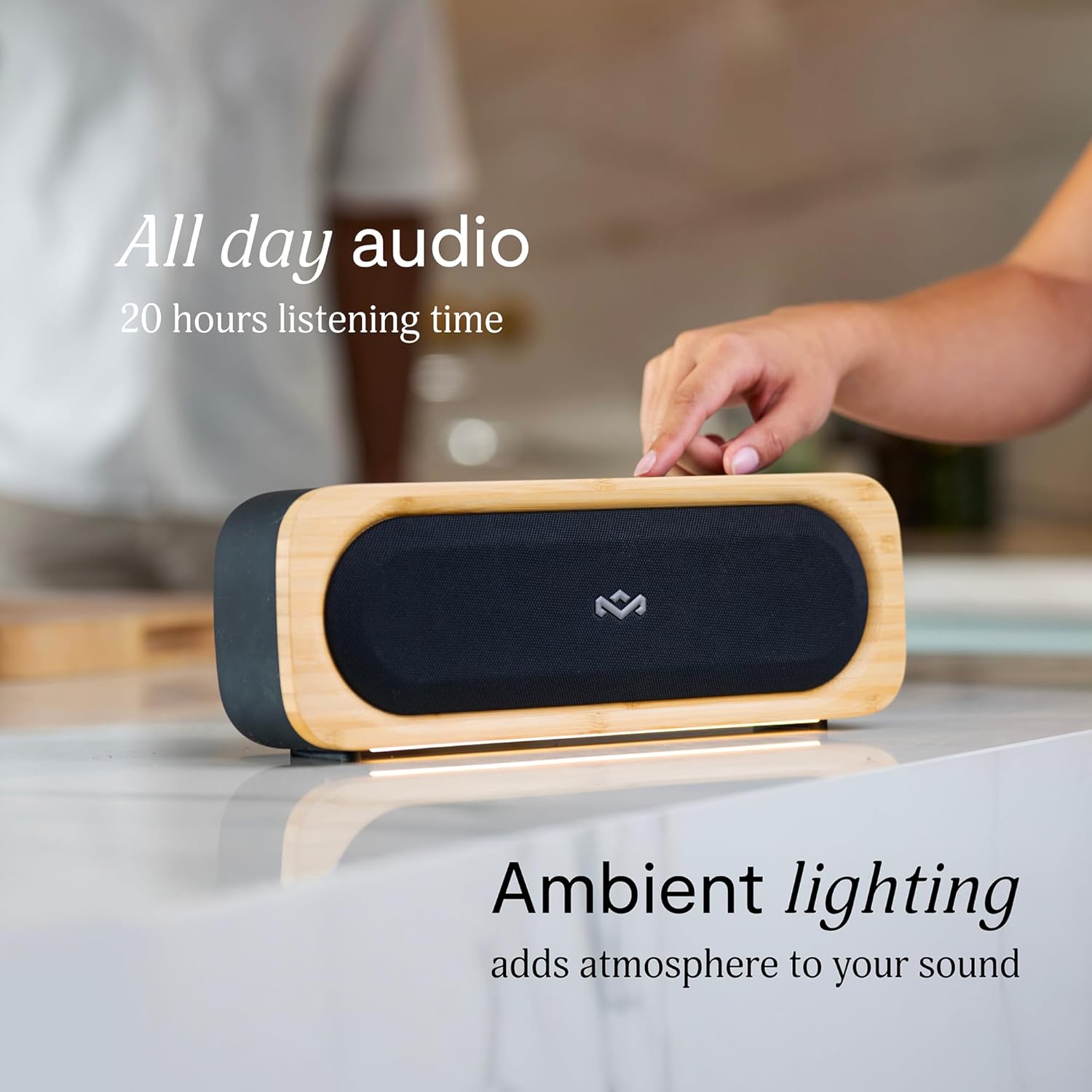
Figure 6: Speaker with ambient lighting active.
4.4 Pembuka Botol Bawaan
A bottle opener is integrated into the speaker's design for convenience. Locate the bottle opener on the rear or side of the speaker and use it as you would a standard bottle opener.

Figure 7: Demonstrating the use of the built-in bottle opener.
5. Pemeliharaan
5.1 Pembersihan
- The speaker features a removable grill for easy cleaning. Gently detach the grill to clean any dust or debris from the speaker drivers.
- Bersihkan bagian luar speaker dengan kain lembut dan kering.amp kain. Hindari penggunaan bahan kimia keras atau pembersih abrasif.
- Ensure the speaker is completely dry before reattaching the grill or using it near water.

Figure 8: Speaker with removable grill detached for cleaning.
5.2 Perlindungan Air dan Debu (IP67)
- The IP67 rating means the speaker is protected from dust ingress and can withstand immersion in water up to 1 meter for 30 minutes.
- Selalu pastikan penutup port pengisian daya tertutup rapat sebelum membiarkan speaker terkena air atau debu.
- Setelah terkena air, keringkan speaker secara menyeluruh sebelum diisi dayanya.
5.3 Perawatan Baterai
- For optimal battery life, avoid fully discharging the speaker frequently.
- Simpan speaker di tempat yang sejuk dan kering bila tidak digunakan dalam jangka waktu lama.
6. Penyelesaian masalah
6.1 Speaker Tidak Menyala
- Pastikan baterai terisi penuh. Sambungkan speaker ke sumber daya dan biarkan mengisi daya setidaknya selama 30 menit sebelum mencoba menyalakannya kembali.
- Press and hold the Power button for a few seconds to ensure it's not a brief press.
6.2 Masalah Pemasangan Bluetooth
- Make sure the speaker is in pairing mode (flashing Bluetooth indicator).
- Ensure your device's Bluetooth is enabled and within range (typically 10 meters or 33 feet).
- Try forgetting the speaker from your device's Bluetooth settings and re-pairing.
- Mulai ulang speaker dan perangkat Bluetooth Anda.
6.3 Tidak Ada Suara atau Volume Rendah
- Periksa tingkat volume pada speaker dan perangkat Anda yang terhubung.
- Pastikan speaker telah dipasangkan dan terhubung dengan benar ke perangkat Anda.
- Coba putar audio dari aplikasi atau sumber lain di perangkat Anda.
7. Spesifikasi
| Fitur | Detil |
|---|---|
| Nama Model | BERSAMA-SAMA PERGI |
| Nomor Model Barang | EM-JA036-SB |
| Teknologi Konektivitas | Bahasa Indonesia: Bluetooth |
| Daya Keluaran Maksimum Speaker | 20 Watt |
| Peringkat IP | IP67 (Tahan Air & Tahan Debu) |
| Waktu bermain | Hingga 20 jam |
| Dimensi Produk | 5.75"Panjang x 16.13"Lebar x 4.75"T |
| Berat Barang | 4.05 pon |
| Bahan | Renewable Bamboo, REGRIND Silicone, REWIND Fabric |
| UPC | 846885011706 |
8. Garansi dan Dukungan
For warranty information and technical support, please refer to the official House of Marley websitus web atau hubungi layanan pelanggan mereka secara langsung. Simpan bukti pembelian Anda untuk klaim garansi.
9. Komitmen Keberlanjutan
The House of Marley Get Together Go speaker is designed with sustainability in mind, utilizing:
- Renewable Bamboo: Crafted from one of the world's fastest-growing plants.
- REWIND Fabric: Made from recycled plastic bottles for a durable finish.
- REGRIND Silicone: Produced using reclaimed and upcycled post-process and post-consumer waste.

Figure 9: Details on the sustainable materials used in the speaker's construction.


