1. Pendahuluan
Thank you for choosing the KTC H25T7-3 24.5 Inch 240Hz FHD Gaming Monitor. This manual provides essential information for setting up, operating, and maintaining your monitor. Please read it thoroughly before use to ensure optimal performance and safety.
Informasi Keselamatan
- Jangan biarkan monitor terkena hujan atau kelembapan untuk mencegah kebakaran atau sengatan listrik.
- Jangan membuka monitor casing. Tidak ada komponen di dalamnya yang dapat diservis oleh pengguna. Serahkan semua servis kepada teknisi yang berkualifikasi.
- Letakkan monitor di permukaan yang stabil dan rata untuk mencegahnya jatuh.
- Pastikan ventilasi yang baik di sekitar monitor untuk mencegah panas berlebih.
- Use only the power adapter and cables provided by KTC.
2. Apa yang ada di dalam kotak
Pastikan semua barang berikut ada di dalam paket Anda:
- KTC H25T7-3 24.5" FHD 240Hz Monitor (x1)
- Dudukan Monitor (x1)
- Panduan Memulai Cepat (QSG) (x1)
- Kabel DisplayPort (DP) (x1)
- Adaptor Daya (x1)
- Kabel Listrik (x1)
3. Produk Lebihview
The KTC H25T7-3 is a 24.5-inch Full HD (1920x1080) gaming monitor featuring a Fast IPS panel, 240Hz refresh rate, and 1ms MPRT response time for smooth visuals. It supports HDR400 and Adaptive-Sync technology to enhance your viewpengalaman ing dan game.
Fitur Utama
- 24.5" FHD Fast IPS Panel: Delivers crisp 1080p resolution with wide 178° viewsudut ing.
- Kecepatan Penyegaran 240Hz & MPRT 1ms: Ensures ultra-smooth motion and minimal ghosting.
- Teknologi Sinkronisasi Adaptif: Synchronizes the monitor's refresh rate with your GPU for tear-free gameplay.
- Dukungan HDR400: Provides enhanced contrast and color depth for a more immersive visual experience.
- Dudukan Ergonomis: Offers tilt, pivot, and height adjustments for personalized viewkenyamanan.
- Fitur Perawatan Mata: Low blue light and flicker-free technology reduce eye strain during extended use.
- Beberapa Pilihan Konektivitas: Includes 2x HDMI 2.0, 1x DisplayPort 1.4, and 1x USB 2.0.

Gambar 3.1: Lebihview of KTC H25T7-3 monitor features including Fast IPS, 240Hz, HDR400, and adjustable stand.
4. Pengaturan
4.1 Merakit Stand
- Keluarkan komponen monitor dan dudukan secara hati-hati dari kemasannya.
- Pasang alas penyangga ke leher penyangga menggunakan sekrup yang disediakan.
- Sejajarkan dudukan yang telah dirakit dengan slot pemasangan di bagian belakang monitor dan kencangkan dengan kuat.

Gambar 4.1: Depan view of the KTC H25T7-3 monitor with its stand assembled.
4.2 VESA Wall Mounting (Optional)
The monitor supports a 100x100mm VESA mount. To wall mount the monitor:
- Lepaskan penyangga dari monitor jika sudah terpasang.
- Attach your VESA-compatible wall mount bracket to the four screw holes on the back of the monitor. Ensure the screws are appropriate for the VESA standard and do not overtighten.
- Ikuti petunjuk yang disertakan dengan dudukan VESA Anda untuk pemasangan yang aman.

Gambar 4.2: Belakang view of the KTC H25T7-3 monitor, highlighting the input ports and VESA mounting area.
4.3 Menghubungkan Kabel
Connect the necessary cables to the corresponding ports on the monitor and your computer/device:
- Kekuatan: Connect the power adapter to the monitor's DC input and then plug the power cord into a power outlet.
- Port Layar (DP): For optimal performance (240Hz, Adaptive-Sync), connect the provided DisplayPort cable from your graphics card to the monitor's DP 1.4 port.
- HDMI: Alternatively, connect an HDMI cable from your device to one of the monitor's HDMI 2.0 ports.
- Kabel USB: The USB 2.0 port can be used for firmware upgrades or connecting peripherals.
5. Petunjuk Pengoperasian
5.1 Daya Hidup/Mati
Press the power button (usually located on the back or bottom of the monitor) to turn the monitor on or off. The power indicator light will illuminate when the monitor is on.
5.2 Navigasi Menu OSD
The On-Screen Display (OSD) menu is controlled by a joystick button, typically located on the back of the monitor. Use the joystick to navigate through the menu options and adjust settings.
- Dorong Masuk: Masukkan/Konfirmasi pilihan.
- Atas/Bawah: Navigasi melalui opsi menu.
- Kiri/Kanan: Sesuaikan nilai atau berpindah antar sub-menu.
5.3 Menyesuaikan Pengaturan Tampilan
Access the OSD menu to configure various display settings:
- Kecerahan/Kontras: Sesuaikan tingkat kecerahan dan kontras secara keseluruhan.
- Pengaturan Warna: Sesuaikan suhu warna, gamma, dan nilai RGB individual.
- Mode Gambar: Select from preset modes (e.g., Standard, Game, Movie, sRGB) or customize your own.
- Kecepatan Penyegaran: Ensure your graphics card output is set to 240Hz for optimal performance.
- Sinkronisasi Adaptif: Enable this feature in the OSD menu and your graphics card control panel to eliminate screen tearing.
- HDR: Activate HDR400 for compatible content to experience enhanced dynamic range.
- Cahaya Biru Rendah: Sesuaikan filter cahaya biru untuk mengurangi kelelahan mata.

Figure 5.1: Visual representation of the 240Hz refresh rate for smooth motion.
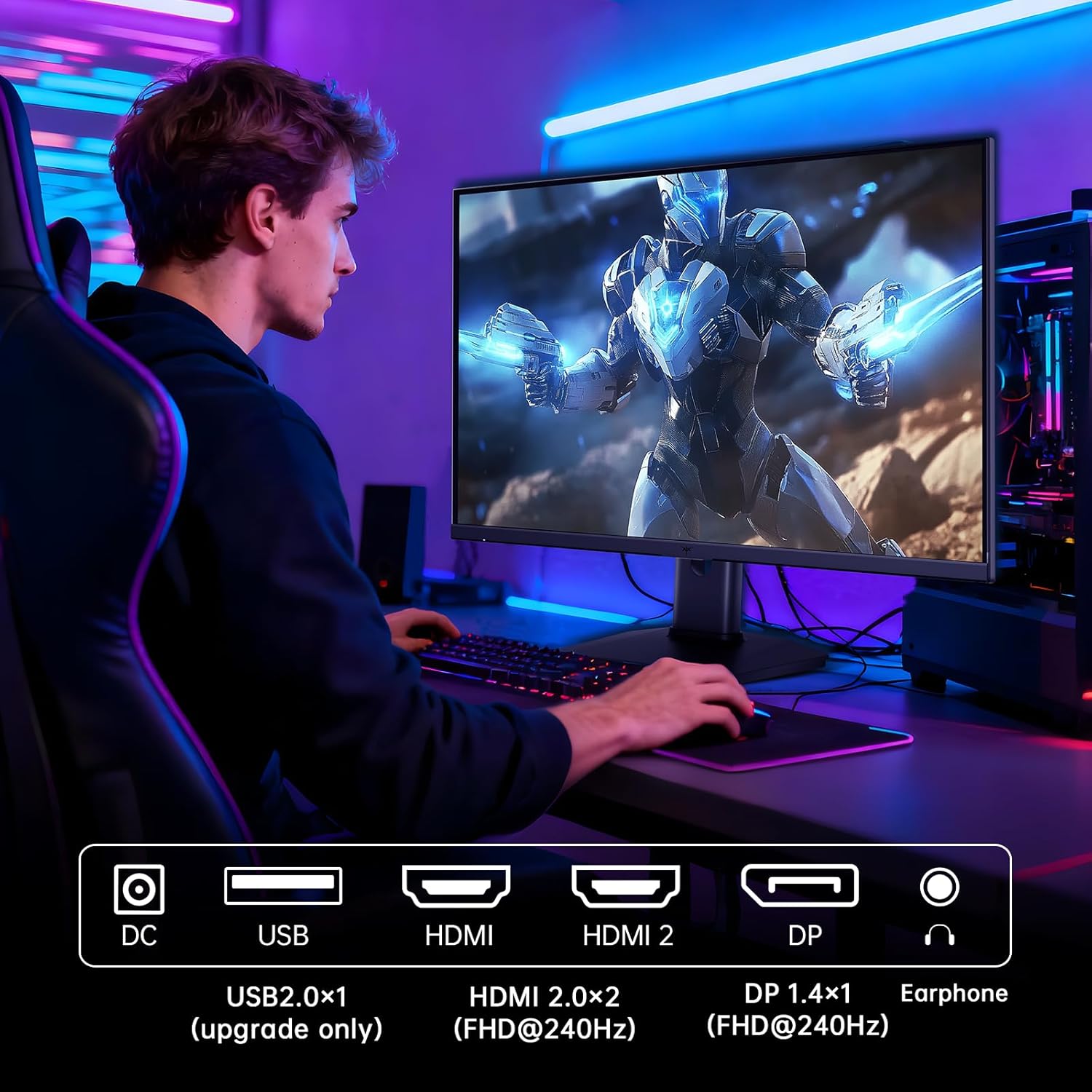
Figure 5.2: Comparison showing the effect of Adaptive-Sync on reducing stuttering and screen tearing.

Figure 5.3: Illustration of HDR400 technology delivering clear details in dark areas compared to HDR10.

Figure 5.4: Diagram illustrating hardware blue light reduction technology to filter harmful blue light bands.
5.4 Penyesuaian Ergonomis
Dudukan monitor memungkinkan berbagai penyesuaian untuk mengoptimalkan viewposisi ing:
- Memiringkan: Adjust the screen angle forward or backward (-5° to 20°).
- Poros: Rotate the screen 90° for portrait mode.
- Penyesuaian Ketinggian: Raise or lower the screen by up to 110mm.
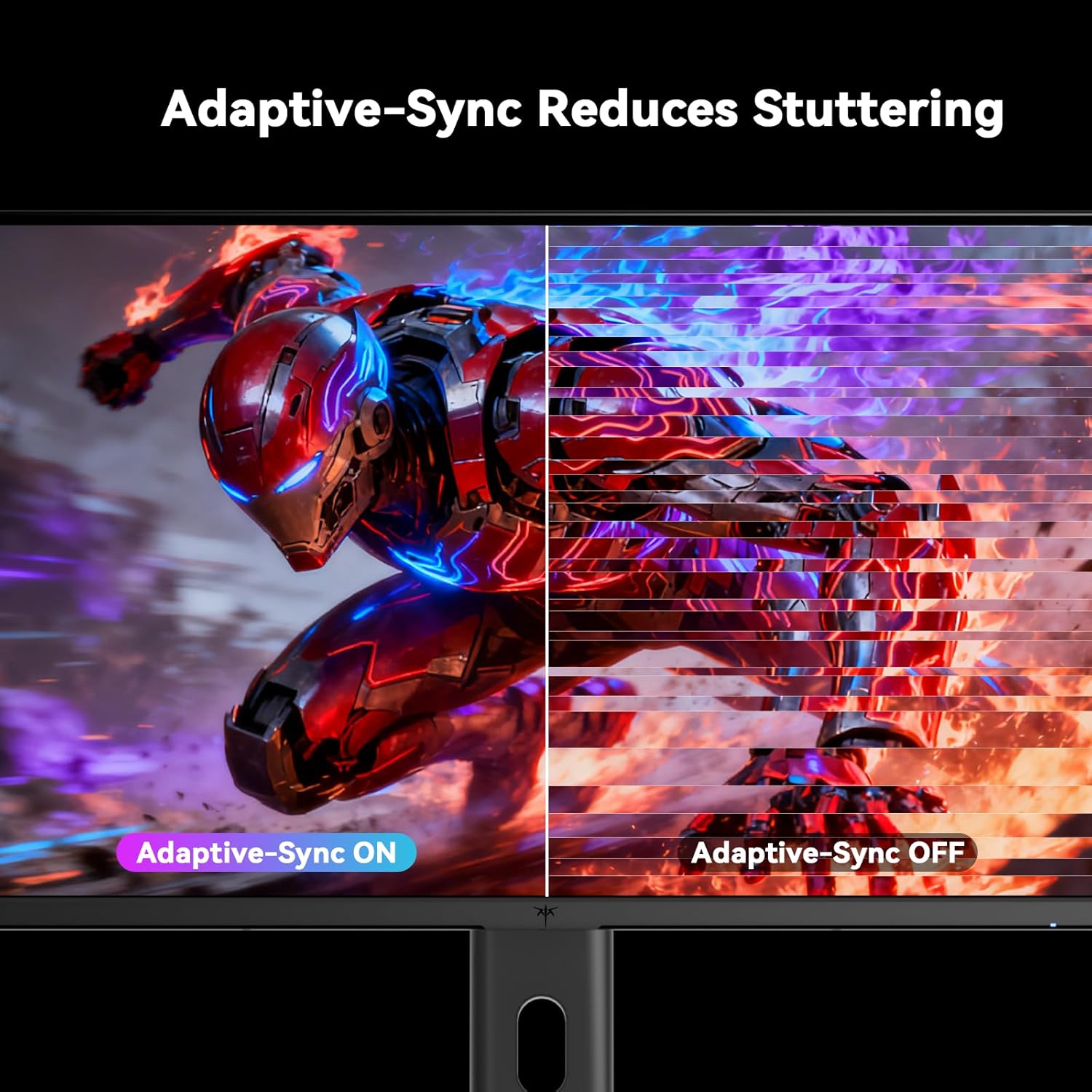
Figure 5.5: Diagram showing the tilt, pivot, and height adjustment capabilities of the monitor stand.
5.5 Video Produk Resmi
Video 5.1: An official product video from KTC-Official showcasing the 24.5 Inch FHD 240Hz Gaming Monitor, demonstrating its features and performance.
6. Pemeliharaan
6.1 Membersihkan Monitor
Untuk membersihkan layar monitor dan casing:
- Selalu cabut monitor dari stopkontak sebelum membersihkan.
- Gunakan kain yang lembut dan tidak berbulu secara tipis dampdibersihkan dengan air atau pembersih layar non-abrasif.
- Jangan menyemprotkan pembersih langsung ke layar.
- Avoid using benzene, thinner, ammonia-based cleaners, or abrasive materials.
6.2 Perawatan Umum
- Jauhkan monitor dari sinar matahari langsung, panas berlebihan, atau dingin.
- Hindari meletakkan benda berat di atas monitor atau kabelnya.
- Jangan menghalangi lubang ventilasi pada monitor.
7. Penyelesaian masalah
Jika Anda mengalami masalah dengan monitor Anda, lihat masalah umum dan solusi berikut:
| Masalah | Kemungkinan Penyebab | Larutan |
|---|---|---|
| Tidak ada daya | Kabel daya tidak tersambung; Stopkontak tidak berfungsi | Pastikan kabel daya terhubung dengan aman. Uji stopkontak dengan perangkat lain. |
| Tidak ada sinyal | Video cable not connected; Incorrect input source selected; Computer/device not powered on | Check video cable connections. Select the correct input source via the OSD menu. Ensure your computer/device is on. |
| Layar berkedip-kedip | Incorrect refresh rate; Cable issue; Adaptive-Sync not enabled | Set refresh rate to 240Hz. Try a different video cable. Enable Adaptive-Sync in OSD and GPU settings. |
| Image distortion/poor quality | Incorrect resolution; Graphics driver issue; Monitor settings | Set resolution to 1920x1080. Update graphics drivers. Adjust OSD settings (brightness, contrast, color). |
7.1 Reset Pabrik
If problems persist, you may perform a factory reset through the OSD menu. This will revert all monitor settings to their default values.
8. Spesifikasi
Detailed technical specifications for the KTC H25T7-3 monitor:
| Fitur | Spesifikasi |
|---|---|
| Nomor Model | H25T7-3 |
| Ukuran Layar | 24.5 inci |
| Jenis Panel | IPS cepat |
| Resolusi | FHD 1080p (1920 x 1080 Piksel) |
| Rasio Aspek | 16:9 |
| Tingkat Penyegaran | frekuensi 240Hz |
| Waktu Respon | 1 ms (MPRT) |
| Sinkronisasi Adaptif | Ya |
| Dukungan HDR | HDR400 |
| Gamut Warna | Warna RGB 114% |
| Rasio Kontras | 1000:1 |
| Tampilan Warna | 16.7 Juta |
| Kecerahan | 350 cd/m² |
| Viewsudut ing | 178 ° (H/V) |
| Konektivitas | 2x HDMI 2.0, 1x DisplayPort 1.4, 1x USB 2.0 |
| Kompatibilitas Pemasangan VESA | Ukuran 100x100mm |
| Penyesuaian Ergonomis | Kemiringan, Putaran, Tinggi |
| Dimensi Produk (dengan dudukan) | 7.6x21.97x18.23 inci |
| Berat Barang (dengan dudukan) | 11.58 pon |
| Jil.tage | 12 Volt (DC) |
9. Garansi dan Dukungan
9.1 Informasi Garansi
KTC monitors are designed and manufactured to the highest quality standards. For specific warranty terms and conditions, please refer to the warranty card included with your product or visit the official KTC websitus. Simpan struk pembelian Anda sebagai bukti pembelian untuk klaim garansi.
9.2 Dukungan Pelanggan
If you have any questions, require technical assistance, or experience issues not covered in this manual, please contact KTC customer support. Contact details can typically be found on the official KTC websitus atau di Panduan Memulai Cepat.


