1. Produk Lebihview
The OPPO Find X9 5G 2025 (CPH2797) is a high-performance smartphone designed for exceptional clarity and responsiveness. It features a 120Hz Pro XDR screen, ensuring smooth and vibrant visuals in various lighting conditions. This manual provides essential information for setting up, operating, maintaining, and troubleshooting your device.
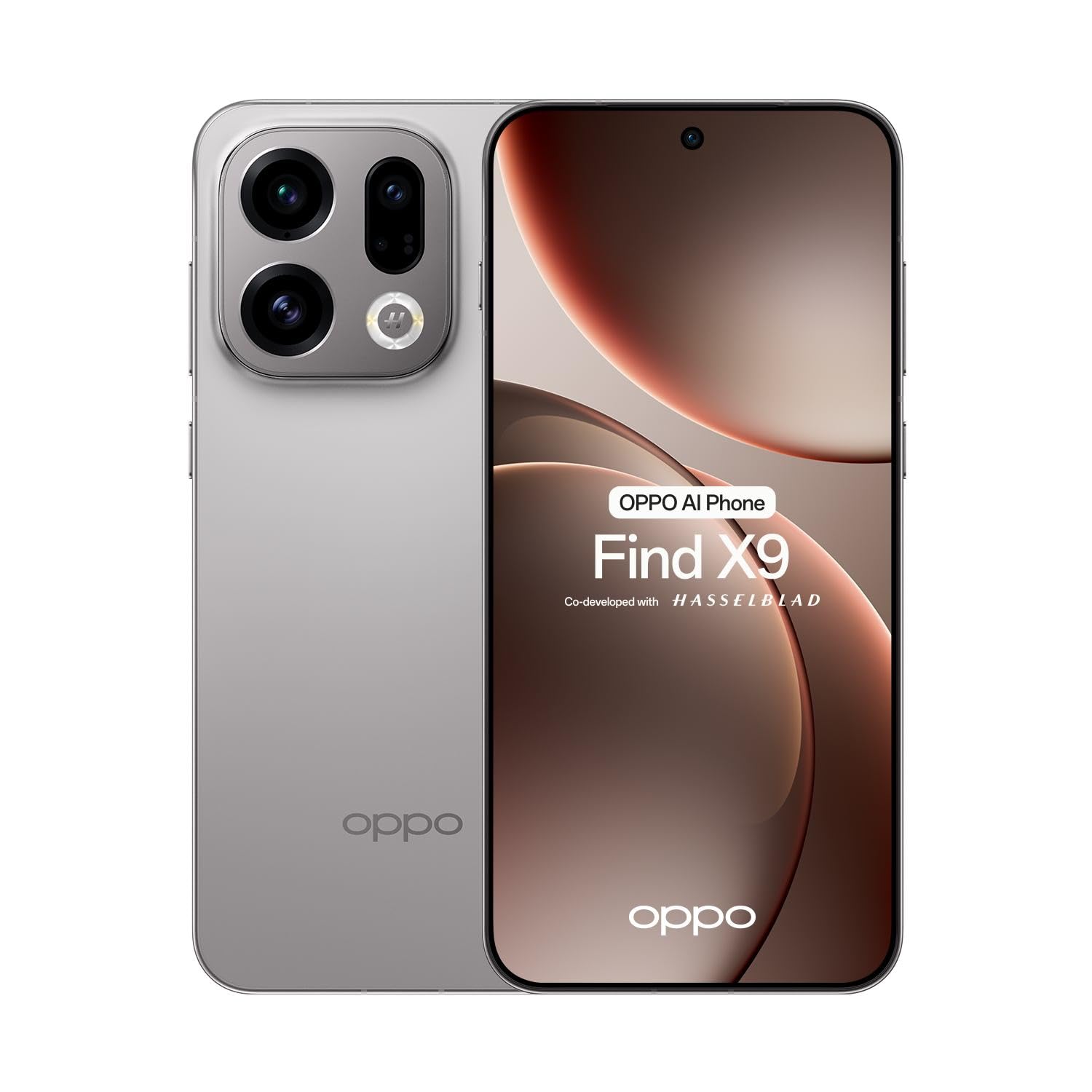
Gambar 1.1: Depan view of the OPPO Find X9 5G 2025 smartphone.
2. Pengaturan
2.1 Unboxing dan Pemeriksaan Awal
Keluarkan semua barang dari kemasan dengan hati-hati. Pastikan semua komponen ada:
- OPPO Find X9 5G 2025 Smartphone
- Kabel USB Tipe-C
- Adaptor Daya
- Alat Pengeluar SIM
- Panduan Memulai Cepat
- Informasi Keselamatan
Inspect the device for any visible damage. If any damage is found, contact your retailer immediately.
2.2 Pemasangan Kartu SIM
The OPPO Find X9 5G 2025 supports dual SIM cards.
- Temukan baki kartu SIM di sisi perangkat.
- Masukkan alat pelepas SIM ke dalam lubang kecil di samping baki dan tekan dengan kuat hingga baki keluar.
- Letakkan kartu Nano-SIM Anda ke dalam slot yang ditentukan pada baki, pastikan kontak emas menghadap ke bawah.
- Masukkan kembali baki kartu SIM ke dalam perangkat dengan hati-hati.
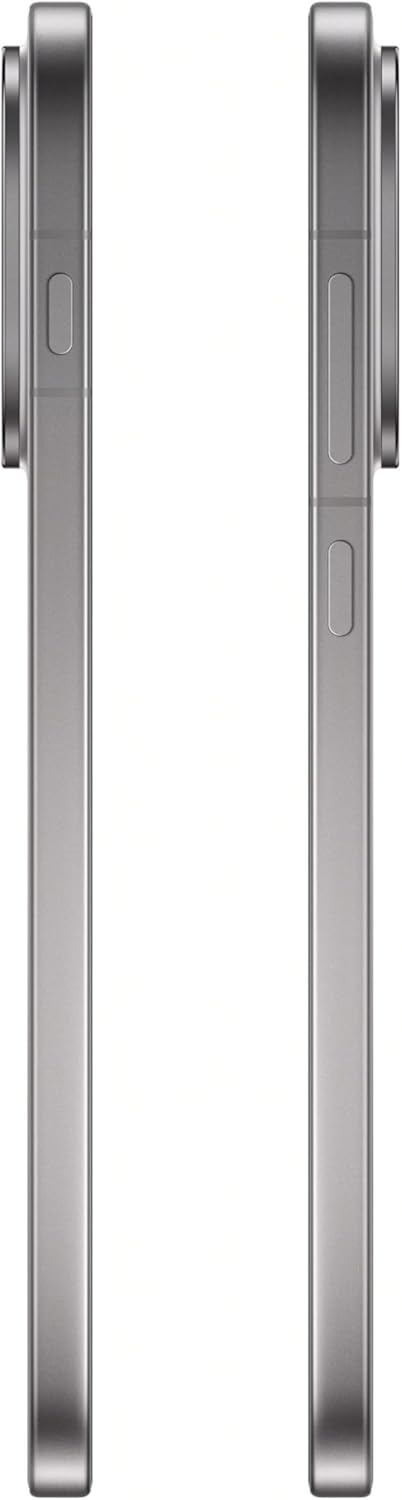
Gambar 2.1: Sisi view of the OPPO Find X9 5G 2025, showing the SIM card tray location.
2.3 Pengaktifan Awal dan Konfigurasi Dasar
- Tekan dan tahan tombol Daya (terletak di sisi kanan) hingga logo OPPO muncul.
- Ikuti petunjuk di layar untuk memilih bahasa, wilayah, dan terhubung ke jaringan Wi-Fi.
- Masuk dengan akun Google Anda atau buat akun baru untuk mengakses layanan Google dan Play Store.
- Siapkan metode kunci layar pilihan Anda (PIN, pola, kata sandi, sidik jari, atau buka kunci wajah).
3. Mengoperasikan Perangkat Anda
3.1 Navigasi
- Layar Beranda: Geser ke kiri atau kanan untuk menavigasi antar layar beranda.
- Laci Aplikasi: Geser ke atas dari bagian bawah layar untuk mengakses semua aplikasi yang terinstal.
- Panel Pemberitahuan: Geser ke bawah dari atas layar untuk view pemberitahuan dan pengaturan cepat.
- Aplikasi Terbaru: Swipe up and hold from the bottom of the screen (if using gesture navigation) or tap the square button (if using 3-button navigation) to see recently used applications.
3.2 Panggilan dan Pesan
- Melakukan Panggilan: Buka aplikasi Telepon, masukkan nomor, dan ketuk ikon panggilan.
- Mengirim Pesan: Buka aplikasi Pesan, ketuk 'Mulai obrolan', masukkan penerima, dan ketik pesan Anda.
3.3 Penggunaan Kamera
The OPPO Find X9 5G 2025 features a versatile camera system.
- Buka aplikasi Kamera.
- Pilih mode yang Anda inginkan (Foto, Video, Potret, Malam, dll.) dengan menggeser di bagian bawah layar. viewpenemu.
- Ketuk tombol rana untuk mengambil foto atau memulai/menghentikan perekaman video.
- Gunakan kontrol zoom di layar untuk menyesuaikan pembesaran.
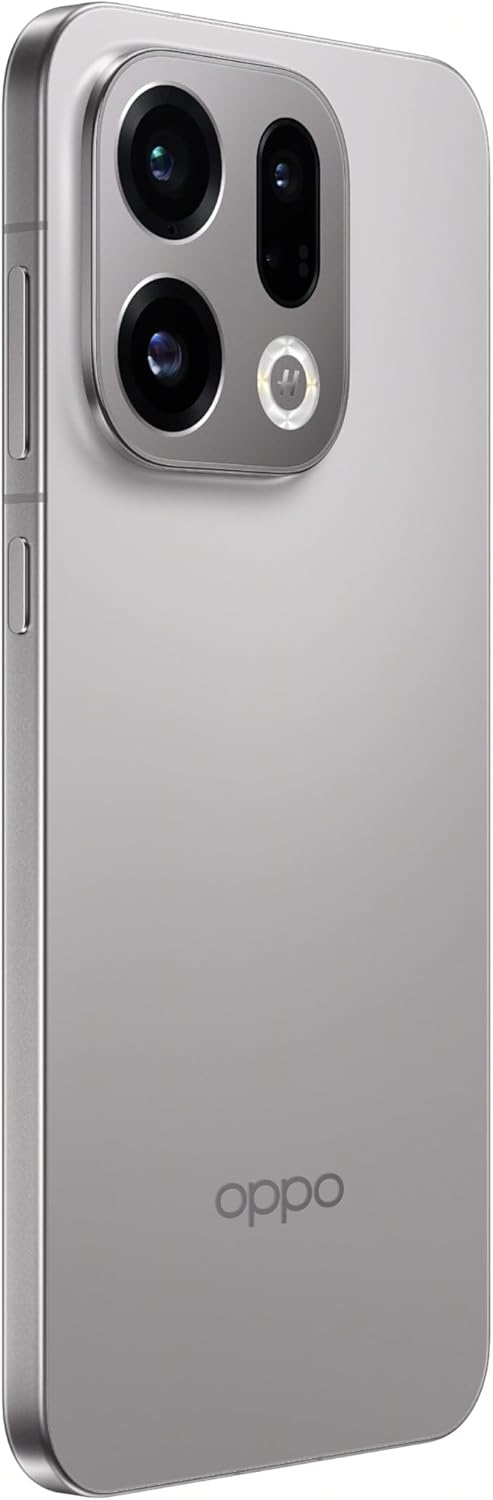
Figure 3.1: Rear camera system of the OPPO Find X9 5G 2025.
3.4 Konektivitas
- Wifinya: Buka Pengaturan > Wi-Fi untuk terhubung ke jaringan yang tersedia.
- Bluetooth dapat digunakan untuk berbagai keperluan, seperti: Buka Pengaturan > Bluetooth untuk memasangkan dengan perangkat Bluetooth lainnya.
- NFC: Enable NFC in Settings for contactless payments and data transfer.
- USB Tipe-C: Gunakan port USB Type-C untuk pengisian daya dan transfer data.

Gambar 3.2: Bawah view of the OPPO Find X9 5G 2025, showing the USB Type-C port and speaker grille.
4. Pemeliharaan
4.1 Membersihkan Perangkat Anda
- Gunakan kain lembut dan tidak berbulu untuk menyeka layar dan panel belakang.
- Hindari penggunaan bahan kimia keras, bahan abrasif, atau semprotan aerosol.
- Untuk noda membandel, sedikit dampbilas kain dengan air atau pembersih layar yang dirancang untuk perangkat elektronik.
4.2 Pembaruan Perangkat Lunak
Periksa dan instal pembaruan perangkat lunak secara berkala untuk memastikan kinerja, keamanan, dan akses optimal ke fitur-fitur baru.
- Go to Settings > About device > ColorOS version.
- Tap 'Check for updates' and follow the on-screen instructions.
4.3 Perawatan Baterai
- Hindari memaparkan perangkat ke suhu ekstrem.
- Jangan sering membiarkan baterai benar-benar terkuras.
- Gunakan charger dan kabel asli untuk pengisian daya yang optimal.
4.4 Manajemen Penyimpanan
To maintain device performance, regularly manage your storage:
- Hapus yang tidak perlu files, foto, dan video.
- Hapus instalasi aplikasi yang tidak digunakan.
- Clear cache data for apps in Settings > Apps > [App Name] > Storage usage.
5. Penyelesaian masalah
This section addresses common issues you might encounter with your OPPO Find X9 5G 2025.
| Masalah | Larutan |
|---|---|
| Perangkat tidak menyala | Ensure the battery is charged. Connect the device to its charger for at least 15 minutes, then try powering it on again. If it still doesn't turn on, perform a force restart by holding the Power button and Volume Up button simultaneously for about 10-15 seconds. |
| Layar tidak responsif | Perform a force restart. If the issue persists, try booting into Safe Mode to check if a third-party app is causing the problem. |
| Masalah konektivitas (Wi-Fi/Bluetooth) | Toggle Wi-Fi/Bluetooth off and on. Restart your device. For Wi-Fi, restart your router. For Bluetooth, unpair and re-pair the device. |
| Aplikasi mogok atau macet | Clear the cache and data for the problematic app (Settings > Apps > [App Name] > Storage usage). Update the app to the latest version. If the issue continues, uninstall and reinstall the app. |
| Baterai cepat habis | Check battery usage in Settings > Battery to identify power-hungry apps. Reduce screen brightness, disable unnecessary features like GPS or always-on display, and close background apps. |
6. Spesifikasi Teknis
Below are the detailed technical specifications for the OPPO Find X9 5G 2025 (CPH2797).
| Fitur | Spesifikasi |
|---|---|
| Merek | OPPO |
| Nama Model | Temukan X9 |
| Nomor Model | CPH2797 |
| Sistem Operasi | Android 16 (ColorOS 16.0) |
| Ukuran Layar | 6.55 inches AMOLED (flexible) |
| Resolusi Tampilan | FHD+ 2760 x 1256 pixels, 1.07 billion colors |
| Tingkat Penyegaran | frekuensi 120Hz |
| Perlindungan Tampilan | Kaca Corning Gorilla 7i |
| Prosesor | MediaTek Dimensity 9500 (8-core) |
| RAM | Memori LPDDR12X 5GB |
| Penyimpanan Internal | 512GB UFS 4.1 |
| Kamera Belakang | 50MP + 50MP + 50MP + 2MP |
| Kamera Depan | 32MP |
| Teknologi Seluler | 5G |
| Slot Kartu SIM | SIM Ganda |
| Konektivitas Nirkabel | Bluetooth 6.0, Wi-Fi, NFC |
| Jenis Konektor | USB Tipe-C |
| Warna | Abu-abu Titanium |
7. Garansi dan Dukungan
Your OPPO Find X9 5G 2025 (CPH2797) is covered by a limited warranty. Please refer to the warranty card included in your product packaging for detailed terms and conditions, including the warranty period and coverage.
For technical support, service, or further inquiries, please visit the official OPPO website or contact their customer service. Contact information can typically be found on the OPPO websitus atau dalam dokumentasi yang disertakan dengan perangkat Anda.
Harap simpan bukti pembelian Anda untuk klaim garansi.


