1. Pendahuluan
Thank you for choosing the Vieta Pro Party 220 Portable Bluetooth Speaker. This powerful and versatile speaker is designed to deliver high-quality audio for various occasions, including parties, events, and karaoke sessions. This manual provides essential information for setting up, operating, and maintaining your speaker to ensure optimal performance and longevity.
2. Produk Lebihview
The Vieta Pro Party 220 is a self-amplified portable speaker featuring advanced audio technology. It boasts 500W of powerful sound, Bluetooth 5.3 connectivity, Auracast technology, and a long-lasting 10-hour battery. Designed for portability, it includes an integrated handle and trolley-style wheels. Key features include:
- 500W RMS Sound Output: Delivers robust and clear stereo sound with 2" tweeters and 8" woofers.
- Bluetooth 5.3 with Auracast: Ensures stable and fast wireless connections, allowing multiple Auracast-compatible speakers to connect simultaneously.
- Karaoke Compatibility: Includes a wireless microphone and supports additional microphones. Features LED lights that synchronize with music.
- Daya Tahan Baterai 10 Jam: Enjoy extended music playback with the rechargeable battery.
- Beberapa Pilihan Konektivitas: Mini Jack 3.5mm, AUX, Micro USB, USB MP3 player, and SD card slot.
- Stereo Nirkabel Sejati (TWS): Connect two Party 220 speakers for an immersive stereo experience.
- Desain Portabel: Integrated handle and wheels for easy transport.
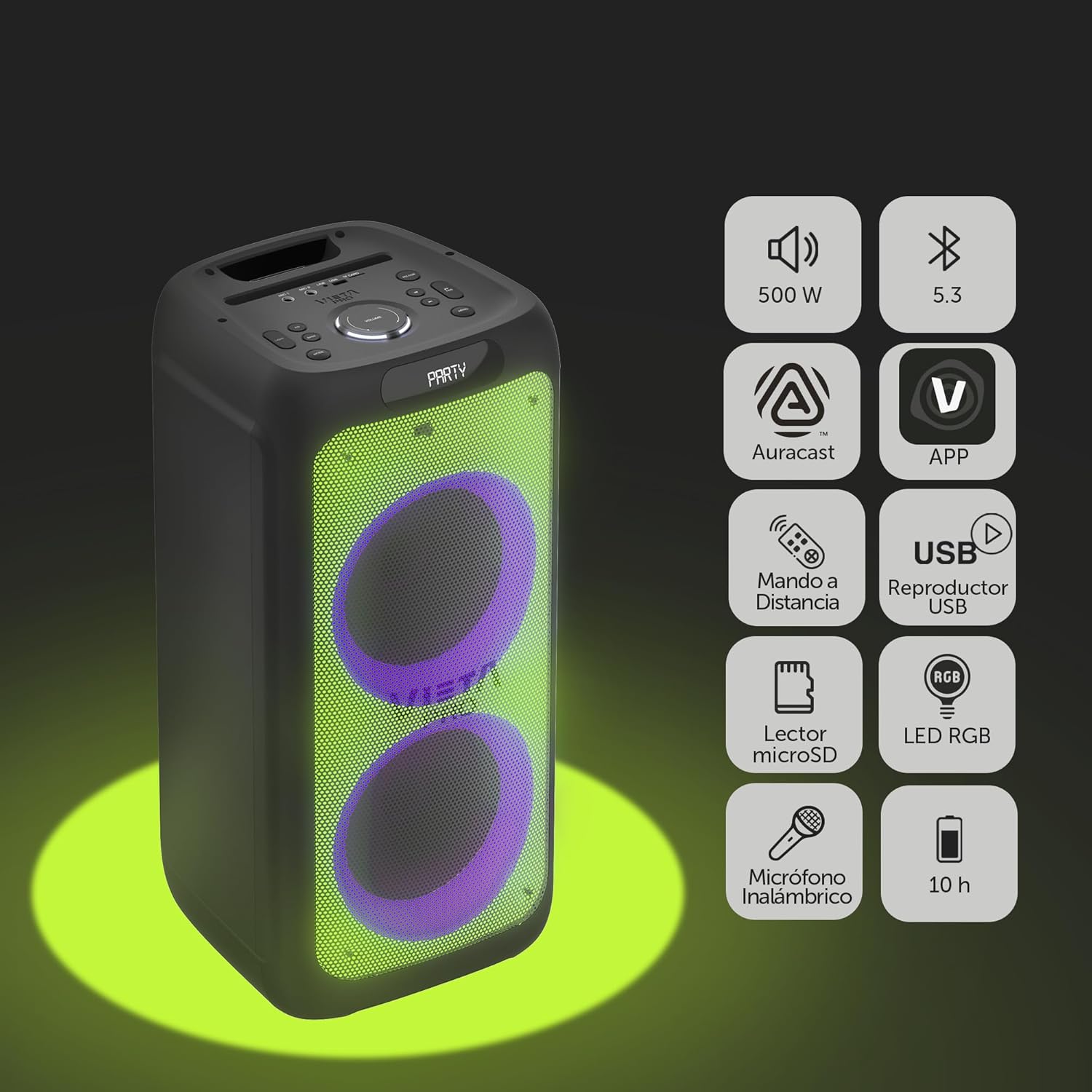
Image 2.1: The Vieta Pro Party 220 speaker highlighting its main features such as 500W power, Bluetooth 5.3, Auracast, app control, remote control, USB player, RGB LED lights, MicroSD reader, wireless microphone, and 10-hour battery life.
3. Apa yang ada di dalam kotak
Saat membongkar, pastikan semua barang ada dan dalam kondisi baik:
- Vieta Pro Party 220 Portable Bluetooth Speaker
- Kabel listrik
- Mikrofon Nirkabel
- Kontrol Jarak Jauh
- User Manual (dokumen ini)
4. Pengaturan
4.1. Mengisi Speaker
Before first use, fully charge the speaker. Connect the provided power cable to the speaker's power input and then to a suitable power outlet. The charging indicator will illuminate. Once fully charged, the indicator may change color or turn off, depending on the model.
A full charge provides up to 10 hours of continuous playback.

Image 4.1: The Vieta Pro Party 220 speaker in a home environment, illustrating its long battery life of up to 10 hours.
4.2. Menghidupkan/Mematikan
Locate the Power button on the speaker's control panel. Press and hold the Power button for a few seconds to turn the speaker ON or OFF.
5. Petunjuk Pengoperasian
5.1. Pemasangan Bluetooth
- Turn on the Vieta Pro Party 220 speaker. It will automatically enter Bluetooth pairing mode, indicated by a flashing LED light (usually blue).
- Aktifkan Bluetooth pada perangkat audio Anda (smartphone, tablet, komputer).
- Pencarian untuk "Vieta Pro Party 220" in the list of available Bluetooth devices.
- Select the speaker to pair. Once connected, the LED indicator will stop flashing and remain solid.
5.2. Auracast Technology
The Party 220 supports Auracast, allowing you to connect multiple compatible speakers (including other Party 220 units or different brands supporting Auracast) for a synchronized audio experience. Refer to the specific instructions for Auracast pairing, usually initiated via a dedicated button or through the Vieta Pro app (if available).
5.3. Pemasangan Stereo Nirkabel Sejati (TWS)
To achieve a true stereo sound experience, you can pair two Vieta Pro Party 220 speakers:
- Ensure both Party 220 speakers are turned on and not connected to any Bluetooth device.
- On one speaker (this will be the primary speaker), press and hold the TWS button (if available) or follow the TWS pairing instructions in the speaker's specific controls.
- The primary speaker will search for the secondary speaker. Once connected, you will hear an audible confirmation, and the LED indicators will reflect the TWS connection status.
- Now, connect your audio device to the primary speaker via Bluetooth as described in section 5.1. Audio will play in stereo across both speakers.
5.4. Wired Connections (AUX, USB, MicroSD)
- Masukan AUX: Connect an external audio device using a 3.5mm audio cable to the AUX input port. The speaker will automatically switch to AUX mode or require manual selection via the Mode button.
- Pemutaran USB: Masukkan flashdisk USB yang berisi audio MP3 filecolokkan kabel ke port USB. Speaker akan secara otomatis mendeteksi dan memutar kabel tersebut. files. Use the control panel or remote to navigate tracks.
- MicroSD Card Playback: Insert a MicroSD card with MP3 audio files into the MicroSD slot. The speaker will automatically detect and play the files.
5.5. Karaoke Function and Wireless Microphone
The Party 220 comes with a wireless microphone for karaoke. Simply turn on the microphone, and it should automatically connect to the speaker. Adjust microphone volume using the dedicated controls on the speaker or remote control. The speaker also has inputs for additional wired microphones.

Gambar 5.5: Close-up view of the wireless microphone included with the Vieta Pro Party 220 speaker, ready for karaoke use.
5.6. LED RGB Lights
The speaker features dynamic RGB LED lights that can enhance your audio experience. Use the dedicated button on the control panel or the remote control to cycle through different light modes, synchronize them with the music, or turn them off.

Image 5.6: The Vieta Pro Party 220 speaker showcasing its vibrant RGB LED lighting feature.
5.7. Kontrol Jarak Jauh
The included remote control allows for convenient operation of the speaker from a distance. Functions typically include power, volume, track navigation, mode selection, EQ settings, and LED light control.
6. Pemeliharaan
- Pembersihan: Gunakan kain lembut dan kering untuk membersihkan bagian luar speaker. Jangan gunakan pembersih abrasif, lilin, atau pelarut.
- Penyimpanan: Simpan speaker di tempat yang sejuk dan kering, jauhkan dari sinar matahari langsung dan suhu ekstrem.
- Perawatan Baterai: Untuk memperpanjang masa pakai baterai, hindari sering-sering mengosongkan baterai sepenuhnya. Isi daya speaker secara teratur, meskipun tidak digunakan dalam waktu lama.
- Paparan Air: While the speaker may have some resistance, avoid direct exposure to water or excessive moisture unless explicitly stated as waterproof.
7. Penyelesaian masalah
| Masalah | Kemungkinan Penyebab | Larutan |
|---|---|---|
| Tidak ada daya | Baterai habis; Kabel daya tidak terhubung dengan benar. | Isi daya speaker; Pastikan kabel daya tersambung dengan benar. |
| Tidak ada suara | Volume terlalu rendah; Mode input tidak tepat; Perangkat belum dipasangkan. | Naikkan volume pada speaker dan perangkat sumber; Pilih mode input yang benar (Bluetooth, AUX, USB); Pasangkan kembali perangkat Bluetooth. |
| Pemasangan Bluetooth gagal | Speaker tidak dalam mode berpasangan; Perangkat terlalu jauh; Gangguan. | Pastikan speaker dalam mode pemasangan; Dekatkan perangkat; Matikan perangkat Bluetooth lainnya. |
| Mikrofon tidak berfungsi | Microphone off; Battery low in microphone; Volume too low. | Turn on microphone; Replace microphone batteries; Increase microphone volume. |
| Pemasangan TWS gagal | Speaker tidak dalam mode pemasangan TWS; Jaraknya terlalu jauh. | Ensure both speakers are in TWS pairing mode; Place speakers closer together. |
8. Spesifikasi
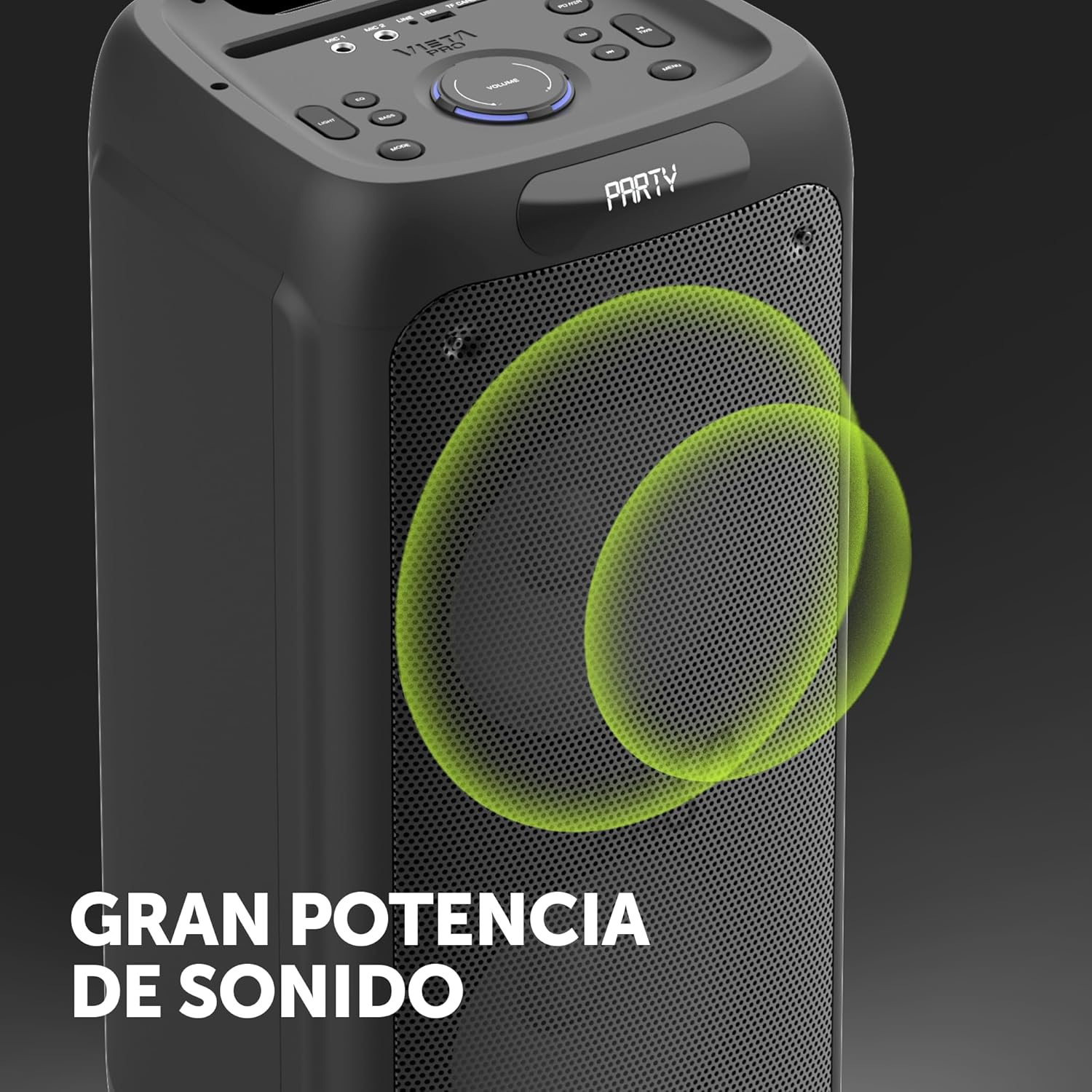
Image 8.1: The Vieta Pro Party 220 speaker, highlighting its powerful sound output.
| Fitur | Detil |
|---|---|
| Nama Model | Pesta 220 |
| Nomor Model | VM-HW455BK |
| Merek | Vieta Pro |
| Jenis Pembicara | Outdoor, Portable, Self-amphidup |
| Teknologi Konektivitas | Bluetooth 5.3, AUX, USB, MicroSD |
| Komunikasi Nirkabel | Bahasa Indonesia: Bluetooth |
| Daya Keluaran Speaker Maksimum | 500 Watt (RMS) |
| Mode Keluaran Audio | Stereo (dengan TWS) |
| Respon Frekuensi | Frekuensi 20 MHz |
| Sumber Daya | Bertenaga Baterai |
| Daya Tahan Baterai | Hingga 10 jam |
| Metode Kontrol | Kontrol Jarak Jauh, Tombol pada Perangkat |
| Fitur Khusus | Anti-shock, USB Port, Shock resistant, Wireless speakers, Auracast, Karaoke, LED RGB lights |
| Perangkat yang Kompatibel | MP3 Player, Mobile, PC, DJ Mixer, Tablet, Television |
| Dimensi Produk | Ukuran 33.7D x 30L x 70.5T cm |
| Berat Barang | 5 Kilogram |
| Bahan | Plastik |
| Warna | Hitam |
9. Garansi dan Dukungan
The Vieta Pro Party 220 speaker comes with a limited warranty. Please refer to the warranty card included in your packaging for detailed terms and conditions. For technical support, troubleshooting assistance beyond this manual, or warranty claims, please contact Vieta Pro customer service through their official websitus atau informasi kontak yang diberikan bersama dokumentasi produk Anda.
Harap simpan bukti pembelian Anda untuk tujuan garansi.


