1. Pendahuluan
Terima kasih sudah membeliasing the AIWA LPS-25BK Turntable. This device is designed to provide high-quality audio playback from vinyl records, as well as offering modern connectivity options such as Bluetooth, USB, and FM radio. Please read this manual carefully before using the product to ensure proper operation and to maximize its lifespan.
2. Petunjuk Keselamatan
- Sumber Daya: Use only the provided AC adapter. Ensure the voltage sesuai dengan persyaratan yang ditentukan pada adaptor.
- Air dan Kelembaban: Jangan biarkan unit terkena hujan, kelembapan, atau cairan. Jangan meletakkan benda berisi cairan, seperti vas bunga, di atas unit.
- Panas: Jangan letakkan unit di dekat sumber panas seperti radiator, pemanas, kompor, atau peralatan lainnya (termasuk amppengangkat) yang menghasilkan panas.
- Ventilasi: Pastikan ventilasi memadai. Jangan halangi lubang ventilasi apa pun.
- Pembersihan: Cabut unit dari stopkontak sebelum membersihkan. Gunakan kain lembut dan kering. Jangan gunakan cairan pembersih atau pembersih aerosol.
- Pelayanan: Jangan mencoba untuk memperbaiki produk ini sendiri. Rujuk semua servis ke personel servis yang berkualifikasi.
- Penempatan: Letakkan unit di permukaan yang stabil dan rata untuk mencegah kerusakan akibat terjatuh.
3. Isi Paket
Harap periksa apakah semua item ada dalam paket:
- AIWA LPS-25BK Turntable Unit
- Adaptor Daya AC
- User Manual (dokumen ini)
- Penutup Debu
- Piring Piring
4. Produk Lebihview
Familiarize yourself with the components of your AIWA LPS-25BK Turntable.
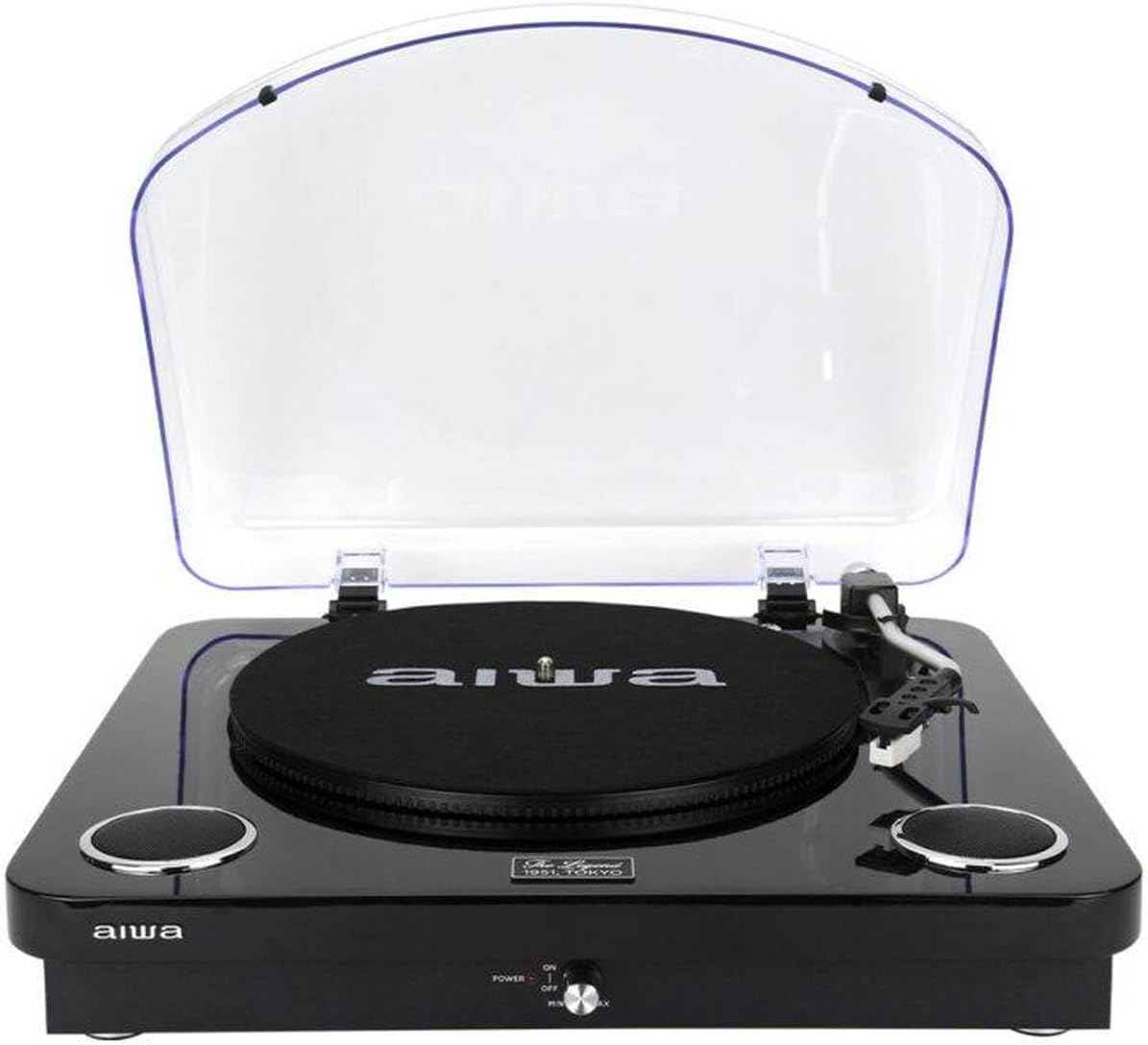
Gambar 4.1: Depan view of the AIWA LPS-25BK Turntable with the dust cover open, revealing the record platter, tonearm assembly, and integrated speakers on either side.

Gambar 4.2: Depan view of the AIWA LPS-25BK Turntable with the transparent dust cover closed, protecting the internal components.

Gambar 4.3: Samping view of the AIWA LPS-25BK Turntable, highlighting the USB port, SD card slot, and playback control buttons.
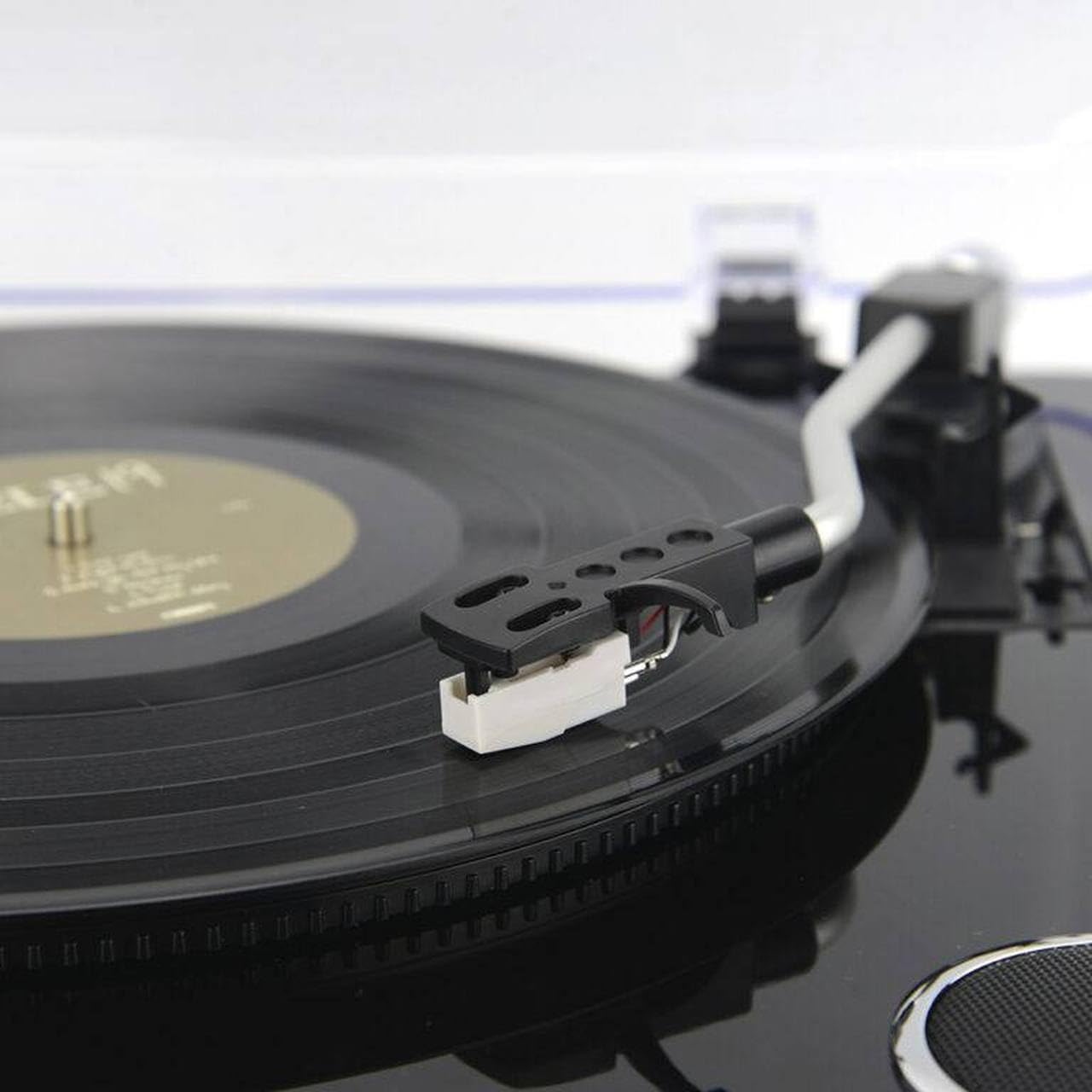
Gambar 4.4: Terperinci view of the tonearm and cartridge with the stylus, positioned over a vinyl record on the platter.
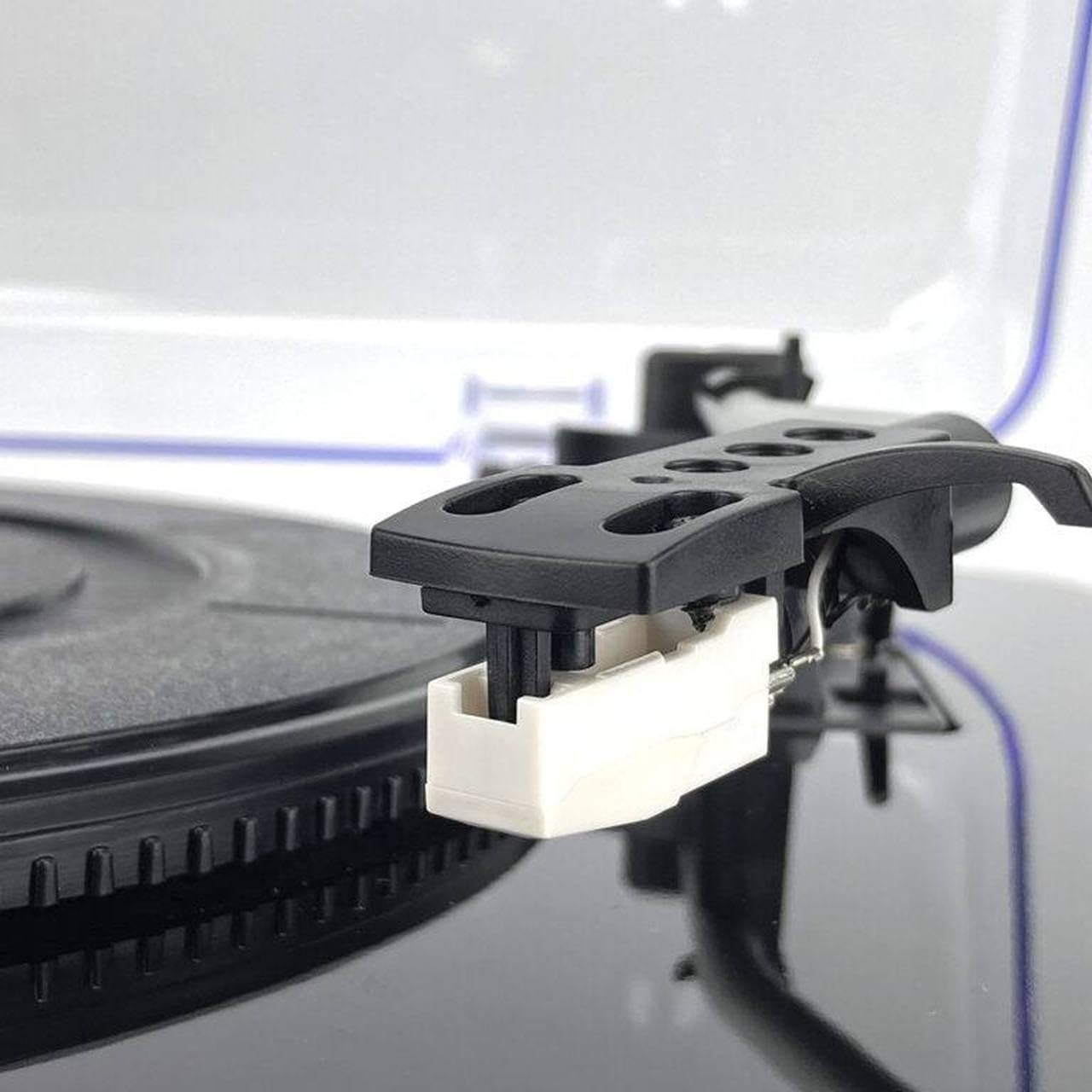
Gambar 4.5: Close-up of the white stylus (needle) attached to the cartridge, ready to play a record.

Gambar 4.6: Detail of the power switch and volume control knob, labeled 'POWER ON/OFF' and 'MIN/MAX', with a red indicator light.

Gambar 4.7: Terperinci view of the USB port, SD card slot, and control buttons including SCAN, K/DEL (Previous/Delete), M/REC (Next/Mode/Record).
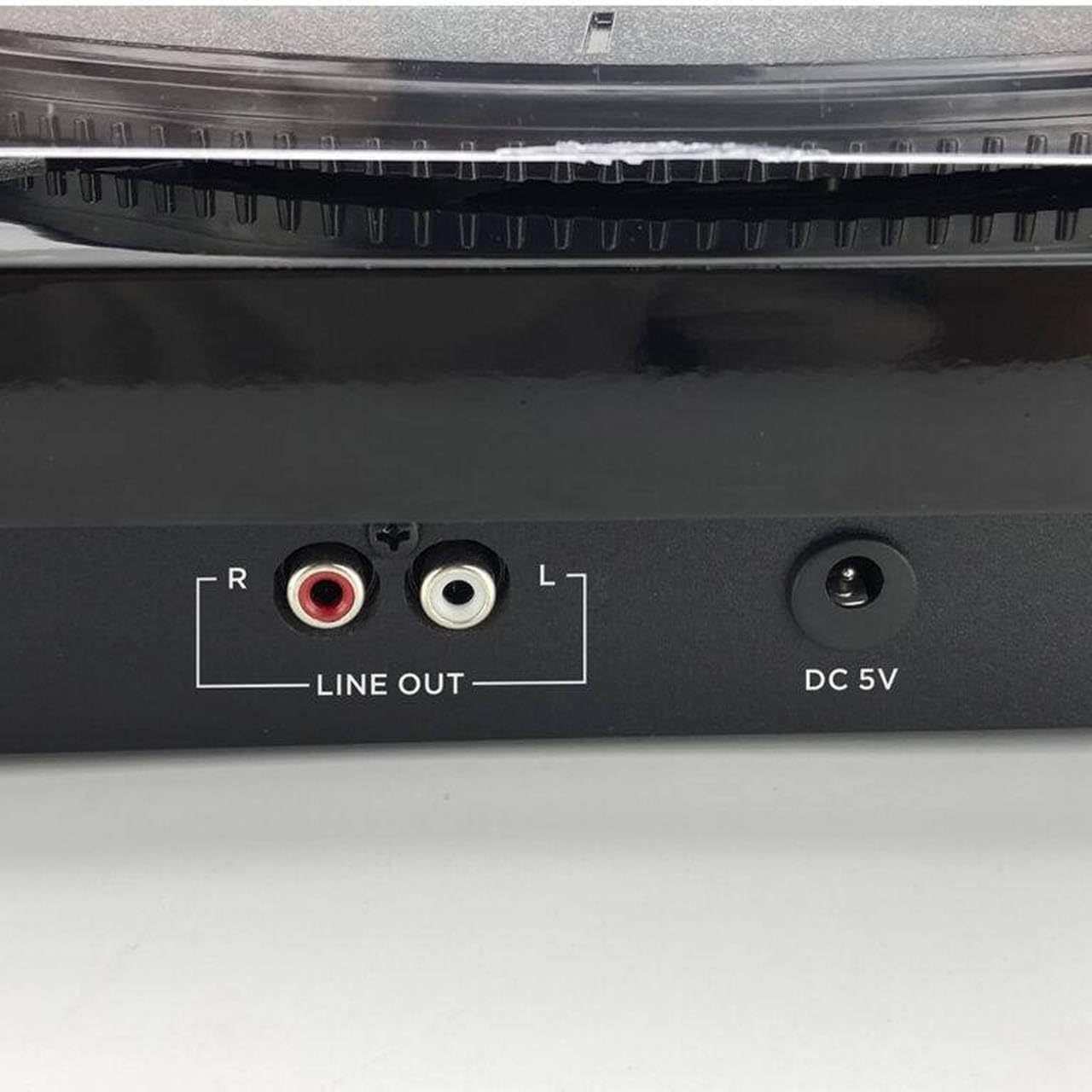
Gambar 4.8: Rear panel connections, showing the red and white RCA 'LINE OUT' ports for external audio connection and the 'DC 5V' power input jack.
5. Pengaturan
- Bongkar Unitnya: Keluarkan pemutar piringan hitam dari kemasannya dengan hati-hati. Simpan kemasan tersebut untuk pengangkutan atau penyimpanan di masa mendatang.
- Place the Platter Mat: Place the felt platter mat onto the turntable platter.
- Install the Dust Cover: Insert the hinges of the dust cover into the slots at the back of the turntable unit.
- Hubungkan Daya: Insert the DC plug of the AC adapter into the 'DC 5V' input jack on the back of the turntable. Plug the AC adapter into a wall outlet.
- Lepaskan Pelindung Stylus: Before playing a record, carefully remove the clear plastic stylus protector from the cartridge.
6. Petunjuk Pengoperasian
6.1 Memutar Rekaman
- Nyalakan: Putar kenop 'POWER' searah jarum jam ke posisi 'ON'. Lampu indikator daya akan menyala.
- Pilih Kecepatan: Set the speed selector switch (usually located near the tonearm base) to the appropriate speed for your record (33, 45, or 78 RPM). For 45 RPM records, you may need to use a 45 RPM adapter (not included).
- Rekor Tempat: Letakkan piringan hitam di atas piringan putar, tepat di tengah porosnya.
- Angkat Lengan Tonearm: Angkat lengan pemutar piringan hitam secara perlahan menggunakan tuas pengatur posisi.
- Posisi Tonearm: Gerakkan lengan pemutar piringan hitam di atas alur awal yang diinginkan pada piringan hitam.
- Lengan Nada Bawah: Slowly lower the tonearm using the cueing lever. The stylus will make contact with the record, and playback will begin through the integrated speakers.
- Sesuaikan Volume: Adjust the volume using the 'POWER/VOLUME' knob.
- Pengembalian Otomatis: Di akhir pemutaran, lengan pemutar akan secara otomatis kembali ke posisi istirahatnya.
6.2 Mode Bluetooth
- Nyalakan: Turn the 'POWER' knob clockwise to the 'ON' position.
- Pilih Modus: Press the 'MODE/REC' button repeatedly until the Bluetooth indicator light flashes, indicating pairing mode.
- Pasangkan Perangkat: On your Bluetooth-enabled device (e.g., smartphone, tablet), search for available Bluetooth devices and select 'AIWA LPS-25BK'.
- Pemutaran ulang: Once paired, the Bluetooth indicator will stop flashing and remain solid. You can now stream audio from your device to the turntable's integrated speakers.
6.3 Pemutaran dan Perekaman USB
- Masukkan USB Drive: Masukkan flash drive USB ke port USB di sisi perangkat.
- Pilih Modus: Press the 'MODE/REC' button to switch to USB mode.
- Pemutaran ulang: Use the 'K/DEL' (Previous) and 'M/REC' (Next) buttons to navigate tracks. Press the 'K/DEL' button to play/pause.
- Recording (from Vinyl/FM): While playing a record or listening to FM radio, press and hold the 'M/REC' button to start recording to the USB drive. Press it again to stop recording. Recorded files will be saved in MP3 format.
6.4 Radio FM
- Nyalakan: Turn the 'POWER' knob clockwise to the 'ON' position.
- Pilih Modus: Press the 'MODE/REC' button repeatedly until FM radio mode is selected.
- Stasiun Pemindaian: Tekan tombol 'SCAN' untuk memindai dan menyimpan stasiun radio FM yang tersedia secara otomatis.
- Dengarkan Stasiun Radio: Use the 'K/DEL' and 'M/REC' buttons to cycle through the saved stations.
6.5 RCA Audio Output
Untuk menghubungkan pemutar piringan hitam ke perangkat eksternal amppenguat atau speaker aktif:
- Connect an RCA audio cable (not included) to the 'LINE OUT' ports (red for right, white for left) on the back of the turntable.
- Connect the other end of the RCA cable to the corresponding audio input on your amplifier atau speaker bertenaga.
- Ensure your external audio system is set to the correct input source.
7. Pemeliharaan
- Pembersihan Stylus: Gently clean the stylus regularly using a soft brush designed for stylus cleaning, brushing from back to front. Avoid touching the stylus with your fingers.
- Pembersihan Unit: Wipe the turntable unit with a soft, dry, lint-free cloth. Do not use abrasive cleaners, waxes, or solvents.
- Penutup Debu: Keep the dust cover closed when not in use to protect the platter and tonearm from dust. Clean the dust cover with a soft, damp kain.
- Perawatan Rekam Medis: Keep your records clean and free of dust to ensure optimal sound quality and to prolong stylus life.
8. Penyelesaian masalah
If you encounter issues with your AIWA LPS-25BK Turntable, please refer to the following common problems and solutions:
| Masalah | Kemungkinan Penyebab | Larutan |
|---|---|---|
| Tidak ada daya | Power adapter not connected; Power outlet not working; Power knob off. | Ensure AC adapter is securely connected to the unit and a working power outlet. Turn the power knob to 'ON'. |
| Tidak ada suara dari speaker | Volume too low; Incorrect mode selected; Stylus protector still on. | Increase volume. Ensure correct mode (Phono, Bluetooth, USB, FM) is selected. Remove stylus protector. |
| Melewati rekaman | Record is dirty or scratched; Turntable not on a stable surface; Stylus is dirty or worn. | Clean the record. Place the turntable on a stable, level surface. Clean or replace the stylus. |
| Bluetooth tidak terhubung | Turntable not in pairing mode; Device too far; Incorrect device selected. | Ensure turntable is in Bluetooth pairing mode (flashing indicator). Move device closer. Select 'AIWA LPS-25BK' from your device's Bluetooth list. |
| Penerimaan FM buruk | Weak signal; Unit placement. | Adjust the position of the unit to improve reception. |
9. Spesifikasi
- Nama Model: LPS-25BK
- Merek: aiwa
- Kecepatan Rotasi: 33 1/3, 45, 78 putaran per menit
- Kecepatan Rotasi Maksimum: 78 putaran/menit
- Versi Bluetooth: 5.4
- Speaker Terintegrasi: 2x5W RMS
- Konektivitas: Bluetooth, USB, RCA Line Out
- Fitur Tambahan: FM Radio, Automatic Tonearm Return, USB Playback/Recording
- Masukan Daya: DC 5V (via AC Adapter)
- Bahan: Logam (komponen sasis)
- Berat Produk: 4 Kilogram
- Warna: Hitam
- Perangkat yang Kompatibel: Amplifier, Speakers, Personal Computer, Bluetooth Speaker
10. Garansi dan Dukungan
The AIWA LPS-25BK Turntable comes with a standard manufacturer's warranty. Please refer to the warranty card included in your package or contact your retailer for specific warranty terms and conditions. For technical support or service inquiries, please contact the AIWA customer service department or your authorized dealer.


